Reading view

Patch Tuesday, February 2026 Edition

Microsoft today released updates to fix more than 50 security holes in its Windows operating systems and other software, including patches for a whopping six “zero-day” vulnerabilities that attackers are already exploiting in the wild.
Zero-day #1 this month is CVE-2026-21510, a security feature bypass vulnerability in Windows Shell wherein a single click on a malicious link can quietly bypass Windows protections and run attacker-controlled content without warning or consent dialogs. CVE-2026-21510 affects all currently supported versions of Windows.

The zero-day flaw CVE-2026-21513 is a security bypass bug targeting MSHTML, the proprietary engine of the default Web browser in Windows. CVE-2026-21514 is a related security feature bypass in Microsoft Word.

The zero-day CVE-2026-21533 allows local attackers to elevate their user privileges to “SYSTEM” level access in Windows Remote Desktop Services. CVE-2026-21519 is a zero-day elevation of privilege flaw in the Desktop Window Manager (DWM), a key component of Windows that organizes windows on a user’s screen. Microsoft fixed a different zero-day in DWM just last month.

The sixth zero-day is CVE-2026-21525, a potentially disruptive denial-of-service vulnerability in the Windows Remote Access Connection Manager, the service responsible for maintaining VPN connections to corporate networks.

Chris Goettl at Ivanti reminds us Microsoft has issued several out-of-band security updates since January’s Patch Tuesday. On January 17, Microsoft pushed a fix that resolved a credential prompt failure when attempting remote desktop or remote application connections. On January 26, Microsoft patched a zero-day security feature bypass vulnerability (CVE-2026-21509) in Microsoft Office.

Kev Breen at Immersive notes that this month’s Patch Tuesday includes several fixes for remote code execution vulnerabilities affecting GitHub Copilot and multiple integrated development environments (IDEs), including VS Code, Visual Studio, and JetBrains products. The relevant CVEs are CVE-2026-21516, CVE-2026-21523, and CVE-2026-21256.

Breen said the AI vulnerabilities Microsoft patched this month stem from a command injection flaw that can be triggered through prompt injection, or tricking the AI agent into doing something it shouldn’t — like executing malicious code or commands.

“Developers are high-value targets for threat actors, as they often have access to sensitive data such as API keys and secrets that function as keys to critical infrastructure, including privileged AWS or Azure API keys,” Breen said. “When organizations enable developers and automation pipelines to use LLMs and agentic AI, a malicious prompt can have significant impact. This does not mean organizations should stop using AI. It does mean developers should understand the risks, teams should clearly identify which systems and workflows have access to AI agents, and least-privilege principles should be applied to limit the blast radius if developer secrets are compromised.”

The SANS Internet Storm Center has a clickable breakdown of each individual fix this month from Microsoft, indexed by severity and CVSS score. Enterprise Windows admins involved in testing patches before rolling them out should keep an eye on askwoody.com, which often has the skinny on wonky updates. Please don’t neglect to back up your data if it has been a while since you’ve done that, and feel free to sound off in the comments if you experience problems installing any of these fixes.

  •  

Patch Tuesday, January 2026 Edition

Microsoft today issued patches to plug at least 113 security holes in its various Windows operating systems and supported software. Eight of the vulnerabilities earned Microsoft’s most-dire “critical” rating, and the company warns that attackers are already exploiting one of the bugs fixed today.

January’s Microsoft zero-day flaw — CVE-2026-20805 — is brought to us by a flaw in the Desktop Window Manager (DWM), a key component of Windows that organizes windows on a user’s screen. Kev Breen, senior director of cyber threat research at Immersive, said despite awarding CVE-2026-20805 a middling CVSS score of 5.5, Microsoft has confirmed its active exploitation in the wild, indicating that threat actors are already leveraging this flaw against organizations.

Breen said vulnerabilities of this kind are commonly used to undermine Address Space Layout Randomization (ASLR), a core operating system security control designed to protect against buffer overflows and other memory-manipulation exploits.

“By revealing where code resides in memory, this vulnerability can be chained with a separate code execution flaw, transforming a complex and unreliable exploit into a practical and repeatable attack,” Breen said. “Microsoft has not disclosed which additional components may be involved in such an exploit chain, significantly limiting defenders’ ability to proactively threat hunt for related activity. As a result, rapid patching currently remains the only effective mitigation.”

Chris Goettl, vice president of product management at Ivanti, observed that CVE-2026-20805 affects all currently supported and extended security update supported versions of the Windows OS. Goettl said it would be a mistake to dismiss the severity of this flaw based on its “Important” rating and relatively low CVSS score.

“A risk-based prioritization methodology warrants treating this vulnerability as a higher severity than the vendor rating or CVSS score assigned,” he said.

Among the critical flaws patched this month are two Microsoft Office remote code execution bugs (CVE-2026-20952 and CVE-2026-20953) that can be triggered just by viewing a booby-trapped message in the Preview Pane.

Our October 2025 Patch Tuesday “End of 10” roundup noted that Microsoft had removed a modem driver from all versions after it was discovered that hackers were abusing a vulnerability in it to hack into systems. Adam Barnett at Rapid7 said Microsoft today removed another couple of modem drivers from Windows for a broadly similar reason: Microsoft is aware of functional exploit code for an elevation of privilege vulnerability in a very similar modem driver, tracked as CVE-2023-31096.

“That’s not a typo; this vulnerability was originally published via MITRE over two years ago, along with a credible public writeup by the original researcher,” Barnett said. “Today’s Windows patches remove agrsm64.sys and agrsm.sys. All three modem drivers were originally developed by the same now-defunct third party, and have been included in Windows for decades. These driver removals will pass unnoticed for most people, but you might find active modems still in a few contexts, including some industrial control systems.”

According to Barnett, two questions remain: How many more legacy modem drivers are still present on a fully-patched Windows asset; and how many more elevation-to-SYSTEM vulnerabilities will emerge from them before Microsoft cuts off attackers who have been enjoying “living off the land[line] by exploiting an entire class of dusty old device drivers?”

“Although Microsoft doesn’t claim evidence of exploitation for CVE-2023-31096, the relevant 2023 write-up and the 2025 removal of the other Agere modem driver have provided two strong signals for anyone looking for Windows exploits in the meantime,” Barnett said. “In case you were wondering, there is no need to have a modem connected; the mere presence of the driver is enough to render an asset vulnerable.”

Immersive, Ivanti and Rapid7 all called attention to CVE-2026-21265, which is a critical Security Feature Bypass vulnerability affecting Windows Secure Boot. This security feature is designed to protect against threats like rootkits and bootkits, and it relies on a set of certificates that are set to expire in June 2026 and October 2026. Once these 2011 certificates expire, Windows devices that do not have the new 2023 certificates can no longer receive Secure Boot security fixes.

Barnett cautioned that when updating the bootloader and BIOS, it is essential to prepare fully ahead of time for the specific OS and BIOS combination you’re working with, since incorrect remediation steps can lead to an unbootable system.

“Fifteen years is a very long time indeed in information security, but the clock is running out on the Microsoft root certificates which have been signing essentially everything in the Secure Boot ecosystem since the days of Stuxnet,” Barnett said. “Microsoft issued replacement certificates back in 2023, alongside CVE-2023-24932 which covered relevant Windows patches as well as subsequent steps to remediate the Secure Boot bypass exploited by the BlackLotus bootkit.”

Goettl noted that Mozilla has released updates for Firefox and Firefox ESR resolving a total of 34 vulnerabilities, two of which are suspected to be exploited (CVE-2026-0891 and CVE-2026-0892). Both are resolved in Firefox 147 (MFSA2026-01) and CVE-2026-0891 is resolved in Firefox ESR 140.7 (MFSA2026-03).

“Expect Google Chrome and Microsoft Edge updates this week in addition to a high severity vulnerability in Chrome WebView that was resolved in the January 6 Chrome update (CVE-2026-0628),” Goettl said.

As ever, the SANS Internet Storm Center has a per-patch breakdown by severity and urgency. Windows admins should keep an eye on askwoody.com for any news about patches that don’t quite play nice with everything. If you experience any issues related installing January’s patches, please drop a line in the comments below.

  •  

Microsoft Patch Tuesday, December 2025 Edition

Microsoft today pushed updates to fix at least 56 security flaws in its Windows operating systems and supported software. This final Patch Tuesday of 2025 tackles one zero-day bug that is already being exploited, as well as two publicly disclosed vulnerabilities.

Despite releasing a lower-than-normal number of security updates these past few months, Microsoft patched a whopping 1,129 vulnerabilities in 2025, an 11.9% increase from 2024. According to Satnam Narang at Tenable, this year marks the second consecutive year that Microsoft patched over one thousand vulnerabilities, and the third time it has done so since its inception.

The zero-day flaw patched today is CVE-2025-62221, a privilege escalation vulnerability affecting Windows 10 and later editions. The weakness resides in a component called the “Windows Cloud Files Mini Filter Driver” — a system driver that enables cloud applications to access file system functionalities.

“This is particularly concerning, as the mini filter is integral to services like OneDrive, Google Drive, and iCloud, and remains a core Windows component, even if none of those apps were installed,” said Adam Barnett, lead software engineer at Rapid7.

Only three of the flaws patched today earned Microsoft’s most-dire “critical” rating: Both CVE-2025-62554 and CVE-2025-62557 involve Microsoft Office, and both can exploited merely by viewing a booby-trapped email message in the Preview Pane. Another critical bug — CVE-2025-62562 — involves Microsoft Outlook, although Redmond says the Preview Pane is not an attack vector with this one.

But according to Microsoft, the vulnerabilities most likely to be exploited from this month’s patch batch are other (non-critical) privilege escalation bugs, including:

CVE-2025-62458 — Win32k
CVE-2025-62470 — Windows Common Log File System Driver
CVE-2025-62472 — Windows Remote Access Connection Manager
CVE-2025-59516 — Windows Storage VSP Driver
CVE-2025-59517 — Windows Storage VSP Driver

Kev Breen, senior director of threat research at Immersive, said privilege escalation flaws are observed in almost every incident involving host compromises.

“We don’t know why Microsoft has marked these specifically as more likely, but the majority of these components have historically been exploited in the wild or have enough technical detail on previous CVEs that it would be easier for threat actors to weaponize these,” Breen said. “Either way, while not actively being exploited, these should be patched sooner rather than later.”

One of the more interesting vulnerabilities patched this month is CVE-2025-64671, a remote code execution flaw in the Github Copilot Plugin for Jetbrains AI-based coding assistant that is used by Microsoft and GitHub. Breen said this flaw would allow attackers to execute arbitrary code by tricking the large language model (LLM) into running commands that bypass the user’s “auto-approve” settings.

CVE-2025-64671 is part of a broader, more systemic security crisis that security researcher Ari Marzuk has branded IDEsaster (IDE  stands for “integrated development environment”), which encompasses more than 30 separate vulnerabilities reported in nearly a dozen market-leading AI coding platforms, including Cursor, Windsurf, Gemini CLI, and Claude Code.

The other publicly-disclosed vulnerability patched today is CVE-2025-54100, a remote code execution bug in Windows Powershell on Windows Server 2008 and later that allows an unauthenticated attacker to run code in the security context of the user.

For anyone seeking a more granular breakdown of the security updates Microsoft pushed today, check out the roundup at the SANS Internet Storm Center. As always, please leave a note in the comments if you experience problems applying any of this month’s Windows patches.

  •  

Patch Tuesday, October 2025 ‘End of 10’ Edition

Microsoft today released software updates to plug a whopping 172 security holes in its Windows operating systems, including at least two vulnerabilities that are already being actively exploited. October’s Patch Tuesday also marks the final month that Microsoft will ship security updates for Windows 10 systems. If you’re running a Windows 10 PC and you’re unable or unwilling to migrate to Windows 11, read on for other options.

The first zero-day bug addressed this month (CVE-2025-24990) involves a third-party modem driver called Agere Modem that’s been bundled with Windows for the past two decades. Microsoft responded to active attacks on this flaw by completely removing the vulnerable driver from Windows.

The other zero-day is CVE-2025-59230, an elevation of privilege vulnerability in Windows Remote Access Connection Manager (also known as RasMan), a service used to manage remote network connections through virtual private networks (VPNs) and dial-up networks.

“While RasMan is a frequent flyer on Patch Tuesday, appearing more than 20 times since January 2022, this is the first time we’ve seen it exploited in the wild as a zero day,” said Satnam Narang, senior staff research engineer at Tenable.

Narang notes that Microsoft Office users should also take note of CVE-2025-59227 and CVE-2025-59234, a pair of remote code execution bugs that take advantage of “Preview Pane,” meaning that the target doesn’t even need to open the file for exploitation to occur. To execute these flaws, an attacker would social engineer a target into previewing an email with a malicious Microsoft Office document.

Speaking of Office, Microsoft quietly announced this week that Microsoft Word will now automatically save documents to OneDrive, Microsoft’s cloud platform. Users who are uncomfortable saving all of their documents to Microsoft’s cloud can change this in Word’s settings; ZDNet has a useful how-to on disabling this feature.

Kev Breen, senior director of threat research at Immersive, called attention to CVE-2025-59287, a critical remote code execution bug in the Windows Server Update Service  (WSUS) — the very same Windows service responsible for downloading security patches for Windows Server versions. Microsoft says there are no signs this weakness is being exploited yet. But with a threat score of 9.8 out of possible 10 and marked “exploitation more likely,” CVE-2025-59287 can be exploited without authentication and is an easy “patch now” candidate.

“Microsoft provides limited information, stating that an unauthenticated attacker with network access can send untrusted data to the WSUS server, resulting in deserialization and code execution,” Breen wrote. “As WSUS is a trusted Windows service that is designed to update privileged files across the file system, an attacker would have free rein over the operating system and could potentially bypass some EDR detections that ignore or exclude the WSUS service.”

For more on other fixes from Redmond today, check out the SANS Internet Storm Center monthly roundup, which indexes all of the updates by severity and urgency.

Windows 10 isn’t the only Microsoft OS that is reaching end-of-life today; Exchange Server 2016, Exchange Server 2019, Skype for Business 2016, Windows 11 IoT Enterprise Version 22H2, and Outlook 2016 are some of the other products that Microsoft is sunsetting today.

If you’re running any Windows 10 systems, you’ve probably already determined whether your PC meets the technical hardware specs recommended for the Windows 11 OS. If you’re reluctant or unable to migrate a Windows 10 system to Windows 11, there are alternatives to simply continuing to use Windows 10 without ongoing security updates.

One option is to pay for another year’s worth of security updates through Microsoft’s Extended Security Updates (ESU) program. The cost is just $30 if you don’t have a Microsoft account, and apparently free if you register the PC to a Microsoft account. This video breakdown from Ask Your Computer Guy does a good job of walking Windows 10 users through this process. Microsoft emphasizes that ESU enrollment does not provide other types of fixes, feature improvements or product enhancements. It also does not come with technical support.

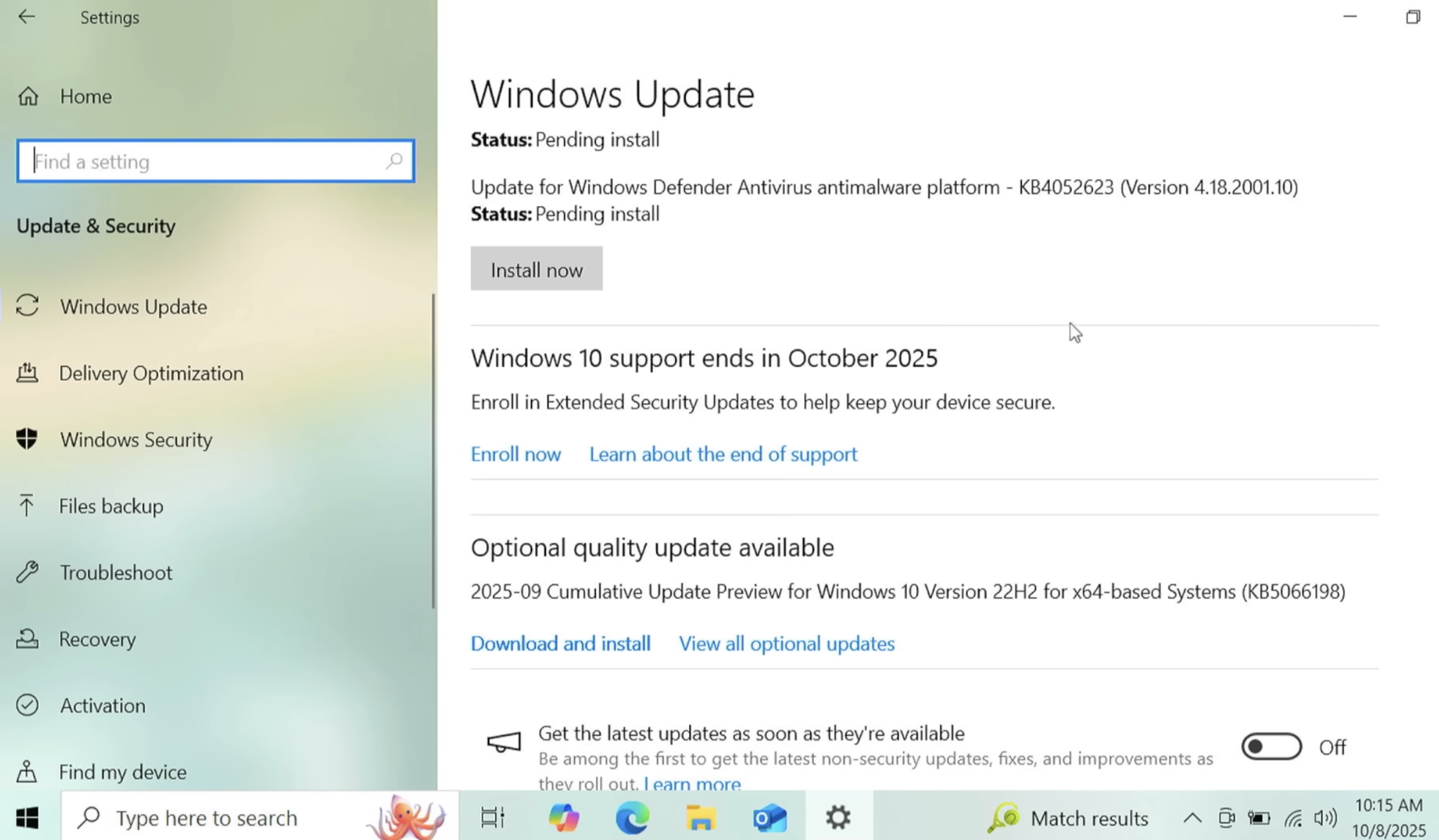
If your Windows 10 system is associated with a Microsoft account and signed in when you visit Windows Update, you should see an option to enroll in extended updates. Image: https://www.youtube.com/watch?v=SZH7MlvOoPM

Windows 10 users also have the option of installing some flavor of Linux instead. Anyone seriously considering this option should check out the website endof10.org, which includes a plethora of tips and a DIY installation guide.

Linux Mint is a great option for Linux newbies. Like most modern Linux versions, Mint will run on anything with a 64-bit CPU that has at least 2GB of memory, although 4GB is recommended. In other words, it will run on almost any computer produced in the last decade.

Linux Mint also is likely to be the most intuitive interface for regular Windows users, and it is largely configurable without any fuss at the text-only command-line prompt. Mint and other flavors of Linux come with LibreOffice, which is an open source suite of tools that includes applications similar to Microsoft Office, and it can open, edit and save documents as Microsoft Office files.

If you’d prefer to give Linux a test drive before installing it on a Windows PC, you can always just download it to a removable USB drive. From there, reboot the computer (with the removable drive plugged in) and select the option at startup to run the operating system from the external USB drive. If you don’t see an option for that after restarting, try restarting again and hitting the F8 button, which should open a list of bootable drives. Here’s a fairly thorough tutorial that walks through exactly how to do all this.

And if this is your first time trying out Linux, relax and have fun: The nice thing about a “live” version of Linux (as it’s called when the operating system is run from a removable drive such as a CD or a USB stick) is that none of your changes persist after a reboot. Even if you somehow manage to break something, a restart will return the system back to its original state.

As ever, if you experience any difficulties during or after applying this month’s batch of patches, please leave a note about it in the comments below.

  •  

Microsoft Patch Tuesday, September 2025 Edition

Microsoft Corp. today issued security updates to fix more than 80 vulnerabilities in its Windows operating systems and software. There are no known “zero-day” or actively exploited vulnerabilities in this month’s bundle from Redmond, which nevertheless includes patches for 13 flaws that earned Microsoft’s most-dire “critical” label. Meanwhile, both Apple and Google recently released updates to fix zero-day bugs in their devices.

Microsoft assigns security flaws a “critical” rating when malware or miscreants can exploit them to gain remote access to a Windows system with little or no help from users. Among the more concerning critical bugs quashed this month is CVE-2025-54918. The problem here resides with Windows NTLM, or NT LAN Manager, a suite of code for managing authentication in a Windows network environment.

Redmond rates this flaw as “Exploitation More Likely,” and although it is listed as a privilege escalation vulnerability, Kev Breen at Immersive says this one is actually exploitable over the network or the Internet.

“From Microsoft’s limited description, it appears that if an attacker is able to send specially crafted packets over the network to the target device, they would have the ability to gain SYSTEM-level privileges on the target machine,” Breen said. “The patch notes for this vulnerability state that ‘Improper authentication in Windows NTLM allows an authorized attacker to elevate privileges over a network,’ suggesting an attacker may already need to have access to the NTLM hash or the user’s credentials.”

Breen said another patch — CVE-2025-55234, a 8.8 CVSS-scored flaw affecting the Windows SMB client for sharing files across a network — also is listed as privilege escalation bug but is likewise remotely exploitable. This vulnerability was publicly disclosed prior to this month.

“Microsoft says that an attacker with network access would be able to perform a replay attack against a target host, which could result in the attacker gaining additional privileges, which could lead to code execution,” Breen noted.

CVE-2025-54916 is an “important” vulnerability in Windows NTFS — the default filesystem for all modern versions of Windows — that can lead to remote code execution. Microsoft likewise thinks we are more than likely to see exploitation of this bug soon: The last time Microsoft patched an NTFS bug was in March 2025 and it was already being exploited in the wild as a zero-day.

“While the title of the CVE says ‘Remote Code Execution,’ this exploit is not remotely exploitable over the network, but instead needs an attacker to either have the ability to run code on the host or to convince a user to run a file that would trigger the exploit,” Breen said. “This is commonly seen in social engineering attacks, where they send the user a file to open as an attachment or a link to a file to download and run.”

Critical and remote code execution bugs tend to steal all the limelight, but Tenable Senior Staff Research Engineer Satnam Narang notes that nearly half of all vulnerabilities fixed by Microsoft this month are privilege escalation flaws that require an attacker to have gained access to a target system first before attempting to elevate privileges.

“For the third time this year, Microsoft patched more elevation of privilege vulnerabilities than remote code execution flaws,” Narang observed.

On Sept. 3, Google fixed two flaws that were detected as exploited in zero-day attacks, including CVE-2025-38352, an elevation of privilege in the Android kernel, and CVE-2025-48543, also an elevation of privilege problem in the Android Runtime component.

Also, Apple recently patched its seventh zero-day (CVE-2025-43300) of this year. It was part of an exploit chain used along with a vulnerability in the WhatsApp (CVE-2025-55177) instant messenger to hack Apple devices. Amnesty International reports that the two zero-days have been used in “an advanced spyware campaign” over the past 90 days. The issue is fixed in iOS 18.6.2, iPadOS 18.6.2, iPadOS 17.7.10, macOS Sequoia 15.6.1, macOS Sonoma 14.7.8, and macOS Ventura 13.7.8.

The SANS Internet Storm Center has a clickable breakdown of each individual fix from Microsoft, indexed by severity and CVSS score. Enterprise Windows admins involved in testing patches before rolling them out should keep an eye on askwoody.com, which often has the skinny on wonky updates.

AskWoody also reminds us that we’re now just two months out from Microsoft discontinuing free security updates for Windows 10 computers. For those interested in safely extending the lifespan and usefulness of these older machines, check out last month’s Patch Tuesday coverage for a few pointers.

As ever, please don’t neglect to back up your data (if not your entire system) at regular intervals, and feel free to sound off in the comments if you experience problems installing any of these fixes.
  •  

Microsoft Patch Tuesday, August 2025 Edition

Microsoft today released updates to fix more than 100 security flaws in its Windows operating systems and other software. At least 13 of the bugs received Microsoft’s most-dire “critical” rating, meaning they could be abused by malware or malcontents to gain remote access to a Windows system with little or no help from users.

August’s patch batch from Redmond includes an update for CVE-2025-53786, a vulnerability that allows an attacker to pivot from a compromised Microsoft Exchange Server directly into an organization’s cloud environment, potentially gaining control over Exchange Online and other connected Microsoft Office 365 services. Microsoft first warned about this bug on Aug. 6, saying it affects Exchange Server 2016 and Exchange Server 2019, as well as its flagship Exchange Server Subscription Edition.

Ben McCarthy, lead cyber security engineer at Immersive, said a rough search reveals approximately 29,000 Exchange servers publicly facing on the internet that are vulnerable to this issue, with many of them likely to have even older vulnerabilities.

McCarthy said the fix for CVE-2025-53786 requires more than just installing a patch, such as following Microsoft’s manual instructions for creating a dedicated service to oversee and lock down the hybrid connection.

“In effect, this vulnerability turns a significant on-premise Exchange breach into a full-blown, difficult-to-detect cloud compromise with effectively living off the land techniques which are always harder to detect for defensive teams,” McCarthy said.

CVE-2025-53779 is a weakness in the Windows Kerberos authentication system that allows an unauthenticated attacker to gain domain administrator privileges. Microsoft credits the discovery of the flaw to Akamai researcher Yuval Gordon, who dubbed it “BadSuccessor” in a May 2025 blog post. The attack exploits a weakness in “delegated Managed Service Account” or dMSA — a feature that was introduced in Windows Server 2025.

Some of the critical flaws addressed this month with the highest severity (between 9.0 and 9.9 CVSS scores) include a remote code execution bug in the Windows GDI+ component that handles graphics rendering (CVE-2025-53766) and CVE-2025-50165, another graphics rendering weakness. Another critical patch involves CVE-2025-53733, a vulnerability in Microsoft Word that can be exploited without user interaction and triggered through the Preview Pane.

One final critical bug tackled this month deserves attention: CVE-2025-53778, a bug in Windows NTLM, a core function of how Windows systems handle network authentication. According to Microsoft, the flaw could allow an attacker with low-level network access and basic user privileges to exploit NTLM and elevate to SYSTEM-level access — the highest level of privilege in Windows. Microsoft rates the exploitation of this bug as “more likely,” although there is no evidence the vulnerability is being exploited at the moment.

Feel free to holler in the comments if you experience problems installing any of these updates. As ever, the SANS Internet Storm Center has its useful breakdown of the Microsoft patches indexed by severity and CVSS score, and AskWoody.com is keeping an eye out for Windows patches that may cause problems for enterprises and end users.

GOOD MIGRATIONS

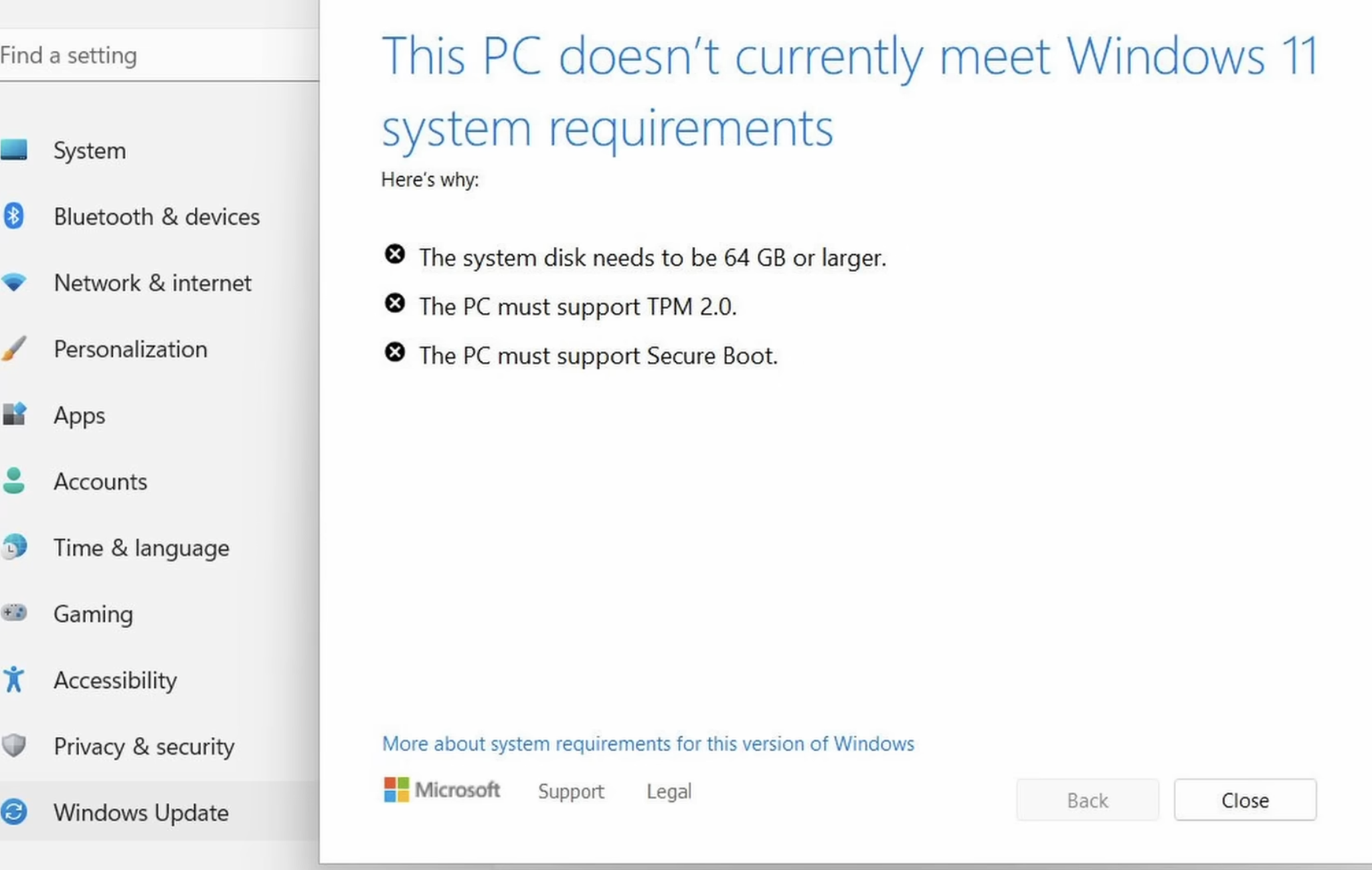
Windows 10 users out there likely have noticed by now that Microsoft really wants you to upgrade to Windows 11. The reason is that after the Patch Tuesday on October 14, 2025, Microsoft will stop shipping free security updates for Windows 10 computers. The trouble is, many PCs running Windows 10 do not meet the hardware specifications required to install Windows 11 (or they do, but just barely).

If the experience with Windows XP is any indicator, many of these older computers will wind up in landfills or else will be left running in an unpatched state. But if your Windows 10 PC doesn’t have the hardware chops to run Windows 11 and you’d still like to get some use out of it safely, consider installing a newbie-friendly version of Linux, like Linux Mint.

Like most modern Linux versions, Mint will run on anything with a 64-bit CPU that has at least 2GB of memory, although 4GB is recommended. In other words, it will run on almost any computer produced in the last decade.

There are many versions of Linux available, but Linux Mint is likely to be the most intuitive interface for regular Windows users, and it is largely configurable without any fuss at the text-only command-line prompt. Mint and other flavors of Linux come with LibreOffice, which is an open source suite of tools that includes applications similar to Microsoft Office, and it can open, edit and save documents as Microsoft Office files.

If you’d prefer to give Linux a test drive before installing it on a Windows PC, you can always just download it to a removable USB drive. From there, reboot the computer (with the removable drive plugged in) and select the option at startup to run the operating system from the external USB drive. If you don’t see an option for that after restarting, try restarting again and hitting the F8 button, which should open a list of bootable drives. Here’s a fairly thorough tutorial that walks through exactly how to do all this.

And if this is your first time trying out Linux, relax and have fun: The nice thing about a “live” version of Linux (as it’s called when the operating system is run from a removable drive such as a CD or a USB stick) is that none of your changes persist after a reboot. Even if you somehow manage to break something, a restart will return the system back to its original state.

  •