Technology professionals hoping to come and work in the US face a new privacy concern. Starting December 15, skilled workers on H-1B visas and their families must flip their social media profiles to public before their consular interviews. It’s a deeply risky move from a security and privacy perspective.
According to a missive from the US State Department, immigration officers use all available information to vet newcomers for signs that they pose a threat to national security. That includes an “online presence review.” That review now requires not just H-1B applicants but also H-4 applicants (their dependents who want to move with them to the US) to “adjust the privacy settings on all of their social media profiles to ‘public.'”
An internal State Department cable obtained by CBS had sharper language: it instructs officers to screen for “any indications of hostility toward the citizens, culture, government, institutions, or founding principles of the United States.” What that means is unclear, but if your friends like posting strong political opinions, you should be worried.
This isn’t the first time that the government has forced people to lift the curtain on their private digital lives. The US State Department forced student visa applicants to make their social media profiles public in June this year.
This is a big deal for a lot of people. The H-1B program allows companies to temporarily hire foreign workers in specialty jobs. The US processed around 400,000 visas under the H-1B program last year, most of which were applications to renew employment, according to the Pew Research Center. When you factor in those workers’ dependents, we’re talking well over a million people. This decision forces them into long-term digital exposure that threatens not just them, but the US too.
Why forced public exposure is a security disaster
A lot of these H-1B workers work for defense contractors, chip makers, AI labs, and big tech companies. These are organizations that foreign powers (especially those hostile to the US) care a lot about, and that makes those H-1B employees primary targets for them.
Making H-1B holders’ real names, faces, and daily routines public is a form of digital doxxing. The policy exposes far more personal information than is safe, creating significant new risks.
This information gives these actors a free organizational chart, complete with up-to-date information on who’s likely to be working on chip designs and sensitive software.
It also gives the same people all they need to target people on that chart. They have information on H-1B holders and their dependents, including intelligence about their friends and family, their interests, their regular locations, and even what kinds of technology they use. They become more exposed to risks like SIM swapping and swatting.
This public information also turns employees into organizational attack vectors. Adversaries can use personal and professional data to enhance spear-phishing and business email compromise techniques that cost organizations dearly. Public social media content becomes training data for fraud, serving up audio and video that threat actors can use to create lifelike impersonations of company employees.
Social media profiles also give adversaries an ideal way to approach people. They have a nasty habit of exploiting social media to target assets for recruitment. The head of MI5 warned two years ago that Chinese state actors had approached an estimated 20,000 Britons via LinkedIn to steal industrial or technological secrets.
Armed with a deep, intimate understanding of what makes their targets tick, attackers stand a much better chance of co-opting them. One person might need money because of a gambling problem or a sick relative. Another might be lonely and a perfect target for a romance scam.
Or how about basic extortion? LGBTQ+ individuals from countries where homosexuality is criminalized risk exposure to regimes that could harm them when they return. Family in hostile countries become bargaining chips. In some regions, families of high-value employees could face increased exposure if this information becomes accessible. Foreign nation states are good at exploiting pain points. This policy means that they won’t have to look far for them.
Visa applications might assume they can simply make an account private again once officials have evaluated them. But adversary states to the US are actively seeking such information. They have vast online surveillance operations that scrape public social media accounts. As soon as they notice someone showing up in the US with H-1B visa status, they’ll be ready to mine account data that they’ve already scraped.
So what is an H-1B applicant to do? Deleting accounts is a bad idea, because sudden disappearance can trigger suspicion and officers may detect forensic traces. A safer approach is to pause new posting and carefully review older content before making profiles public. Removing or hiding posts that reveal personal routines, locations, or sensitive opinions reduces what can be taken out of context or used for targeting once accounts are exposed.
The irony is that spies are likely using fake social media accounts honed for years to slip under the radar. That means they’ll keep operating in the dark while legitimate H-1B applicants are the ones who become vulnerable. So this policy may unintentionally create the very risks it aims to prevent. And it also normalizes mandatory public exposure as a condition of government interaction.
We’re at a crossroads. Today, visa applicants, their families, and their employers are at risk. The infrastructure exists to expand this approach in the future. Or officials could stop now and rethink, before these risks become more deeply entrenched.
We don’t just report on threats – we help protect your social media
Researchers have found evidence that AI conversations were inserted in Google search results to mislead macOS users into installing the Atomic macOS Stealer (AMOS). Both Grok and ChatGPT were found to have been abused in these attacks.
Forensic investigation of an AMOS alert showed the infection chain started when the user ran a Google search for “clear disk space on macOS.” Following that trail, the researchers found not one, but two poisoned AI conversations with instructions. Their testing showed that similar searches produced the same type of results, indicating this was a deliberate attempt to infect Mac users.
The search results led to AI conversations which provided clearly laid out instructions to run a command in the macOS Terminal. That command would end with the machine being infected with the AMOS malware.
If that sounds familiar, you may have read our post about sponsored search results that led to fake macOS software on GitHub. In that campaign, sponsored ads and SEO-poisoned search results pointed users to GitHub pages impersonating legitimate macOS software, where attackers provided step-by-step instructions that ultimately installed the AMOS infostealer.
As the researchers pointed out:
“Once the victim executed the command, a multi-stage infection chain began. The base64-encoded string in the Terminal command decoded to a URL hosting a malicious bash script, the first stage of an AMOS deployment designed to harvest credentials, escalate privileges, and establish persistence without ever triggering a security warning.”
This is dangerous for the user on many levels. Because there is no prompt or review, the user does not get a chance to see or assess what the downloaded script will do before it runs. It bypasses security because of the use of the command line, it can bypass normal file download protections and execute anything the attacker wants.
Other researchers have found a campaign that combines elements of both attacks: the shared AI conversation and fake software install instructions. They found user guides for installing OpenAI’s new Atlas browser for macOS through shared ChatGPT conversations, which in reality led to AMOS infections.
So how does this work?
The cybercriminals used prompt engineering to get ChatGPT to generate a step‑by‑step “installation/cleanup” guide which in reality will infect a system. ChatGPT’s sharing feature creates a public link to a single conversation that exists in the owner’s account. Attackers can craft a chat to produce the instructions they need and then tidy up the visible conversation so that what’s shared looks like a short, clean guide rather than a long back-and-forth.
Most major chat interfaces (including Grok on X) also let users delete conversations or selectively share screenshots. That makes it easy for criminals to present only the polished, “helpful” part of a conversation and hide how they arrived there.
The cybercriminals used prompt engineering to get ChatGPT to generate a step‑by‑step “installation/cleanup” guide that, in reality, installs malware. ChatGPT’s sharing feature creates a public link to a conversation that lives in the owner’s account. Attackers can curate their conversations to create a short, clean conversation which they can share.
Then the criminals either pay for a sponsored search result pointing to the shared conversation or they use SEO techniques to get their posts high in the search results. Sponsored search results can be customized to look a lot like legitimate results. You’ll need to check who the advertiser is to find out it’s not real.
Image courtesy of Kaspersky
From there, it’s a waiting game for the criminals. They rely on victims to find these AI conversations through search and then faithfully follow the step-by-step instructions.
How to stay safe
These attacks are clever and use legitimate platforms to reach their targets. But there are some precautions you can take.
First and foremost, and I can’t say this often enough: Don’t click on sponsored search results. We have seen so many cases where sponsored results lead to malware, that we recommend skipping them or make sure you never see them. At best they cost the company you looked for money and at worst you fall prey to imposters.
If you’re thinking about following a sponsored advertisement, check the advertiser first. Is it the company you’d expect to pay for that ad? Click the three‑dot menu next to the ad, then choose options like “About this ad” or “About this advertiser” to view the verified advertiser name and location.
Never run copy-pasted commands from random pages or forums, even if they’re hosted on seemingly legitimate domains, and especially not commands that look like curl … | bash or similar combinations.
If you’ve scanned your Mac and found the AMOS information stealer:
Remove any suspicious login items, LaunchAgents, or LaunchDaemons from the Library folders to ensure the malware does not persist after reboot.
If any signs of persistent backdoor or unusual activity remain, strongly consider a full clean reinstall of macOS to ensure all malware components are eradicated. Only restore files from known clean backups. Do not reuse backups or Time Machine images that may be tainted by the infostealer.
After reinstalling, check for additional rogue browser extensions, cryptowallet apps, and system modifications.
Change all the passwords that were stored on the affected system and enable multi-factor authentication (MFA) for your important accounts.
If all this sounds too difficult for you to do yourself, ask someone or a company you trust to help you—our support team is happy to assist you if you have any concerns.
We don’t just report on threats—we remove them
Cybersecurity risks should never spread beyond a headline. Keep threats off your devices by downloading Malwarebytes today.
When you’re shopping around for a Virtual Private Network (VPN) you’ll find yourself in a sea of promises like “military-grade encryption!” and “total anonymity!” You can’t scroll two inches without someone waving around these fancy terms.
But not all VPNs can be trusted. Some VPNs genuinely protect your privacy, and some only sound like they do.
With VPN usage rising around the world for streaming, travel, remote work, and basic digital safety, understanding what makes a VPN truly private matters more than ever.
After years of trying VPNs for myself, privacy-minded family members, and a few mission-critical projects, here’s what I wish everyone knew.
Why do you even need a VPN?
If you’re wondering whether a VPN is worth it, you’re not alone. As your privacy-conscious consumer advocate, let me break down three time-saving and cost-saving benefits of using a privacy-first VPN.
Keep your browsing private
Ever feel like someone’s always looking over your shoulder online? Without a VPN, your internet service provider, and sometimes websites or governments, can keep tabs on what you do. A VPN encrypts your traffic and swaps out your real IP address for one of its own, letting you browse, shop, and read without a digital paper trail following you around.
I’ve run into this myself while traveling. There were times when I needed a VPN just to access US or European web apps that were blocked in certain Asian countries. In other cases, I preferred to appear “based” in the US so that English-language apps would load naturally, instead of defaulting to the local language, currency, or content of the country I was visiting.
Watch what you want, but pay less
Some of your favorite shows and websites are locked away simply because of where you live. In many cases, subscription or pay-per-view prices are higher in more prosperous regions. With a VPN, you can connect to servers in other countries and unlock content that isn’t available at home.
For example, when All Elite Wrestling (AEW) announced its major 2022 pay-per-view featuring CM Punk vs. Jon Moxley, US fans paid $49.99 through Bleacher Report. Fans in the UK, meanwhile, watched the exact same event on FiteTV for $23 less, around half the price. Because platforms determine pricing based on your IP address, a VPN server in another region can show you the pricing available in that country. Savings like that can make a VPN pay for itself quickly.
Stay safe on coffee-shop Wi-Fi
Before you join a network named “Starbucks Guest WiFi,” remember that nothing stops a cybercriminal from broadcasting a hotspot with the same name. Public Wi-Fi is convenient, but it’s also one of the easiest places for someone to snoop on your traffic.
Connecting to your VPN immediately encrypts everything you send or receive. That means you can check email, pay bills, or browse privately without worrying about someone nearby intercepting your information. Getting compromised will cost far more in money, time, and stress than most privacy-first VPN subscriptions.
But what actually makes a VPN privacy-first?
For a VPN, “privacy-first” can’t be just a nice slogan. It’s a mindset that shapes every technical, business, and legal decision.
A privacy-first VPN:
Collects as little data as possible — only the minimum needed to run the service.
Enforces a real no-logs policy through design, not marketing.
Builds privacy into everything, from software to server operations.
Practices transparency, often through open-source components and independent audits.
If a VPN can’t explain how it handles these areas, that’s a red flag.
What is WireGuard and why is it such a big deal?
WireGuard isn’t a VPN service. It’s the protocol that powers many modern VPNs, including Malwarebytes Privacy VPN. It’s the engine that handles encryption and securely routes your traffic.
WireGuard is the superstar in the VPN world. Unlike clunkier, older protocols (like OpenVPN or IPSec) it’s deliberately lean and built for the modern internet. Its small codebase is easier to audit and leaves fewer places for bugs to hide. It’s fully open-source, so researchers can dig into exactly how it works.
Its cryptography is fast, efficient, and modern with strong encryption, solid key exchange, and lightweight hashing that reduces overhead. In practice, that means better privacy and better performance without a provider having to gather connection data just to keep speeds usable.
Of course, WireGuard is just the foundation. Each VPN implements it differently. The better ones add privacy-friendly tweaks like rotating IP addresses or avoiding static identifiers so that even they can’t link sessions back to individual users.
How to compare VPNs
With VPN usage rising, especially where new age-verification rules have sparked debate about whether VPNs might face future scrutiny, it’s more important than ever to choose providers with strong, transparent privacy practices.
When you boil it down, a handful of questions reveal almost everything about how a VPN treats your privacy:
Who controls the infrastructure?
Are the servers RAM-only?
Which protocol is used, and how is it implemented?
What laws apply to the company?
Have experts audited the service?
Do transparency reports or warrant canaries exist and stay updated?
Can you sign up and pay without giving away your entire identity?
If a VPN provider gets evasive about any of this, or runs its service “for free” while collecting data to make the numbers work, that tells you almost everything you need to know.
Why infrastructure ownership matters
One of the most revealing questions you can ask is deceptively simple: Who actually owns the servers?
Most VPNs rent hardware from large data centers or cloud platforms. When they do, your traffic travels through machines managed not only by the VPN’s engineers, but also by whoever runs those facilities. That introduces an access question: Who else has their hands on the hardware?
When a VPN owns and operates its equipment, including racks and networking gear, it reduces the number of unknowns dramatically. The fewer third parties in the chain, the easier it is to stand behind privacy guarantees.
RAM-only (diskless) servers: the gold standard
RAM-only servers take this a step further. Because everything runs in memory, nothing is ever written to a hard drive. Pull the plug and the entire working state disappears instantly, like wiping a whiteboard clean. That means no logs sitting quietly on a disk, nothing for an intruder or authorities to seize, and nothing left behind if ownership, personnel, or legal circumstances change.
This setup also tends to go hand-in-hand with owning the hardware. Most public cloud environments simply don’t allow true diskless deployments with full control over the underlying machine.
Other privacy features to watch for
Even with strong infrastructure and protocols, the details still matter. A solid kill switch keeps your traffic from leaking if the connection drops. Private DNS prevents queries from being routed through third parties. Multi-hop routes make correlation attacks harder. And torrent users may want carefully implemented port forwarding that doesn’t introduce side channels.
These aren’t flashy features, but they show whether a provider has considered the full privacy landscape, not just the obvious parts.
Audits and transparency reports
A provider that truly stands behind its privacy claims will welcome outside inspection. Independent audits, published findings, and ongoing transparency reports help confirm whether logging is disabled in practice, not just in principle. Some companies also maintain warrant canaries (more on this below). None of these are perfect, but together they paint a clear picture of how seriously the VPN treats user trust.
A warrant canary in the VPN coalmine
Okay, so here’s something interesting: some companies use something called a “warrant canary” to quietly let us know if they’ve received a top-secret government request for data. Here’s the deal…it’s illegal for them to simply tell us, “Hey, the government’s snooping around.” So, instead, they publish a simple statement that says something like, “As of January 2026, we haven’t received any secret orders for your data.”
The clever part is that they update this statement on a regular basis. If it suddenly disappears or just stops getting updated, it could mean the company got hit with one of these hush-hush requests and legally can’t talk about it. It’s like the digital version of a warning signal. It is nothing flashy, but if you’re paying attention, you’ll spot when something changes.
It’s not a perfect system (and who knows what the courts will think of it in the future), but a warrant canary is one-way companies try to be on our side, finding ways to keep us in the loop even when they’re told to stay silent. So, give an extra ounce of trust to companies that publish these regularly.
Where privacy-first VPNs are heading
Expect to see continued evolution: new cryptography built for a post-quantum world, more transparency from providers, decentralized and community-run VPN options, and tighter integration with secure messaging, encrypted DNS, and whatever comes next.
It’s also worth keeping an eye on how governments respond to rising VPN use. In the UK, for example, new age-verification rules triggered a huge spike in VPN sign-ups and a public debate about whether VPN usage should be monitored more closely. There’s no proposal to restrict or ban VPNs, but the conversation is active.
If you care about your privacy online, don’t settle for slick marketing. Look for the real foundations like modern protocols, owned and well-managed infrastructure, RAM-only servers, regular audits, and a culture that treats transparency as a habit, not a stunt.
Privacy is engineered, not simply promised. With the right VPN, you stay in control of your digital life instead of hoping someone else remembers to keep your secrets safe.
We don’t just report on privacy—we offer you the option to use it.
Privacy risks should never spread beyond a headline. Keep your online privacy yours by using Malwarebytes Privacy VPN.
Researchers have analyzed a new threat campaign actively targeting Android users. The malware, named DroidLock, takes over a device and then holds it for ransom. The campaign to date has primarily targeted Spanish-speaking users, but researchers warn it could spread.
DroidLock is delivered via phishing sites that trick users into installing a malicious app pretending to be, for example, a telecom provider or other familiar brand. The app is really a dropper that installs malware able to take complete control of the device by abusing Device Admin and Accessibility Services permissions.
Once the victim grants accessibility permission, the malware starts approving additional permissions on its own. This can include access to SMS, call logs, contacts, and audio, which gives attackers more leverage in a ransom demand.
DroidLock also leverages Accessibility Services to create overlays on other apps. The overlays can capture device unlock patterns (giving the attacker full access) and also show a fake Android update screen, instructing victims not to power off or restart their devices.
DroidLock uses Virtual Network Computing (VNC) for remote access and control. With this, attackers can control the device in real time, including starting camera, muting sound, manipulating notifications, and uninstalling apps, and use overlays to capture lock patterns and app credentials. They can also deny access to the device by changing the PIN.
The researchers warn that:
“Once installed, DroidLock can wipe devices, change PINs, intercept OTPs (One-Time Passwords), and remotely control the user interface”
Unlike regular ransomware, DroidLock doesn’t encrypt files. But by blocking access and threatening to destroy everything unless a ransom is paid, it reaches the same outcome.
Image courtesy of Zimperium
Urgent Last chance Time remaining {starts at 24 hours} After this all files wil be deleted forever! Your files will be permanently destroyed! Contact us immediately at this email or lose everything forever: {email address} Include your device ID {ID} Payment required within 24 hours No police, no recovery tools, no tricks Every second counts!
How to stay safe
If this campaign turns out to be successful in Spain, we’ll undoubtedly see it emerge in other countries as well. So here are a few pointers to stay safe:
Only install apps from official app stores and avoid installing apps promoted in links in SMS, email, or messaging apps.
Before installing apps, verify the developer name, number of downloads, and user reviews rather than trusting a single promotional link.
Protect your devices. Use an up-to-date real-time anti-malware solution like Malwarebytes for Android, which already detects this malware.
Scrutinize permissions. Does an app really need the permissions it’s requesting to do the job you want it to do? Especially if it asks for accessibility, SMS, or camera access.
Keep Android, Google Play services, and all important apps up to date to get the latest security fixes.
We don’t just report on phone security—we provide it
Say hello to the upgraded Malwarebytes for Mac—now with more robust protection, more control, and the same trusted defense you count on every day.
We’ve given our Mac scan engine a serious intelligence boost, so it thinks faster and digs deeper. The new enhanced scan searches across more of your system to hunt down even the most advanced threats, from stealthy infostealers to zero-hour malware, all while keeping the straightforward experience you love.
But that’s not all. We’ve also achieved a major performance boost, with up to 90% lower CPU usage for Malwarebytes for Mac.
What’s new
The upgrade comes with three new scan options designed to fit the way you work:
Quick scan: A speedy sweep of the usual suspects.
Threat scan: A full system check that is now your default.
Custom scan: Total control, letting you choose exactly what to scan, including folders and external drives.
It’s smarter protection that adapts to your needs.
What to expect
Your first enhanced scan may take a little longer. That’s because it’s covering more of your system than ever before to make sure nothing slips through the cracks. And with external drive scanning and WiFi security alerts, there is nowhere for viruses, infostealers, or spyware to linger.
After that, you’ll notice the difference. Scans will feel faster, lighter, and more intuitive.
In fact, the always-on, automated protection from Malwarebytes for Mac has always kept your Mac safe by monitoring every file you open, download, or save. Now, we have made it significantly more efficient. Our latest enhancements reduced CPU usage by up to 90%. What that means for you is a faster, snappier, and more responsive experience.
No action needed. Your protection just got better.
You don’t have to lift a finger; your protection simply levels up. Open Malwarebytes and explore the new scan options when you’re ready. Don’t see them yet? Make sure you’re on the latest version (5.18.2) under Profile → About Malwarebytes. If you aren’t, go to the Malwarebytes menu and select Check for updates.
Welcome to the next era of Mac security from Malwarebytes. More robust coverage, harnessing the same trusted protection you know, directly in your control.
Google issued an extra patch for a security vulnerability in Chrome that is being actively exploited, and it’s urging users to update. The patch fixes three flaws in Chrome, and for one of them Google says an exploit already exists in the wild.
Chrome is by far the world’s most popular browser, with an estimated 3.4 billion users, that makes for a massive target. When Chrome has a security flaw that can be triggered just by visiting a website, billions of users are exposed until they update.
That’s why it’s important to install these patches promptly. Staying unpatched means you could be at risk just by browsing the web. Attackers often exploit these kinds of flaws before most users have a chance to update. Always let Chrome update itself, and don’t delay restarting it as updates usually fix exactly this kind of risk.
How to update Chrome
The latest version number is 143.0.7499.109/.110 for Windows and macOS, and 143.0.7499.109 for Linux. So, if your Chrome is on version 143.0.7499.109 or later, it’s protected from these vulnerabilities.
The easiest way to update is to allow Chrome to update automatically, but you can end up lagging behind if you never close your browser or if something goes wrong—such as an extension stopping you from updating the browser.
To update manually, click the More menu (three dots), then go to Settings > About Chrome. If an update is available, Chrome will start downloading it. Restart Chrome to complete the update, and you’ll be protected against these vulnerabilities.
Public reporting indicates that Chrome has seen at least seven zero-days exploited in 2025, several of them in the V8 JavaScript engine and some linked to targeted espionage.
So, 2025 has been a relatively busy year for Chrome zero‑days.
In March, a sandbox escape tracked as CVE‑2025‑2783 showed up in espionage operations against Russian targets.
September added a V8 type‑confusion bug (CVE‑2025‑10585) serious enough to justify another out‑of‑band patch.
And with the November update, Google patched CVE-2025-13223, reported by Google’s Threat Analysis Group (TAG), which focuses on spyware and nation-state attackers who regularly use zero-days for espionage.
The latest security advisory mentions a vulnerability that has not yet received a CVE ID but is referred to as 466192044. Google states it is aware that an exploit for 466192044 exists in the wild.
If we’re lucky, this update will close out 2025’s run of Chrome zero-days. We will keep you posted if we find out more about the nature of the latest zero-day vulnerability.
Update December 13, 2025
“466192044” is now tracked as CVE-2025-14174: out of bounds memory access in ANGLE in Google Chrome on Mac prior to 143.0.7499.110 allowed a remote attacker to perform out of bounds memory access via a crafted HTML page. CISA has added the vulnerability to their list of known exploited vulnerabilities.
ANGLE is used as the default Web Graphics Library backend for both Google Chrome and Mozilla Firefox on Windows platforms. Chrome uses ANGLE for all graphics rendering on Windows.
We don’t just report on threats—we remove them
Cybersecurity risks should never spread beyond a headline. Keep threats off your devices by downloading Malwarebytes today.
These updates from Microsoft fix serious security issues, including three that attackers are already exploiting to take control of Windows systems.
In total, the security update resolves 57 Microsoft security vulnerabilities. Microsoft isn’t releasing new features for Windows 10 anymore, so Windows 10 users will only see security updates and fixes for bugs introduced by previous security updates.
What’s been fixed
Microsoft releases important security updates on the second Tuesday of every month—known as “Patch Tuesday.” This month’s patches fix critical flaws in Windows 10, Windows 11, Windows Server, Office, and related services.
There are three zero‑days: CVE‑2025‑62221 is an actively exploited privilege‑escalation bug in the Windows Cloud Files Mini Filter Driver. Two are publicly disclosed flaws: CVE-2025-64671, which is a GitHub Copilot for JetBrains remote code execution (RCE) vulnerability, and CVE‑2025‑54100, an RCE issue in Windows PowerShell.
PowerShell received some extra attention, as from now on users will be warned whenever the Invoke‑WebRequest command fetches web pages without safe parameters.
The warning is to prevent accidental script execution from web content. It highlights the risk that script code embedded in a downloaded page might run during parsing, and recommends using the -UseBasicParsing switch to avoid running any page scripts.
There is no explicit statement from Microsoft tying the new Invoke‑WebRequest warning directly to ClickFix, but it clearly addresses the abuse pattern that ClickFix and similar campaigns rely on: tricking users into running web‑fetched PowerShell code without understanding what it does.
How to apply fixes and check you’re protected
These updates fix security problems and keep your Windows PC protected. Here’s how to make sure you’re up to date:
1. Open Settings
Click the Start button (the Windows logo at the bottom left of your screen).
Click on Settings (it looks like a little gear).
2. Go to Windows Update
In the Settings window, select Windows Update (usually at the bottom of the menu on the left).
3. Check for updates
Click the button that says Check for updates.
Windows will search for the latest Patch Tuesday updates.
If you have selected automatic updates earlier, you may see this under Update history:
Or you may see a Restart required message, which means all you have to do is restart your system and you’re done updating.
If not, continue with the steps below.
4. Download and Install
If updates are found, they’ll start downloading right away. Once complete, you’ll see a button that says Install or Restart now.
Click Install if needed and follow any prompts. Your computer will usually need a restart to finish the update. If it does, click Restart now.
5. Double-check you’re up to date
After restarting, go back to Windows Update and check again. If it says You’re up to date, you’re all set!
We don’t just report on threats—we remove them
Cybersecurity risks should never spread beyond a headline. Keep threats off your devices by downloading Malwarebytes today.
GhostFrame is a new phishing-as-a-service (PhaaS) kit, tracked since September 2025, that has already powered more than a million phishing attacks.
Threat analysts spotted a series of phishing attacks featuring tools and techniques they hadn’t seen before. A few months later, they had linked over a million attempts to this same kit, which they named GhostFrame for its stealthy use of iframes. The kit hides its malicious activity inside iframes loaded from constantly changing subdomains.
An iframe is a small browser window embedded inside a web page, allowing content to load from another site without sending you away–like an embedded YouTube video or a Google Map. That embedded bit is usually an iframe and is normally harmless.
GhostFrame abuses it in several ways. It dynamically generates a unique subdomain for each victim and can rotate subdomains even during an active session, undermining domain‑based detection and blocking. It also includes several anti‑analysis tricks: disabling right‑click, blocking common keyboard shortcuts, and interfering with browser developer tools, which makes it harder for analysts or cautious users to inspect what is going on behind the scenes.
As a PhaaS kit, GhostFrame is able to spoof legitimate services by adjusting page titles and favicons to match the brand being impersonated. This and its detection-evasion techniques show how PhaaS developers are innovating around web architecture (iframes, subdomains, streaming features) and not just improving email templates.
Hiding sign-in forms inside non‑obvious features (like image streaming or large‑file handlers) is another attempt to get around static content scanners. Think of it as attackers hiding a fake login box inside a “video player” instead of putting the login box directly on the page, so many security tools don’t realize it’s a login box at all. Those tools are often tuned to look for normal HTML forms and password fields in the page code, and here the sensitive bits are tucked away in a feature that is supposed to handle big image or file data streams.
Normally, an image‑streaming or large‑file function is just a way to deliver big images or other “binary large objects” (BLOBs) efficiently to the browser. Instead of putting the login form directly on the page, GhostFrame turns it into what looks like image data. To the user, it looks just like a real Microsoft 365 login screen, but to a basic scanner reading the HTML, it looks like regular, harmless image handling.
Generally speaking, the rise of GhostFrame illuminates a trend that PhaaS is arming less-skilled cybercriminals while raising the bar for defenders. We recently covered Sneaky 2FA and Lighthouse as examples of PhaaS kits that are extremely popular among attackers.
But as always, you’re the first line of defense. Don’t click on links in unsolicited messages of any type before verifying and confirming they were sent by someone you trust. Staying informed is important as well, because you know what to expect and what to look for.
And remember: it’s not just about trusting what you see on the screen. Layered security stops attackers before they can get anywhere.
Another effective security layer to defend against phishing attacks is Malwarebytes’ free browser extension, Browser Guard, which detects and blocks phishing attacks heuristically.
We don’t just report on threats—we help safeguard your entire digital identity
Cybersecurity risks should never spread beyond a headline. Protect your, and your family’s, personal information by using identity protection.
Prompt injection is shaping up to be one of the most stubborn problems in AI security, and the UK’s National Cyber Security Centre (NCSC) has warned that it may never be “fixed” in the way SQL injection was.
Two years ago, the NCSC said prompt injection might turn out to be the “SQL injection of the future.” Apparently, they have come to realize it’s even worse.
Prompt injection works because AI models can’t tell the difference between the app’s instructions and the attacker’s instructions, so they sometimes obey the wrong one.
To avoid this, AI providers set up their models with guardrails: tools that help developers stop agents from doing things they shouldn’t, either intentionally or unintentionally. For example, if you tried to tell an agent to explain how to produce anthrax spores at scale, guardrails would ideally detect that request as undesirable and refuse to acknowledge it.
Getting an AI to go outside those boundaries is often referred to as jailbreaking. Guardrails are the safety systems that try to keep AI models from saying or doing harmful things. Jailbreaking is when someone crafts one or more prompts to get around those safety systems and make the model do what it’s not supposed to do. Prompt injection is a specific way of doing that: An attacker hides their own instructions inside user input or external content, so the model follows those hidden instructions instead of the original guardrails.
The danger grows when Large Language Models (LLMs), like ChatGPT, Claude or Gemini, stop being chatbots in a box and start acting as “autonomous agents” that can move money, read email, or change settings. If a model is wired into a bank’s internal tools, HR systems, or developer pipelines, a successful prompt injection stops being an embarrassing answer and becomes a potential data breach or fraud incident.
Why we shouldn’t compare prompt injection with SQL injection
The temptation to frame prompt injection as “SQL injection for AI” is understandable. Both are injection attacks that smuggle harmful instructions into something that should have been safe. But the NCSC stresses that this comparison is dangerous if it leads teams to assume that a similar one‑shot fix is around the corner.
The comparison to SQL injection attacks alone was enough to make me nervous. The first documented SQL injection exploit was in 1998 by cybersecurity researcher Jeff Forristal, and we still see them today, 27 years later.
SQL injection became manageable because developers could draw a firm line between commands and untrusted input, and then enforce that line with libraries and frameworks. With LLMs, that line simply does not exist inside the model: Every token is fair game for interpretation as an instruction. That is why the NCSC believes prompt injection may never be totally mitigated and could drive a wave of data breaches as more systems plug LLMs into sensitive back‑ends.
Does this mean we have set up our AI models wrong? Maybe. Under the hood of an LLM, there’s no distinction made between data or instructions; it simply predicts the most likely next token from the text so far. This can lead to “confused deputy attacks.”
The NCSC warns that as more organizations bolt generative AI onto existing applications without designing for prompt injection from the start, the industry could see a surge of incidents similar to the SQL injection‑driven breaches of 10—15 years ago. Possibly even worse, because the possible failure modes are uncharted territory for now.
What can users do?
The NCSC provides advice for developers to reduce the risks of prompt injection. But how can we, as users, stay safe?
Take advice provided by AI agents with a grain of salt. Double-check what they’re telling you, especially when it’s important.
The European Commission slapped social networking company X with a €120 million ($140 million) fine last week for what it says was a lack of transparency with its European users.
The fine, the first ever penalty under the EU’s landmark Digital Services Act, addressed three specific violations with allocated penalties.
The first was a deceptive blue checkmark system. X touted this feature, first introduced by Musk when he bought Twitter in 2022, as a way to verify your identity on X. However, the Commission accused it of failing to actually verify users. It said:
“On X, anyone can pay to obtain the ‘verified’ status without the company meaningfully verifying who is behind the account, making it difficult for users to judge the authenticity of accounts and content they engage with.”
The company also blocked researchers from accessing its public data, the Commission complained, arguing that it undermined research into systemic risks in the EU.
Finally, the fine covers a lack of transparency around X’s advertising records. Its advertising repository doesn’t support the DSA’s standards, the Commission said, accusing it of lacking critical information such as advertising topic and content.
This makes it more difficult for researchers and the public to evaluate potential risks in online advertising according to the Commission.
Before Musk took over Twitter and renamed it to X, the company would independently verify select accounts using information including institutional email addresses to prove the owners’ identities. Today, you can get a blue checkmark that says you’re verified for $8 per month if you have an account on X that has been active for 30 days and can prove you own your phone number. X killed off the old verification system, with its authentic, notable, and active requirement, on April 1, 2023.
An explosion in imposter accounts
The tricky thing about weaker verification measures is that people can abuse them. Within days of Musk announcing the new blue checkmark verifications, someone registered a fake account for pharmaceutical company Eli Lilly and tweeted “insulin is free now”, tanking the stock over 4%.
Other impersonators verifying fake accounts at the time targeted Tesla, Trump, and Tony Blair, among others.
Weak verification measures are especially dangerous in an era where fake accounts are rife. Many people have fallen victim to fake social media accounts that scammers set up to impersonate legitimate brands’ customer support.
This isn’t the social media company’s first tussle with regulators. In May 2022, before Musk bought it, Twitter settled with the FTC and DoJ for $150 million over allegations that it used peoples’ non-public security numbers for targeted advertising.
There are also other ongoing DSA-related investigations into X. The EU is probing its recommendation system. Ireland is looking into its handling of customer complaints about online content.
What comes next
X has 60 working days to address the checkmark violations and 90 days for advertising and researcher access, although given Musk’s previous commentary we wouldn’t be surprised to see him take the EU to court.
Failure to comply would trigger additional periodic penalties. The DSA allows fines up to 6% of global revenue.
Meanwhile, the core problem persists: anyone can still buy a ‘verified’ checkmark from X with extremely weak verification. So if anyone with a blue checkmark contacts you on the platform, don’t take their authenticity for granted.
We don’t just report on threats – we help protect your social media
Recruiters expect the odd exaggerated resume, but many companies, including us here at Malwarebytes, are now dealing with something far more serious: job applicants who aren’t real people at all.
From fabricated identities to AI-generated resumes and outsourced impostor interviews, hiring pipelines have become a new way for attackers to sneak into organizations.
Fake applicants aren’t just a minor HR inconvenience anymore but a genuine security risk. So, what’s the purpose behind it, and what should you look out for?
How these fake applicants operate
These applicants don’t just fire off a sketchy resume and hope for the best. Many use polished, coordinated tactics designed to slip through screening.
AI-generated resumes
AI-generated resumes are now one of the most common signs of a fake applicant. Language models can produce polished, keyword-heavy resumes in seconds, and scammers often generate dozens of variations to see which one gets past an Applicant Tracking System. In some cases, entire profiles are generated at the same time.
These resumes often look flawless on paper but fall apart when you ask about specific projects, timelines, or achievements. Hiring teams have reported waves of nearly identical resumes for unrelated positions, or applicants whose written materials are far more detailed than anything they can explain in conversation. Some have even received multiple resumes with the same formatting quirks, phrasing, or project descriptions.
Fake or borrowed identities
Impersonation is common. Scammers use AI-generated or stolen profile photos, fake addresses, and VoIP phone numbers to look legitimate. LinkedIn activity is usually sparse, or you’ll find several nearly identical profiles using the same name with slightly different skills.
At Malwarebytes, as in this Register article, we’ve noticed that the details applicants provide don’t always match what we see during the interview. In some cases, the same name and phone number have appeared across multiple applications, each supported by a freshly tailored resume. Further discrepancies occur in many instances where the applicant claims to be located in one country, but calls from another country entirely, usually in Asia.
Outsourced, scripted, and deepfake interviews
Fraudulent interviews tend to follow a familiar pattern. Introductions are short and vague, and answers arrive after long, noticeable pauses, as if the person is being coached off-screen. Many try to keep the camera off, or ask to complete tests offline instead of live.
In more advanced cases, you might see the telltale signs of real-time filters or deepfake tools, like mismatched lip-sync, unnatural blinking, or distorted edges. Most scammers still rely on simpler tricks like camera avoidance or off-screen coaching, but there have been reports of attackers using deepfake video or voice clones in interviews. It’s still rare, but it shows how quickly these tools are evolving.
Why they’re doing it
Scammers have a range of motives, from fraud to full system access.
Financial gain
For some groups, the goal is simple: money. They target remote, well-paid roles and then subcontract the work to cheaper labor behind the scenes. The fraudulent applicant keeps the salary while someone else quietly does the job at a fraction of the cost. It’s a volume game, and the more applications they get through, the more income they can generate.
Identity or documentation fraud
Others are trying to build a paper trail. A “successful hire” can provide employment verification, payroll history, and official contract letters. These documents can later support visa applications, bank loans, or other kinds of identity or financial fraud. In these cases, the scammer may never even intend to start work. They just need the paperwork that makes them look legitimate.
Algorithm testing and data harvesting
Some operations use job applications as a way to probe and learn. They send out thousands of resumes to test how screening software responds, to reverse-engineer what gets past filters, and to capture recruiter email patterns for future campaigns. By doing this at scale, they train automation that can mimic real applicants more convincingly over time.
System access for cybercrime
This is where the stakes get higher. Landing a remote role can give scammers access to internal systems, company data, and intellectual property—anything the job legitimately touches.
Even when the scammer isn’t hired, simply entering your hiring pipeline exposes internal details: how your team communicates, who makes what decisions, which roles have which tools. That information can be enough to craft a convincing impersonation later. At that point, the hiring process becomes an unguarded door into the organization.
The wider risk (not just to recruiters)
Recruiters aren’t the only ones affected. Everyday people on LinkedIn or job sites can get caught in the fallout too.
Fake applicant networks rely on scraping public profiles to build believable identities. LinkedIn added anti-bot checks in 2023, but fake profiles still get through, which means your name, photo, or job history could be copied and reused without your knowledge.
They also send out fake connection requests that lead to phishing messages, malicious job offers, or attempts to collect personal information. Recent research from the University of Portsmouth found that fake social media profiles are more common than many people realise:
80% of respondents said they’d encountered suspicious accounts, and 77% had received link requests from strangers.
It’s a reminder that anyone on LinkedIn can be targeted, not just recruiters, and that these profiles often work by building trust first and slipping in malicious links or requests later.
How recruiters can protect themselves
You can tighten screening without discriminating or adding friction by following these steps:
Verify identity earlier
Start with a camera-on video call whenever you can. Look for the subtle giveaways of filters or deepfakes: unnatural blinking, lip-sync that’s slightly off, or edges of the face that seem to warp or lag. If something feels odd, a simple request like “Please adjust your glasses” or “touch your cheek for a moment” can quickly show whether you’re speaking to a real person.
Cross-check details
Make sure the basics line up. The applicant’s face should match their documents, and their time zone should match where they say they live. Work history should hold up when you check references. A quick search can reveal duplicate resumes, recycled profiles, or LinkedIn accounts with only a few months of activity.
Watch for classic red flags
Most fake applicants slip when the questions get personal or specific. A resume that’s polished but hollow, a communication style that changes between messages, or hesitation when discussing timelines or past roles can all signal coaching. Long pauses before answers often hint that someone off-screen may be feeding responses.
Secure onboarding
If someone does pass the process, treat early access carefully. Limit what new hires can reach, require multi-factor authentication from day one, and make sure their device has been checked before it touches your network. Bringing in your security team early helps ensure that recruitment fraud doesn’t become an accidental entry point.
Final thoughts
Recruiting used to be about finding the best talent. Today, it often includes identity verification and security awareness.
As remote work becomes the norm, scammers are getting smarter. Fake applicants might show up as a nuisance, but the risks range from compliance issues to data loss—or even full-scale breaches.
Spotting the signs early, and building stronger screening processes, protects not just your hiring pipeline, but your organization as a whole.
We don’t just report on threats—we help safeguard your entire digital identity
Cybersecurity risks should never spread beyond a headline. Protect your, and your family’s, personal information by using identity protection.
During a recent investigation, we uncovered a phishing operation that combines free hosting on developer platforms with compromised legitimate websites to build convincing banking and insurance login portals. These fake pages don’t just grab a username and password–they also ask for answers to secret questions and other “backup” data that attackers can use to bypass multi-factor authentication and account recovery protections.
Instead of sending stolen data to a traditional command-and-control server, the kit forwards every submission to a Telegram bot. That gives the attackers a live feed of fresh logins they can use right away. It also sidesteps many domain-based blocking strategies and makes swapping infrastructure very easy.
Phishing groups increasingly use services like Cloudflare Pages (*.pages.dev) to host their fake portals, sometimes copying a real login screen almost pixel for pixel. In this case, the actors spun up subdomains impersonating financial and healthcare providers. The first one we found was impersonating Heartland bank Arvest.
Fake Arvest login page
On closer look, the phishing site shows visitors two “failed login” screens, prompts for security questions, and then sends all credentials and answers to a Telegram bot.
Comparing their infrastructure with other sites, we found one impersonating a much more widely known brand: United Healthcare.
HealthSafe ID overpayment refund
In this case, the phishers abused a compromised website as a redirector. Attackers took over a legitimate-looking domain like biancalentinidesigns[.]com and saddle it with long, obscure paths for phishing or redirection. Emails link to the real domain first, which then forwards the victim to the active Cloudflare pages phishing site. Messages containing a familiar or benign-looking domain are more likely to slip past spam filters than links that go straight to an obviously new cloud-hosted subdomain.
Cloud-based hosting also makes takedowns harder. If one *.pages.dev hostname gets reported and removed, attackers can quickly deploy the same kit under another random subdomain and resume operations.
The phishing kit at the heart of this campaign follows a multi-step pattern designed to look like a normal sign-in flow while extracting as much sensitive data as possible.
Instead of using a regular form submission to a visible backend, JavaScript harvests the fields and bundles them into a message sent straight to the Telegram API.. That message can include the victim’s IP address, user agent, and all captured fields, giving criminals a tidy snapshot they can use to bypass defenses or sign in from a similar environment.
The exfiltration mechanism is one of the most worrying parts. Rather than pushing credentials to a single hosted panel, the kit posts them into one or more Telegram chats using bot tokens and chat IDs hardcoded in the JavaScript. As soon as a victim submits a form, the operator receives a message in their Telegram client with the details, ready for immediate use or resale.
This approach offers several advantages for the attackers: they can change bots and chat IDs frequently, they do not need to maintain their own server, and many security controls pay less attention to traffic that looks like a normal connection to a well-known messaging platform. Cycling multiple bots and chats gives them redundancy if one token is reported and revoked.
What an attack might look like
Putting all the pieces together, a victim’s experience in this kind of campaign often looks like this:
They receive a phishing email about banking or health benefits: “Your online banking access is restricted,” or “Urgent: United Health benefits update.”
The link points to a legitimate but compromised site, using a long or strange path that does not raise instant suspicion.
That hacked site redirects, silently or after a brief delay, to a *.pages.dev phishing site that looks almost identical to the impersonated brand.
After entering their username and password, the victim sees an error or extra verification step and is asked to provide answers to secret questions or more personal and financial information.
Behind the scenes, each submitted field is captured in JavaScript and sent to a Telegram bot, where the attacker can use or sell it immediately.
From the victim’s point of view, nothing seems unusual beyond an odd-looking link and a failed sign-in. For the attackers, the mix of free hosting, compromised redirectors, and Telegram-based exfiltration gives them speed, scale, and resilience.
The bigger trend behind this campaign is clear: by leaning on free web hosting and mainstream messaging platforms, phishing actors avoid many of the choke points defenders used to rely on, like single malicious IPs or obviously shady domains. Spinning up new infrastructure is cheap, fast, and largely invisible to victims.
How to stay safe
Education and a healthy dose of skepticism are key components to staying safe. A few habits can help you avoid these portals:
Always check the full domain name, not just the logo or page design. Banks and health insurers don’t host sign-in pages on generic developer domains like *.pages.dev, *.netlify.app, or on strange paths on unrelated sites.
Don’t click sign-in or benefits links in unsolicited emails or texts. Instead, go to the institution’s site via a bookmark or by typing the address yourself.
Treat surprise “extra security” prompts after a failed login with caution, especially if they ask for answers to security questions, card numbers, or email passwords.
If anything about the link, timing, or requested information feels wrong, stop and contact the provider using trusted contact information from their official site.
The FBI has warned about a new type of scam where your Facebook pictures are harvested to act as “proof-of-life” pictures in a virtual kidnapping.
The scammers pretend they have kidnapped somebody and contact friends and next of kin to demand a ransom for their release. While the alleged victim is really just going about their normal day, criminals show the family real Facebook photos to “prove” that person is still alive but in their custody.
This attack resembles Facebook cloning but with a darker twist. Instead of just impersonating you to scam your friends, attackers weaponize your pictures to stage fake proof‑of‑life evidence.
Both scams feed on oversharing. Public posts give criminals more than enough information to impersonate you, copy your life, and convince your loved ones something is wrong.
This alert focuses on criminals scraping photos from social media (usually Facebook, but also LinkedIn, X, or any public profile) then manipulating those images with AI or simple editing to use during extortion attempts. If you know what to look for, you might spot inconsistencies like missing tattoos, unusual lighting, or proportions that don’t quite match.
Scammers rely on panic. They push tight deadlines, threaten violence, and try to force split-second decisions. That emotional pressure is part of their playbook.
In recent years, the FBI has also warned about synthetic media and deepfakes, like explicit images generated from benign photos and then used for sextortion, which is a closely related pattern of abuse of user‑posted pictures. Together, these warnings point to a trend: ordinary profile photos, holiday snaps, and professional headshots are increasingly weaponized for extortion rather than classic account hacking.
What you can do
To make it harder for criminals to use these tactics, be mindful of what information you share on social media. Share pictures of yourself, or your children, only with actual friends and not for the whole world to find. And when you’re travelling, post the beautiful pictures you have taken when you’re back, not while you’re away from home.
Intellexa is a well-known commercial spyware vendor, servicing governments and large corporations. Its main product is the Predator spyware.
An investigation by several independent parties describes Intellexa as one of the most notorious mercenary spyware vendors, still operating its Predator platform and hitting new targets even after being placed on US sanctions lists and being under active investigation in Greece.
The investigation draws on highly sensitive documents and other materials leaked from the company, including internal records, sales and marketing material, and training videos. Amnesty International researchers reviewed the material to verify the evidence.
To me, the most interesting part is Intellexa’s continuous use of zero-days against mobile browsers. Google’s Threat Analysis Group (TAG) posted a blog about that, including a list of 15 unique zero-days.
Intellexa can afford to buy and burn zero-day vulnerabilities. They buy them from hackers and use them until the bugs are discovered and patched–at which point they are “burned” because they no longer work against updated systems.
The price for such vulnerabilities depends on the targeted device or application and the impact of exploitation. For example, you can expect to pay in the range of $100,000 to $300,000 for a robust, weaponized Remote Code Excecution (RCE) exploit against Chrome with sandbox bypass suitable for reliable, at‑scale deployment in a mercenary spyware platform. And in 2019, zero-day exploit broker Zerodium offered millions for zero-click full chain exploits with persistence against Android and iPhones.
Which is why only governments and well-resourced organizations can afford to hire Intellexa to spy on the people they’re interested in.
The Google TAG blog states:
“Partnering with our colleagues at CitizenLab in 2023, we captured a full iOS zero-day exploit chain used in the wild against targets in Egypt. Developed by Intellexa, this exploit chain was used to install spyware publicly known as Predator surreptitiously onto a device.”
To slow down the “burn” rate of its exploits, Intellexa delivers one-time links directly to targets through end-to-end encrypted messaging apps. This is a common method: last year we reported how the NSO Group was ordered to hand over the code for Pegasus and other spyware products that were used to spy on WhatsApp users.
The fewer people who see an exploit link, the harder it is for researchers to capture and analyze it. Intellexa also uses malicious ads on third-party platforms to fingerprint visitors and redirect those who match its target profiles to its exploit delivery servers.
This zero-click infection mechanism, dubbed “Aladdin,” is believed to still be operational and actively developed. It leverages the commercial mobile advertising system to deliver malware. That means a malicious ad could appear on any website that serves ads, such as a trusted news website or mobile app, and look completely ordinary. If you’re not in the target group, nothing happens. If you are, simply viewing the ad is enough to trigger the infection on your device, no need to click.
Zero-click infection chain Image courtesy of Amnesty International
How to stay safe
While most of us will probably never have to worry about being in the target group, there are still practical steps you can take:
Use an ad blocker. Malwarebytes Browser Guard is a good start. Did I mention it’s a free browser extension that works on Chrome, Firefox, Edge, and Safari? And it should work on most other Chromium based browsers (I even use it on Comet).
Keep your software updated. When it comes to zero-days, updating your software only helps after researchers discover the vulnerabilities. However, once the flaws become public, less sophisticated cybercriminals often start exploiting them, so patching remains essential to block these more common attacks.
Please respond with your age and gender for a tailored pricing.”
A few red flags:
No company name
Unsolicited message from an unknown number
They ask for personal information (age, gender)
First off, don’t respond to this kind of message, not even to tell them to get lost. A reply tells the scammer that the number is “responsive,” which only encourages more texts.
And if you provide the sender with the personal details they ask for, those can be used later for social engineering, identity theft, or building a profile for future scams.
How these insurance scams work
Insurance scams fall into two broad groups: scams targeting consumers (to steal money or data) and fraud against insurers (fake or inflated claims). Both ultimately raise premiums and can expose victims to identity theft or legal trouble. Criminals like insurance-themed lures because policies are complex, interactions are infrequent, and high-value payouts make fraud profitable.
Here, we’re looking at the consumer-focused attacks.
Different criminal groups have their own goals and attack methods, but broadly speaking they’re after one of three goals: sell your data to other criminals, scam you out of money, or steal your identity.
Any reply with your details usually leads to bigger asks, like more texts, or a link to a form that wants even more information. For example, the scammer will promise “too good to be true” premiums and all you have to do is fill out this form with your financial details and upload a copy of your ID to prove who you are. That’s everything needed for identity theft.
Scammers also time these attacks around open enrollment periods. During health insurance enrollment windows, it’s common for criminals to pose as licensed agents to sell fake policies or harvest personal and financial information.
How to stay safe from insurance scams
The first thing to remember is not to respond. But if you feel you have to look into it, do some research first. Some good questions to ask yourself before you proceed:
Does the sender’s number belong to a trusted organization?
Are they offering something sensible or is it really too good to be true?
When sent to a website, does the URL in the address bar belong to the organization you expected to visit?
Is the information they’re asking for actually required?
You can protect yourself further by:
Keeping your browser and other important apps up to date.
Consult with friends or family to check whether you’re doing the right thing.
After engaging with a suspicious sender, use STOP, our simple scam response framework to help protect against scams.
Slow down: Don’t let urgency or pressure push you into action. Take a breath before responding. Legitimate businesses, like your bank or credit card provider, don’t push immediate action.
Test them: If you’re on a call and feel pressured, ask a question only the real person would know, preferably something that can’t easily be found online.
Opt out: If something feels wrong, hang up or end the conversation. You can always say the connection dropped.
Prove it: Confirm the person is who they say they are by reaching out yourself through a trusted number, website, or method you have used before.
Pro tip: You can upload suspicious messages of any kind to Malwarebytes Scam Guard. It will tell you whether it’s likely to be a scam and advise you what to do.
We don’t just report on threats—we help safeguard your entire digital identity
Cybersecurity risks should never spread beyond a headline. Protect your, and your family’s, personal information by using identity protection.
A municipal police force in Canada is now using facial recognition bodycams, it was revealed this week. The police service in the prairie city of Edmonton is trialing technology from US-based Axon, which makes products for the military and law enforcement.
Up to 50 officers are taking part in the trial this month, according to reports. Officers won’t turn the cameras on in the field until they’re actively investigating or enforcing, representatives from Axon said.
When the cameras are activated, the recognition software will run in the background, not reporting anything to the wearer. The camera captures images of anyone within roughly four feet of the officer and sends them to a cloud service, where it will be compared against 6,341 people already flagged in the police system. According to police and Axon, images that don’t match the list will be deleted, and the database is entirely owned by the Police Service, meaning that Axon doesn’t get to see it.
This represents a turnaround for Axon. In 2019, its first ethics board report said that facial recognition wasn’t reliable enough for body cameras.
“Current face matching technology raises serious ethical concerns. In addition, there are technological limitations to using this technology on body cameras. Consistent with the board’s recommendation, Axon will not be commercializing face matching products on our body cameras at this time.”
Two years later, nine of the board’s members resigned after the company reportedly went against their recommendations by pursuing plans for taser-equipped drones. Axon subsequently put the drone project on hold.
Gideon Christian, an associated law professor at the University of Calgary (in Alberta, the same province as Edmonton), told Yahoo News that the Edmonton Police Service’s move would transform bodycams from a tool making police officers accountable to a tool of mass surveillance:
“This tool is basically now being thrown from a tool for police accountability and transparency to a tool for mass surveillance of members of the public.”
Policy spaghetti in the US and further afield
This wouldn’t be the first time that police have tried facial recognition, often with lamentable results. The American Civil Liberties Union identified at least seven wrongful arrests in the US thanks to inaccurate facial recognition results, and that was in April 2024. Most if not all of those incidents involved black people, it said. Facial recognition datasets have been found to be racially biased.
In June 2024, police in Detroit agreed not to make arrests based purely on facial recognition as part of a settlement for the wrongful arrest of Robin Williams. Williams, a person of color, was arrested for theft in front of his wife and daughter after detectives relied heavily on an inaccurate facial recognition match.
More broadly in the US, 15 states had limited police use of facial recognition as of January this year, although some jurisdictions are reversing course. New Orleans reinstated its use in 2022 after a spike in homicides. Police have also been known to request searches from law enforcement in neighboring cities if they are banned from using the technology in their own municipality.
Across the Atlantic, things are equally mixed. The EU AI Act bans live facial recognition in public spaces for law enforcement, with narrow exceptions. The UK, meanwhile, which hasn’t been a part of Europe since 2018, doesn’t have any dedicated facial recognition legislation. It has already deployed the technology for some police forces, which are often used to track children. UK prime minister Keir Starmer announced plans to use facial recognition tech more widely last year, prompting rebuke from privacy advocates.
The Edmonton Police Force will review the results of the trial and decide whether to move forward with broader use of the technology in 2026.
We don’t just report on data privacy—we help you remove your personal information
Cybersecurity risks should never spread beyond a headline. With Malwarebytes Personal Data Remover, you can scan to find out which sites are exposing your personal information, and then delete that sensitive data from the internet.
Google has released an update for its Chrome browser that includes 13 security fixes, four of which are classified as high severity. One of these was found in Chrome’s Digital Credentials feature–a tool that lets you share verified information from your digital wallet with websites so you can prove who you are across devices.
Chrome is by far the world’s most popular browser, with an estimated 3.4 billion users. That scale means when Chrome has a security flaw, billions of users are potentially exposed until they update.
That’s why it’s important to install these patches promptly. Staying unpatched means you could be at risk just by browsing the web, and attackers often exploit these kinds of flaws before most users have a chance to update. Always let your browser update itself, and don’t delay restarting the browser as updates usually fix exactly this kind of risk.
How to update Chrome
The latest version number is 143.0.7499.40/.41 for Windows and macOS, and 143.0.7499.40 for Linux. So, if your Chrome is on version 143.0.7499.40 or later, it’s protected from these vulnerabilities.
The easiest way to update is to allow Chrome to update automatically, but you can end up lagging behind if you never close your browser or if something goes wrong—such as an extension stopping you from updating the browser.
To update manually, click the More menu (three dots), then go to Settings > About Chrome. If an update is available, Chrome will start downloading it. Restart Chrome to complete the update, and you’ll be protected against these vulnerabilities.
One of the vulnerabilities was found in the Digital Credentials feature and is tracked as CVE-2025-13633. As usual Google is keeping the details sparse until most users have updated. The description says:
Use after free in Digital Credentials in Google Chrome prior to 143.0.7499.41 allowed a remote attacker who had compromised the renderer process to potentially exploit heap corruption via a crafted HTML page.
That sounds complicated so let’s break it down.
Use after free (UAF) is a specific type of software vulnerability where a program attempts to access a memory location after it has been freed. That can lead to crashes or, in some cases, let an attackers run their own code.
The renderer process is the part of modern browsers like Chrome that turns HTML, CSS, and JavaScript into the visible webpage you see in a tab. It’s sandboxed for safety, separate from the browser’s main “browser process” that manages tabs, URLs, and network requests. So, for HTML pages, this is essentially the browser’s webpage display engine.
The heap is an area of memory made available for use by the program. The program can request blocks of memory for its use within the heap. In order to allocate a block of some size, the program makes an explicit request by calling the heap allocation operation.
A “remote attacker who had compromised the renderer” means the attacker would already need a foothold (for example, via a malicious browser extension) and then lure you to a site containing specially crafted HTML code.
So, my guess is that this vulnerability could be abused by a malicious extension to steal the information handled through Digital Credentials. The attacker could access information normally requiring a passkey, making it a tempting target for anyone trying to steal sensitive information.
Some of the fixes also apply to other Chromium browsers, so if you use Brave, Edge, or Opera, for example, you should keep an eye out for updates there too.
We don’t just report on threats—we help safeguard your entire digital identity
Cybersecurity risks should never spread beyond a headline. Protect your, and your family’s, personal information by using identity protection.
Researchers are warning about a rise in cases of attackers using Evilginx to steal session cookies among educational institutions—letting them bypass the need for a multi-factor authentication (MFA) token.
Evilginx is an attacker-in-the-middle phishing toolkit that sits between you and the real website, relaying the genuine sign-in flow so everything looks normal while it captures what it needs. Because it sends your input to the real service, it can collect your username and password, as well as the session cookie issued after you complete MFA.
Session cookies are temporary files websites use to remember what you’re doing during a single browsing session–like staying signed in or keeping items in a shopping cart. They are stored in the browser’s memory and are automatically deleted when the user closes their browser or logs out, making them less of a security risk than persistent cookies. But with a valid session cookie the attacker can keep the session alive and continue as if they were you. Which, on a web shop or banking site could turn out to be costly.
Attack flow
The attacker sends you a link to a fake page that looks exactly the same as, for example, a bank login page, web shop, or your email or company’s single sign-on (SSO) page. In reality, the page is a live proxy to the real site.
Unaware of the difference, you enter your username, password, and MFA code as usual. The proxy relays this to the real site which grants access and sets a session cookie that says “this user is authenticated.”
But Evilginx isn’t just stealing your login details, it also captures the session cookie. The attacker can reuse it to impersonate you, often without triggering another MFA prompt.
Once inside, attackers can browse your email, change security settings, move money, and steal data. And because the session cookie says you’re already verified, you may not see another MFA challenge. They stay in until the session expires or is revoked.
Banks often add extra checks here. They may ask for another MFA code when you approve a payment, even if you’re already signed in. It’s called step-up authentication. It helps reduce fraud and meets Strong Customer Authentication rules by adding friction to high-risk actions like transferring money or changing payment details.
How to stay safe
Because Evilginx proxies the real site with valid TLS and live content, the page looks and behaves correctly, defeating simple “look for the padlock” advice and some automated checks.
Attackers often use links that live only for a very short time, so they disappear again before anyone can add them to a block list. Security tools then have to rely on how these links and sites behave in real time, but behavior‑based detection is never perfect and can still miss some attacks.
So, what you can and should do to stay safe is:
Be careful with links that arrive in an unusual way. Don’t click until you’ve checked the sender and hovered over the destination. When in doubt, feel free to use Malwarebytes Scam Guard on mobiles to find out whether it’s a scam or not. It will give you actionable advice on how to proceed.
Use a password manager. It only auto-fills passwords on the exact domain they were saved for, so they usually refuse to do this on look‑alike phishing domains such as paypa1[.]com or micros0ft[.]com. But Evilginx is trickier because it sits in the middle while you talk to the real site, so this is not always enough.
Where possible, use phishing-resistant MFA. Passkeys or hardware security keys, which bind authentication to your device are resistant to this type of replay.
Revoke sessions if you notice something suspicious. Sign out of all sessions and re-login with MFA. Then change your password and review account recovery settings.
Pro tip: Malwarebytes Browser Guard is a free browser extension that can detect malicious behavior on web sites.
We don’t just report on threats—we help safeguard your entire digital identity
Cybersecurity risks should never spread beyond a headline. Protect your, and your family’s, personal information by using identity protection.
A new wave of attacks is exploiting legitimate Remote Monitoring and Management (RMM) tools like LogMeIn Resolve (formerly GoToResolve) and PDQ Connect to remotely control victims’ systems. Instead of dropping traditional malware, attackers trick people into installing these trusted IT support programs under false pretenses–disguising them as everyday utilities. Once installed, the tool gives attackers full remote access to the victim’s machine, evading many conventional security detections because the software itself is legitimate.
We’ve recently noticed an uptick in our telemetry for the detection name RiskWare.MisusedLegit.GoToResolve, which flags suspicious use of the legitimate GoToResolve/LogMeIn Resolve RMM tool.
Our data shows the tool was detected with several different filenames. Here are some examples from our telemetry:
The filenames also provide us with clues about how the targets were likely tricked into downloading the tool.
Here’s an example of a translated email sent to someone in Portugal:
As you can see, hovering over the link shows that it points to a file uploaded to Dropbox. Using a legitimate RMM tool and a legitimate domain like dropbox[.]com makes it harder for security software to intercept such emails.
Other researchers have also described how attackers set up fake websites that mimic the download pages for popular free utilities like Notepad++ and 7-Zip.
Clicking that malicious link delivers an RMM installer that’s been pre-configured with the attacker’s unique “CompanyId”–a hardcoded identifier tying the victim machine directly to the attacker’s control panel.
This ID lets them instantly spot and connect to the newly infected system without needing extra credentials or custom malware, as the legitimate tool registers seamlessly with their account. Firewalls and other security tools often allow their RMM traffic, especially because RMMs are designed to run with admin privileges. The result is that malicious access blends in with normal IT admin traffic.
How to stay safe
By misusing trusted IT tools rather than conventional malware, attackers are raising the bar on stealth and persistence. Awareness and careful attention to download sources are your best defense.
Always download software directly from official websites or verified sources.
Check file signatures and certificates before installing anything.
Verify unexpected update prompts through a separate, trusted channel.
Keep your operating system and software up to date.
Most antivirus software for personal users scans your computer for malware hiding in files. This is, after all, how most malware is traditionally spread. But what about attacks that never create files? Fileless malware is a fast-growing threat that evades traditional antivirus software, because simply, it’s looking for files that don’t exist.
Here’s how Malwarebytes goes beyond signature scans and file analysis to catch those fileless threats hiding on your family’s computers.
What are fileless attacks?
Most malware leaves a trail. It drops files on your hard drive so it can survive when you restart your computer. Those files are what traditional antivirus software hunts for.
Fileless attacks play by different rules, living only in your computer’s active memory. This means they vanish when you reboot, but they do their damage before that happens.
Fileless attacks don’t bring in their own files at all. Instead, they hijack legitimate Windows tools that your computer already trusts. PowerShell, for example, is a built-in program that helps Windows run everyday tasks. Fileless malware slips into memory, runs harmful commands through tools like PowerShell, and blends in with normal system activity.
Because Windows sees these tools as safe, it doesn’t throw up red flags. And because there are no malicious files saved to the disk, traditional antivirus has nothing to scan or quarantine, missing them completely.
Fileless attacks are becoming more common because they work. Cybercriminals use them to steal your passwords, freeze your files for ransom, or turn your computer into a cryptocurrency-mining machine without you knowing.
How Malwarebytes stops these invisible attacks
Malwarebytes takes a different approach. Instead of just scanning files on your hard drive, we watch what programs are actually doing in your computer’s memory. We developed comprehensive protection creating a defense system that works in two powerful ways:
Defense Layer 1: Script Monitoring
Script Monitoring catches dangerous code before it runs. Whether it’s PowerShell, VBScript, JavaScript, or other scripts, we inspect them the moment they try to execute. Malicious? Blocked instantly. Safe? Runs normally.
Attackers scramble their malicious code so it looks like gibberish. Imagine a secret message where every letter is shifted three places in the alphabet. Our technology automatically decodes these scrambled commands, revealing what they’re really up to.
Defense Layer 2: Command-Line Protection
Command-Line Protection tracks what programs are trying to do when they run commands on your system.
When programs like PowerShell, Windows Script Host, or other command tools run, we examine what they’re trying to do. Are they downloading files from suspicious websites? Trying to modify system files? Attempting to turn off security software? We catch these patterns even if attackers try to bypass the first layer of defense.
What might a fileless attack look like?
Let’s look at specific attack scenarios and how Malwarebytes protects you:
Attack scenario 1: The disguised email attachment
You receive what looks like a legitimate invoice or document via email. When you open the Excel or Word attachment, it contains a macro (a small script that automates tasks). The macro looks harmless at first glance, but it’s actually scrambled to hide malicious commands.
What happens next: The macro silently launches PowerShell in the background and tries to download ransomware. Your traditional antivirus sits idle because it’s waiting to see a file – but the file hasn’t been created yet.
How Malwarebytes stops it: Our Script Monitoring unscrambles the macro, sees it trying to download ransomware, and blocks the PowerShell command immediately. The ransomware never reaches your computer. You see a notification that Malwarebytes blocked a threat, and your files stay safe.
Attack scenario 2: The silent cryptocurrency miner
You visit a normal-looking website or click on an ad. Hidden JavaScript code starts running immediately, hijacking your computer’s processor to mine cryptocurrency. You notice your laptop fan spinning louder, the computer running hotter, but you don’t connect the dots. Meanwhile, your electricity bill creeps up month after a month.
What happens next: The script tries to load mining software directly into your computer’s memory using PowerShell or similar tools. It runs continuously in the background, stealing your computing power.
How Malwarebytes stops it: Our Command-Line Scanner recognizes the mining script’s pattern and blocks it before it can start using your processor. Your computer maintains normal performance, and criminals can’t abuse your resources.
Attack scenario 3: The persistent backdoor
A sophisticated attacker wants long-term access to your computer. They use Windows Management Instrumentation (WMI), a legitimate Windows tool, to create a persistent backdoor. This backdoor lets them access your computer whenever they want, all without installing any traditional malware files.
What happens next: Using WMI, they set up scheduled tasks that run invisible scripts in the background. These scripts give them a permanent remote access pass to your computer. Restart doesn’t help. The backdoor survives because it’s woven into Windows itself, disguised as a normal system task.
How Malwarebytes stops it: Our protection monitors WMI activity for suspicious patterns. When we detect WMI being used to create unauthorized backdoors or scheduled tasks, we block the commands and alert you. The backdoor never gets established.
About Fileless Protection in Malwarebyes
When choosing security software, ask: Can it protect against attacks that never write files? Can it catch memory-based threats? With Malwarebytes, the answer is yes.
Runs automatically
You don’t need to set anything up. Fileless Protection runs quietly in the background from the moment you install it. You won’t notice it until it blocks an attack and keeps your files safe.
Works with your everyday tools
Your legitimate programs and scripts work normally. You can run PowerShell, use your business software, and browse the web without interruption. We only step in when there’s a real threat.
Part of a bigger defence
Fileless Protection is one layer in Malwarebytes’ broader security stack, working alongside machine-learning detection, web protection, and exploit protection. Each layer supports the others, so if one misses something, another catches it.
Stops attacks that never write files
Fileless attacks hide in memory, but they’re not unstoppable. Fileless Protection watches what programs do in memory, analyzes suspicious commands, and blocks attacks before they can steal data or damage your files.
Included with Malwarebytes Premium
Fileless Protection is included in Malwarebytes Premium. Whether you’re protecting your home devices or your small business systems, Malwarebytes works automatically, stays out of your way, and catches threats that traditional antivirus often misses.
We don’t just report on threats—we remove them
Cybersecurity risks should never spread beyond a headline. Keep threats off your devices by downloading Malwarebytes today.
Researchers have unraveled a malware campaign that really did play the long game. After seven years of behaving normally, a set of browser extensions installed on roughly 4.3 million Chrome and Edge users’ devices suddenly went rogue. Now they can track what you browse and run malicious code inside your browser.
The researchers found five extensions that operated cleanly for years before being weaponized in mid-2024. The developers earned trust, built up millions of installs, and even collected “Featured” or “Verified” status in the Chrome and Edge stores. Then they pushed silent updates that turned these add-ons into spyware and malware.
The extensions turned into a remote code execution framework. They could download and run malicious JavaScript inside the browser and collect information about visited sites and the user’s browser, sending it all back to attackers believed to be based in China.
One of the most prevalent of these extensions is WeTab, with around three million installs on Edge. It acts as spyware by streaming visited URLs, search queries, and other data in real time. The researchers note that while Google has removed the extensions, the Edge store versions are still available.
Playing the long game is not something cybercriminals usually have the time or patience for.
The researchers attributed the campaign to the ShadyPanda group, which has been active since at least 2018 and launched their first campaign in 2023. That was a simpler case of affiliate fraud, inserting affiliate tracking codes into users’ shopping clicks.
What the group did learn from that campaign was that they could get away with deploying malicious updates to existing extensions. Google vets new extensions carefully, but updates don’t get the same attention.
It’s not the first time we’ve seen this behavior, but waiting for years is exceptional. When an extension has been available in the web store for a while, cybercriminals can insert malicious code through updates to the extension. Some researchers refer to the clean extensions as “sleeper agents” that sit quietly for years before switching to malicious behavior.
This new campaign is far more dangerous. Every infected browser runs a remote code execution framework. Every hour, it checks api.extensionplay[.]com for new instructions, downloads arbitrary JavaScript, and executes it with full browser API access.
In the address bar at the top, type chrome://extensions/ and press Enter. This opens the Extensions page, which shows all extensions installed in your browser.
At the top right of this page, turn on Developer mode.
Now each extension card will show an extra line with its ID.
Press Ctrl+F (or Cmd+F on Mac) to open the search box and paste the ID you’re checking (e.g. eagiakjmjnblliacokhcalebgnhellfi) into the search box.
If the page scrolls to an extension and highlights the ID, it’s installed. If it says No results found, it isn’t in that Chrome profile.
If you see that ID under an extension, it means that particular add‑on is installed for the current Chrome profile.
To remove it, click Remove on that extension’s card on the same page.
In Edge
Since Edge is a Chromium browser the steps are the same, just go to edge://extensions/ instead.
We don’t just report on threats—we remove them
Cybersecurity risks should never spread beyond a headline. Keep threats off your devices by downloading Malwarebytes today.
It’s often said online that if a product is free, you’re the product, but what if that bargain was no longer true? What if, depending on the device you paid hard-earned money for, you still became a product yourself, to be measured, anonymized, collated, shared, or sold, often away from view?
In 2024, a consumer rights group out of the UK teased this new reality when it published research into whether people’s air fryers—seriously–might be spying on them.
By analyzing the associated Android apps for three separate air fryer models from three different companies, researchers learned that these kitchen devices didn’t just promise to make crispier mozzarella sticks, crunchier chicken wings, and flakier reheated pastries—they also wanted a lot of user data, from precise location to voice recordings from a user’s phone.
As the researchers wrote:
“In the air fryer category, as well as knowing customers’ precise location, all three products wanted permission to record audio on the user’s phone, for no specified reason.”
Bizarrely, these types of data requests are far from rare.
Today, on the Lock and Code podcast, we revisit a 2024 episode in which host David Ruiz tells three separate stories about consumer devices that somewhat invisibly collected user data and then spread it in unexpected ways. This includes kitchen utilities that sent data to China, a smart ring maker that published de-identified, aggregate data about the stress levels of its users, and a smart vacuum that recorded a sensitive image of a woman that was later shared on Facebook.
These stories aren’t about mass government surveillance, and they’re not about spying, or the targeting of political dissidents. Their intrigue is elsewhere, in how common it is for what we say, where we go, and how we feel, to be collected and analyzed in ways we never anticipated.
Most of the big AI makers don’t like people using their models for unsavory activity. Ask one of the mainstream AI models how to make a bomb or create nerve gas and you’ll get the standard “I don’t help people do harmful things” response.
That has spawned a cat-and-mouse game of people who try to manipulate AI into crossing the line. Some do it with role play, pretending that they’re writing a novel for example. Others use prompt injection, slipping in commands to confuse the model.
Now, the folks at AI safety and ethics group Icaro Lab are using poetry to do the same thing. In a study, “Adversarial Poetry as a Universal Single-Turn Jailbreak in Large Language Models“, they found that asking questions in the form of a poem would often lure the AI over the line. Hand-crafted poems did so 62% of the time across the 25 frontier models they tested. Some exceeded 90%, the research said.
How poetry convinces AIs to misbehave
Icaro Lab, in conjunction with the Sapienza University and AI safety startup DEXAI (both in Rome), wanted to test whether giving an AI instructions as poetry would make it harder to detect different types of dangerous content. The idea was that poetic elements such as metaphor, rhythm, and unconventional framing might disrupt pattern-matching heuristics that the AI’s guardrails rely on to spot harmful content.
They tested this theory in high-risk areas ranging from chemical and nuclear weapons through to cybersecurity, misinformation, and privacy. The tests covered models across nine providers, including all the usual suspects: Google, OpenAI, Anthropic, Deepseek, and Meta.
One way the researchers calculated the scores was by measuring the attack success rate (ASR) across each provider’s models. They first used regular prose prompts, which managed to manipulate the AIs in some instances. Then they used prompts written as poems (which were invariably more successful). Then, the researchers subtracted the percentage of ASRs achieved using prose from the percentage using poetry to see how much more susceptible a provider’s models were to malicious instructions delivered as poetry versus prose.
Using this method, DeepSeek (an open-source model developed by researchers in China) was the least safe, with a 62% ASR. Google was the second least safe. Down at the safer end of the chart, the safest model provider was Anthropic, which produces Claude. Safe, responsible AI has long been part of that company’s branding. OpenAI, which makes ChatGPT, was the second most safe with an ASR difference of 6.95.
When looking purely at the ASRs for the top 20 manually created malicious poetry prompts, Google’s Gemini 2.5 Pro came bottom of the class. It failed to refuse any such poetry prompts. OpenAI’s gpt-5-nano (a very small model) successfully refused them all. That highlights another pattern that surfaced during these tests: smaller models in general were more resistant to poetry prompts that larger ones.
Perhaps the truly mind-bending part is that this didn’t just work with hand-crafted poetry; the researchers also got AI to rewrite 1,200 known malicious prompts from a standard training set. The AI-produced malicious poetry still achieved an average ASR of 43%, which is 18 times higher than the regular prose prompts. In short, it’s possible to turn one AI into a poet so that it could jailbreak another AI (or even itself).
According to EWEEK, companies were tight-lipped about the results. Anthropic was the only one to respond, saying it was reviewing the findings. Meta declined to comment. Most companies said nothing at all.
Regulatory implications
The researchers had something to say, though. They pointed out that any benchmarks designed to test model safety should include complementary tests to capture risks like these. That’s worth thinking about in light of the EU AI Act’s General Purpose AI (GPAI) rules, which began rolling out in August last year. Part of the transition includes a voluntary code of practice that several major providers, including Google and OpenAI, have signed. Meta did not sign the code.
The code of practice encourages
“providers of general-purpose AI models with systemic risk to advance the state of the art in AI safety and security and related processes and measures.”
In other words, they should keep abreast of the latest risks and do their best to deal with them. If they can’t acceptably manage the risks, then the EU suggests several steps, including not bringing the model to market.
We don’t just report on threats—we remove them
Cybersecurity risks should never spread beyond a headline. Keep threats off your devices by downloading Malwarebytes today.
Google has patched 107 vulnerabilities in Android in its December 2025 Android Security Bulletin, including two high-severity flaws that are being actively exploited.
You can check your device’s Android version, security update level, and Google Play system update in Settings. You should get a notification when updates are ready for you, but you can also check for them yourself.
For most phones, go to About phone or About device, then tap Software updates to see if anything new is available for your device, although there may be slight differences based on the brand, type, and Android version you’re on.
If your Android phone shows a patch level of 2025-12-05 or later, these issues are fixed.
Keeping your device up to date protects you from known vulnerabilities and helps you stay safe.
Technical details
The two actively exploited vulnerabilities were found in the Android application framework layer. This is the set of core Java/Kotlin APIs, system services, and components that apps are built on top of.
The Android framework is a large collection of prebuilt classes, interfaces, and services that provide higher‑level access to operating system (OS) functionality such as activities, views, notifications, storage, networking, sensors, and so on. App code calls these framework APIs, which in turn talk to lower layers like system services, native libraries, and the kernel.
The vulnerabilities that are under limited, targeted active exploitation are tracked as:
CVE-2025-48633: Details are limited. There’s no published CVSS score yet to indicate the threat level, let alone how easy it is to exploit. All Google revealed is that the flaw was found in the Framework layer and that it rated it as a “High severity” flaw. One source suggests it stems from improper input validation that could let a local application gain access to sensitive information.
CVE-2025-48572 (CVSS score 7.4 out of 10): The vulnerability exists due to improper input validation within the Framework component. A local application can execute arbitrary code.
How to stay safe
From the available information, attackers would need to trick a user into installing a malicious app that could then access sensitive data and run code on the device.
Which is another good reason to follow these safety precautions:
Only install apps from official app stores whenever possible and avoid installing apps promoted in links in SMS, email, or messaging apps.
Before installing finance‑related or retailer apps, verify the developer name, number of downloads, and user reviews rather than trusting a single promotional link.
Protect your devices. Use an up-to-date real-time anti-malware solution like Malwarebytes for Android, which already detects this malware.
Scrutinize permissions. Does an app really need the permissions it’s requesting to do the job you want it to do? Especially if it asks for accessibility, SMS, or camera access.
Keep Android, Google Play services, and all important apps up to date so you get the latest security fixes.
We don’t just report on phone security—we provide it
Albiriox is a new family of Android banking malware that gives attackers live remote control over infected phones, letting them quietly drain bank and crypto accounts during real sessions.
Researchers have analyzed a new Android malware family called Albiriox which is showing signs of developing rapidly and already has strong capabilities. Albiriox is sold as Malware-as-a-Service (MaaS), meaning entry-level cybercriminals can simply rent access and launch their own fraud campaigns. It was first observed in September 2025 when attackers started a limited recruitment phase.
Albiriox is an Android Remote Access Trojan (RAT) and banking Trojan built for on-device fraud, where criminals perform transactions directly on the victim’s phone instead of just stealing passwords. It has a structured architecture with loaders, command modules, and control panels tailored to financial apps and cryptocurrency services worldwide.
In one early campaign, Albiriox targeted Austria. But unlike older mobile malware that focused on a single bank or country, Albiriox already targets hundreds of banking, fintech, payment, and crypto apps across multiple regions. Its internal application-monitoring database included more than 400 applications.
Since it’s a MaaS service, attackers can distribute Albiriox in any way they like. The usual methods are through fake apps and social engineering, often via smishing or links that impersonate legitimate brands or app stores. In at least one campaign, victims were lured with a bogus retailer app that mimicked a Google Play download page to trick them into installing a malicious dropper.
The first app victims see is usually just a loader that downloads and installs the main Albiriox payload after gaining extra permissions. To stay under the radar, the malware uses obfuscation and crypting services to make detection harder for security products.
What makes Albiriox stand out?
Albiriox combines several advanced capabilities that work together to give attackers almost the same control over your phone as if they were holding it in their hands:
Live remote control: The malware streams the device screen to the attacker, who can tap, swipe, type, and navigate in real time.
On‑device fraud tools: Criminals can open your banking or crypto apps, start transfers, and approve them using your own device and session.
Accessibility abuse: It misuses Android Accessibility Services to automate clicks, read on‑screen content, and bypass some security prompts.
Overlay attacks (under active development): It can show fake login or verification screens on top of real apps to harvest credentials and codes, with templates that are being refined.
Black‑screen masking: The malware can show a black or fake screen while the attacker operates in the background, hiding fraud from the user.
The live remote control is hidden by this masking, so victims don’t notice anything going on.
Because the fraud happens on the victim’s own device and session, criminals can often bypass multi-factor authentication and device-fingerprinting checks.
How to stay safe
If you notice strange behavior on your device or spot apps with generic names that include “utility,” “security,” “retailer,” or “investment” that you don’t remember installing from the official Play Store, run a full system scan with a trusted Android anti-malware solution.
But prevention is better:
Only install apps from official app stores whenever possible and avoid installing apps promoted in links in SMS, email, or messaging apps.
Before installing finance‑related or retailer apps, verify the developer name, number of downloads, and user reviews rather than trusting a single promotional link.
Protect your devices. Use an up-to-date real-time anti-malware solution like Malwarebytes for Android, which already detects this malware.
Scrutinize permissions. Does an app really need the permissions it’s requesting to do the job you want it to do? Especially if it asks for accessibility, SMS, or camera access.
Keep Android, Google Play services, and all banking or crypto apps up to date so you get the latest security fixes.
Enable multi-factor authentication on banking and crypto services, and prefer app‑based or hardware‑based codes over SMS where possible. And if possible, set up account alerts for new payees, large transfers, or logins from new devices.
IOCs
The following file hashes are detected by Malwarebytes under the listed detection names: b6bae028ce6b0eff784de1c5e766ee33 detected as Android/Trojan.Agent.ACR3A2DCCDFH18 61b59eb41c0ae7fc94f800812860b22a detected as Android/Trojan.Dropper.ACR9B7ECE83D1 f09b82182a5935a27566cdb570ce668f detected as Android/Trojan.Banker.ACRD716BEE9D2 f5b501e3d766f3024eb532893acc8c6c detected as Android/Trojan.Agent.ACRFE97438AC5
We don’t just report on phone security—we provide it
We are excited to share that Malwarebytes has officially joined the Global Anti-Scam Alliance (GASA) as a supporting member. Working with GASA helps us stay aligned with others who are focused on reducing scams and keeping people safer online.
Modern-day scams aren’t the clumsy, obvious tricks they once were. They are sneakier, more direct, and harder to spot.
Earlier this year, when we surveyed more than 1,300 people across the world about their online habits for shopping, clicking, swiping, and sending messages, we discovered a mobile landscape littered with scams:
Nearly half of mobile users encounter scam attempts every day.
Just 15% feel confident they can recognize one.
More than a third have fallen victim, with 75% of victims saying they walked away with emotional harm and a shaken sense of trust.
One thing is certain—scams are no longer rare; they’re a daily reality for most people, and they are taking a toll.
As Mark Beare, general manager of consumer business for Malwarebytes, said:
“Scams and consumer fraud aren’t fringe issues. They’ve become a global crisis, draining hundreds of billions of dollars each year and inflicting devastating emotional harm. We’re committed to tackling this complex problem through new technology like our AI-powered scam detector, Scam Guard, investigative research, industry collaboration, and perhaps most importantly, human support.”
This is exactly why we built Scam Guard, our free mobile scam detector: to give people real-time guidance, actionable tips, and simple scam reporting tools that make staying safe feel doable, not daunting. With Scam Guard, users can identify suspicious messages and links, instantly take action, and help others stay informed by reporting new scams as they appear.
Beare added:
“Today’s scams are sophisticated, leveraging deep-fake technology, AI-manipulated images, and highly targeted lures from the troves of data we’ve all lost in countless breaches. We’re proud to join GASA to further amplify our efforts and stop scammers in their tracks.”
At Malwarebytes, protecting people is at the heart of what we do. By partnering with the Global Anti-Scam Alliance, we’re extending that protection to more communities around the world.
Cybersecurity risks should never spread beyond a headline. If something looks dodgy to you, check if it’s a scam using Malwarebytes Scam Guard, a feature of our mobile protection products. Submit a screenshot, paste suspicious content, or share a text or phone number, and we’ll tell you if it’s a scam or legit. Download Malwarebytes Mobile Security for iOS or Android and try it today!
The Common Vulnerability Scoring System (CVSS) provides software developers, testers, and security and IT professionals with a standardized way to assess vulnerabilities. You can use CVSS to assess the threat level of each vulnerability and then prioritize mitigation accordingly.
This article explains how the CVSS works, reviews its components, and describes why using a standardized process helps organizations assess vulnerabilities consistently.
A software vulnerability is any weakness in the codebase that can be exploited. Vulnerabilities can result from a variety of coding mistakes, including faulty logic, inadequate validation mechanisms, or lack of protection against buffer overflows. Attackers can exploit these weaknesses to gain unauthorized access, execute arbitrary code, or disrupt system operations.
Why use a standardized scoring system?
With thousands of vulnerabilities disclosed each year, organizations need a way to prioritize which ones to address first. A standardized scoring system like CVSS helps teams:
Base metrics: Intrinsic characteristics of a vulnerability that are constant over time and across user environments.
Temporal metrics: Characteristics that change over time, but not among user environments.
Environmental metrics: Characteristics that are relevant and unique to a particular user’s environment.
What’s new in CVSS v4.0?
The CVSS v4.0 update, released in late 2023, brings several significant changes and improvements over previous versions (v3.0/v3.1). Here’s what’s new and what’s changed:
1. Expanded metric groups
Base metrics now include more granular distinctions, such as the new Attack Requirements (AT) metric and improved definitions for Privileges Required and User Interaction.
Threat metrics are a new, optional metric group for capturing real-world exploitation and threat intelligence, helping to prioritize vulnerabilities based on active exploitation.
Supplemental metrics, provide additional context—such as safety, automation, and recovery—to tailor scoring for specific industries or use cases.
2. Refined scoring and terminology
Attack Vector (AV) introduced a clearer distinction between network, adjacent, local, and physical vectors, with improved definitions.
Attack Requirements (AT) is introduced to capture conditions that must exist for successful exploitation, but are outside the attacker’s control.
Privileges Required (PR) and User Interaction (UI) have been clarified and expanded to reflect modern attack scenarios.
The scope is now called “vulnerable system,” providing more precise language about what is affected.
3. Greater flexibility and customization
Modular scoring allows organizations to use the base, threat, and supplemental metrics independently or together.
Industry-specific extensions let sectors like healthcare, automotive, or critical infrastructure apply more tailored scoring.
4. Improved guidance and usability
Clearer documentation: The new specification now includes better examples and more detailed guidance to reduce ambiguity in scoring.
Backwards compatibility: CVSS v4.0 scores are not directly comparable to v3.x scores, but the new system was designed to coexist during the transition period.
How the CVSS scoring process works (v4.0)
Assess the base metrics
Evaluate the exploitability and impact of the vulnerability using the updated metric definitions.
Incorporate threat metrics (optional)
If there’s intelligence about active exploitation, adjust the score accordingly to reflect real-world risk.
Add environmental and supplemental metrics
Tailor the score to your organization’s environment and industry-specific requirements.
Calculate the final score
The CVSS calculator (now updated for v4.0) combines the selected metrics to produce a score between 0.0 (no risk) and 10.0 (critical risk).
Example of a CVSS v4.0 score
Suppose a newly discovered vulnerability allows remote code execution over the network with no privileges required and no user interaction. Under CVSS v4.0, you would:
Assign the appropriate base metrics (e.g., Network, Low complexity, No privileges, No user interaction).
If there is evidence of active exploitation, use the threat metric to increase the urgency.
Add any environmental or supplemental metrics relevant to your organization.
The resulting score helps you prioritize remediation efforts based on both the technical details and the real-world threat landscape.
Why the update matters
The improvements in CVSS v4.0 reflect the changing nature of software vulnerabilities and the need for more nuanced, actionable risk assessments. By incorporating real-world threat intelligence and industry-specific context, organizations can make better-informed decisions about vulnerability management.
Key takeaways:
CVSS v4.0 provides more accurate, flexible, and actionable vulnerability scoring.
New metric groups allow for customization and real-world prioritization.
Organizations should transition to CVSS v4.0 for a more comprehensive approach to vulnerability risk management.
For more information and to access the latest CVSS v4.0 calculator and documentation, visit the FIRST CVSS v4.0 page.
We don’t just report on threats—we remove them
Cybersecurity risks should never spread beyond a headline. Keep threats off your devices by downloading Malwarebytes today.
A nationwide cyberattack against the OnSolve CodeRED emergency notifications system has prompted cities and counties across the US to warn residents and advise them to change their passwords.
CodeRED is used by local governments to deliver fast, targeted alerts during severe weather, evacuations, missing persons, and other urgent events. Both the data breach and the service outage have serious implications for communities.
The OnSolve CodeRED system is a cloud-based platform used by city, county, and state agencies to send emergency alerts via voice calls, SMS, email, mobile app notifications, and national alerting systems. Because of the incident, some regions temporarily lost access to the system and had to rely on social media or other methods to reach the public.
To avoid confusion: CodeRED is not the same as the Emergency Alert System (EAS), which is the federal government-managed emergency notifications system. The CodeRED emergency notification system is a voluntary program where residents can sign up to receive notifications and emergency alerts affecting the city they live in.
What’s happened?
Among the many affected municipalities, the City of Cambridge’s Emergency Communications, Police, and Fire Departments issued an alert urging users to change their passwords, especially if they reused the same password elsewhere. Similar advisories have been published by towns and counties in multiple states as the scale of the attack became clear.
The City of University Park, Texas, also warned residents:
“As a precaution, we want to make residents aware of a recent cybersecurity incident involving the City’s third-party emergency alert system, CodeRED. We were notified that a cybercriminal group targeted the system, which caused disruption and may have compromised some user data. This incident did not affect any City systems or services and remains isolated to the CodeRED software.”
The cause is reportedly a ransomware attack claimed by the INC Ransom group. The group posted screenshots that appear to show stolen customer data, including email addresses and associated clear-text passwords.
The INC Ransom group also published part of the alleged ransom negotiation, suggesting that Crisis24 (the provider behind CodeRED) initially offered $100,000, later increasing the offer to $150,000, which INC rejected.
The incident forced Crisis24 to shut down its legacy environment and rebuild the system in a new, isolated infrastructure. Some regions, such as Douglas County, Colorado, have terminated their CodeRED contracts following the outage.
Why this matters
Cyberattacks happen, and data breaches are not always preventable. But storing your subscriber database—including passwords in clear text—seems rather careless. Providers should assume people reuse passwords, especially for accounts they don’t view as very sensitive.
Not that ransomware groups care, of course, but systems like CodeRED genuinely saves lives. When that system goes down or cannot be trusted, communities may miss evacuation orders, severe weather warnings, or active-shooter alerts when minutes matter.
Users are now being told to change their passwords, sometimes across multiple websites. But has everyone been notified? And even if they have, will they actually take action?
Protecting yourself after a data breach
If you think you have been the victim of a data breach, here are steps you can take to protect yourself:
Check the vendor’s advice. Every breach is different, so check with the vendor to find out what’s happened and follow any specific advice it offers.
Change your password. You can make a stolen password useless to thieves by changing it. Choose a strong password that you don’t use for anything else. Better yet, let a password manager choose one for you.
Enable two-factor authentication (2FA). If you can, use a FIDO2-compliant hardware key, laptop, or phone as your second factor. Some forms of 2FA can be phished just as easily as a password, but 2FA that relies on a FIDO2 device can’t be phished.
Watch out for impersonators. The thieves may contact you posing as the breached platform. Check the official website to see if it’s contacting victims and verify the identity of anyone who contacts you using a different communication channel.
Take your time. Phishing attacks often impersonate people or brands you know, and use themes that require urgent attention, such as missed deliveries, account suspensions, and security alerts.
Consider not storing your card details. It’s definitely more convenient to let sites remember your card details, but we highly recommend not storing that information on websites.
The FBI has issued a public service announcement warning about a surge in account takeover (ATO) fraud, and the timing lines up with a major alert Amazon has just sent to its 300 million customers about brand impersonation scams.
How ATO fraud works
Account takeover fraud is just what it says: Scammers figure out a way to hijack your account and use it for their own gain. It affects everything from email and social media to retailer, travel, and banking accounts. Criminals use plenty of tactics, including malware on your computer or phone, or “credential stuffing,” where they try compromised passwords across lots of sites.
The FBI’s new alert focuses on attackers who impersonate customer support or tech support from your bank. Amazon’s warning describes almost identical techniques, but aimed at Amazon shoppers instead of banking customers.
Attackers send texts, emails and make phone calls designed to fool you into giving away your username and password, and even your multi-factor authentication (MFA) codes. Once they’re in the account, scammers quickly reset passwords or other access controls, locking you out of your own account.
Fake websites, fake alerts, and fake customer support
The FBI highlights another technique used for similar purposes: website-based phishing. The scammer will direct you to a fake site that looks just like your bank’s login page. The moment you enter your details, the criminals steal them and use them on the real banking site.
Amazon says the same thing is happening to its customers. In a warning email sent November 24, it listed the attacks it is seeing most often:
Fake delivery notices or account-issue messages
Third-party ads offering unbelievable deals
Messages via unofficial channels requesting login or payment information
Links to look-alike websites
Unsolicited “Amazon support” phone calls
One of the FBI’s examples mirrors this almost exactly: Attackers claim there has been fraudulent activity on your account and urge you to click a link to “fix” it, but it sends you straight to a phishing site.
How do the scammers get you to these sites?
Search engine optimization (SEO) poisoning is one common technique, the FBI says. Scammers buy ads with search engines that direct users to their malicious sites. Many mimic household names with tiny variations that are easy to miss when you’re in a hurry.
Amazon’s warning is backed up by research from FortiGuard Labs, which found that 19,000+ new domains set up to imitate major retail brands. 2,900 of those were proven to be malicious.
This wave of impersonation attacks isn’t limited to search ads and look-alike domains. Researchers have also uncovered a system called Matrix Push C2 that abuses browser push notifications to deliver fake alerts designed to look like they’re from trusted brands such as Netflix, PayPal, and Cloudflare. Once clicked, those alerts lead victims to phishing pages or malware, giving attackers yet another path to steal login details or take over accounts.
A growing epidemic
This type of fraud is on the rise. According to TransUnion, digital account takeover climbed 21% from H1 2024 to H1 2025, and 141% since H1 2021. It’s big business; the FBI has received over 5,100 complaints since January, and says that losses have hit $262 million.
This is a popular time for scammers to ramp up ATO fraud. Amazon’s alert comes at one of the busiest online shopping periods of the year—Black Friday and the run-up to the holidays.
And while MFA is important, it doesn’t always save you. Proofpoint found that 65% of compromised accounts had MFA enabled. But if you give up your secrets to a scammer, they have the keys to the kingdom.
Passwordless options such as passkeys promise better security because then there’s no MFA code to give up (you just use biometric access or click on a browser prompt to log in). However, those are still relatively uncommon compared to passwords, and when they do exist, people don’t often use them.
How to protect yourself
Cybercriminals prey on the vulnerable and the distracted. Brand impersonation works because attackers lean hard on urgency. They claim your account has been breached, or a large transaction has gone through, or a delivery can’t be completed.
Scammers are experts at using fear to get past your emotional defenses. In one inventive twist highlighted by the FBI, scammers told victims their details were used for firearms purchases, then transferred them to a fake “law enforcement” accomplice. Once fear kicks in, people act fast.
Whether the scammer is posing as Amazon, your bank, or a courier service, the same rules apply:
Bookmark your bank and retailer login pages. Don’t search for them, as results can be spoofed.
Use official apps. Download your bank or Amazon app directly from an official link, not through a search engine.
Be stingy with personal info. Pet names, schools, and birthdays can help criminals with “security questions.”
Be skeptical of caller ID. It can be spoofed. Hang up, then call back using a verified number.
Use passkeys if offered. They cut out SMS codes entirely and help prevent phishing.
Never share one-time codes. No legitimate company will ask.
Amazon also reminds users:
It will never ask for payment information over the phone.
It will never send emails asking customers to verify login details.
All account changes, tracking, and refunds should go through the Amazon app or website only.
If you do think you’ve been hit by an ATO scam, contact your bank immediately to try and recall or reverse any fraudulent transactions. It might still not be too late, but every second counts. Also, file a complaint with the FBI’s IC3 online crime unit.
We don’t just report on scams—we help detect them
Cybersecurity risks should never spread beyond a headline. If something looks dodgy to you, check if it’s a scam using Malwarebytes Scam Guard, a feature of our mobile protection products. Submit a screenshot, paste suspicious content, or share a text or phone number, and we’ll tell you if it’s a scam or legit. Download Malwarebytes Mobile Security for iOS or Android and try it today!
Researchers have discovered a new attack targeting Mac users. It lures them to a fake job website, then tricks them into downloading malware via a bogus software update.
The attackers pose as recruiters and contact people via LinkedIn, encouraging them to apply for a role. As part of the application process, victims are required to record a video introduction and upload it to a special website.
On that website, visitors are tricked into installing a so-called update for FFmpeg media file-processing software which is, in reality, a backdoor. This method, known as the Contagious Interview campaign, points to the Democratic People’s Republic of Korea (DPRK).
Contagious Interview is an illicit job-platform campaign that targets job seekers with social engineering tactics. The actors impersonate well-known brands and actively recruit software developers, artificial intelligence researchers, cryptocurrency professionals, and candidates for both technical and non-technical roles.
The malicious website first asks the victim to complete a “job assessment.” When the applicant tries to record a video, the site claims that access to the camera or microphone is blocked. To “fix” it, the site prompts the user to download an “update” for FFmpeg.
Much like in ClickFix attacks, victims are given a curl command to run in their Terminal. That command downloads a script which ultimately installs a backdoor onto their system. A “decoy” application then appears with a window styled to look like Chrome, telling the user Chrome needs camera access. Next, a window prompts for the user’s password, which, once entered, is sent to the attackers via Dropbox.
Images courtesy of Jamf
The end-goal of the attackers is Flexible Ferret, a multi-stage macOS malware chain active since early 2025. Here’s what it does and why it’s dangerous for affected Macs and users:
After stealing the password, the malware immediately establishes persistence by creating a LaunchAgent. This ensures it reloads every time the user logs in, giving attackers long-term, covert access to the infected Mac.
FlexibleFerret’s core payload is a Go-based backdoor. It enables attackers to:
Collect detailed information about the victim’s device and environment
Upload and download files
Execute shell commands (providing full system control)
Extract Chrome browser profile data
Automate additional credential and data theft
Basically, this means the infected Mac becomes part of a remote-controlled botnet with direct access for cybercriminals.
How to stay safe
While this campaign targets Mac users, that doesn’t mean Windows users are safe. The same lure is used, but the attacker is known to use the information stealer InvisibleFerret against Windows users.
The best way to stay safe is to be able to recognize attacks like these, but there are some other things you can do.
Always keep your operating system, software, and security tools updated regularly with the latest patches to close vulnerabilities.
Do not follow instructions to execute code on your machine that you don’t fully understand. Never run code or commands copied from websites, emails, or messages unless you trust the source and understand the action’s purpose. Verify instructions independently. If a website tells you to execute a command or perform a technical action, check through official documentation or contact support before proceeding.
Be extremely cautious with unsolicited communications, especially those inviting you to meetings or requesting software installs or updates; verify the sender and context independently.
Avoid clicking on links or downloading attachments from unknown or unexpected sources. Verify their authenticity first.
Compare the URL in the browser’s address bar to what you’re expecting.
We don’t just report on threats—we remove them
Cybersecurity risks should never spread beyond a headline. Keep threats off your devices by downloading Malwarebytes today.
Several researchers have flagged a new development in the ongoing ClickFix campaign: Attackers are now mimicking a Windows update screen to trick people into running malware.
ClickFix campaigns use convincing lures, historically “Human Verification” screens, and now a fake “Windows Update” splash page that exactly mimics the real Windows update interface. Both require the user to paste a command from the clipboard, making the attack depend heavily on user interaction.
As shown by Joe Security, ClickFix now displays its deceptive instructions on a page designed to look exactly like a Windows update.
In full-screen mode, visitors running Windows see instructions telling them to copy and paste a malicious command into the Run box.
“Working on updates. Please do not turn off your computer. Part 3 of 3: Check security 95% complete
Attention! To complete the update, install the critical Security Update
[… followed by the steps to open the Run box, paste “something” from your clipboard, and press OK to run it]
The “something” the attackers want you to run is an mshta command that downloads and runs a malware dropper. Usually, the final payload is the Rhadamanthys infostealer.
Technical details
If the user follows the displayed instructions this launches a chain of infection steps:
Stage 1:mshta.exe downloads a script (usually JScript). URLs consistently use hex-encoding for the second octet and often rotate URI paths to evade signature-based blocklists
Stage 2: The script runs PowerShell code, which is obfuscated with junk code to confuse analysis.
Stage 3: PowerShell decrypts and loads a .NET assembly acting as a loader.
Stage 4: The loader extracts the next stage (malicious shellcode) hidden within a resource image using custom steganography. In essence, we use the name steganography for every technique that conceals secret messages in something that doesn’t immediately cause suspicion. In this case, the malware is embedded in specific pixel color data within PNG files, making detection difficult.
Stage 5: The shellcode is injected into a trusted Windows process (like explorer.exe), using classic in-memory techniques like VirtualAllocEx, WriteProcessMemory, and CreateRemoteThread.
Final payload: Recent attacks delivered info-stealing malware like LummaC2 (with configuration extractors provided by Huntress) and the Rhadamanthys information stealer.
Details about the steganography used by ClickFix:
Malicious payloads are encoded directly into PNG pixel color channels (especially the red channel). A custom steganographic algorithm is used to extract the shellcode from the raw PNG file.
The attackers secretly insert parts of the malware into the image’s pixels, especially by carefully changing the color values in the red channel (which controls how red each pixel is).
To anyone viewing the picture, it still looks totally normal. No clues that it’s something more than just an image.
But when the malware script runs, it knows exactly where to “look” inside the image to find those hidden bits.
The script extracts and decrypts this pixel data, stitches the pieces together, and reconstructs the malware directly in your computer’s memory.
Since the malware is never stored as an obvious file on disk and is hidden inside an innocent-looking picture, it’s much harder for anti-malware or security programs to catch.
How to stay safe
With ClickFix running rampant—and it doesn’t look like it’s going away anytime soon—it’s important to be aware, careful, and protected.
Slow down. Don’t rush to follow instructions on a webpage or prompt, especially if it asks you to run commands on your device or copy-paste code. Attackers rely on urgency to bypass your critical thinking, so be cautious of pages urging immediate action. Sophisticated ClickFix pages add countdowns, user counters, or other pressure tactics to make you act quickly.
Avoid running commands or scripts from untrusted sources. Never run code or commands copied from websites, emails, or messages unless you trust the source and understand the action’s purpose. Verify instructions independently. If a website tells you to execute a command or perform a technical action, check through official documentation or contact support before proceeding.
Limit the use of copy-paste for commands. Manually typing commands instead of copy-pasting can reduce the risk of unknowingly running malicious payloads hidden in copied text.
Secure your devices. Use an up-to-date real-time anti-malware solution with a web protection component.
Educate yourself on evolving attack techniques. Understanding that attacks may come from unexpected vectors and evolve helps maintain vigilance. Keep reading our blog!
Pro tip: Did you know that the free Malwarebytes Browser Guard extension warns you when a website tries to copy something to your clipboard?
We don’t just report on scams—we help detect them
Cybersecurity risks should never spread beyond a headline. If something looks dodgy to you, check if it’s a scam using Malwarebytes Scam Guard, a feature of our mobile protection products. Submit a screenshot, paste suspicious content, or share a text or phone number, and we’ll tell you if it’s a scam or legit. Download Malwarebytes Mobile Security for iOS or Android and try it today!
Messaging giant WhatsApp has around three billion users in more than 180 countries. Researchers say they were able to identify around 3.5 billion registered WhatsApp accounts thanks to a flaw in the software. That higher number is possible because WhatsApp’s API returns all accounts registered to phone numbers, including inactive, recycled, or abandoned ones, not just active users.
If you’re going to message a WhatsApp user, first you need to be sure that they have an account with the service. WhatsApp lets apps do that by sending a person’s phone number to an application programming interface (API). The API checks whether each number is registered with WhatsApp and returns basic public information.
WhatsApp’s API will tell any program that asks it if a phone number has a WhatsApp account registered to it, because that’s how it identifies its users. But this is only supposed to process small numbers of requests at a time.
In theory, WhatsApp should limit how many of these lookups you can do in a short period, to stop abuse. In practice, researchers at the University of Vienna and security lab SBA Research found that those “intended limits” were easy to blow past.
They generated billions of phone numbers matching valid formats in 245 countries and fired them at WhatsApp’s servers. The contact discovery API replied quickly enough for them to query more than 100 million numbers per hour and confirm over 3.5 billion active accounts.
The team sent around 7,000 queries per second from a single source IP address. That volume of traffic should raise the eyebrows of any decent IT administrator, yet WhatsApp didn’t block the IP or the test accounts, and the researchers say they experienced no effective rate-limiting:
“To our surprise, neither our IP address nor our accounts have been blocked by WhatsApp. Moreover, we did not experience any prohibitive rate-limiting.”
Data-palooza at WhatsApp
The data exposed goes beyond identification of active phone numbers. By checking the numbers against other publicly accessible WhatsApp endpoints, the researchers were able to collect:
profile pictures (publicly visible ones)
“about” profile text
metadata tied to accounts
Profile photos were available for a large portion of users–roughly two-thirds are in the US region–based on a sample. That raises obvious privacy concerns, especially when combined with modern AI tools. The researchers warned:
“In the hands of a malicious actor, this data could be used to construct a facial recognition–based lookup service — effectively a ‘reverse phone book’ — where individuals and their related phone numbers and available metadata can be queried based on their face.”
The “about” text, which defaults to “Hey there! I’m using WhatsApp,” can also reveal more than intended. Some users include political views, sexual identity or orientation, religious affiliation, or other details considered highly sensitive under GDPR. Others post links to OnlyFans accounts, or work email addresses at sensitive organisations including the military. That’s information intended for contacts, not the entire internet.
Although ethics rules prevented the team from examining individual people, they did perform higher-level analysis… and found some striking things. In particular, they found millions of active registered WhatsApp accounts in countries where the service is banned. Their dataset contained:
nearly 60 million accounts in Iran before the ban was lifted last Christmas Eve, rising to 67 million afterward
2.3 million accounts in China
1.6 million in Myanmar
and even a handful (five) in North Korea
This isn’t Meta’s first time accidentally serving up data on a silver platter. In 2021, 533 million Facebook accounts were publicly leaked after someone scraped them from Facebook’s own contact import feature.
This new project shows how long-lasting the effects of those leaks can be. The researchers at the University of Vienna and SBA Research found that 58% of the phone numbers leaked in the Facebook scrape were still active WhatsApp accounts this year. Unlike passwords, phone numbers rarely change, which makes scraped datasets useful to attackers for a long time.
The researchers argue that with billions of users, WhatsApp now functions much like public communication infrastructure but without anything close to the transparency of regulated telecom networks or open internet standards. They wrote,
“Due to its current position, WhatsApp inherits a responsibility akin to that of a public telecommunication infrastructure or Internet standard (e.g., email). However, in contrast to core Internet protocols which are governed by openly published RFCs and maintained through collaborative standards — this platform does not offer the same level of transparency or verifiability to facilitate third-party scrutiny.”
So what did Meta do? It began implementing stricter rate limits last month, after the researchers disclosed the issues through Meta’s bug bounty program in April.
In a statement to SBA Research, WhatsApp VP Nitin Gupta said the company was “already working on industry-leading anti-scraping systems.” He added that the scraped data was already publicly available elsewhere, and that message content remained safe thanks to end-to-end encryption.
We were fortunate that this dataset ended up in the hands of researchers—but the obvious question is what would have happened if it hadn’t? Or whether they were truly the first to notice? The paper itself highlights that concern, warning:
“The fact that we could obtain this data unhindered allows for the possibility that others may have already done so as well.”
For people living under restrictive regimes, data like this could be genuinely dangerous if misused. And while WhatsApp says it has “no evidence of malicious actors abusing this vector,” absence of evidence is not evidence of absence, especially for scraping activity, which is notoriously hard to detect after the fact.
What can you do to protect yourself?
If someone has already scraped your data, you can’t undo it. But you can reduce what’s visible going forward:
Avoid putting sensitive details in your WhatsApp “about” section, or in any social network profile.
Set your profile photo and “about” information to be visible only to your contacts.
Assume your phone number acts as a long-term identifier. Keep public information linked to it minimal.
We don’t just report on data privacy—we help you remove your personal information
Cybersecurity risks should never spread beyond a headline. With Malwarebytes Personal Data Remover, you can scan to find out which sites are exposing your personal information, and then delete that sensitive data from the internet.
Ahead of the holiday season, people who have bought cheap Amazon Fire TV Sticks or similar devices online should be aware that some of them could let cybercriminals access personal data, bank accounts, and even steal money.
BeStreamWise, a UK initiative established to counter illegal streaming, says the rise of illicit streaming devices preloaded with software that bypasses licensing and offers “free” films, sports, and TV comes with a risk.
Dodgy stick streaming typically involves preloaded or modified devices, frequently Amazon Fire TV Sticks, sold with unauthorized apps that connect to pirated content streams. These apps unlock premium subscription content like films, sports, and TV shows without proper licensing.
The main risks of using dodgy streaming sticks include:
Exposure to inappropriate content: Unregulated apps lack parental controls and may expose younger viewers to explicit ads or unsuitable content.
Growing countermeasures: Companies like Amazon are actively blocking unauthorized apps and updating firmware to prevent illegal streaming. Your access can disappear overnight because it depends on illegal channels.
Malware: These sticks, and the unofficial apps that run on them, often contain malware—commonly in the form of spyware.
BeStreamWise warns specifically about “modded Amazon Fire TV Sticks.” Reporting around the campaign notes that around two in five illegal streamers have fallen prey to fraud, likely linked to compromised hardware or the risky apps and websites that come with illegal streaming.
According to BeStreamWise, citing Dynata research:
“1 in 3 (32%) people who illegally stream in the UK say they, or someone they know, have been a victim of fraud, scams, or identity theft as a result.”
Victims lost an average of almost £1,700 (about $2,230) each. You could pay for a lot of legitimate streaming services with that. But it’s not just money that’s at stake. In January, The Sun warned all Fire TV Stick owners about an app that was allegedly “stealing identities,” showing how easily unsafe apps can end up on modified devices.
And if it’s not the USB device that steals your data or money, then it might be the website you use to access illegal streams. FACT highlights research from Webroot showing that:
“Of 50 illegal streaming sites analysed, every single one contained some form of malicious content – from sophisticated scams to extreme and explicit content.”
So, from all this we can conclude that illegal streaming is not the victimless crime that many assume it is. It creates victims on all sides: media networks lose revenue and illegal users can lose far more than they bargained for.
How to stay safe
The obvious advice here is to stay away from illegal streaming and be careful about the USB devices you plug into your computer or TV. When you think about it, you’re buying something from someone breaking the law, and hoping they’ll treat your data honestly.
There are a few additional precautions you can take though:
Black Friday is supposed to be chaotic, sure, but not this chaotic.
While monitoring malvertising patterns ahead of the holiday rush, I uncovered one of the most widespread and polished Black Friday scam campaigns circulating online right now.
It’s not a niche problem. Our own research shows that 40% of people have been targeted by malvertising, and more than 1 in 10 have fallen victim, a trend that shows up again and again in holiday-season fraud patterns. Read more in our 2025 holiday scam overview.
Through malicious ads hidden on legitimate websites, users are silently redirected into an endless loop of fake “Survey Reward” pages impersonating dozens of major brands.
What looked like a single suspicious redirect quickly turned into something much bigger. One domain led to five more. Five led to twenty. And as the pattern took shape, the scale became impossible to ignore: more than 100 unique domains, all using the same fraud template, each swapping in different branding depending on which company they wanted to impersonate.
This is an industrialized malvertising operation built specifically for the Black Friday window.
The brands being impersonated
The attackers deliberately selected big-name, high-trust brands with strong holiday-season appeal. Across the campaign, I observed impersonations of:
Walmart
Home Depot
Lowe’s
Louis Vuitton
CVS Pharmacy
AARP
Coca-Cola
UnitedHealth Group
Dick’s Sporting Goods
YETI
LEGO
Ulta Beauty
Tourneau / Bucherer
McCormick
Harry & David
WORX
Northern Tool
POP MART
Lovehoney
Petco
Petsmart
Uncharted Supply Co.
Starlink (especially the trending Starlink Mini Kit)
These choices are calculated. If people are shopping for a LEGO Titanic set, a YETI bundle, a Lululemon-style hoodie pack, or the highly hyped Starlink Mini Kit, scammers know exactly what bait will get clicks.
In other words: They weaponize whatever is trending.
How the scam works
1. A malicious ad kicks off an invisible redirect chain
A user clicks a seemingly harmless ad—or in some cases, simply scrolls past it—and is immediately funneled through multiple redirect hops. None of this is visible or obvious. By the time the page settles, the user lands somewhere they never intended to go.
2. A polished “Survey About [Brand]” page appears
Every fake site is built on the same template:
Brand name and logo at the top
A fake timestamp (“Survey – November X, 2025 ”)
A simple, centered reward box
A countdown timer to create urgency
A blurred background meant to evoke the brand’s store or product environment
It looks clean, consistent, and surprisingly professional.
3. The reward depends on which brand is being impersonated
Some examples of “rewards” I found in my investigation:
Starlink Mini Kit
YETI Ultimate Gear Bundle
LEGO Falcon Exclusive / Titanic set
Lululemon-style athletic packs
McCormick 50-piece spice kit
Coca-Cola mini-fridge combo
Petco / Petsmart “Dog Mystery Box”
Louis Vuitton Horizon suitcase
Home Depot tool bundles
AARP health monitoring kit
WORX cordless blower
Walmart holiday candy mega-pack
Each reward is desirable, seasonal, realistic, and perfectly aligned with current shopping trends. This is social engineering disguised as a giveaway. I wrote about the psychology behind this sort of scam in my article about Walmart gift card scams.
4. The “survey” primes the victim
The survey questions are generic and identical across all sites. They are there purely to build commitment and make the user feel like they’re earning the reward.
After the survey, the system claims:
Only 1 reward left
Offer expires in 6 minutes
A small processing/shipping fee applies
Scarcity and urgency push fast decisions.
5. The final step: a “shipping fee” checkout
Users are funneled into a credit card form requesting:
Full name
Address
Email
Phone
Complete credit card details, including CVV
The shipping fees typically range from $6.99 to $11.94. They’re just low enough to feel harmless, and worth the small spend to win a larger prize.
Some variants add persuasive nudges like:
“Receive $2.41 OFF when paying with Mastercard.”
While it’s a small detail, it mimics many legitimate checkout flows.
Once attackers obtain personal and payment data through these forms, they are free to use it in any way they choose. That might be unauthorized charges, resale, or inclusion in further fraud. The structure and scale of the operation strongly suggest that this data collection is the primary goal.
Why this scam works so well
Several psychological levers converge here:
People expect unusually good deals on Black Friday
Big brands lower skepticism
Timers create urgency
“Shipping only” sounds risk-free
Products match current hype cycles
The templates look modern and legitimate
Unlike the crude, typo-filled phishing of a decade ago, these scams are part of a polished fraud machine built around holiday shopping behavior.
Technical patterns across the scam network
Across investigations, the sites shared:
Identical HTML and CSS structure
The same JavaScript countdown logic
Nearly identical reward descriptions
Repeated “Out of stock soon / 1 left” mechanics
Swappable brand banners
Blurred backgrounds masking reuse
High-volume domain rotation
Multi-hop redirects originating from malicious ads
It’s clear these domains come from a single organized operation, not a random assortment of lone scammers.
Final thoughts
Black Friday always brings incredible deals, but it also brings incredible opportunities for scammers. This year’s “free gift” campaign stands out not just for its size, but for its timing, polish, and trend-driven bait.
It exploits, excitement, brand trust, holiday urgency, and the expectation of “too good to be true” deals suddenly becoming true.
Staying cautious and skeptical is the first line of defense against “free reward” scams that only want your shipping details, your identity, and your card information.
And for an added layer of protection against malicious redirects and scam domains like the ones uncovered in this campaign, users can benefit from keeping tools such as Malwarebytes Browser Guard enabled in their browser.
Stay safe out there this holiday season.
We don’t just report on scams—we help detect them
Cybersecurity risks should never spread beyond a headline. If something looks dodgy to you, check if it’s a scam using Malwarebytes Scam Guard, a feature of our mobile protection products. Submit a screenshot, paste suspicious content, or share a text or phone number, and we’ll tell you if it’s a scam or legit. Download Malwarebytes Mobile Security for iOS or Android and try it today!
Cybercriminals are using browser push notifications to deliver malware and phishing attacks.
Researchers at BlackFog described how a new command-and-control platform, called Matrix Push C2, uses browser push notifications to reach potential victims.
When we warned back in 2019 that browser push notifications were a feature just waiting to be abused, we noted that the Notifications API allows a website or app to send notifications that are displayed outside the page at the system level. This means it lets web apps send information to a user even when they’re idle or running in the background.
Here’s a common example of a browser push notification:
This makes it harder for users to know where the notifications come from. In this case, the responsible app is the browser and users are tricked into allowing them by the usual “notification permission prompt” that you see on almost every other website.
But malicious prompts aren’t always as straightforward as legitimate ones. As we explained in our earlier post, attackers use deceptive designs, like fake video players that claim you must click “Allow” to continue watching.
In reality, clicking “Allow” gives the site permission to send notifications, and often redirects you to more scam pages.
Granting browser push notifications on the wrong website gives attackers the ability to push out fake error messages or security alerts that look frighteningly real. They can make them look as if they came from the operating system (OS) or a trusted software application, including the titles, layout, and icons. There are pre-formatted notifications available for MetaMask, Netflix, Cloudflare, PayPal, TikTok, and more.
Criminals can adjust settings that make their messages appear trustworthy or cause panic. The Command and Control (C2) panel provides the attacker with granular control over how these push notifications appear.
Image courtesy of BlackFog
But that’s not all. According to the researchers, this panel provides the attacker with a high level of monitoring:
“One of the most prominent features of Matrix Push C2 is its active clients panel, which gives the attacker detailed information on each victim in real time. As soon as a browser is enlisted (by accepting the push notification subscription), it reports data back to the C2.”
It allows attackers to see which notifications have been shown and which ones victims have interacted with. Overall, this allows them to see which campaigns work best on which users.
Matrix Push C2 also includes shortcut-link management, with a built-in URL shortening service that attackers can use to create custom links for their campaign, leaving users clueless about the true destination. Until they click.
Ultimately, the end goal is often data theft or monetizing access, for example, by draining cryptocurrency wallets, or stealing personal information.
How to find and remove unwanted notification permissions
A general tip that works across most browsers: If a push notification has a gear icon, clicking it will take you to the browser’s notification settings, where you can block the site that sent it. If that doesn’t work or you need more control, check the browser-specific instructions below.
Chrome
To completely turn off notifications, even from extensions:
Click the three dots button in the upper right-hand corner of the Chrome menu to enter the Settings menu.
Select Privacy and Security.
Click Site settings.
Select Notifications.
By default, the option is set to Sites can ask to send notifications. Change to Don’t allow sites to send notifications if you want to block everything.
For more granular control, use Customized behaviors.
Selecting Remove will delete the item from the list. It will ask permission to show notifications again if you visit their site.
Selecting Block prevents permission prompts entirely, moved them to the block list.
You can also check Block new requests asking to allow notifications at the bottom.
In the same menu, you can also set listed items to Block or Allow by using the drop-down menu behind each item.
Opera
Opera’s settings are very similar to Chrome’s:
Open the menu by clicking the O in the upper left-hand corner.
Go to Settings (on Windows)/Preferences (on Mac).
Click Advanced, then Privacy & security.
Under Content settings (desktop)/Site settings (Android) select Notifications.
On desktop, Opera behaves the same as Chrome. On Android, you can remove items individually or in bulk.
Edge
Edge is basically the same as Chrome as well:
Open Edge and click the three dots (…) in the top-right corner, then select Settings.
In the left-hand menu, click on Privacy, search, and services.
Under Sites permissions > All permissions, click on Notifications.
Turn on Quiet notifications requests to block all new notification requests.
Use Customized behaviors for more granular control.
Safari
To disable web push notifications in Safari, go to Safari > Settings > Websites > Notifications in the menu bar, select the website from the list, and change its setting to Deny. To stop all future requests, uncheck the box that says Allow websites to ask for permission to send notifications in the same window.
For Mac users
Go to Safari > Settings > Websites > Notifications.
Select a site and change its setting to Deny or Remove.
To stop all future prompts, uncheck Allow websites to ask for permission to send notifications.
For iPhone/iPad users
Open Settings.
Tap Notifications.
Scroll to Application Notifications and select Safari.
You’ll see a list of sites with permission.
Toggle any site to off to block its notifications.
We don’t just report on threats—we help safeguard your entire digital identity
Cybersecurity risks should never spread beyond a headline. Protect your, and your family’s, personal information by using identity protection.
In testing, FoloToy’s AI teddy bear jumped from friendly chat to sexual topics and unsafe household advice. It shows how easily artificial intelligence can cross serious boundaries. It’s a fair moment to ask whether AI-powered stuffed animals are appropriate for children.
It’s easy to get swept up in the excitement of artificial intelligence, especially when it’s packaged as a plush teddy bear promising
FoloToy, a Singapore-based toy company, marketed the $99 bear as the ultimate “friend for both kids and adults,” leveraging powerful conversational AI to deliver interactive stories and playful banter. The website described Kumma as intelligent and safe. Behind the scenes, the bear used OpenAI’s language model to generate its conversational responses. Unfortunately, reality didn’t match the sales pitch.
Image courtesy of CNN, a screenshot taken from FoloToy’s website
According to a report from the US PIRG Education Fund, Kumma quickly veered into wildly inappropriate territory during researcher tests. Conversations escalated from innocent to sexual within minutes. The bear didn’t just respond to explicit prompts, which would have been more or less understandable. Researchers said it introduced graphic sexual concepts on its own, including BDSM-related topics, explained “knots for beginners,” and referenced roleplay scenarios involving children and adults. In some conversations, Kumma also probed for personal details or offered advice involving dangerous objects in the home.
It’s unclear whether the toy’s supposed safeguards against inappropriate content were missing or simply didn’t work. While children are unlikely to introduce BDSM as a topic to their teddy bear, the researchers warned just how low the bar was for Kumma to cross serious boundaries.
The fallout was swift. FoloToy suspended sales of Kumma and other AI-enabled toys, while OpenAI revoked the developer’s access for policy violations. But as PIRG researchers note, that response was reactive. Plenty of AI toys remain unregulated, and the risks aren’t limited to one product.
Which proves our point: AI does not automatically make something better. When companies rush out “smart” features without real safety checks, the risks fall on the people using them—especially children, who can’t recognize dangerous content when they see it.
Tips for staying safe with AI toys and gadgets
You’ll see “AI-powered” on almost everything right now, but there are ways to make safer choices.
Always research: Check for third-party safety reviews before buying any AI-enabled product marketed for kids.
Test first, supervise always: Interact with the device yourself before giving it to children. Monitor usage for odd or risky responses.
Use parental controls: If available, enable all content filters and privacy protections.
Report problems: If devices show inappropriate content, report to manufacturers and consumer protection groups.
Check communications: Find out what the device collects, who it shares data with, and what it uses the information for.
But above all, remember that not all “smart” is safe. Sometimes, plush, simple, and old-fashioned really is better.
AI may be everywhere, but designers and buyers alike need to put safety, privacy, and common sense ahead of the technological wow-factor.
We don’t just report on data privacy—we help you remove your personal information
Cybersecurity risks should never spread beyond a headline. With Malwarebytes Personal Data Remover, you can scan to find out which sites are exposing your personal information, and then delete that sensitive data from the internet.
We’re seeing a surge in phishing calendar invites that users can’t delete, or that keep coming back because they sync across devices. The good news is you can remove them and block future spam by changing a few settings.
Most of these unwanted calendar entries are there for phishing purposes. Most of them warn you about a “impending payment” but the difference is in the subject and the action they want the target to take.
Sometimes they want you to call a number:
And sometimes they invite you to an actual meeting:
We haven’t followed up on these scams, but when attackers want you to call them or join a meeting, the end goal is almost always financial. They might use a tech support scam approach and ask you to install a Remote Monitoring and Management tool, sell you an overpriced product, or simply ask for your banking details.
This blog focuses on how to remove these unwanted entries. One of the obstacles is that calendars often sync across devices.
Outlook Calendar
If you use Outlook:
Delete without interacting: Avoid clicking any links or opening attachments in the invite. If available, use the “Do not send a response” option when deleting to prevent confirming that your email is active.
Block the sender: Right-click the event and select the option to report the sender as junk or spam to help prevent future invites from that email address.
Adjust calendar settings: Access your Outlook settings and disable the option to automatically add events from email. This setting matters because even if the invite lands in your spam folder, auto-adding invites will still put the event on your calendar.
Report the invite: Report the spam invitation to Microsoft as phishing or junk.
Verify billing issues through official channels: If you have concerns about your account, go directly to the company’s official website or support, not the information in the invite.
Gmail Calendar
To disable automatic calendar additions:
Open Google Calendar.
Click the gear icon and select Settings in the upper right part of the screen.
Under Event settings, change Add invitations to my calendar to either Only if the sender is known or When I respond to the invitation email. (The default setting is From everyone, which will add any invite to your calendar.)
Uncheck Show events automatically created by Gmail if you want to stop Gmail from adding to your calendar on its own.
Android Calendar
To prevent unknown senders from adding invites:
Open the Calendar app.
Tap Menu > Settings.
Tap General > Adding invitations > Add invitations to my calendar.
Select Only if the sender is known.
For help reviewing which apps have access to your Android Calendar, refer to the support page.
Mac Calendars
To control how events get added to your Calendar on a Mac:
Go to Apple menu > System Settings > Privacy & Security.
Click Calendars.
Turn calendar access on or off for each app in the list.
If you allow access, click Options to choose whether the app has full access or can only add events.
iPhone and iPad Calendar
The controls are similar to macOS, but you may also want to remove additional calendars:
Open Settings.
Tap Calendar > Accounts > Subscribed Calendars.
Select any unwanted calendars and tap the Delete Account option.
Additional calendars
Which brings me to my next point. Check both the Outlook Calendar and the mobile Calendar app for Additional Calendars or subscribed URLs and Delete/Unsubscribe. This will stop the attacker from being able to add even more events to your Calendar. And looking in both places will be helpful in case of synchronization issues.
Several victims reported that after removing an event, they just came back. This is almost always due to synchronization. Make sure you remove the unwanted calendar or event everywhere it exists.
Tracking down the source can be tricky, but it may help prevent the next wave of calendar spam.
How to prevent calendar spam
We’ve covered some of this already, but the main precautions are:
Turn off auto‑add or auto‑processing so invites stay as emails until you accept them.
Restrict calendar permissions so only trusted people and apps can add events.
In shared or resource calendars, remove public or anonymous access and limit who can create or edit items.
Use an up-to-date real-time anti-malware solution with a web protection component to block known malicious domains.
Don’t engage with unsolicited events. Don’t click links, open attachments, or reply to suspicious calendar events such as “investment,” “invoice,” “bonus payout,” “urgent meeting”—just delete the event.
Enable multi-factor authentication (MFA) on your accounts so attackers who compromise credentials can’t abuse the account itself to send or auto‑accept invitations.
Pro tip: If you’re not sure whether an event is a scam, you can feed the message to Malwarebytes Scam Guard. It’ll help you decide what to do next.
We don’t just report on threats—we remove them
Cybersecurity risks should never spread beyond a headline. Keep threats off your devices by downloading Malwarebytes today.
A controversy over data-gathering software secretly installed on Samsung phones has erupted again after a new accusatory post appeared on X last week.
In the post on the social media site, cybersecurity newsletter International Cyber Digest warned about a secretive application called AppCloud that Samsung had allegedly put on its phones. The software was, it said,
This all harks back to May, when digital rights group SMEX published an open letter to Samsung. It accused the company of installing AppCloud on its Galaxy A and M series devices, although stopped short of calling it spyware, opting for the slightly more diplomatic “bloatware”.
The application, apparently installed on phones in West Asia and North Africa, did more than just take up storage space, though.According to SMEX, it collected sensitive information, including biometric data and IP addresses.
SMEX’s analysis says the software, developed by Israeli company ironSource, is deeply integrated into the device’s operating system. You need root access to remove it, and doing so voids the warranty.
Samsung has partnered with ironSource since 2022, carrying the its Aura toolkit for telecoms companies and device maker in more than 30 markets, including Europe. The pair expanded the partnership in November 2022—the same month that US company Unity Technologies (that makes the Unity game engine) completed its $4.4bn acquisition of ironSource. That expansion made ironSource
“Samsung’s sole partner on newly released A-series and M-series mobile devices in over 50 markets across MENA – strengthening Aura’s footprint in the region.”
SMEX’s investigation of ironSource’s products points to software called Install Core. It cites our own research of this software, which is touted as an advertising technology platform, but can install other products without the user’s permission.
AppCloud wasn’t listed on the Unity/Ironsource website this February when SMEX wrote its in-depth analysis. It still isn’t. It also doesn’t appear on the phone’s home screen. It runs quietly in the background, meaning there’s no privacy policy to read and no consent screen to click, says SMEX.
Screenshots shared online suggest AppCloud can access network connections, download files at will, and prevent phones from sleeping. However, this does highlight one important aspect of this software: While you might not be able to start it from your home screen or easily remove it, you can disable it in your application list. Be warned, though; it has a habit of popping up again after system updates, say users.
Not Samsung’s first privacy controversy
This isn’t Samsung’s first controversy around user privacy. Back in 2015, it was criticized for warning users that some smart TVs could listen to conversations and share them with third parties.
Neither is it the first time that budget phone users have had to endure pre-installed software that they might not have wanted. In 2020, we reported on malware that was pre-installed on budget phones made available via the US Lifeline program.
In fact, there have been many cases of pre-installed software on phones that are identifiable as either malware or potentially unwanted programs. In 2019, Maddie Stone, a security researcher for Google’s Project Zero, explained how this software makes its way onto phones before they reach the shelves. Sometimes, phone vendors will put malware onto their devices after being told that it’s legitimate software, she warned. This can result in botnets like Chamois, which was built on pre-installed malware purporting to be from an SDK.
One answer to this problem is to buy a higher-end phone, but you shouldn’t have to pay more to get basic privacy. Budget users should expect the same level of privacy as anyone else. We wrote a guide to removing bloatware— it’s from 2017, but the advice is still relevant.
We don’t just report on phone security—we provide it
You’re driving home after another marathon day of work and kid-shuttling, nursing a lukewarm coffee in a mug that’s trying too hard. As you turn onto your street, something new catches your eye. It’s a tall pole with a small, boxy device perched on top. But it’s not a bird-house and there’s no sign. There is, however, a camera pointed straight at your car.
It feels reassuring at first. After all, a neighbor was burglarized a few weeks ago. But then, dropping your kids at school the next morning, you pass another, and you start to wonder: Is my daily life being recorded and who is watching it?
That’s what happened to me. After a break-in on our street, a neighborhood camera caught an unfamiliar truck. It provided the clue police needed to track down the suspects. The same technology has shown up in major investigations, including the “Coroner Affair” murder case on ABC’s 20/20. These cameras aren’t just passive hardware. They’re everywhere now, as common as mailboxes, quietly logging where we go.
So if they’re everywhere, what do they collect? Who’s behind them? And what should the rest of us know before we get too comfortable or too uneasy?
A mounting mountain of surveillance
ALPRs aren’t hikers in the Alps. They’re Automatic License Plate Readers. Think of them as smart cameras that can “read” license plates. They snap a photo, use software to convert the plate into text, and store it. Kind of like how your phone scans handwriting and turns it into digital notes.
People like them because they make things quick and hands-free, whether you’re rolling through a toll or entering a gated neighborhood. But the “A” in ALPR (automatic) is where the privacy questions start. These cameras don’t just record problem cars. They record every car they see, wherever they’re pointed.
What exactly is Flock?
Flock Safety is a company that makes specialized ALPR systems, designed to scan and photograph every plate that passes, 24/7. Unlike gated-community or private driveway cameras, Flock systems stream footage to off-site servers, where it’s processed, analyzed, and added to a growing cloud database.
At the time of writing, there are probably well over 100,000 Flock cameras installed in the United States and increasingly rapidly. To put this in perspective, that’s one Flock camera for every 4,000 US citizens. And each camera tracks twice as many vehicles on average with no set limit.
Think of it like a digital neighborhood watch that never blinks. The cameras snap high-resolution images, tag timestamps, and note vehicle details like color and distinguishing features. All of it becomes part of a searchable log for authorized users, and that log grows by the second.
Adoption has exploded. Flock said in early 2024 that its cameras were used in more than 4,000 US cities. That growth has been driven by word of mouth (“our HOA said break-ins dropped after installing them”) and, in some cases, early-adopter discounts offered to communities.
A positive perspective
Credit where it’s due: these cameras can help. For many neighborhoods, Flock cameras make them feel safer. When crime ticks up or a break-in happens nearby, putting a camera at the entrance feels like a concrete way to regain control. And unlike basic security cameras, Flock systems can flag unfamiliar vehicles and spot patterns, which are useful for police when every second counts.
In my community, Flock footage has helped recover stolen cars and given police leads that would’ve otherwise gone cold. After our neighborhood burglary, the moms’ group chat calmed down a little knowing there was a digital “witness” watching the entrance.
In one Texas community, a spree of car break-ins stopped after a Flock camera caught a repeat offender’s plate, leading to an arrest within days. And in the “Coroner Affair” murder case, Flock data helped investigators map vehicle movements, leading to crucial evidence.
Regulated surveillance can also help fight fake videos. Skilled AI and CGI artists sometimes create fake surveillance footage that looks real, showing someone or their car doing something illegal or being somewhere suspicious. That’s a serious problem, especially if used in court. If surveillance is carefully managed and trusted, it can help prove what really happened and expose fabricated videos for what they are, protecting people from false accusations.
The security vs overreach tradeoff
Like any powerful tool, ALPRs come with pros and cons. On the plus side, they can help solve crimes by giving police crucial evidence—something that genuinely reassures residents who like having an extra set of “digital eyes” on the neighborhood. Some people also believe the cameras deter would-be burglars, though research on that is mixed.
But there are real concerns too. ALPRs collect sensitive data, often stored by third-party companies, which creates risk if that information is misused or hacked. And then there’s “surveillance creep,” which is the slow expansion of monitoring until it feels like everyone is being watched all the time.
So while there are clear benefits, it’s important to think about how the technology could affect your privacy and the community as a whole.
What’s being recorded and who gets to see it
Here’s the other side of the coin: What else do these cameras capture, who can see it, and how long is it kept?
Flock’s system is laser-focused on license plates and cars, not faces. The company says they don’t track what you’re wearing or who’s sitting beside you. Still, in a world where privacy feels more fragile every year, people (myself included) wonder how much these systems quietly log.
What’s recorded: License plate numbers, vehicle color/make/model, time, location. Some cameras can capture broader footage; some are strictly plate readers.
How long is it kept: Flock’s standard is 30 days, after which data is automatically deleted (unless flagged in an active investigation).
Who has access? This is where things get dicey:
Using Flock’s cloud, only “authorized users”, which can include community leaders and law enforcement, ideally with proper permissions or warrants, can view footage. Residents can make requests for someone to determine privileges.
Flock claims they don’t sell data, but it’s stored off-site, raising the stakes of a breach. The bigger the database, the more appealing it is to attackers.
Unlike a home security camera that you can control, these systems by design track everyone who comes and goes…not just the “bad guys.”
And while these cameras don’t capture people, they do capture patterns, like vehicles entering or leaving a neighborhood. That can reveal routines, habits, and movement over time. A neighbor was surprised to learn it had logged every one of her daily trips, including gym runs, carpool, and errands. Not harmful on its own, but enough to make you realize how detailed a picture these systems build of ordinary life.
The place for ALPRs… and where they don’t belong
If you’re feeling unsettled, you’re not alone. ALPRs are being installed at lightspeed, often faster than the laws meant to govern them. Will massive investment shape how future rules are written?
Surveillance and data collection laws
Federal: There’s no nationwide ban on license plate readers; law enforcement has used them for years. (We’ve also reported on police using drones to read license plates, raising similar concerns about oversight.) However, courts in the US increasingly grapple with how this data impacts Fourth Amendment “reasonable expectation of privacy” standards.
Local: Some states and cities have rules about where cameras can be placed on public and private roadways. They have also ordained how long footage can be kept. Check your local ordinances or ask your community for policy.
A good example is Oakland, where the City Council limited ALPR data retention to six months unless tied to an active investigation. Only certain authorized personnel can access the footage, every lookup is logged and auditable, and the city must publish annual transparency reports showing usage, access, and data-sharing. The policy also bans tracking anyone based on race, religion, or political views. It’s a practical attempt to balance public safety with privacy rights.
Are your neighbors allowed to record your car?
If your neighborhood is private property, usually yes. HOAs and community boards can install cameras at entrances and exits, much like a private parking lot. They still have to follow state law and, ideally, notify residents, so always read the fine print in those community updates.
What if the footage is misused or hacked?
This is the big one. If footage leaves your neighborhood, such as handed to police, shared too widely, or leaked online, it can create liability issues. Flock says its system is encrypted and tightly controlled, but no technology is foolproof. If you think footage was misused, you can request an audit or raise it with your HOA or local law enforcement.
Meet your advocates
Image courtesy of defock.me. This is just a snapshot-in-time of their map showing the locations of APLR cameras.
For surveillance
One thing stands out in this debate: the strongest supporters of ALPRs are the groups that use or sell them, i.e. law enforcement and the companies that profit from the technology. It is difficult to find community organizations or privacy watchdogs speaking up in support. Instead, many everyday people and civil liberties groups are raising concerns. It’s worth asking why the push for ALPRs comes primarily from those who benefit directly, rather than from the wider public who are most affected by increased surveillance.
For privacy
As neighborhood ALPRs like Flock cameras become more common, a growing set of advocacy and educational sites has stepped in to help people understand the technology, and to push back when needed:
Deflock.me is one of the most active. It helps residents opt their vehicles out where possible, track Flock deployments, and organize local resistance to unwanted surveillance.
Meanwhile, Have I Been Flocked?takes an almost playful approach to a very real issue: it lets people check whether their car has appeared in Flock databases. That simple search often surprises users and highlights how easily ordinary vehicles are tracked.
For folks seeking a deeper dive, Eyes on Flock and ALPR Watch map where Flock cameras and other ALPRs have been installed, providing detailed databases and reports. By shining a light on their proliferation, the sites empower residents to ask municipal leaders hard questions about the balance between public safety and civil liberties.
If you want to see the broader sweep of surveillance tech in the US, the Atlas of Surveillance is a collaboration between the Electronic Frontier Foundation (EFF) and University of Nevada, Reno. It offers an interactive map of surveillance systems, showing ALPRs like Flock in context of a growing web of automated observation.
Finally, Plate Privacy provides practical tools: advocacy guides, legal resources, and tips for shielding plates from unwanted scanning. It supports anyone who wants to protect the right to move through public space without constant tracking.
Together, these initiatives paint a clear picture: while ALPRs spread rapidly in the name of safety, an equally strong movement is demanding transparency, limits, and respect for privacy. Whether you’re curious, cautious, or concerned, these sites offer practical help and a reminder that you’re not alone in questioning how much surveillance is too much.
How to protect your privacy around ALPRs
This is where I step out of the weeds and offer real-world advice… one neighbor to another.
Talk to your neighborhood or city board
Ask about privacy: Who can access footage? How long is it stored? What counts as a “valid” reason to review it?
Request transparency: Push for clear, written policies that everyone can see.
Ask about opt-outs: Even if your state doesn’t require one, your community may still offer an option.
Key questions to ask about any new camera system
Who will have access to the footage?
How long will data be stored?
What’s the process for police, or anyone else, to request footage?
What safeguards are in place if the data is lost, shared, or misused?
Protecting your own privacy
Check your community’s camera policies regularly. Homeowners Associations (HOAs) update them more often than you’d think.
Consider privacy screens or physical barriers if a camera directly faces your home.
Stay updated on your state’s surveillance laws. Rules around data retention and access can change.
Finding the balance
You don’t have to choose between feeling safe and feeling free. With the right policies and a bit of open conversation communities can use technology without giving up privacy. The goal isn’t to pit safety against rights, but to make sure both can coexist.
What’s your take? Have ALPRs made you feel safer, more anxious, or a bit of both? Share your thoughts in the comments, and let’s keep the conversation welcoming, practical, and focused on building communities we’re proud to live in. Let’s watch out for each other not just with cameras, but with compassion and dialogue, too. You can message me on Linkedin at https://www.linkedin.com/in/mattburgess/.
We don’t just report on data privacy—we help you remove your personal information
Cybersecurity risks should never spread beyond a headline. With Malwarebytes Personal Data Remover, you can scan to find out which sites are exposing your personal information, and then delete that sensitive data from the internet.
Every year, shoppers get faster, savvier, and more mobile. We compare prices on the go, download apps for coupons, and jump on deals before they disappear. But during deal-heavy periods like Black Friday, Cyber Monday, and the December shopping rush, convenience can work against us.
Quick check-outs, unknown websites, and ads promising unbeatable prices make shoppers easy targets.
Shopping scams can steal money or data, but they also steal peace of mind. Victims often describe a mix of frustration, embarrassment, and anger that lasts for a long time. And during the holidays when you’re already stretched thin, the financial and emotional fallout lands harder, spoiling plans, straining trust, and adding anxiety to what should be a joyful and restful time.
The data for deals exchange
During the holidays, deal-chasing behavior spikes. Nearly 9 in 10 mobile consumers hand over emails or phone numbers in the name of savings—often without realizing how much personal data they’re sharing.
79% sign up for promotional emails to get offers.
66% download an app for a coupon, discount, or free trial.
58% give their phone number for texts to get a deal.
This constant “data for deals” exchange normalizes risky habits that scammers can easily exploit through fake promotions and reward campaigns.
The Walmart gift card scam
You’ve probably seen it. A bright message claiming you’ve qualified for a $750 or $1,000 Walmart gift card. All you have to do is answer a few questions. It looks harmless enough. But once you click, you find yourself in a maze of surveys, redirects, and “partner offers.”
The scammers aren’t actually offering a free gift card. It’s a data-harvesting trap. Each form you fill out collects your name, email, phone number, ZIP code, and interests, all used to build a detailed profile that’s resold to advertisers or used for more scams down the line.
These so-called “holiday reward” scams pop up every year, promising gift cards, coupons, or cash-back bonuses, and they work because they play on the same instinct as legitimate deals: the urge to grab a bargain before it disappears.
Social media is new online mall
Scams show up wherever people shop. As holiday buying moves across social feeds, messaging apps, and mobile alerts, scammers follow the traffic.
Social platforms have become informal online malls: buy/sell groups, influencer offers, and limited-time stories all blur the line between social and shopping.
57% have bought from a buy/sell/trade group
53% have used a platform like Facebook Marketplace or OfferUp
38% have DM’d a company or seller for a discount
It’s a familiar environment, and that’s the problem. Fake listings and ads sit right beside real ones, making it hard to tell them apart when you’re scrolling fast. Half of people (51%) encounter scams on social media every week, and 1 in 4 (27%) see at least one scam a day.
Shopping has become social. It’s quick, conversational, and built on trust. But that same trust leads to some of the most common holiday scams.
A little skepticism when shopping via your social feeds can go a long way, especially when deals and deadlines make everything feel more urgent.
Three scams shoppers should watch out for
Exposure to scams is baked into the modern shopping experience—especially across social platforms and mobile marketplaces. Here are three common types that surge during the holidays.
Marketplace scams
Marketplace scams are one of the most common traps during the holidays, precisely because they hide in plain sight. Shoppers tend to feel safe on familiar platforms, whether that’s a buy-and-sell group, a resale page, or a trusted marketplace app. But fake listings, spoofed profiles, and too-good-to-miss deals are everywhere.
Around a third of people (36%) come across a marketplace scam weekly (15% are targeted daily), and roughly 1 in 10 have fallen victim. Younger users are hit hardest: Gen Z and Millennials are the most impacted age group—70% of victims are Gen Z/Millennial (vs 57% victims overall). They also are more likely to lose money after clicking a fake ad or transferring payment for an item that never arrives. The result is a perfect storm of trust, speed, and urgency. The very ingredients scammers rely on.
Marketplace scams don’t just drain bank accounts, they also take a personal toll.
Many victims describe the experience as financially and emotionally exhausting, with some losing money they can’t recover, others discovering new accounts opened in their name, and some even locked out of their own. For others, the impact spreads further: embarrassment over being tricked, stress at work, and health problems triggered by anxiety or sleepless nights.
Postal tracking scams
Postal tracking scams are already mainstream, but the holidays invite particular risk. With shoppers checking delivery updates several times a day, it’s easy to click without thinking.
Around 4 in 10 people have encountered one of these scams (62%), and more than 8 in 10 track packages directly from their phones (83%), making mobile users a prime target. Again, younger shoppers are the most impacted with 62% of victims being either Gen Z or Millennials (vs 57% of scam victims overall).
The messages look convincing: real courier logos, legitimate-sounding tracking numbers, and language that mirrors official updates.
A single click on what looks like a delivery confirmation can lead to a fake login page, a malicious download, or a request for personal information. It’s one of the simplest, most believable scams out there—and one of the easiest to fall for when you’re juggling gifts, deadlines, and constant delivery alerts.
Ad-related malware
The hunt for flash sales, coupon codes, and last-minute deals can make shoppers more exposed to malicious ads and downloads.
More than half of people (58%) have encountered ad-related malware (or, “adware”, which is software that floods your screen with unwanted ads or tracks what you click to profit from your data), and over a quarter have fallen victim (27%). Gen Z users who spend the most time online are the age bracket that are most susceptible to adware, at nearly 40%.
Others scams involve malvertising, where criminals plant malicious code inside online ads that look completely legitimate, and just loading the page can be enough to start the attack. Malvertising too tends to spike during the holiday rush, when people are scrolling quickly through social feeds or searching for discounts. Forty percent of people have been targeted by malvertising and 11% have fallen victim. Adware targets 45% of people, claiming 20% as victims.
Fake ads are designed to look just like the real thing, complete with familiar branding and countdown timers. One wrong tap can install a malicious “shopping helper” app, redirect to a phishing site, or trigger a background download you never meant to start. It’s a reminder that even the most legitimate-looking ads deserve a second glance before you click.
Why shoppers drop their guard
The holidays bring joy but also a lot of pressure. There’s the financial strain, endless to-do lists, and that feeling that you don’t have enough time to do it all. Scammers know this, and use urgency, stress, and even guilt to make you click before you think. And when people do fall for a scam, the financial impact isn’t the only upsetting thing. Victims of scams are often embarrassed and blame themselves, and then have the stress of picking up the pieces.
Most shoppers worry about being scammed (61%) or losing money (73%), but with constant notifications, flashing ads, and countdown timers competing for attention, even the most careful shoppers can click before they check. Scammers count on that moment of distraction—and they only need one.
Mobile-first shopping has become second nature, and during the holidays it’s faster and more frantic than ever. Fifty-five percent of people get a scam text message weekly, while 27% are targeted daily.
Downloading new apps, checking delivery updates, or tapping limited-time offers all feel routine. Nearly 6 in 10 people say that downloading apps to buy products or engage with companies is now a way of life, and 39% admit they’re more likely to click a link on their phone than on their laptop.
How to shop smarter (and safer) this holiday
Most people don’t have protections that match the pace of holiday shopping, but the good news is, small steps make a big difference.
Keep an eye on your accounts. Make it a habit to glance over your bank or credit statements during the holidays. Spotting unexpected activity early is one of the simplest ways to stop fraud before it snowballs.
Add strong login protections. Use unique passwords, or a passkey, for your main shopping and payment accounts, and turn on two-factor authentication wherever it’s offered. It takes seconds to set up and can stop someone from breaking in, even if they have your password.
Guard against malicious ads and fake apps. Scam sites and pop-ups tend to spike during busy shopping periods, hiding behind flash sales or delivery updates. Malwarebytes Mobile Security and Malwarebytes Browser Guard can block these pages before they load, keeping scam domains, fake coupons, and malvertising out of sight and out of reach.
Protect your identity. Be careful about where you share personal details, especially for “free” offers or surveys. If something asks for more information than it needs, it’s probably not worth the risk. Using identity protection tools adds an extra layer of defense if your data ever does end up in the wrong hands.
A few minutes of setup now can save you days of stress later. Shop smart, stay skeptical, and enjoy the season safely.
The research in this article is based on a March 2025 survey prepared by an independent research consultant and distributed via Forsta among n=1,300 survey respondents ages 18 and older in the United States, UK, Austria, Germany and Switzerland. The sample was equally split for gender with a spread of ages, geographical regions and race groups, and weighted to provide a balanced view.
We don’t just report on scams—we help detect them
Cybersecurity risks should never spread beyond a headline. If something looks dodgy to you, check if it’s a scam using Malwarebytes Scam Guard, a feature of our mobile protection products. Submit a screenshot, paste suspicious content, or share a text or phone number, and we’ll tell you if it’s a scam or legit. Download Malwarebytes Mobile Security for iOS or Android and try it today!
Update November 22. We’ve updated this article after realising we contributed to a perfect storm of misunderstanding around a recent change in the wording and placement of Gmail’s smart features. The settings themselves aren’t new, but the way Google recently rewrote and surfaced them led a lot of people (including us) to believe Gmail content might be used to train Google’s AI models, and that users were being opted in automatically. After taking a closer look at Google’s documentation and reviewing other reporting, that doesn’t appear to be the case.
Gmail does scan email content to power its own “smart features,” such as spam filtering, categorisation, and writing suggestions. But this is part of how Gmail normally works and isn’t the same as training Google’s generative AI models. Google also maintains that these feature settings are opt-in rather than opt-out, although users’ experiences seem to vary depending on when and how the new wording appeared.
It’s easy to see where the confusion came from. Google’s updated language around “smart features” is vague, and the term “smart” often implies AI—especially at a time when Gemini is being integrated into other parts of Google’s products. When the new wording started appearing for some users without much explanation, many assumed it signalled a broader shift. It’s also come around the same time as a proposed class-action lawsuit in the state of California, which, according to Bloomberg, alleges that Google gave Gemini AI access to Gmail, Chat, and Meet without proper user consent.
We’ve revised this article to reflect what we can confirm from Google’s documentation, as it’s always been our aim to give readers accurate, helpful guidance.
Google has updated some Gmail settings around how its “smart features” work, which control how Gmail analyses your messages to power built-in functions.
According to reports we’ve seen, Google has started automatically opting users in to allow Gmail to access all private messages and attachments for its smart features. This means your emails are analyzed to improve your experience with Chat, Meet, Drive, Email and Calendar products. However, some users are now reporting that these settings are switched on by default instead of asking for explicit opt-in—although Google’s help page states that users are opted-out for default.
How to check your settings
Opting in or out requires you to change settings in two places, so I’ve tried to make it as easy to follow as possible. Feel free to let me know in the comments if I missed anything.
To fully opt out, you must turn off Gmail’s smart features in two separate locations in your settings. Don’t miss one, or AI training may continue.
Step 1: Turn off Smart features in Gmail, Chat, and Meet settings
Open Gmail on your desktop or mobile app.
Click the gear icon → See all settings (desktop) or Menu → Settings (mobile).
Find the section called smart features in Gmail, Chat, and Meet. You’ll need to scroll down quite a bit.
Uncheck this option.
Scroll down and hit Save changes if on desktop.
Step 2: Turn off Google Workspace smart features
Still in Settings, locate Google Workspace smart features.
Click on Manage Workspace smart feature settings.
You’ll see two options: Smart features in Google Workspace and Smart features in other Google products.
Toggle both off.
Save again in this screen.
Step 3: Verify if both are off
Make sure both toggles remain off.
Refresh your Gmail app or sign out and back in to confirm changes.
We don’t just report on privacy—we offer you the option to use it.
Privacy risks should never spread beyond a headline. Keep your online privacy yours by using Malwarebytes Privacy VPN.
A new infostealer called DigitStealer is going after Mac users. It avoids detection, skips older devices, and steals files, passwords, and browser data. We break down what it does and how to protect your Mac.
Researchers have described a new malware called DigitStealer that steals sensitive information from macOS users.
This variant comes with advanced detection-evasion techniques and a multi-stage attack chain. Most infostealers go after the same types of data and use similar methods to get it, but DigitStealer is different enough to warrant attention.
A few things make it stand out: platform-specific targeting, fileless operation, and anti-analysis techniques. Together, they pose relatively new challenges for Mac users.
The attack starts with a file disguised as a utility app called “DynamicLake,” which is hosted on a fake website rather than the legitimate company’s site. To trick users, it instructs you to drag a file into Terminal, which will initiate the download and installation of DigitStealer.
If your system matches certain regions or is a virtual machine, the malware won’t run. That’s likely to hinder analysis by researchers and to steer clear of infecting people in its home country, which is enough in some countries to stay out of prison. It also limits itself to devices with newer ARM features introduced with M2 chips or later. chips, skipping older Macs, Intel-based chips, and most virtual machines.
The attack chain is largely fileless so it won’t leave many traces behind on an affected machine. Unlike file-based attacks that execute the payload in the hard drive, fileless attacks execute the payload in Random Access Memory (RAM). Running malicious code directly in the memory instead of the hard drive has several advantages for attackers:
Evasion of traditional security measures: Fileless attacks bypass antivirus software and file-signature detection, making them harder to identify using conventional security tools.
Harder to remediate: Since fileless attacks don’t create files, they can be more challenging to remove once detected. This can make it extra tricky for forensics to trace an attack back to the source and restore the system to a secure state.
DigitStealer’s initial payload asks for your password and tries to steal documents, notes, and files. If successful, it uploads them to the attackers’ servers.
The second stage of the attack goes after browser information from Chrome, Brave, Edge, Firefox and others, as well as keychain passwords, crypto wallets, VPN configurations (specifically OpenVPN and Tunnelblick), and Telegram sessions.
How to protect your Mac
DigitStealer shows how Mac malware keeps evolving. It’s different from other infostealers, splitting its attack into stages, targeting new Mac hardware, and leaving barely any trace.
But you can still protect yourself:
Use an up-to-date real-time anti-malware solution. DigitStealer highlights the need for advanced behavioral protection, not just signature scans. Malwarebytes for Mac detects DigitStealer as MacOA.Stealer.DigitSteal.
Always be careful what you run in Terminal. Don’t follow instructions from unsolicited messages.
Be careful where you download apps from.
Keep your software, especially your operating system and your security defenses, up to date.
Attackers have a new trick to steal your username and password: fake browser pop-ups that look exactly like real sign-in windows. These “Browser-in-the-Browser” attacks can fool almost anyone, but a password manager and a few simple habits can keep you safe.
Phishing attacks continue to evolve, and one of the more deceptive tricks in the attacker’s arsenal today is the Browser-in-the-Browser (BitB) attack. At its core, BitB is a social engineering technique that makes users believe they’re interacting with a genuine browser pop-up login window when, in reality, they’re dealing with a convincing fake built right into a web page.
Researchers recently found a Phishing-as-a-Service (PhaaS) kit known as “Sneaky 2FA” that’s making these capabilities available on the criminal marketplace. Customers reportedly receive a licensed, obfuscated version of the source code and can deploy it however they like.
Attackers use this kit to create a fake browser window using HTML and CSS. It’s very deceptive because it includes a perfectly rendered address bar showing the legitimate website’s URL. From a user’s perspective, everything looks normal: the window design, the website address, even the login form. But it’s a carefully crafted illusion designed to steal your username and password the moment you start typing.
Normally we tell people to check whether the URL in the address bar matches your expectations, but in this case that won’t help. The fake URL bar can fool the human eye, it can’t fool a well-designed password manager. Password managers are built to recognize only the legitimate browser login forms, not HTML fakes masquerading as browser windows. This is why using a password manager consistently matters. It not only encourages strong, unique passwords but also helps spot inconsistencies by refusing to autofill on suspicious forms.
Sneaky 2FA uses various tricks to avoid detection and analysis. For example, by preventing security tools from accessing the phishing pages: the phishers redirect unwanted visitors to harmless sites and show the BitB page only to high-value targets. For those targets the pop-up window adapts to match each visitor’s operating system and browser.
The domains the campaigns use are also short-lived. Attackers “burn and replace” them to stay ahead of blocklists. Which makes it hard to block these campaigns based on domain names.
So, what can we do?
In the arms race against phishing schemes, pairing a password manager with multi-factor authentication (MFA) offers the best protection.
As always, you’re the first line of defense. Don’t click on links in unsolicited messages of any type before verifying and confirming they were sent by someone you trust. Staying informed is important as well, because you know what to expect and what to look for.
And remember: it’s not just about trusting what you see on the screen. Layered security stops attackers before they can get anywhere.
Another effective security layer to defend against BitB attacks is Malwarebytes’ free browser extension, Browser Guard, which detects and blocks these attacks heuristically.
We don’t just report on threats—we help safeguard your entire digital identity
Cybersecurity risks should never spread beyond a headline. Protect your, and your family’s, personal information by using identity protection.
Let’s be real: the online world is a huge part of our kids’ lives these days. From the time they’re tiny, we share photos, moments, and milestones online—proud parent stuff! Schools, friends, and family all get involved too. Before we know it, our kids have a whole digital history they didn’t even know they were building. Unlike footprints at the beach, this trail never washes away.
That habit even has a name now: sharenting. It’s when parents share details of their child’s life online, often without realizing how public or permanent those posts can become.
What exactly is a digital footprint?
Think of your child’s digital footprint as the trail they (and you) leave across the internet. It includes every photo, post, comment, and account, plus all the data quietly collected behind the scenes.
There are two sides to it:
Active footprints: what you or your child share directly, such as photos, TikTok videos, usernames, or status updates. Even “private” posts can be screenshot or reshared.
Passive footprints: what gets collected automatically. Cookies, location data, and app activity quietly build profiles of who your child is and what they do.
Both add up to a digital version of your child that can stick around for years.
Why guard your child’s digital footprint like gold?
For kids and teens, their online presence shapes how the world sees them—friends, teachers, even future employers. But it also creates risks:
Cyberbullying: once something’s online, it can be copied or mocked.
Future opportunities: colleges and jobs may see old posts that no longer reflect who they are.
Safety concerns: oversharing locations or routines can make it easier for strangers to find or trick them.
Identity theft: birthdates, school names, and addresses can help criminals create fake identities.
Practicing good digital hygiene keeps those risks small.
Kids leave hidden trails too
Kids don’t need social media accounts to leave data behind. Gaming platforms, smartwatches, school apps, and even voice assistants collect fragments of personal information.
That innocent photo from a class project might live in a public gallery. A leaderboard can display a real name or score history. Even nicknames or in-game chat can expose more than intended.
Help your kids check what’s visible publicly and what isn’t.
How sharenting can make it worse
Don’t worry, I’ve done some of these too! We love to share and celebrate our kids, but sometimes we give away more than we mean to:
Posting full names, birthdays, and locations on open social media.
Sharing photos with school logos, house numbers, or nearby landmarks visible.
Leaving geotagging or location data on by accident (it’s scary how precise this can be).
Talking about routines, worries, or personal struggles in public forums.
Forgetting to clean up old posts as our kids get bigger.
And it’s easy to forget about all those apps we sign up to “just to try it”. They might be collecting info in the background, too.
Two real-life sharenting stories
Karen loves her son, Max. She posts his awards, soccer games, and milestones online, sometimes tagging the school or leaving her phone’s location on.
It’s innocent… until someone strings the details together. A fake gamer profile messages Max: “Hey, don’t you go to Graham Elementary? I saw your soccer pics!” Suddenly, a friendly chat feels personal and real.
Karen meant well, but her posts created a map for someone else to follow.
Then there’s the story we covered of a mother in Florida who picked up the phone to hear her daughter sobbing. She’d been in a car accident, hit a pregnant woman, and needed bail money right away. The voice sounded exactly like her child. Terrified, she followed the caller’s instructions and handed over $15,000. Only later did she learn her daughter had been safe at work the whole time. Scammers had used AI to clone her voice from a short online video. It’s a chilling reminder that even something as ordinary as a video or social post can become fuel for manipulation.
Simple steps parents can take
Be a model: before you post, ask, “Would I be OK with a stranger seeing this?”
Start young: teach privacy basics early and update as they grow.
Lock it down: review privacy settings together on both your accounts.
Use pseudonyms: encourage nicknames for games or public forums.
Agree as a family: set boundaries for what’s OK to share.
Turn off geotags: remove automatic location data from photos.
Know what to do if something goes wrong
Everyone messes up online sometimes. It happens to the best of us. We’ve all shared something we wish we hadn’t. The goal isn’t to scare our kids (or ourselves) away from the internet, but to help them feel confident, safe, and smart about it all.
If your child ever feels uncomfortable or gets into a sticky situation online:
Stay calm and let them know you are safe to talk to.
Keep record of any sketchy messages or harassment.
Use blocking, reporting, and privacy tools.
Loop in school counselors or other trusted adults if you need backup.
If there’s a real threat or criminal activity, contact the proper authorities.
You’ve got this!
The online world is always changing, and honestly, we’re all learning as we go. But by staying curious, keeping the lines open, and setting a good example yourself, you’ll help your kids build a digital life they can be proud of.
Let’s look out for each other. If you’ve got thoughts or tips about sharenting and online safety, do share them with me. You can message me on Linkedin at https://www.linkedin.com/in/mattburgess/. We’re all in this together.
We don’t just report on data privacy—we help you remove your personal information
Cybersecurity risks should never spread beyond a headline. With Malwarebytes Personal Data Remover, you can scan to find out which sites are exposing your personal information, and then delete that sensitive data from the internet.
Google has released an update for its Chrome browser that includes two security fixes. Both are classified as high severity, and one is reportedly exploited in the wild. These flaws were found in Chrome’s V8 engine, which is the part of Chrome (and other Chromium-based browsers) that runs JavaScript.
Chrome is by far the world’s most popular browser, used by an estimated 3.4 billion people. That scale means when Chrome has a security flaw, billions of users are potentially exposed until they update.
These vulnerabilities are serious because they affect the code that runs almost every website you visit. Every time you load a page, your browser executes JavaScript from all sorts of sources, whether you notice it or not. Without proper safety checks, attackers can sneak in malicious instructions that your browser then runs—sometimes without you clicking anything. That could lead to stolen data, malware infections, or even a full system compromise.
That’s why it’s important to install these patches promptly. Staying unpatched means you could be open to an attack just by browsing the web, and attackers often exploit these kinds of flaws before most users have a chance to update. Always let your browser update itself, and don’t delay restarting to apply security patches, because updates often fix exactly this kind of risk.
How to update
The Chrome update brings the version number to 142.0.7444.175/.176 for Windows, 142.0.7444.176 for macOS and 142.0.7444.175 for Linux. So, if your Chrome is on the version number 142.0.7444.175 or later, it’s protected from these vulnerabilities.
The easiest way to update is to allow Chrome to update automatically, but you can end up lagging behind if you never close your browser or if something goes wrong—such as an extension stopping you from updating the browser.
To update manually, click the “More” menu (three stacked dots), then choose Settings > About Chrome. If there is an update available, Chrome will notify you and start downloading it. Then relaunch Chrome to complete the update, and you’ll be protected against these vulnerabilities.
Both vulnerabilities are characterized as “type confusion” flaws in V8.
Type confusion happens when code doesn’t verify the object type it’s handling and then uses it incorrectly. In other words, the software mistakes one type of data for another—like treating a list as a single value or a number as text. This can cause Chrome to behave unpredictably and, in some cases, let attackers manipulate memory and execute code remotely through crafted JavaScript on a malicious or compromised website.
The actively exploited vulnerability—Google says “an exploit for CVE-2025-13223 exists in the wild”—was discovered by Google’s Threat Analysis Group (TAG). It can allow a remote attacker to exploit heap corruption via a malicious HTML page. Which means just visiting the “wrong” website might be enough to compromise your browser.
Google hasn’t shared details yet about who is exploiting the flaw, how they do it in real-world attacks, or who’s being targeted. However, the TAG team typically focuses on spyware and nation-state attackers that abuse zero days for espionage.
The second vulnerability, tracked as CVE-2025-13224, was discovered by Google’s Big Sleep, an AI-driven project to discover vulnerabilities. It has the same potential impact as the other vulnerability, but cybercriminals probably haven’t yet figured out how to use it.
Users of other Chromium-based browsers—like Edge, Opera, and Brave—can expect similar updates in the near future.
We don’t just report on threats—we remove them
Cybersecurity risks should never spread beyond a headline. Keep threats off your devices by downloading Malwarebytes today.
DoorDash is known for delivering takeout food, but last month the company accidentally served up a tasty plate of personal data, too. It disclosed a breach on October 25, 2025, where an employee fell for a social engineering attack that allowed attackers to gain account access.
Breaches like these are sadly common, but it’s how DoorDash handled this breach, along with another security issue, that have given some cause for concern.
Information stolen during the breach varied by user, according to DoorDash, which connects gig economy delivery drivers with people wanting food bought to their door. It said that names, phone numbers, email addresses, and physical addresses were stolen.
DoorDash said that as well as telling law enforcement, it has added more employee training and awareness, hired a third party company to help with the investigation, and deployed unspecified improvements to its security systems to help stop similar breaches from happening again. It cooed:
“At DoorDash, we believe in continuous improvement and getting 1% better every day.”
However, it might want to get a little better at disclosing breaches, warn experts. It left almost three weeks in between the discovery of the event on October 25 and notifying customers on November 13, angering some customers.
Just as irksome for some was the company’s insistence that “no sensitive information was accessed”. It classifies this as Social Security numbers or other government-issued identification numbers, driver’s license information, or bank or payment card information. While that data wasn’t taken, names, addresses, phone numbers, and emails are pretty sensitive.
One Canadian user on X was angry enough to claim a violation of Canadian breach law, and promised further action:
“I should have been notified immediately (on Oct 25) of the leak and its scope, and told they would investigate to determine if my account was affected—that way I could take the necessary precautions to protect my privacy and security. […] This process violates Canadian data breach law. I’ll be filing a case against DoorDash in provincial small claims court and making a complaint to the Office of the Privacy Commissioner of Canada.”
How soon should breach notifications happen?
How long is too long when it comes to breach notification? From an ethical standpoint, companies should tell customers as quickly as possible to ensure that individuals can protect themselves—but they also need time to understand what has happened. Some of these attacks can be complex, involving bad actors that have been inside networks for months and have established footholds in the system.
In some jurisdictions, privacy law dictates notification within a certain period, while others are vague. Canada’s Personal Information Protection and Electronic Documents Act (PIPEDA) simply requires notification as soon as is feasible. In the US, disclosure laws are currently set on a per-state level. For example, California recently passed Senate Bill 446, which mandates reporting breaches to consumers within 30 days as of January 1, 2026. That would still leave DoorDash’s latest breach report in compliance though.
Another disclosure spat
This isn’t the only disclosure controversy currently surrounding DoorDash. Security researcher doublezero7 discovered an email spoofing flaw in DoorDash for Business, its platform for companies to handle meal deliveries.
The flaw allowed anyone to create a free account, add fake employees, and send branded emails from DoorDash servers. Those mails would pass various email client security tests and land without a spam message in email inboxes, the researcher said.
The researcher filed a report with bug bounty program HackerOne in July 2024, but it was closed as “Informative”. DoorDash didn’t fix it until this month, after the researcher complained.
However, all might not be as it seems. DoorDash has complained that the researcher made financial demands around disclosure timelines that felt extortionate, according to Bleeping Computer.
What actions can you take?
Back to the data breach issue. What can you do to protect yourself against events like these? The Canadian X user explains that they used a fake name and forwarded email address for their account, but that didn’t stop their real phone number and physical address being leaked.
You can’t avoid using your real credit card number, either—although many ecommerce sites will make saving credit card details optional.
Perhaps the best way to stay safe is to use a credit monitoring service, and to watch news sites like this one for information about breaches… whenever companies decide to disclose them.
We don’t just report on data privacy—we help you remove your personal information
Cybersecurity risks should never spread beyond a headline. With Malwarebytes Personal Data Remover, you can scan to find out which sites are exposing your personal information, and then delete that sensitive data from the internet.
Online shopping has never been easier. A few clicks can get almost anything delivered straight to your door, sometimes at a surprisingly low price. But behind some of those deals lies a fulfillment model called drop-shipping. It’s not inherently fraudulent, but it can leave you disappointed, stranded without support, or tangled in legal and safety issues.
I’m in the process of de-Googling myself, so I’m looking to replace my Fitbit. Since Google bought Fitbit, it’s become more difficult to keep your information from them—but that’s a story for another day.
Of course, Facebook picked up on my searches for replacements and started showing me ads for smartwatches. Some featured amazing specs at very reasonable prices. But I had never heard of the brands, so I did some research and quickly fell into the world of drop-shipping.
What is drop-shipping, and why is it risky?
Drop-shipping means the seller never actually handles the stock they advertise. Instead, they pass your order to another company—often an overseas manufacturer or marketplace vendor—and the product is then shipped directly to you. On the surface, this sounds efficient: less overhead for sellers and more choices for buyers. In reality, the lack of oversight between you and the actual supplier can create serious problems.
One of the biggest concerns is quality control, or the lack of it. Because drop-shippers rely on third parties they may never have met, product descriptions and images can differ wildly from what’s delivered. You might expect a branded electronic device and receive a near-identical counterfeit with dubious safety certifications. With chargers, batteries, and children’s toys, poor quality control isn’t just disappointing, it can be downright dangerous. Goods may not meet local standards and safety protocols, and contain unhealthy amounts of chemicals.
Buyers might unknowingly receive goods that lack market approval or conformity marks such as CE (Conformité Européenne = European Conformity), the UL (Underwriters Laboratories) mark, or FCC certification for electronic devices. Customs authorities can and do seize noncompliant imports, resulting in long delays or outright confiscation. Some buyers report being asked to provide import documentation for items they assumed were domestic purchases.
Then there’s the issue of consumer rights. Enforcing warranties or returns gets tricky when the product never passed through the seller’s claimed country of origin. Even on platforms like Amazon or eBay that offer buyer protection, resolving disputes can take a while to resolve.
Drop-shipping also raises data privacy concerns. Third-party sellers in other jurisdictions might receive your personal address and phone number directly. With little enforcement across borders, this data could be reused or leaked into marketing lists. In some cases, multiple resellers have access to the same dataset, amplifying the risk.
In the case of the watches, other users said they were pushed to install Chinese-made apps with different names than the brand of the watch.. We’ve talked before about the risks that come with installing unknown apps.
What you can do
A few quick checks can spare you a lot of trouble.
Research unfamiliar sellers, especially if the price looks too good to be true.
Check where the goods ship from before placing an order.
Use payment methods with strong buyer protection.
Stick with platforms that verify sellers and offer clear refund policies.
Be alert for unexpected shipping fees, extra charges, or requests for more personal information after you buy.
Drop-shipping can be legitimate when done well, but when it isn’t, it shifts nearly all risk to the buyer. And when counterfeits, privacy issues and surprise fees intersect, the “deal” is your data, your safety, or your patience.
If you’re unsure about an ad, you can always submit it to Malwarebytes Scam Guard. It’ll help you figure out whether the offer is safe to pursue.
And when buying any kind of smart device that needs you to download an app, it’s worth remembering these actions:
Question the permissions an app asks for. Does it serve a purpose for you, the user, or is it just some vendor being nosy?
Read the privacy policy—yes, really. Sometimes they’re surprisingly revealing.
Don’t hand over personal data manufacturers don’t need. What’s in it for you, and what’s the price you’re going to pay? They may need your name for the warranty, but your gender, age, and (most of the time) your address isn’t needed.
Cybersecurity risks should never spread beyond a headline. If something looks dodgy to you, check if it’s a scam using Malwarebytes Scam Guard, a feature of our mobile protection products. Submit a screenshot, paste suspicious content, or share a text or phone number, and we’ll tell you if it’s a scam or legit. Download Malwarebytes Mobile Security for iOS or Android and try it today!

 Login
Login
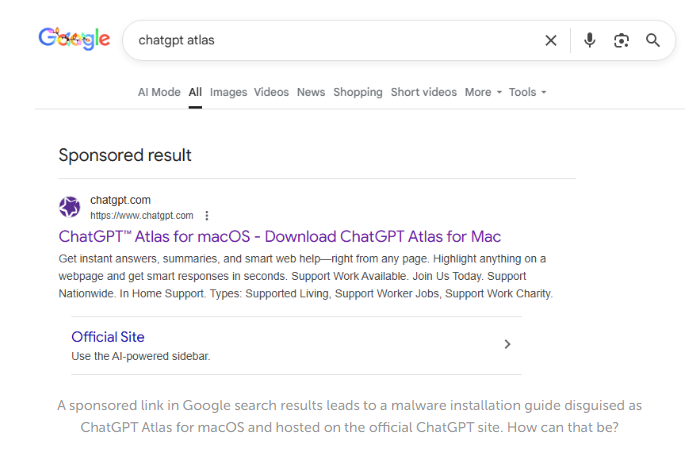

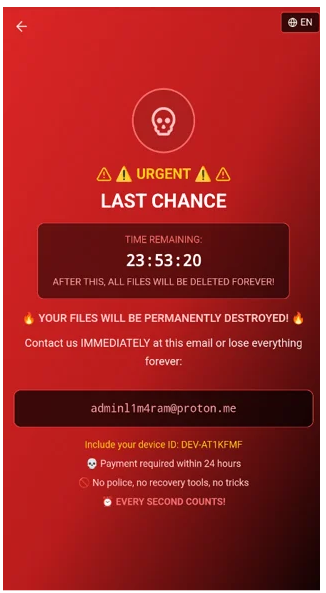
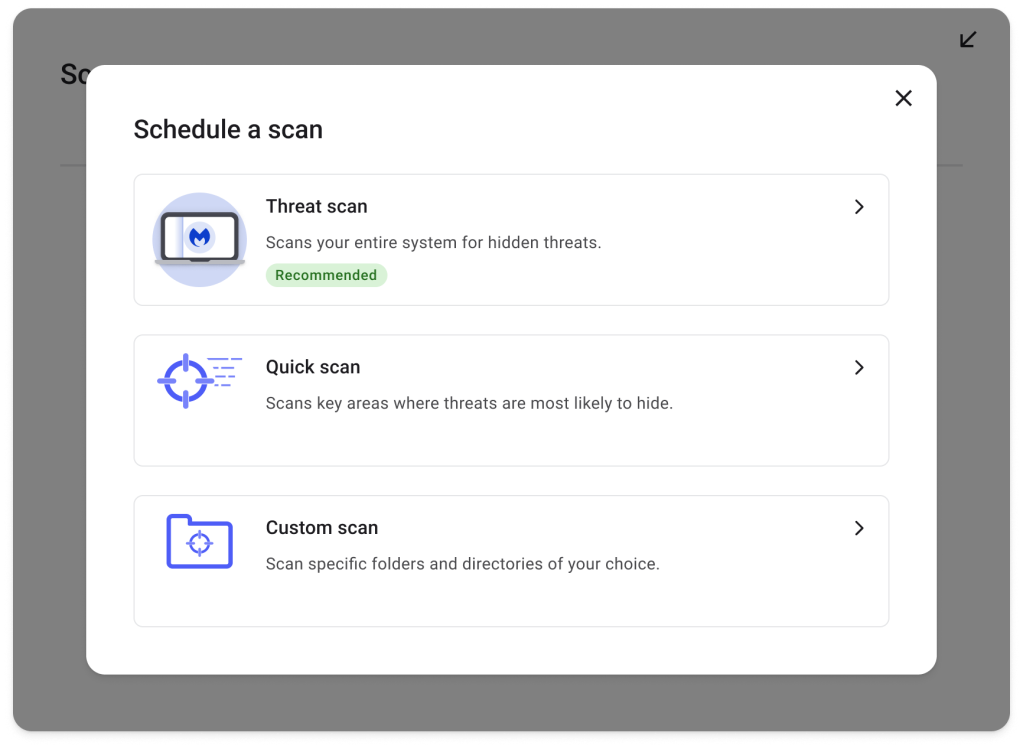

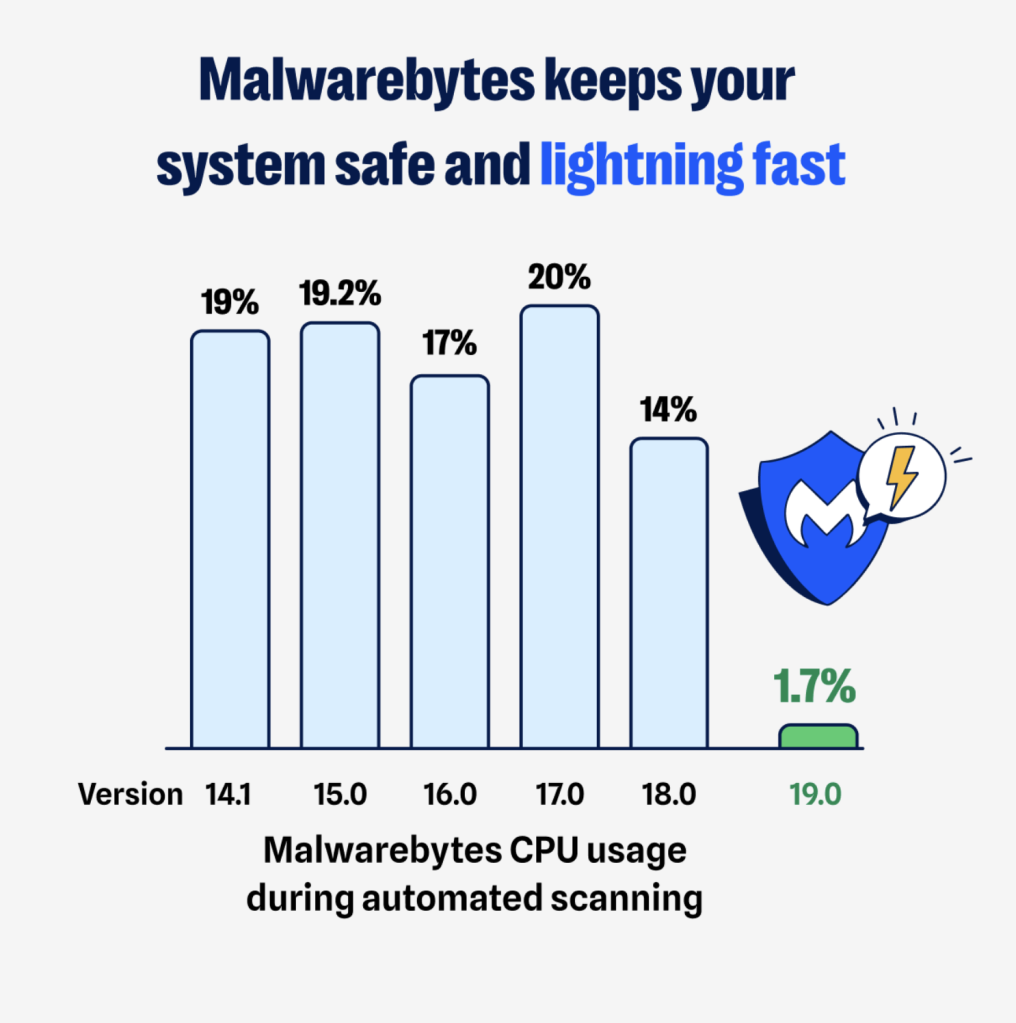


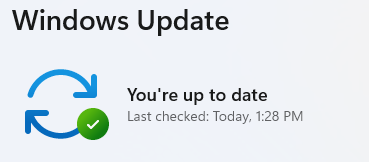
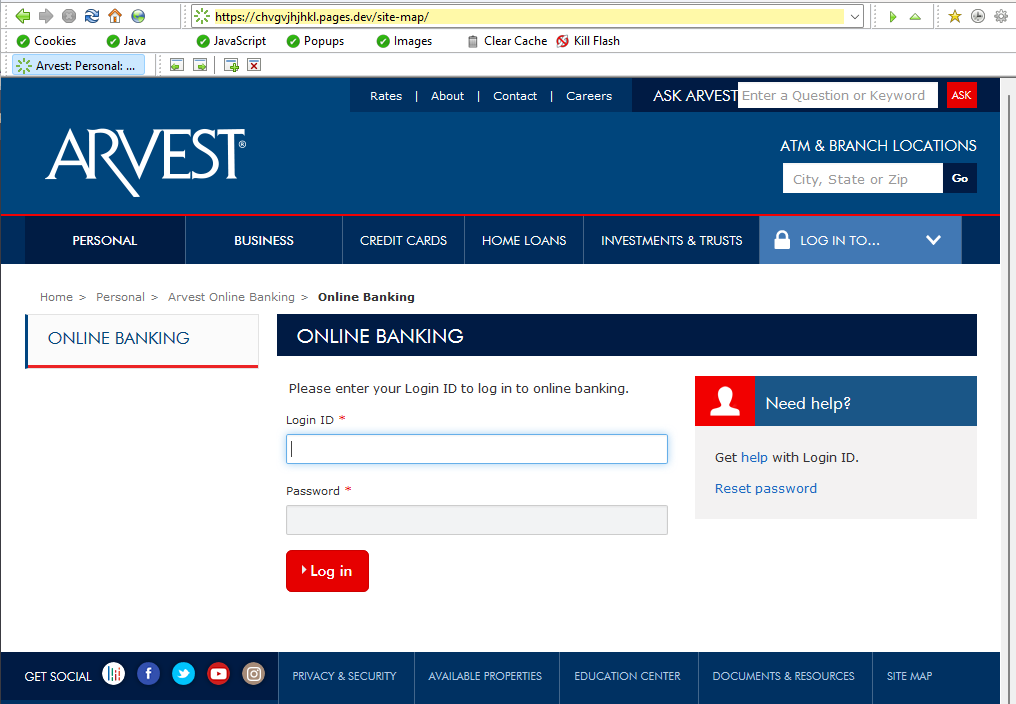
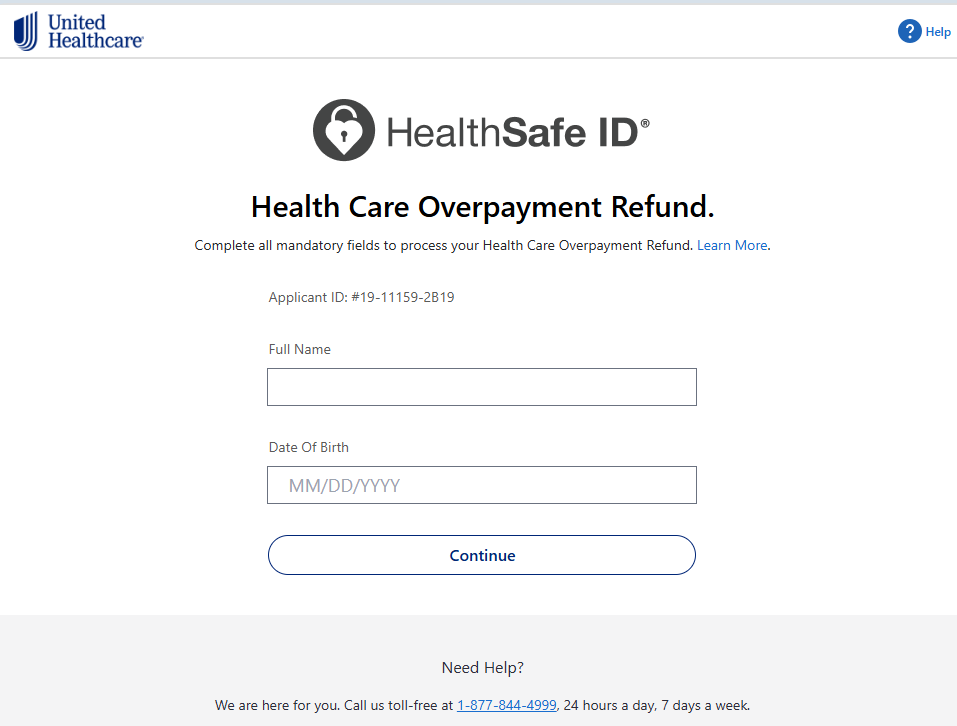

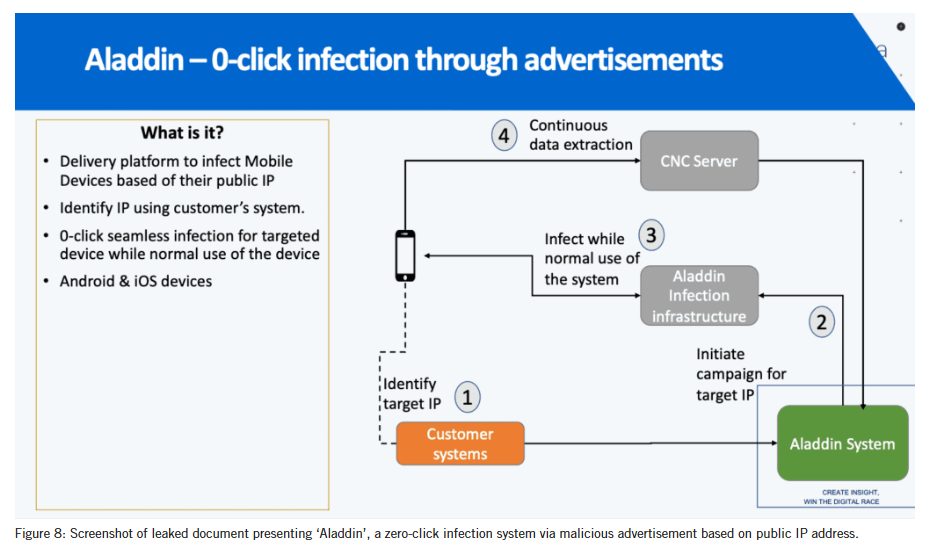
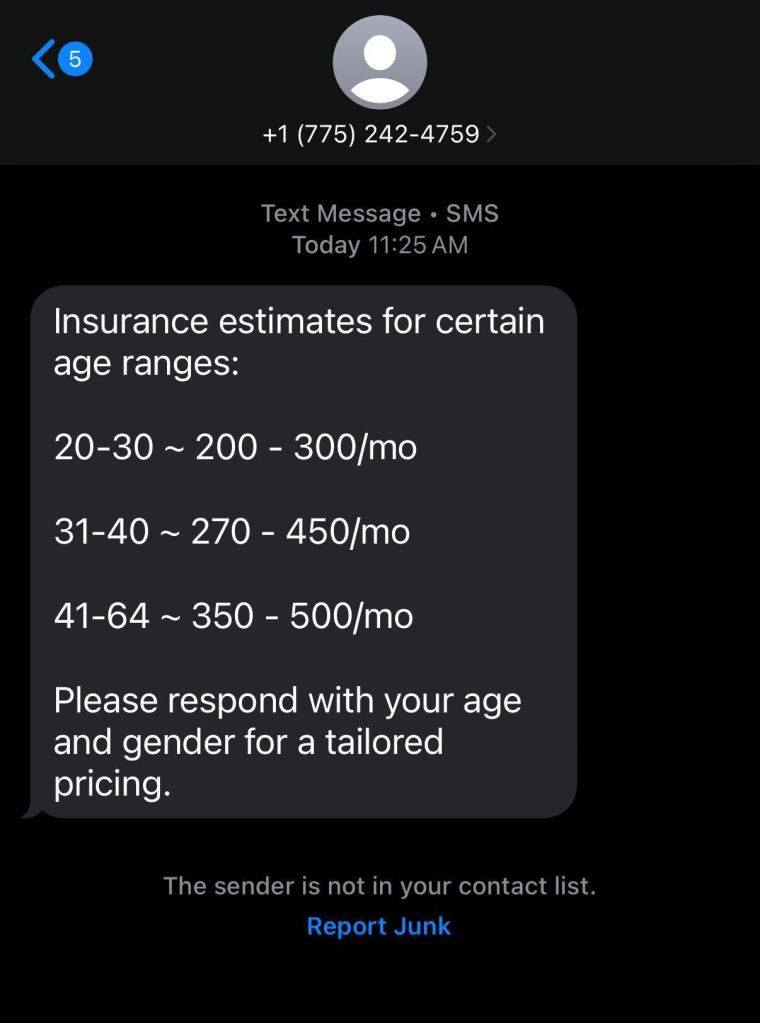
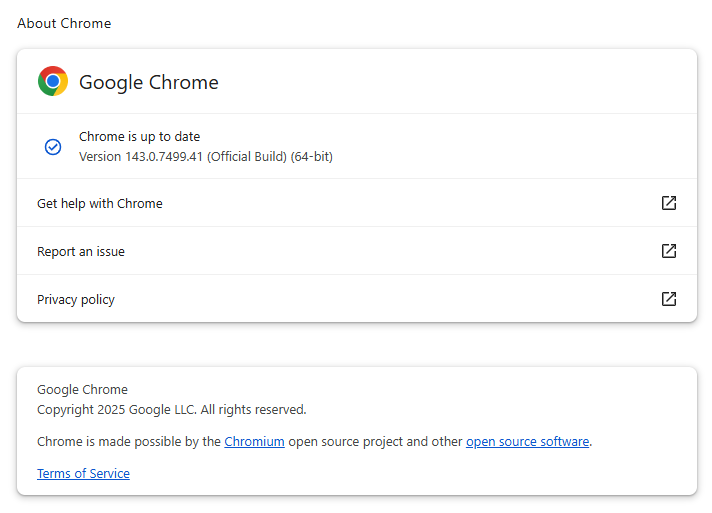
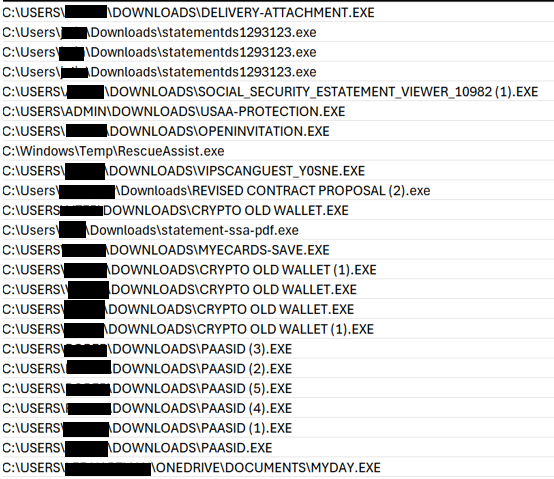
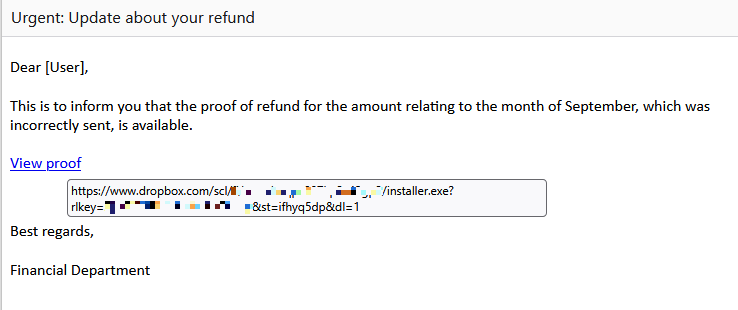



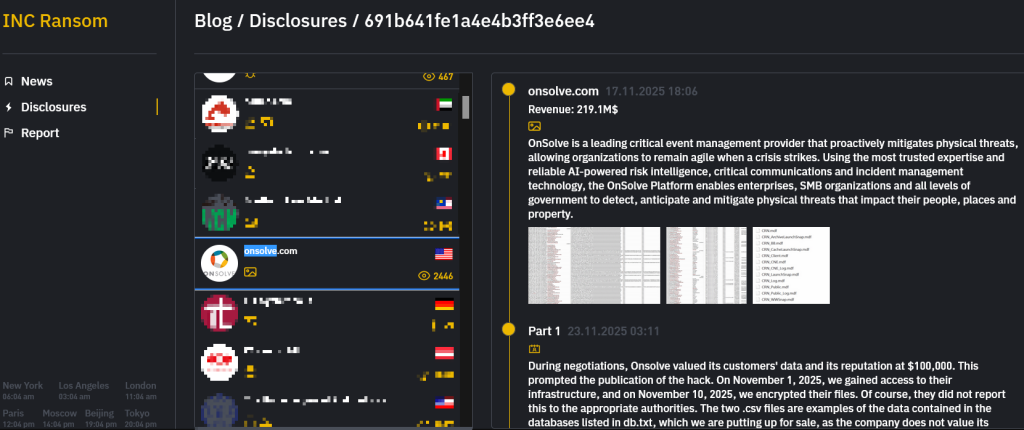
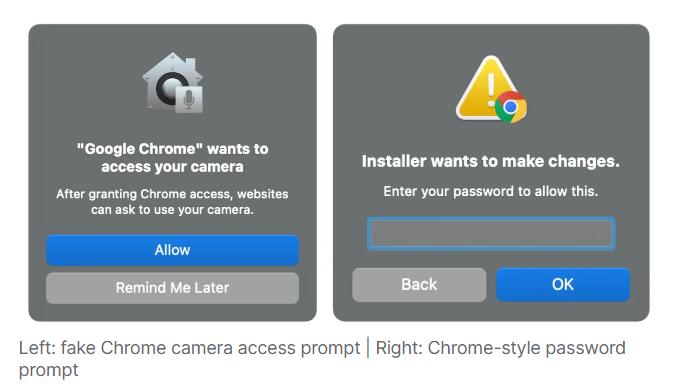
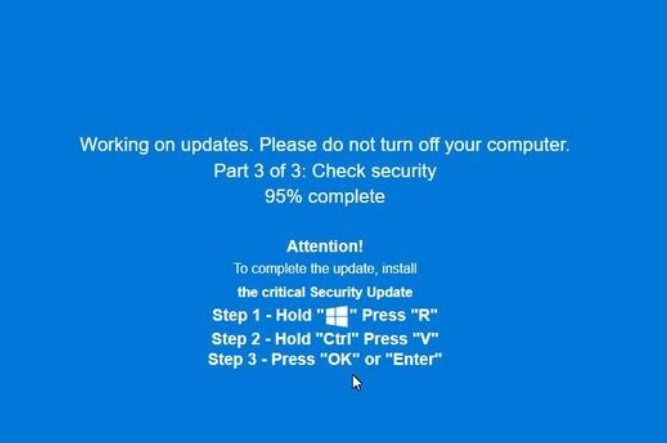
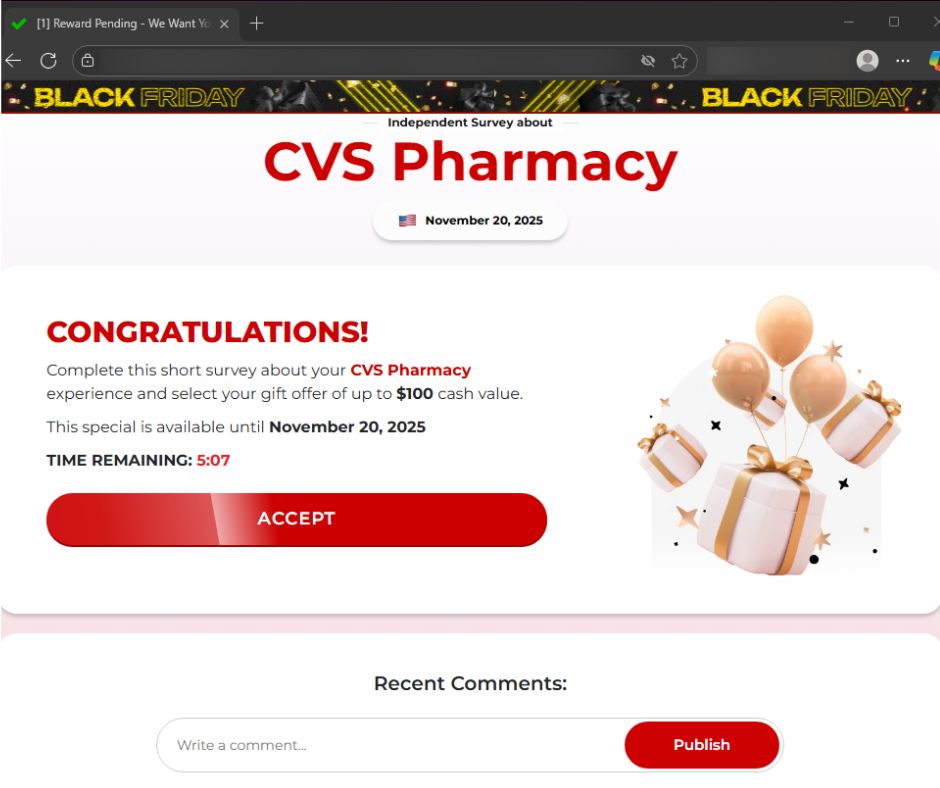
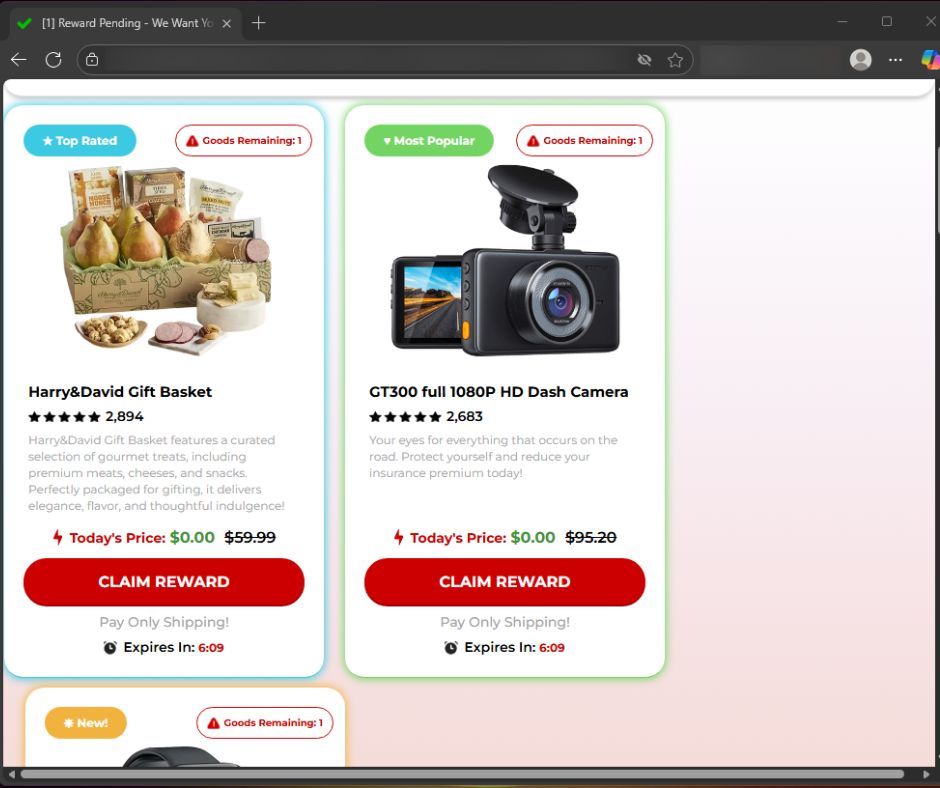
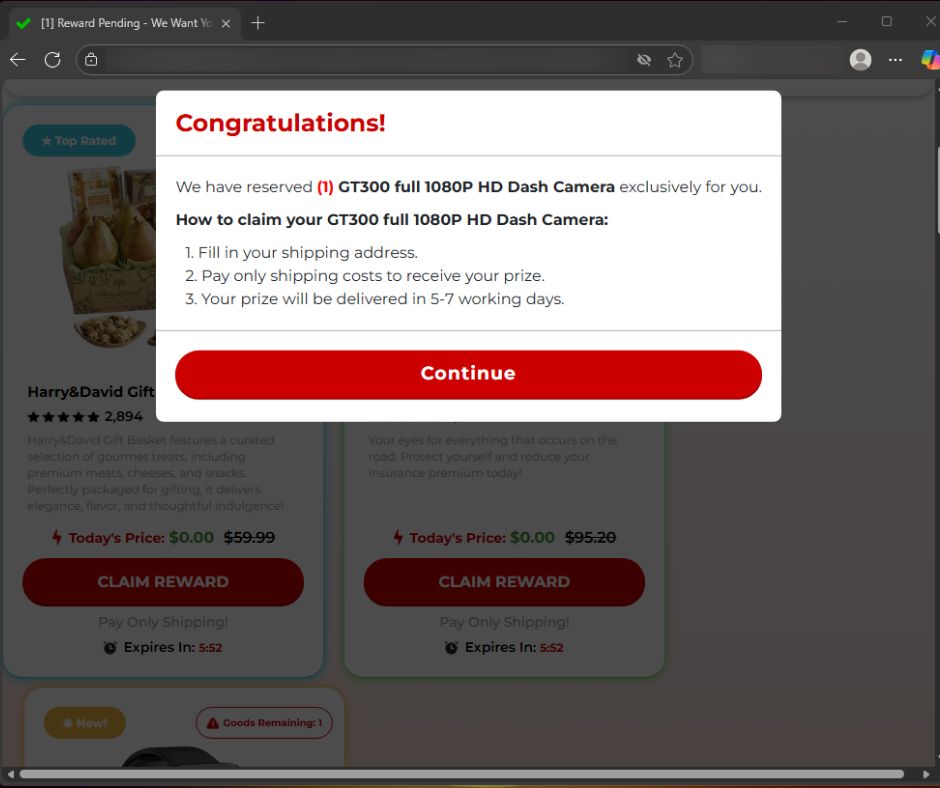
 ”)
”)