Reading view

Google’s latest swing at Chromebook gaming is a free year of GeForce Now

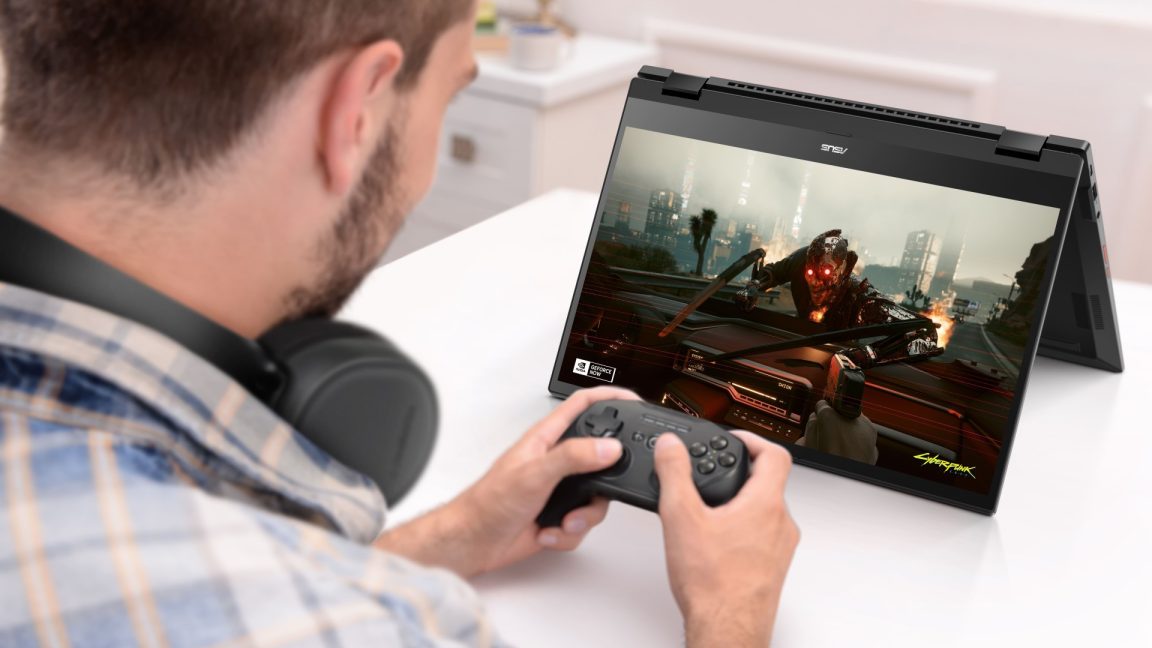
Earlier this year, Google announced the end of its efforts to get Steam running on Chromebooks, but it’s not done trying to make these low-power laptops into gaming machines. Google has teamed up with Nvidia to offer a version of GeForce Now cloud streaming that is perplexingly limited in some ways and generous in others. Starting today, anyone who buys a Chromebook will get a free year of a new service called GeForce Now Fast Pass. There are no ads and less waiting for server slots, but you don’t get to play very long.

Back before Google killed its Stadia game streaming service, it would often throw in a few months of the Pro subscription with Chromebook purchases. In the absence of its own gaming platform, Google has turned to Nvidia to level up Chromebook gaming. GeForce Now (GFN), which has been around in one form or another for more than a decade, allows you to render games on a remote server and stream the video output to the device of your choice. It works on computers, phones, TVs, and yes, Chromebooks.

The new Chromebook feature is not the same GeForce Now subscription you can get from Nvidia. Fast Pass, which is exclusive to Chromebooks, includes a mishmash of limits and bonuses that make it a pretty strange offering. Fast Pass is based on the free tier of GeForce Now, but users will get priority access to server slots. So no queuing for five or 10 minutes to start playing. It also lacks the ads that Nvidia’s standard free tier includes. Fast Pass also uses the more powerful RTX servers, which are otherwise limited to the $10-per-month ($100 yearly) Performance tier.

Read full article

Comments

© Asus

  •  

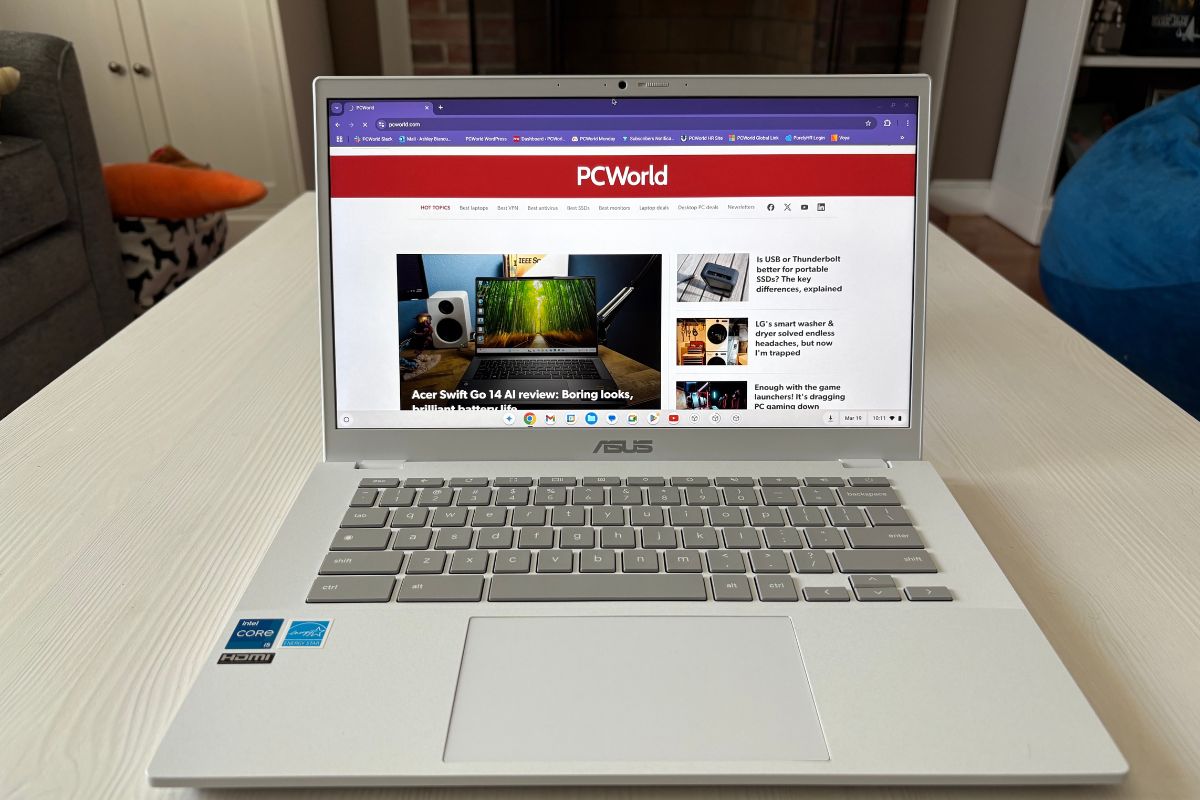
The best Prime Day Chromebook deal has the lousiest discount. Don’t be fooled!

The best Chromebook deal of Amazon’s October Prime Day event doesn’t actually boast a huge discount. But still it’s one of the best prices of the year for what you’re buying.

The Lenovo IdeaPad 3i Chromebook is on sale for $169.99 at Amazon, just 10 percent off. Yes, our list of the best Chromebook deals for Amazon’s Prime Big Deal Days does include some cheaper prices, especially at a couple of retailers other than Amazon. But in general, Amazon holds its own, delivering some of the best fall bargains on Chromebooks.

If you’ve been following our Chromebook deals coverage for the past few years, you’ll know our criteria are straightforward: first, memory counts. More memory means more available tabs and apps, and a lot of deals cut corners by offering just 4GB of memory. The IdeaPad 3i offers a full 8GB, and that matters. Second, I like at least a 1080p screen. The 3i offers one, and at a nice spacious 15.6-screen size, too. I care less about the processor, but the 3i’s Celeron N4500 is a dual-core chip from 2021 — about average.

Lenovo’s ThinkPads and IdeaPads typically offer solid, comfortable keyboards, and the 15.6-inch display sneaks in a bonus: It’s wide enough for a dedicated number pad. That’s not a necessity, but it certainly makes any data entry a lot easier.

Lenovo also boasts 10 hours of battery life, too. That’s dependent on how you use it, of course, but it’s a solid baseline nevertheless.

I care less about some other aspects of a Chromebook, such as the ports. Still, the IdeaPad delivers, with a pair of USB-A ports, a USB-C port, and even a dedicated HDMI port in case you want to connect an external display for some additional screen real estate.

One of the arguments for a Chromebook is that it’s simply easier to manage than a Windows machine. But as we move further (for better or for worse) into the age of AI, a Chromebook doesn’t mess around with trying to have you use local AI. Google wants you to connect to its cloud AI, Gemini, but you can also open another tab and just connect to ChatGPT as well.

(Remember, Google also offers an AI subscription with its Chromebook Plus program. You can review our Prime Day deals for a more detailed explanation, but the best Chromebook Plus deal is the Acer Chromebook Plus 516 for $299, or 38 percent off at Best Buy.)

Sure, the 10 percent discount Lenovo is offering for Prime Day doesn’t pop. But really, all a sale is offering you is the best price available, and the IdeaPad 3i is already cheaper than Chromebooks with much weaker specifications. This is my recommendation for the best Chromebook deal for Amazon’s October Prime Day sale. I think you’ll like it.

Get the Lenovo IdeaPad 3i for $169.99 for Amazon Prime Day

  •  

Google Search tempts Windows 10 users with Chromebook upgrades

Windows 10 is dying next week, for a given value of “dying.” Microsoft is offering extended security support with some strings, and it’s not like we haven’t seen major Windows releases go out of service before… but we’re in a very different world than when Windows 8 faded away. Google is making the best of it, offering up Chromebooks and ChromeOS as a less aggravating alternative.

“Time for a new laptop? Get Chromebook Plus,” says an advertisement on Google’s home page, apparently shown to Windows 10 users who have probably heard that their PC’s days are numbered.

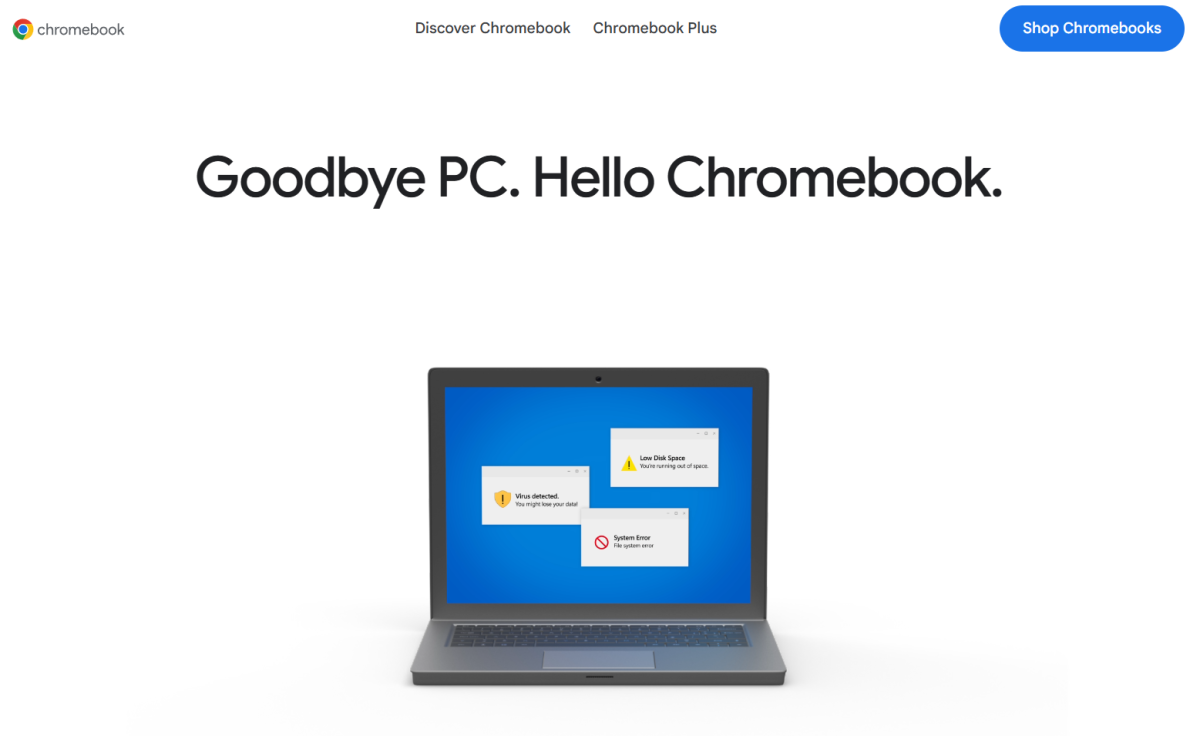
“With security fixes for Windows 10 ending this October, switch to the laptop that has never had a virus,” it goes on, in contextual ads spotted by Windows Latest. The linked page shows off a scary blue screen on a dated-looking laptop, spinning into the newest, sleekest Chromebook models, including the Samsung Galaxy Chromebook Plus.

"Goodbye PC. Hello Chromebook." Google advertisement, with laptop and security warnings

Google

This is pretty darn good marketing, Google. With Microsoft pushing and pushing hard for users to get onto Windows 11—even when there’s nothing wrong with Windows 10 and plenty of people have no need of a new, expensive device—there are a lot of people souring on Windows for the very first time right now. Between the unpleasant proposal of Windows 11 and its constant advertising pushes, not to mention Copilot “AI” that’s questionably useful at best and just downright dangerous at worst, and the fact that many people now use their phones or tablets as primary web devices, it’s a great time to offer up some different choices.

That being said, it’s my job to be a devil’s consumer advocate here. Chromebooks do have an excellent 10-year support promise for the latest models, but be aware that the timer starts when the device is first put on the market, not when you buy your specific laptop. And Google’s insistence that ChromeOS has “never had a virus” is a bit sus. It’s true that viruses and other malware made specifically for Windows don’t affect the Linux-based ChromeOS… but there are still plenty of malicious extensions you can install on a Chromebook, plus Android apps, both of which occasionally get through the official security measures on Google’s Chrome Web Store and Play Store, respectively. And nothing stops standard phishing and other social engineering attacks on Chromebooks. Plus, both ChromeOS and Android are now chock-full of Google’s own flavor of “AI” (Gemini), arguably about the same level of annoying as Windows and Copilot.

So I’d encourage Google to lean into the 10-year support promise (with the aforementioned asterisk on the timeline), the fact that Chromebooks are generally cheaper than similarly-equipped Windows laptops, and that they’re also easier to keep running smoothly if something goes wrong. Even so, I have to tip my hat to Google for striking while the iron—and the temper of hundreds of millions of Windows users—is hot.

  •  

Best Chromebook deals for October Prime Day

Amazon’s October Prime Day 2025 Chromebook deals are now officially live. In this article we’ve curated the best Chromebook deals for what Amazon also refers to as Prime Big Deal Days, but we’ve also examined deals from Best Buy, Walmart and other retailers through Oct. 7 and Oct. 8.

We already test and recommend the best Chromebooks, so we know what makes a great device. Over the past few years, I’ve compiled lists of the top Chromebook deals for Prime Day, Black Friday, and more. I’m seeing some surprisingly decent deals for Prime Day on recent hardware, though it appears that the premium Chromebook Plus models are where inflation is hitting hardest.

To compile PCWorld’s list of Chromebook deals for October Prime Day deals, I looked at the specifications, the price, the manufacturer, and any reviews we’ve published on a specific Chromebook.  Want more? Check out all the best October Prime Day deals on PCWorld’s landing page here.

Best October Prime Day Chromebook deals at Amazon

Ignore the fact that Lenovo’s IdeaPad 3i has just a 10 percent discount attached to it. It’s the best price that I’ve found for an all-around, no-compromise Chromebook for October Prime Day. It has 8GB of RAM, a 1080P display, and a good processor. If you don’t care about a Chromebook Plus like the Acer Chromebook Plus 516 in the next section, buy this.

I rarely promote “renewed” products in these lists, but the HP Chromebook Plus here has some excellent specs for the price. If you’re willing to take a shot, this is the best price for a Chromebook Plus device that I’ve found.

Yes, the top four devices right now are from Lenovo. They all have some compromise (4GB of RAM, in three of the four cases) but all of them except for the IdeaPad 3i are at their lowest prices of the year. I list them in order of preference, so the 15.6-inch Lenovo Chromebook is the one I’d choose if the IdeaPad 3i isn’t available.

Acer’s Chromebook Plus 514 and the Asus ExpertBook gets you into the Chromebook Plus category, which offers 12 months of Google AI Pro for free. Right now, the Acer Chromebook Plus 516 at Best Buy offers a far better price, however. Note that I’ve swapped out the Acer Chromebook 514 for a similar model that, while claiming no sale price, is still $40 cheaper than the previous listing and they toss in a mouse for good measure. It’s all about price.

The Asus Flip CX1 also doesn’t compromise, either, but at $309 it’s well above some of the other offerings. I think it’s worthy of mention, but deserves to be at the bottom of this list.

Best October Prime Day Chromebook deals beyond Amazon

  • Acer Chromebook Plus 516, Intel Core i3-1315U/8GB RAM/128GB SSD, 16-inch 1920×1200 display, $299.00 (38% off at Best Buy)
  • Asus CX15 Chromebook, Intel Celeron N4500 processor/4GB RAM/128GB eMMC storage, 15.6-inch 1920×1080 display, $139.00 (37% off at Walmart)
  • Acer Chromebook 315, Intel Celeron N4500/4GB RAM/64GB eMMC/15.6-inch 1920x1080p display, $139.00 (54% off at Best Buy)
  • Lenovo IdeaPad Slim 3, MediaTek Kompanio 520/4GB RAM/64GB eMMC, 14-inch 1920x1080p display, $159.00 (60% off at Best Buy)
  • HP 15.6-inch Chromebook, Intel N200/8GB RAM/64GB eMMC, 15.6-inch 1366×768 display, $199.00 (54% off at Best Buy)
  • Lenovo Duet 11 Chromebook, MediaTek Kompanio 838 processor/4GB RAM/128GB eMMC storage, 11-inch 1920×1200 touchscreen display, $249.00 (38% off at Best Buy)
  • HP 14-inch Chromebook, Intel Celeron/4GB RAM/64GB eMMC, 14-inch 1366×768 display, $119.00 (61% off at Best Buy)

The Acer Chromebook Plus 516 at the top of the list is the best all-around deal. (Do you need a Chromebook Plus?) That’s an excellent price for a no-compromise Chromebook, and with Google’s AI subscription on top of it. You’ll have no regrets.

The Asus CX15 Chromebook and Acer Chromebook 315 falls in the ultra-cheap category at just $139, but it still delivers a lot for the price. You’re getting a spacious 15.6-inch 1080p display plus 64GB to 128GB GB of storage, which is more than enough for day-to-day browsing and streaming. It’s the kind of Chromebook that makes sense if you want a big screen without emptying your wallet, and the deep discounts makes both an easy pick.

HP’s Chromebook at Best Buy only offers a 768p resolution, which is going to look a little grainy on its 15-inch screen. There is no external display connection, either. I’d use the return policy here; the 8GB of RAM helps make this a good deal, which is why it’s here. But if it’s just too hard on your eyes, return it. Otherwise, it’s a solid deal.

I’d prefer the Lenovo Duet 11 over the Slim 3 at Best Buy on specs alone. However, the Duet is a detachable tablet, and that might turn some people off. (I prefer clamshells over tablets, but that’s just me!) The Slim 3 might be a better choice, but it’s a bit less powerful.

I don’t want to even list this, but the $119 HP 14-inch Chromebook is about the cheapest new Chromebook I found. It has only 4GB of RAM and a 768p screen, so it’s definitely subpar. But if you need a bargain-basement option, it’s there.

Deals updated at 4:51 PM PT on Oct. 8, 2025.

Other great October Prime Day deals

These aren’t the only Prime Day deals being tracked by the PCWorld team. If you’re looking to supercharge your home setup with the juiciest tech sales, hit the links for only the best expert-curated picks we’ve found.

FAQ


1.

How much should I pay for a Chromebook during October Prime Day?

Expect to pay roughly $130 to $250 for most Chromebooks, depending on the configuration. The cheapest options can dip into the $130–$170 range, while more premium Plus models typically cost $250 and up. We’ve used this guidance for the past few years, and even with inflation, it still holds true. The only note we’d ask is that the Plus models have a much higher price than a few years ago.

2.

What’s a good Chromebook to buy during October Prime Day sales?

There are two ways of shopping during Amazon’s October Prime Day. The first is to go down our list of recommended Chromebooks until you find a price you like. Our real-time pricing services should reflect real-time discounts, but occasionally “lightning” or instant sales may slip through.

The other way is to shop using our recommended deals above. Typically, I look for at least a large 1080p display unless it’s an absolute budget model. (Anything higher than 1080p is a bonus.) I also really prefer a Chromebook with at least 8GB of RAM, for keeping many tabs open and running programs. The third priority is actually the processor, and it’s a bit of a challenge to explain which is the “right” chip to buy. A recent Intel Celeron, AMD Ryzen, or Arm chip from Qualcomm or Mediatek is a good choice.

3.

How does PCWorld decide what a good Chromebook deal is?

Generally, Chromebooks tend to fall into three categories: ultracheap models at about $100 to $200, which can offer solid discounts but can hide gotchas like a subpar screen; the typical midrange price of between $250 and $400; and premium Chromebooks at $500 or more.  Those prices can sometimes blur together, of course.

I basically compare the price with the specifications. As I said above, I’m looking for a Chromebook with 8GB of RAM and at least a 1080p screen, along with a “good” processor. (I typically make a list of processors, mental or otherwise, with the relative performance of each one and how old they are.) I then start selecting candidates for good deals. Are they one of our recommended Chromebooks? They then go to the top of the list.

At this point, I start checking for how long the support window is. Chromebooks are supported for ten years after their ship date, but most of these deals use Chromebooks which have been on the market for at least a few years. No one wants a Chromebook which won’t receive upgrades next year.

I also almost always recommend a “new” Chromebook, rather than one which has been refreshed or “renewed” by Amazon.

4.

Will tariffs affect October Prime Day Chromebook deals?

Yes and no. Remember, tariffs only take effect when the product enters the United States, so it’s very likely that a bargain Chromebook has been available on the market and even sat on a U.S. store shelf for a few years. Chromebooks are very price-dependent.

5.

Are the best October Prime Day Chromebook deals only at Amazon?

Amazon would like to think so! But we check other sites as well, just to make sure. You’ll find those Chromebook deals from sites other than Amazon listed above, too.

6.

Does a Chromebook’s brand matter?

Interestingly, Chromebooks are one of the few tech categories whose products are almost all made by big “name” brands. We might prefer a Chromebook made by one company over another, but generally Chromebooks are manufactured by companies like Acer, Asus, HP, Lenovo, Samsung and more — all big, reputable brands.

  •  

Best laptops under $500: Affordable picks that will satisfy

Looking for a decent laptop under $500? Yeah, it’s kind of a mess out there. One quick search and you’re drowning in options–most of them pretty meh. The key is knowing what actually matters.

Shoot for a 1080p screen and at least 8GB of RAM. That combo keeps things running smooth and makes videos look good, too. You’ll have to give up a few bells and whistles at this price, but don’t worry, we’ve already sifted through the junk to identify affordable laptops you actually want.

Here are our top picks that prove budget laptops don’t have to be terrible.

Why you should trust PCWorld for laptop reviews and buying advice: It’s in our name! PCWorld prides itself on laptop experience and expertise. We’ve been covering PCs since 1983, and we now review more than 70 laptops every year. All of our picks have been personally tested and vetted by our experts, who’ve applied not only performance benchmarks but rigorous usability standards. We’re also committed to reviewing PC laptops at every price point to help you find a machine that matches your budget.

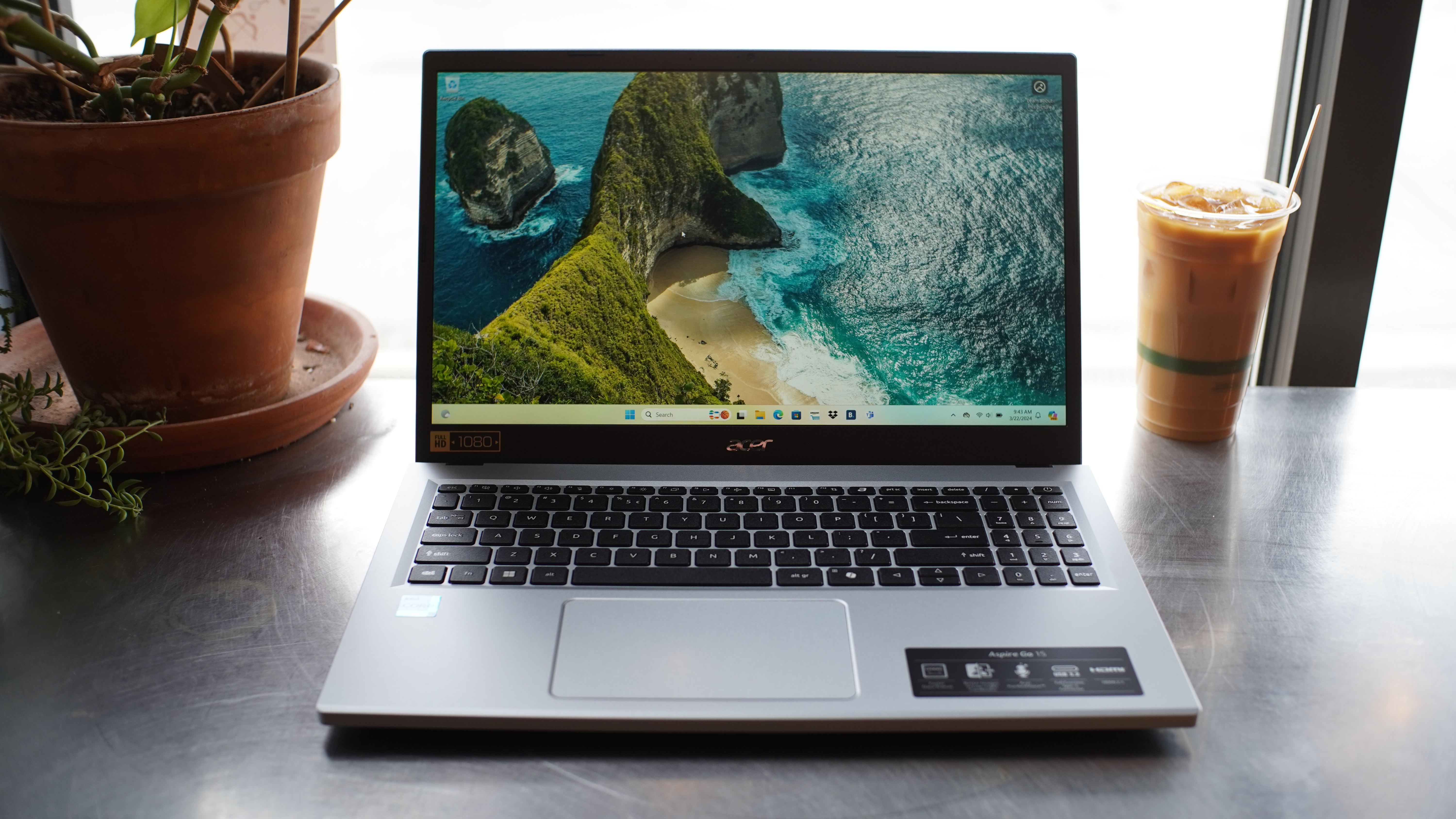
Acer Aspire Go 15 – Best laptop under $500 overall

Acer Aspire Go 15  - Best laptop under 0 overall

Pros

  • Affordable
  • Decent battery life
  • Good display visibility

Cons

  • Big and bulky
  • Cheap build
  • Limited performance
Price When Reviewed: $299
Best Prices Today:
Retailer
Price
Acer
$299
Amazon
$309.98
Walmart
$319
Price comparison from over 24,000 stores worldwide
Product
Price
Price comparison from Backmarket

Who should buy the Acer Aspire Go 15?

If you’re looking for the best bang-for-your-buck laptop under $500, this is it. The Aspire Go 15 just gets the job done. You’re getting a sharp screen, solid performance for everyday stuff, and crazy good battery life. We got almost 12 hours in testing, which is a full workday and then some. The 1080p screen looks sharp, even if it’s not super bright. The Intel Core i3-N305 isn’t built for anything heavy-duty, but it’s more than enough for streaming, web stuff, and basic work or school use.

Acer Aspire Go 15: Further considerations

The keyboard feels great (our reviewer was cranking out 110 words per minute without a problem) and the trackpad is smooth and responsive. Plus, there’s a nice spread of ports: USB-C with power and video out, two USB-A, HDMI, headphone jack, and even a Kensington lock and barrel charger.

It’s not flashy, that’s for darn sure. But for under $300, it does the basics better than most.

Read our full Acer Aspire Go 15 (2024) review

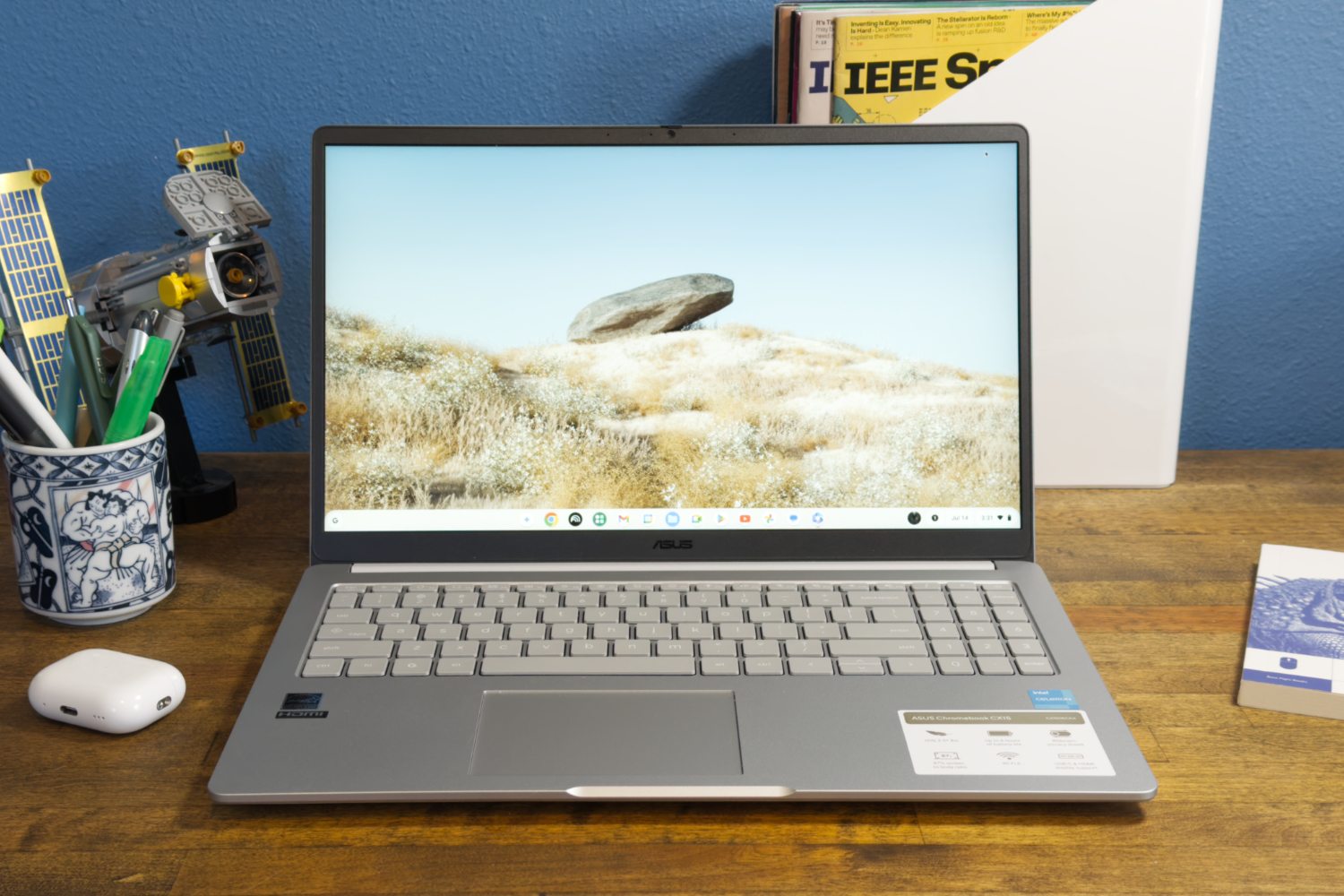
Asus Chromebook CX15 – Best Chromebook under $200

Asus Chromebook CX15 - Best Chromebook under 0

Pros

  • Compact form factor
  • Good everyday performance
  • Long battery life
  • Great keyboard and mouse

Cons

  • Screen quality is mediocre
  • Noisy fans
Price When Reviewed: $159
Best Prices Today:
Retailer
Price
eBay
$159
Walmart
$159
Amazon
$255.99
Price comparison from over 24,000 stores worldwide
Product
Price
Price comparison from Backmarket

Who should buy the Asus Chromebook CX15 ?

If you need a laptop that won’t make your wallet cry, the CX15 does the basics really well. It handles web browsing, streaming, and email like it’s nothing, and the 15.6-inch 1080p screen plus the full-sized keyboard actually make it feel more solid than the price suggests.

Asus Chromebook CX15 : Further considerations

The Intel Celeron N4500 with 4GB of RAM handles the basics fine–web browsing, streaming, email, all that. But try to do too much at once and it starts dragging. Battery life’s solid, a little over 10 hours, so you’ll probably get through a full day. Not record-breaking by any means, but it does the job.

Read our full Asus Chromebook CX15 review

Asus Chromebook Plus CX34 – Best Chromebook under $500

Asus Chromebook Plus CX34 - Best Chromebook under 0

Pros

  • Zippy processor performance
  • Nice keyboard
  • A wide array of connectivity options
  • Chic design

Cons

  • Battery life isn’t competitive
  • The display’s 16:9 aspect ratio feels a little cramped
Price When Reviewed: $499
Best Prices Today:
Retailer
Price
Walmart
$479.99
Amazon
$559.99
Best Buy
$599
Price comparison from over 24,000 stores worldwide
Product
Price
Price comparison from Backmarket

Who should buy the Asus Chromebook Plus CX34?

If you’re not running Photoshop or playing AAA games, the Asus Chromebook Plus CX34 absolutely gets the job done. The Intel Core i5 and 8GB of RAM keep everything zipping along, even with a dozen tabs open and a video call going.

It’s lightweight, looks clean with that white finish, and has a 1080p display that’s easy on the eyes. The webcam’s full HD too, which makes a real difference on Zoom or Google Meet. No weird lag or blurry faces here.

Asus Chromebook Plus CX34: Further considerations

The CX34 keeps it simple and just works. It boots fast, stays responsive, and doesn’t run hot or loud. Chrome OS has come a long way, and if you mostly live in a browser, this setup is kind of ideal.

Read our full Asus Chromebook Plus CX34 review

HP Laptop 14 – Best battery life

HP Laptop 14 - Best battery life

Pros

  • Compact form factor
  • Good everyday performance
  • Long battery life
  • Great keyboard and mouse

Cons

  • Screen quality is mediocre
  • Noisy fans
Price When Reviewed: $449.99
Best Prices Today:
Retailer
Price
Amazon
$449.99
Price comparison from over 24,000 stores worldwide
Product
Price
Price comparison from Backmarket

Who should buy the HP Laptop 14?

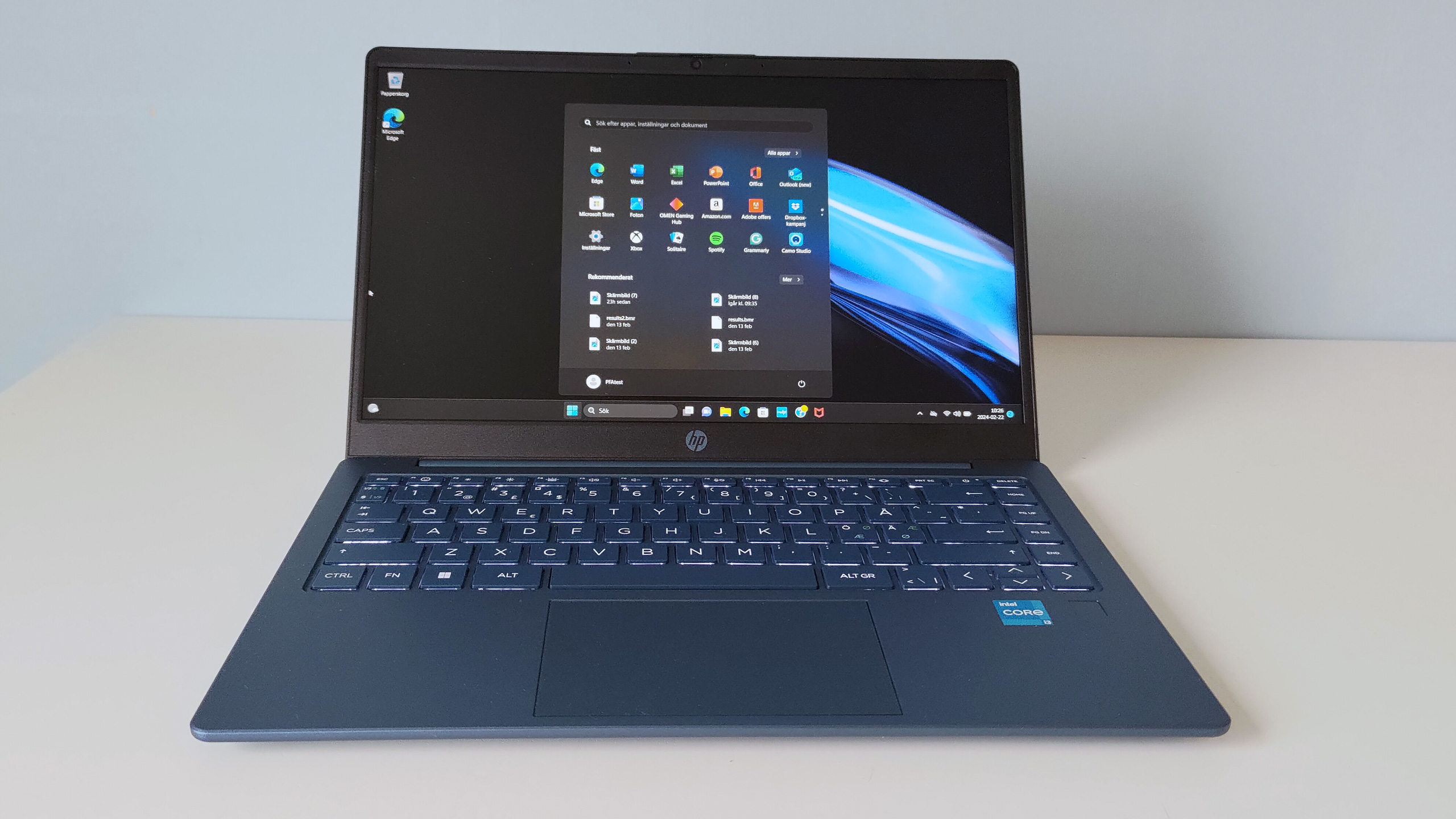
If you want something that just keeps going, the HP Laptop 14 is it. It gave us 15 hours on a single charge with light use, and it’s pretty light too, weighing just over three pounds, so you can carry it around all day without feeling it. You also get a snappy-enough Intel Core i3-1315U, a nice 1080p webcam, and an understated look in that deep blue finish.

HP Laptop 14: Further considerations

Battery life is the main event here. You won’t need to hover near an outlet, even during long workdays. The build is compact and travel-friendly, and typing feels great for long stretches. The fan noise can also be a little distracting under load, but for this price? Kind of hard to complain.

Read our full HP Laptop 14 review

Other laptops under $500 we tested

We also looked at the Acer Aspire Go 15, which has great battery life and a solid 1080p screen for under $500. Then there’s the Acer Chromebook Spin 312, a small 2-in-1 that’s great for basic stuff like browsing and streaming but not super fast. Both are good options if you want something simple.

How we test laptops

The PCWorld team puts each and every Windows laptop through a series of benchmarks that test GPU and CPU performance, battery life, and overall usability. The idea is to push the laptop to its limits and then compare it against others we’ve tested. Chromebooks, on the other hand, go through a series of web-based tests.

For a much deeper look at our review methodology, check out how PCWorld tests laptops.

Who curated this article?

Hi, I’m Ashley Biancuzzo, and I oversee all laptop and Chromebook coverage at PCWorld. While you’ll see me review Chromebooks on occasion, I’m also really into the broader world of consumer tech. I spend a lot of time writing and thinking about where laptops are headed–from AI and sustainable designs to long-term trends. When I’m not deep in the world of tech, you’ll probably find me gaming, getting lost in a good book, or chilling with my rescue greyhound, Allen.

How to choose the best laptop under $500

Ah, here we are at the billion dollar question. Do you spring for a basic Chromebook or go for a Windows laptop with more features? Honestly, it mostly comes down to your lifestyle and what you’re expecting from a laptop under 500 bucks. You’re not gonna get some super-powerful beast at that price, but if you just need something for the basics, there are a lot of decent options out there.

Chromebooks, for example, are super budget-friendly and the battery life is awesome. I actually use one myself for work (writing, editing, all that) and it does the job just fine. If you travel a lot, it’s worth going for something that’s nice and light — under 3 pounds, if possible. Still not sure what to get? No big deal, take your time figuring it out. I’ve put together a list of quick buying tips below.

  • Laptop type: There are many different laptop types that fall in the sub-$500 category: clamshells, 2-in-1s, Chromebooks, and much more. The displays on convertible laptops (aka 2-in-1s), for example, can swing around 360 degrees. This allows you to use the laptop like a tablet. They can also be propped up like a tent for viewing movies or participating in video calls. Chromebooks come in various shapes and sizes, and exclusively run Google’s web-focused Chrome OS. With a Chromebook, all you need is a Gmail account and, boom, you’re in.
  • CPU: When it comes to the sub-$500 Windows laptops, you can expect to find Intel Core i3 or i5 processors. An i5 processor obviously provides a little more oomph. That said, basic office and web work does just fine on a Core i3. For AMD stuff, Ryzen 3 is fine for everyday stuff like web browsing, and Ryzen 5 is a solid all-rounder—kind of like Intel’s i5. On Chromebooks, Snapdragon and Pentium chips usually beat out MediaTek ones.
  • Graphics: Don’t expect great graphics at this price. You’ll mostly get integrated graphics, which is totally fine unless you’re trying to game or do 3D work.
  • RAM: RAM-wise, go for 8GB if you can—it just makes everything smoother. Most Chromebooks come with 4GB, which works, but 8GB is way better if you can swing it.
  • Display size: For screen size, 13 to 14 inches is the sweet spot. Big enough to work on, small enough to carry around. Bigger screens mean more weight (and usually a higher price).
  • Resolution: Don’t settle for less than 1080p resolution. Anything lower just looks kinda blurry, even for basic stuff like Netflix or spreadsheets.
  • Battery life: Battery life? Look for 10 to 12 hours. That’ll get you through most of the day without hunting for an outlet.
  • Ports: It’s nice to have a bunch so you don’t need extra adapters. Look for USB-C and USB-A, and HDMI is cool if you want to hook up to a screen.

FAQ


1.

What is the best laptop under $500?

If you want a no-fuss laptop under $500 that just gets the job done, the Acer Aspire Go 15‘s got you covered. Solid everyday speed, a sharp 1080p screen, killer battery life (almost 12 hours!), and a comfy keyboard, all for under $300.

2.

What is the best Chromebook under $500?

If you want a solid Chromebook under $500, the Asus Chromebook Plus CX34 is fast, smooth with tabs and video calls, has a sharp 1080p screen, and a good HD webcam. It’s just plain simple and reliable.

3.

Can I upgrade the RAM or storage on these laptops later?

Most laptops under $500 don’t let you upgrade RAM because it’s soldered, but some do let you swap or add storage. Check before you buy if that stuff matters to you.

4.

What’s the difference between a regular laptop and a Chromebook?

When people say “laptop,” they usually mean a PC or a Mac. But Chromebooks are laptops too, they just run Google’s Chrome OS instead of Windows or macOS. So, yeah, all Chromebooks are laptops, but not all laptops are Chromebooks. They’re mostly built for Google apps like Drive and Docs, so they work best when you’re online.

5.

Are Chromebooks good for gaming?

Eh, not really. If gaming’s your thing, you’ll probably wanna look at a Windows laptop or a Chromebook designed for cloud gaming. Both will be more expensive than a basic Chromebook. Most Chromebooks are fine for web games and Android stuff, but that’s about it. With a gaming Chromebook you will need to subscribed to a cloud gaming service such as GeForce Now and have a reliable internet connection.

6.

Can you use integrated graphics for gaming?

Yes, some of the latest processors with integrated graphics can run modern PC games at decent enough settings. For example, we found that in our tests, Intel’s latest Iris Xe line of processors with integrated graphics can run some of the latest games at 1080p and 30fps. Unfortunately this is not the case for all integrated graphics and your mileage may vary drastically with older tech.

Intel and AMD’s integrated graphics have made huge leaps in recent years with regard to gaming performance. If you’re on a budget or looking for an ultra-thin laptop with integrated graphics you need not worry, you can still game on. We recommend checking out Intel’s Core 12th-gen Iris Xe or AMD’s brand new Ryzen 6000 RDNA 2.

  •  

Best early Chromebook deals for October Prime Day

Amazon’s October Prime Day 2025 event is just around the corner! While the sale itself runs between October 7 and 8, you can find some early Chromebook deals ahead of time — and we’ve got them, right here.

We already test and recommend the best Chromebooks, so we know what makes a great device. Over the past few years, I’ve compiled lists of the top Chromebook deals for Prime Day, Black Friday, and more. While the very best Chromebooks don’t always see big discounts for Prime Day, there are still solid deals to be found, and figuring out which ones are worth it is where PCWorld, and I, come in.

To compile PCWorld’s list of Chromebook deals for early October Prime Day deals, I looked at the specifications, the price, the manufacturer, and any reviews we’ve published on a specific Chromebook.  Want more? Check out all the best early October Prime Day deals on PCWorld’s landing page here.

Best early October Prime Day Chromebook deals at Amazon

The Lenovo IdeaPad 3i Chromebook is a lousy deal (7 percent off the typical price, and a bit higher than the $150 it hit during the holiday 2024 season) but it’s simply a terrific price for a no-compromise Chromebook. The only weak spot? Slightly slower eMMC storage, but I doubt you’ll notice. This is the one to buy right now.

The Lenovo IdeaPad Slim 3 Chromebook is a solid, cheap pick at $178. It’s got a 14-inch 1080p screen and it can handle everyday stuff like browsing the web or doing homework without any trouble. Not fancy, but it gets the job done without costing much. I’ve never been a huge fan of just 4GB of memory, but it should be okay if you want to save a few bucks more.

Acer’s Chromebook Plus 514 and the Asus ExpertBook gets you into the Chromebook Plus category, which offers 12 months of Google AI Pro for free.

Best early October Prime Day Chromebook deals beyond Amazon

  • Asus CX15 Chromebook, Intel Celeron N4500 processor/4GB RAM/128GB eMMC storage, 15.6-inch 1920×1080 display, $139 (37% off at Walmart)
  • HP 15.6-inch Chromebook, Intel N200/8GB RAM/64GB eMMC, 15.6-inch 1366×768 display, $199.00 (54% off at Best Buy)
  • Lenovo Duet 11 Chromebook, MediaTek Kompanio 838 processor/4GB RAM/128GB eMMC storage, 11-inch 1920×1200 touchscreen display, $249 (38% off at Best Buy)
  • Lenovo IdeaPad Slim 3, MediaTek Kompanio 520/4GB RAM/64GB eMMC, 14-inch 1920x1080p display, $218.00 (45% off at Best Buy)

The Asus CX15 Chromebook falls in the ultra-cheap category at just $139, but it still delivers a lot for the price. You’re getting a spacious 15.6-inch 1080p display plus 128GB of storage, which is more than enough for day-to-day browsing and streaming. It’s the kind of Chromebook that makes sense if you want a big screen without emptying your wallet, and the deep discount makes it an easy pick.

HP’s Chromebook at Best Buy only offers a 768p resolution, which is going to look a little grainy on its 15-inch screen. There is no external display connection, either. I’d use the return policy here; the 8GB of RAM helps make this a good deal, which is why it’s here. But if it’s just too hard on your eyes, return it. Otherwise, it’s a solid deal.

I’d prefer the Lenovo Duet 11 over the Slim 3 at Best Buy on specs alone, but the Duet is a detachable tablet, too. The Slim 3 might be a better choice, but it’s a bit less powerful.

Deals updated at 8:58 AM PT on Oct. 6, 2025.

Other great early October Prime Day deals

These aren’t the only Prime Day deals being tracked by the PCWorld team. If you’re looking to supercharge your home setup with the juiciest tech sales, hit the links for only the best expert-curated picks we’ve found.

FAQ


1.

How much should I pay for a Chromebook during October Prime Day?

Expect to pay roughly $130 to $250 for most Chromebooks, depending on the configuration. The cheapest options can dip into the $130–$170 range, while more premium Plus models typically cost $250 and up. We’ve used this guidance for the past few years, and even with inflation, it still holds true. The only note we’d ask is that the Plus models have a much higher price than a few years ago.

2.

What’s a good Chromebook to buy during October Prime Day sales?

There are two ways of shopping during Amazon’s October Prime Day. The first is to go down our list of recommended Chromebooks until you find a price you like. Our real-time pricing services should reflect real-time discounts, but occasionally “lightning” or instant sales may slip through.

The other way is to shop using our recommended deals above. Typically, I look for at least a large 1080p display unless it’s an absolute budget model. (Anything higher than 1080p is a bonus.) I also really prefer a Chromebook with at least 8GB of RAM, for keeping many tabs open and running programs. The third priority is actually the processor, and it’s a bit of a challenge to explain which is the “right” chip to buy. A recent Intel Celeron, AMD Ryzen, or Arm chip from Qualcomm or Mediatek is a good choice.

3.

How does PCWorld decide what a good Chromebook deal is?

Generally, Chromebooks tend to fall into three categories: ultracheap models at about $100 to $200, which can offer solid discounts but can hide gotchas like a subpar screen; the typical midrange price of between $250 and $400; and premium Chromebooks at $500 or more.  Those prices can sometimes blur together, of course.

I basically compare the price with the specifications. As I said above, I’m looking for a Chromebook with 8GB of RAM and at least a 1080p screen, along with a “good” processor. (I typically make a list of processors, mental or otherwise, with the relative performance of each one and how old they are.) I then start selecting candidates for good deals. Are they one of our recommended Chromebooks? They then go to the top of the list.

At this point, I start checking for how long the support window is. Chromebooks are supported for ten years after their ship date, but most of these deals use Chromebooks which have been on the market for at least a few years. No one wants a Chromebook which won’t receive upgrades next year.

I also almost always recommend a “new” Chromebook, rather than one which has been refreshed or “renewed” by Amazon.

4.

Will tariffs affect October Prime Day Chromebook deals?

Yes and no. Remember, tariffs only take effect when the product enters the United States, so it’s very likely that a bargain Chromebook has been available on the market and even sat on a U.S. store shelf for a few years. Chromebooks are very price-dependent.

5.

Are the best October Prime Day Chromebook deals only at Amazon?

Amazon would like to think so! But we check other sites as well, just to make sure. You’ll find those Chromebook deals from sites other than Amazon listed above, too.

6.

Does a Chromebook’s brand matter?

Interestingly, Chromebooks are one of the few tech categories whose products are almost all made by big “name” brands. We might prefer a Chromebook made by one company over another, but generally Chromebooks are manufactured by companies like Acer, Asus, HP, Lenovo, Samsung and more — all big, reputable brands.

  •  

Tackle homework, streaming, and browsing with this 2-in-1 touchscreen laptop for just $70

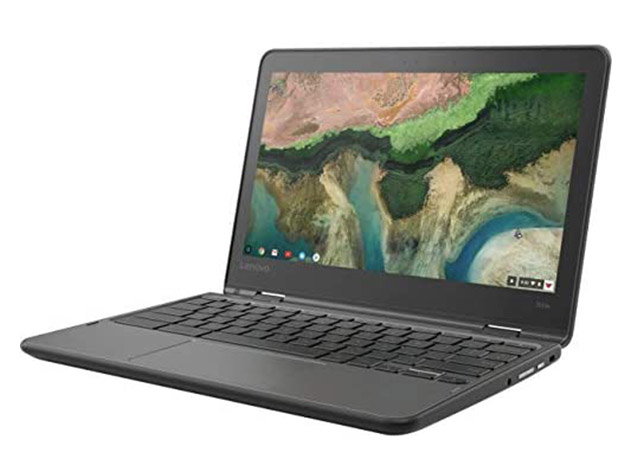
TL;DR: Take on everyday tasks with this refurbished Lenovo 300E Touchscreen Chromebook — now just $69.97 (MSRP $284.99) through October 12.

Looking for a laptop that keeps up with your day without draining your wallet? The Lenovo 300E 11.6-inch Chromebook brings touchscreen convenience, Chrome OS simplicity, and reliable performance together in one compact device for $69.97 until October 12. Whether you’re writing papers, streaming shows, or juggling multiple tabs, it’s ready to handle the essentials.

This refurbished model features an Intel N3450 quad-core processor and 4GB of RAM for smooth multitasking, plus 32GB of storage for your must-have apps and files. The 11.6-inch HD touchscreen display gives you crisp visuals at 1366×768 resolution, while built-in Wi-Fi and Bluetooth keep you connected on the go. At just over three pounds, it’s lightweight enough to slip into a backpack, making it an ideal choice for students, travelers, or anyone who wants a reliable second laptop.

And because it runs Chrome OS, you’ll have access to Google’s ecosystem of apps, updates through 2028, and seamless integration with your favorite cloud services. This grade-B refurbished unit may show light scuffs or marks, but it delivers strong everyday performance at a fraction of the cost of new models.

Upgrade your daily driver without overspending — a refurbished 2018 Lenovo 300E 11.6″ Touchscreen Chromebook is available now for $69.97 until October 12.

Lenovo 300E 11.6″ Touchscreen Chromebook (2018) 4GB RAM 32GB Storage (Refurbished)See Deal

StackSocial prices subject to change.

  •  

Google confirms plans to merge Android and ChromeOS, PCs and phones

Up until now, Google’s Android operating system has been limited to smartphones, tablets, smart TVs, and smartwatches/wearables (as Wear OS). There’s also Android Auto, which is used in car infotainment systems. Android hasn’t yet been used to power laptops or desktop PCs… but that’s likely to change soon.

Rick Osterloh, Google’s SVP of Devices and Services, announced at Snapdragon Summit 2025 that Google is looking into merging Android with ChromeOS and bring its Gemini AI to PCs. The effort, known as “Project Aluminium,” will probably involve Android notebooks powered by Qualcomm processors.

Osterloh said on stage:

“In the past, we’ve always had very different systems between what we’re building in PCs and what we’re building in smartphones, and we’re working to combine that.

And I think that this is another way that we can leverage all of the great work we’ve been doing together on our AI stack… bring Gemini models, bringing our assistant, bringing all of our application and developer community into the PC domain.”

So Google wants to create a single ecosystem that combines the worlds of PCs, notebooks, smartphones, and tablets. Google has thus far developed separate operating systems for these different devices, including the aforementioned Android and ChromeOS.

Ultimately, merging ChromeOS and Android into a single operating system would mean a standardized user experience and shared platform on which mobile and desktop devices could then work together seamlessly and without interruption.

  •