❌

Reading view

The Social Reckoning isn’t as angry or as potent as a Facebook drama should be

Aaron Sorkin’s attempt to return to the success of The Social Network is a strangely dated and incomplete look at a world that needs a sharper eye

In retrospect, David Fincher’s 2010 film The Social Network was a landmark for a quiet, even counterintuitive reason. Before the film was released, some questioned whether Aaron Sorkin, a writer not exactly known for his mastery of, nevermind obsession with, the technical sphere, was the right man to tell the origin story of Facebook. And while Sorkin may well have converted Mark Zuckerberg into terms he could better understand – namely, a motormouthed wiseass who deep down wants to impress a smart, serious-minded girl – he and Fincher also made one of the first internet-centric movies to treat online life as a natural extension of IRL dynamics, rather than the otherworldly tech portal seen in so many 90s internet movies.

Granted, that’s the whole deal with Facebook: its viral spread of social networking, something so simple and addictive that aunts, grandpas and coworkers everywhere could understand it. Yet understanding its simultaneous extension and distortion of the real world wasn’t a given; four years later, for example, 2014’s Men, Women and Children was widely derided for taking an alarmist approach to the internet as a haven for adults seeking an affair, teenagers nursing porn addictions and fame-hungry strivers of all ages. The Social Network, on the other hand, is remarkably nonjudgmental about the basic mechanics of Facebook, rooting its nascent flaws in the human weaknesses that birthed it. In retrospect, the movie only feels outdated to the extent that it underestimates Zuckerberg’s grasping for power and the potential for grim carelessness that his online kingdom was built on.

Continue reading...

© Photograph: Leah Gallo/Sony Pictures/AP

© Photograph: Leah Gallo/Sony Pictures/AP

© Photograph: Leah Gallo/Sony Pictures/AP


  •  

Why Arturo Béjar left Meta – and blew the whistle: ‘I don’t recall Mark ever being empathetic’

Béjar’s daughter was 14 when she told him Instagram was failing to keep her safe. So when he became part of Meta’s ‘wellbeing team’, he knew he had to speak out – and his testimony cost it billions

The Social Reckoning hits cinemas this Friday, but the real world has already been working on a sequel – or rather, a threequel. Directed by Aaron Sorkin, the movie is a follow-up to The Social Network, detailing the further misadventures of Mark Zuckerberg and his social media empire, and in particular Frances Haugen, the employee who in 2021 leaked internal documents that appeared to show Facebook was aware of the harms its products had inflicted.

It’s no spoiler to reveal the film climaxes with Haugen’s testimony to the US Senate, on 5 October 2021. That very same day, Arturo Béjar, a consultant on the wellbeing team of Instagram (which is also owned by Facebook), hit send on a long-gestating email to Zuckerberg and other senior Facebook executives on a similar theme. “I wanted to bring to your attention what I believe is a critical gap in how we as a company approach harm, and how the people we serve experience it,” Béjar began, before laying out some shocking statistics from his team’s survey. For example: 24.4% of 13-15-year-olds on Instagram said they had received unwanted advances, and 21.8% said they had been the target of bullying on the platform in the past seven days. Furthermore, 51% of Instagram users said they had had a bad or harmful experience in the past seven days. Only 1% of them reported it, and of those, 2% had the content taken down – so just 0.02%. This was a far greater degree of harm than the company’s existing measurements suggested. Zuckerberg never replied.

Continue reading...

© Photograph: Ethan Parker/The Guardian

© Photograph: Ethan Parker/The Guardian

© Photograph: Ethan Parker/The Guardian

  •  

Molly Russell’s father to tell UK cinemagoers: ‘Instagram helped kill my daughter’

In ad to be shown before The Social Reckoning, Ian Russell will say ‘too little has changed’ since death of Molly, 14

Molly Russell’s father will tell UK cinemagoers that “Instagram helped kill my daughter” in an advert to be shown before screenings of a new film about Mark Zuckerberg’s social media empire.

In the 30-second ad before The Social Reckoning, released on Friday, Ian Russell says “too little has changed” since the death of his 14-year-old daughter, who took her own life in 2017 after viewing harmful content on Instagram.

Continue reading...

© Photograph: Family handout/PA

© Photograph: Family handout/PA

© Photograph: Family handout/PA

  •  

The Social Reckoning review – Aaron Sorkin’s jittery sequel with all-new evil puppet Zuckerberg

Jeremy Strong’s slow-talking Facebook founder turns into a cameo, background to a thriller about a whistleblower that somehow never mentions Trump

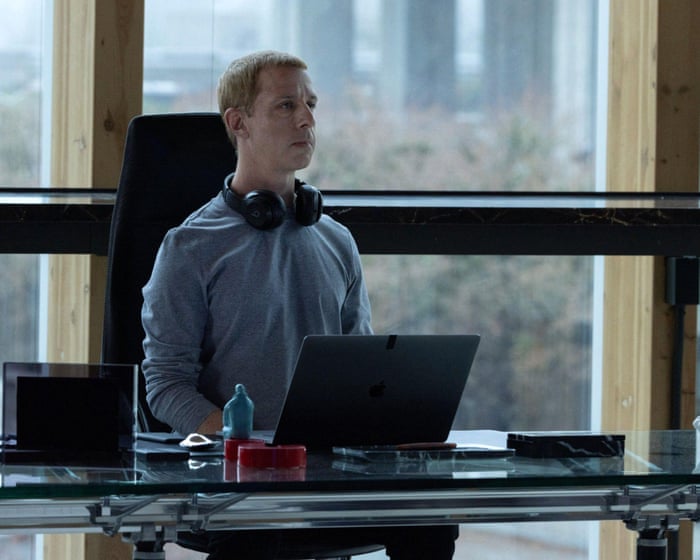
Here is a film for all those people who solemnly deplore social media in conversation but haven’t quite got round to deleting their accounts. Sixteen years have gone by since The Social Network, written by Aaron Sorkin and directed by David Fincher; this was the addictive, obsessive-compulsive movie about the birth of Facebook in Harvard’s macho-competitive cauldron of student sexism and nerdy self-pity, starring Jesse Eisenberg as the fast-talking, arrogant, not-necessarily-evil genius Mark Zuckerberg. Now Sorkin is back with a sequel of sorts, directing his own script – and now Zuckerberg is basically evil, but also weirdly slow talking, as if all the zinging, smart-alecky Sorkinesque dialogue energy of the first film has been siphoned away in early middle age and dispersed among the insurgents in the new cast.

Sorkin’s jittery, funny, syncopated style is unmistakable, as distinctive in its way as David Mamet, although he has one joke about “spatula” being a Yiddish word that he has borrowed from Philip Roth’s Portnoy’s Complaint. It is the story of how in 2021, Zuckerberg’s Facebook empire was challenged by courageous whistleblower-employee Frances Haugen and Wall Street Journal investigative reporter Jeff Horwitz, who were on a mission to tell the world how Zuckerberg, scared by falling revenue, changed the algorithm so that engagement was supercharged by rage bait and hate speech, malice and envy. Facebook, moreover, didn’t factcheck political ads, thus driving a huge, nationwide surge in extremist groups and teen bullying and becoming a major player in the Capitol riots. (Having said that, this film does not say aloud the word “Trump” and rather cravenly declines to specify Maga activity.)

Continue reading...

© Photograph: Everett Collection Inc/Alamy

© Photograph: Everett Collection Inc/Alamy

© Photograph: Everett Collection Inc/Alamy

  •  

Last chance: 8 Amazon gadgets hit their lowest prices ever for Prime Day

October Prime Day ends today, which means this is your last opportunity to grab Amazon’s marked-down products, including Blink, Ring, Echo, Fire TV, and Eero devices. Not sure which ones are worth pulling the trigger on? I’ll guide you to the best discounts going on right now.

I didn’t just go through Amazon’s search results and pluck out what look like good deals. Every product on this list fits two criteria: it’s at a significant discount compared to its “street price,” and I would actually buy this product at this price over same-class items from other brands. If I wouldn’t seriously consider it for my own cart, it doesn’t qualify for this list.

Prime caveat: While some of these deals can be had without an active Prime subscription, others can’t. But don’t fret if you don’t have Prime. See our article on how to get Amazon Prime for free to score the following discounts—and others—without paying for a sub.

Deals at a glance

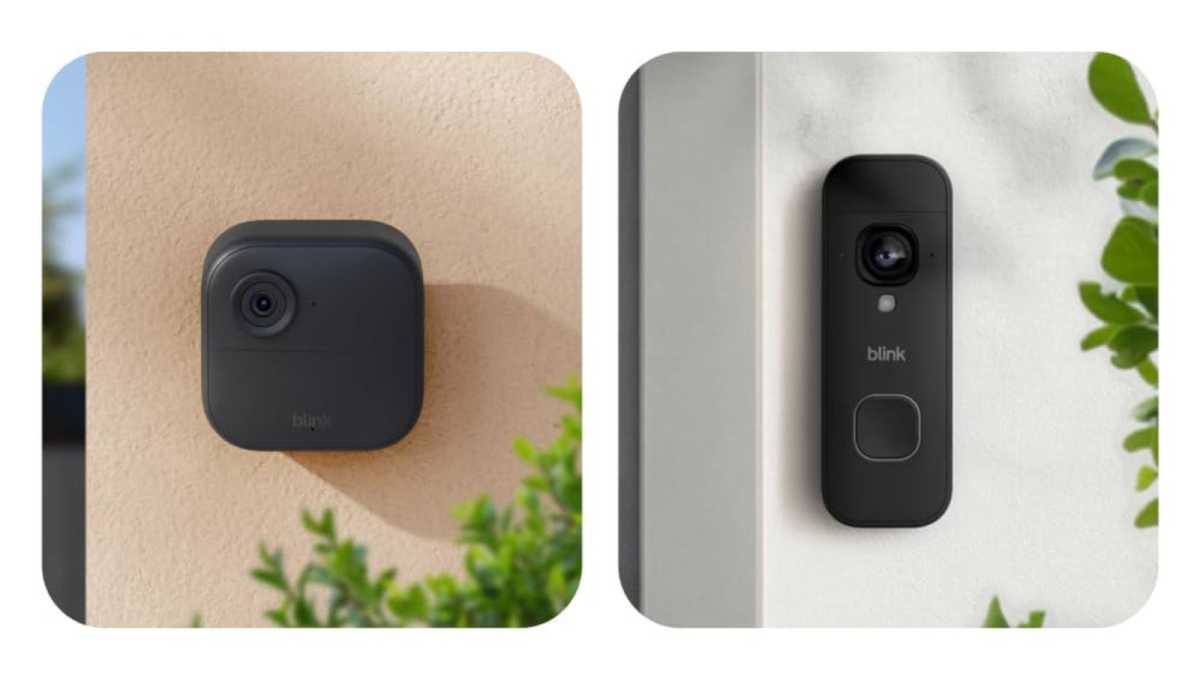
Blink Outdoor 4 Cam and Battery Doorbell 2K+ (Bundle)

Blink Outdoor 4 and Battery Doorbell 2K+ Bundle

Blink

Now $65.99 (lowest price ever — 75% off, was $259.98)

You could get the Blink Outdoor 4 for $65.99, which is already a solid discount off its usual $99.99… or you could get this Blink Outdoor 4 + Blink Battery Doorbell 2K+ bundle for the exact same price. Do I need to spell it out for you? This bundle effectively gives you a free Battery Doorbell 2K+, allowing you to watch your doorstep and your backyard with these two outdoor cameras. Check in on your feeds via the Blink app on your phone and you’ll always have peace of mind—even while on vacation.

Get this Blink Bundle at Amazon

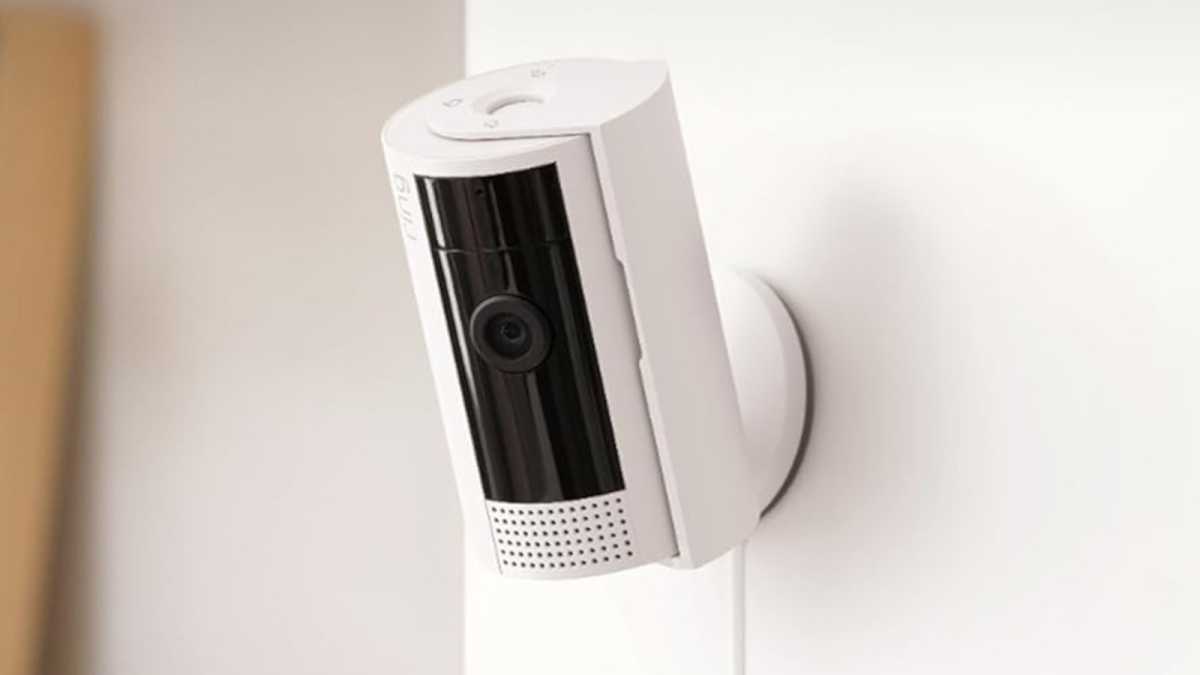
Ring Indoor Cam

Ring Indoor Cam

Ring

Now $24.99 (lowest price ever — 50% off, was $49.99)

The Ring Indoor Cam gives you vantage over any room in your house. Mount it on top of a table, or screw it higher up into a wall—its swivel design lets you point it at wherever you want it looking over. It’s pretty basic with 1080p resolution, but it has color night vision and a live feed that you can tune into via the Ring app on your phone. If all you need is straightforward interior surveillance at home, this one’s a solid pick at $24.99.

Get the Ring Indoor Cam at Amazon

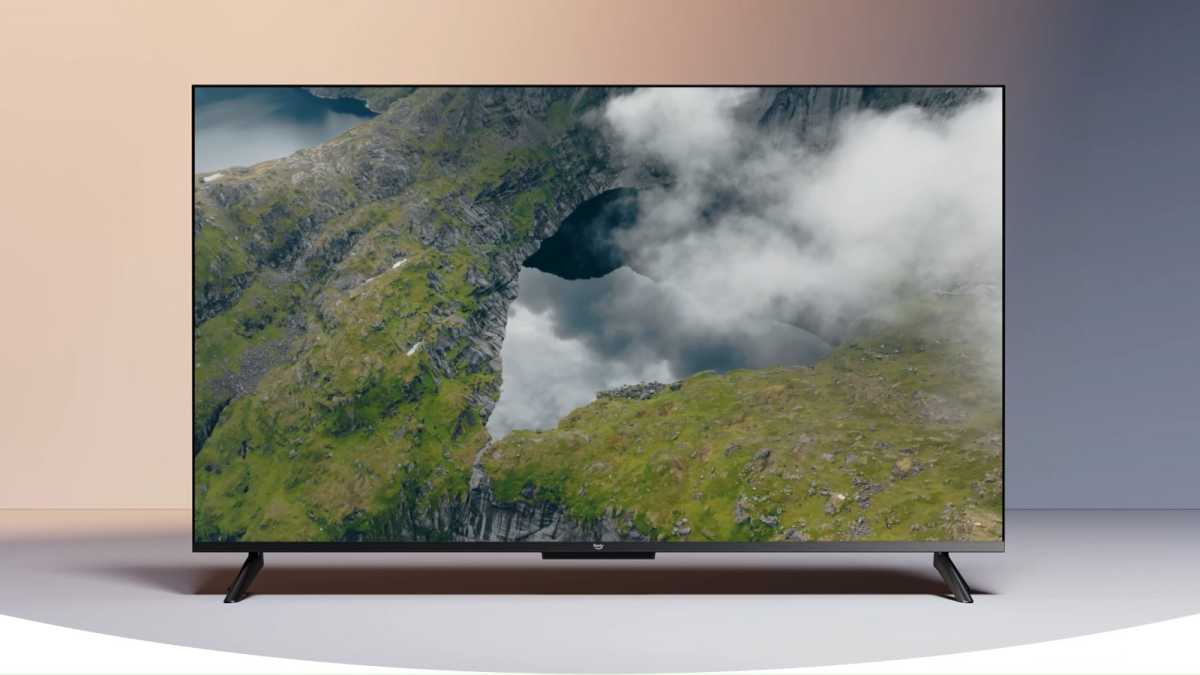
Ember 4K Smart TV (55-Inch)

Amazon Ember 4K Smart TV model 4K55N402

Amazon

Now $279.99 (lowest price ever — 39% off, was $459.99)

Yup, Amazon makes its own line of big smart TVs. This Ember 4-Series has a 55-inch diagonal, perfect for living rooms and spacious bedrooms, and it comes with an Alexa Remote for convenient control. 4K resolution, HDR10+ support, and Dolby Audio for just $279.99 make it a strong budget-friendly pick if you’re mainly streaming shows and films in 4K. It also has something called Ambient Experience, which displays artwork or a smart interactive hub when in standby mode (and only when it detects people nearby).

Get the 55-inch Ember 4K TV at Amazon

Luna Wireless Gaming Controller

Luna Wireless Gaming Controller

Amazon

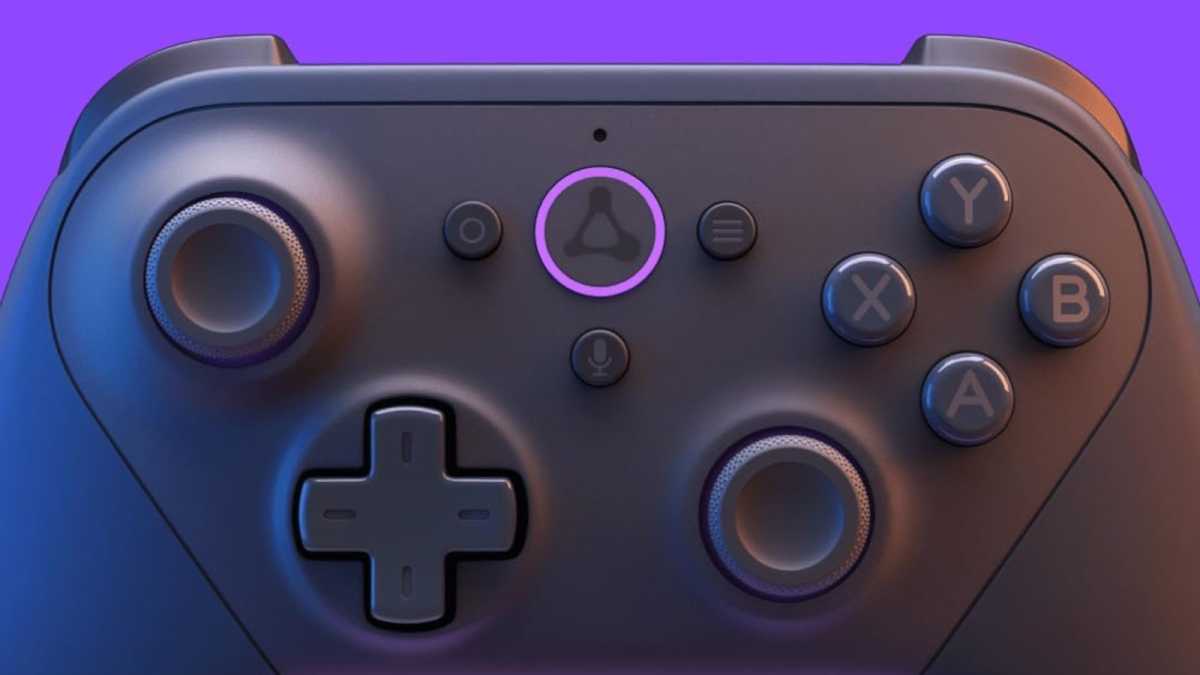
Now $39.99 (lowest price ever — 43% off, was $69.99)

Though it was designed for use with Amazon’s Luna cloud gaming platform, the Luna controller works with anything. Connect it via Bluetooth to your PC, gaming console, or even your phone. It also supports USB wired, but only with Windows and macOS devices. Neither budget nor premium, it’s a good middle-of-the-road option with a comfortable, standard layout (offset thumbsticks), bumpers, triggers, and a directional pad. At $39.99, it’s a step up from most other wireless controllers in this range.

Get the Luna Gaming Controller at Amazon

Fire TV Stick 4K Plus

Amazon Fire TV Stick 4K Plus

Amazon

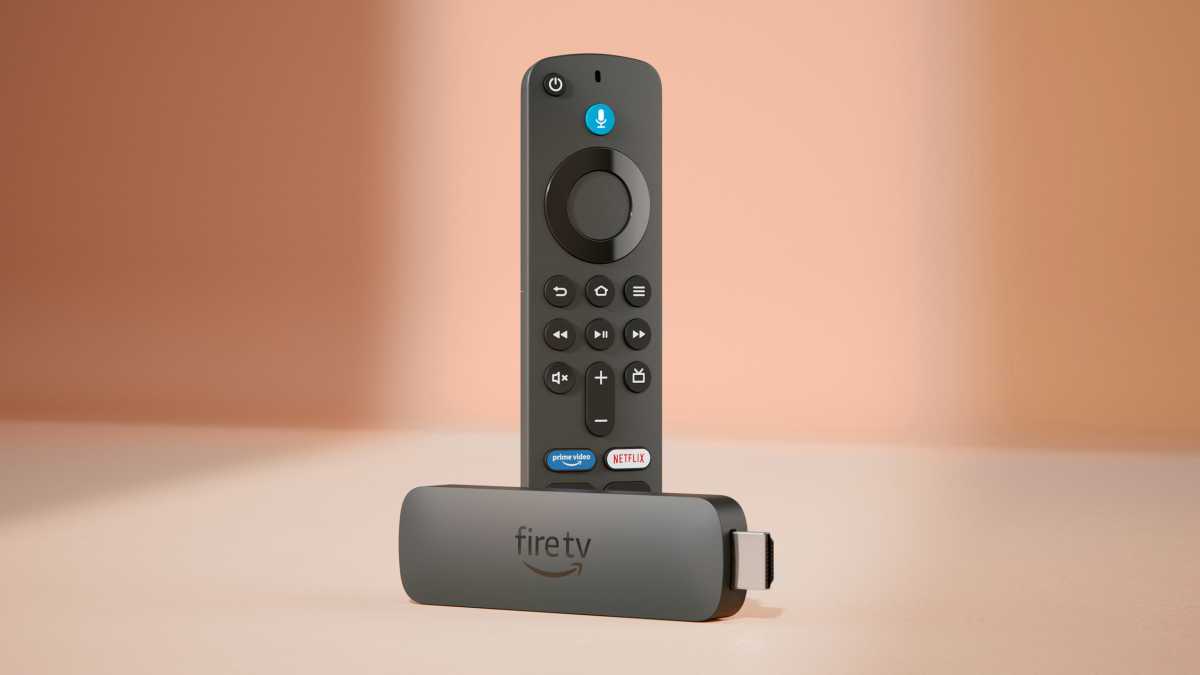
Now $37.99 (46% off, was $69.99)

Amazon’s Fire TV Stick 4K Plus is great for two reasons. It plugs into any device that supports HDMI input (e.g., TVs, monitors, projectors) and lets you stream from dozens of services like Netflix, Hulu, and Prime Video. But your accounts are logged on the stick itself, so if you take it with you to a hotel, Airbnb, or friend’s house, you just plug in and resume your shows and movies from wherever you left off.

The 4K Plus is the balanced option in Amazon’s Fire TV Stick lineup. While the 4K Select is cheaper, it runs on a different OS that’s slower and doesn’t allow for sideloading apps. Meanwhile, the more expensive 4K Max is faster and has twice the storage. If you’re only going to be streaming shows and movies—meaning you won’t be downloading many apps, games, or files—then the 4K Plus is the way to go.

Get the Fire TV Stick 4K Plus at Amazon

Fire TV Cube

Fire TV Cube

Amazon

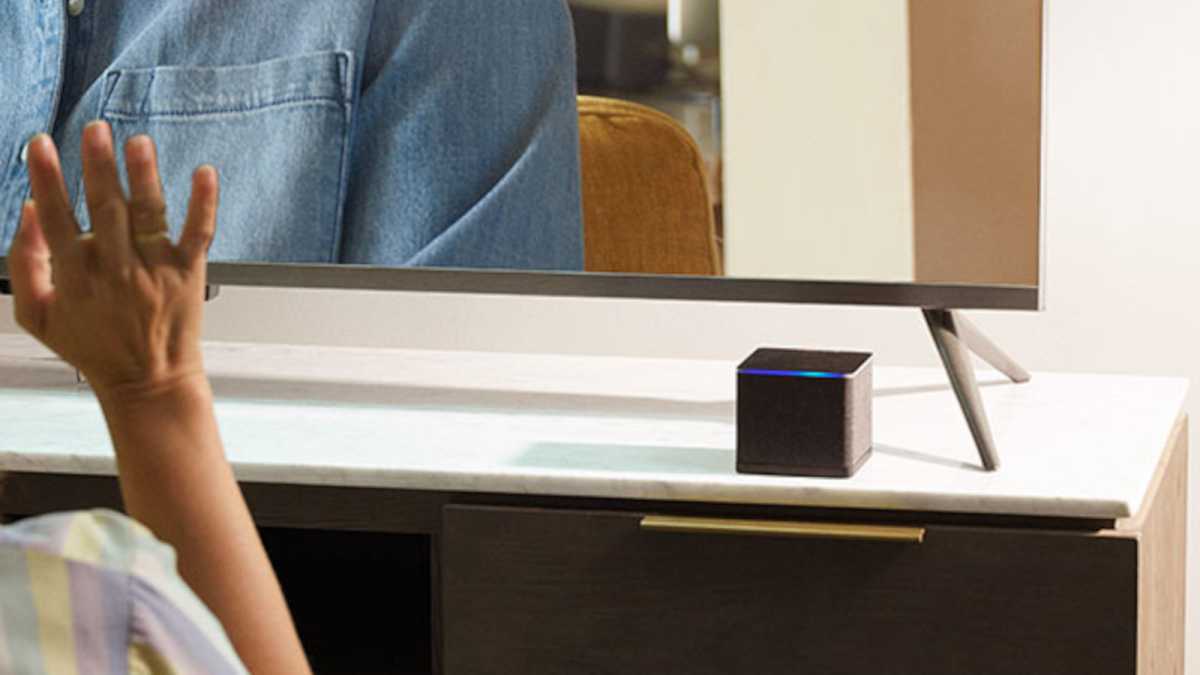
Now $89.99 (lowest price ever — 55% off, was $199.99)

Whereas the Fire TV Stick 4K Plus is more than fine for basic streaming, the Fire TV Cube is what you want if you have a decked-out home media setup. The Cube is much faster with its upgraded octa-core processor and extra RAM, so apps launch more quickly, navigation is more responsive, and gaming performance feels better. It has Super Resolution, which upscales HD content so it looks better on 4K displays. If you’re going to cloud-stream Xbox games or if on-screen lag really bothers you, get the Cube.

Get the Fire TV Cube at Amazon

Fire TV Soundbar

Fire TV Soundbar

Amazon

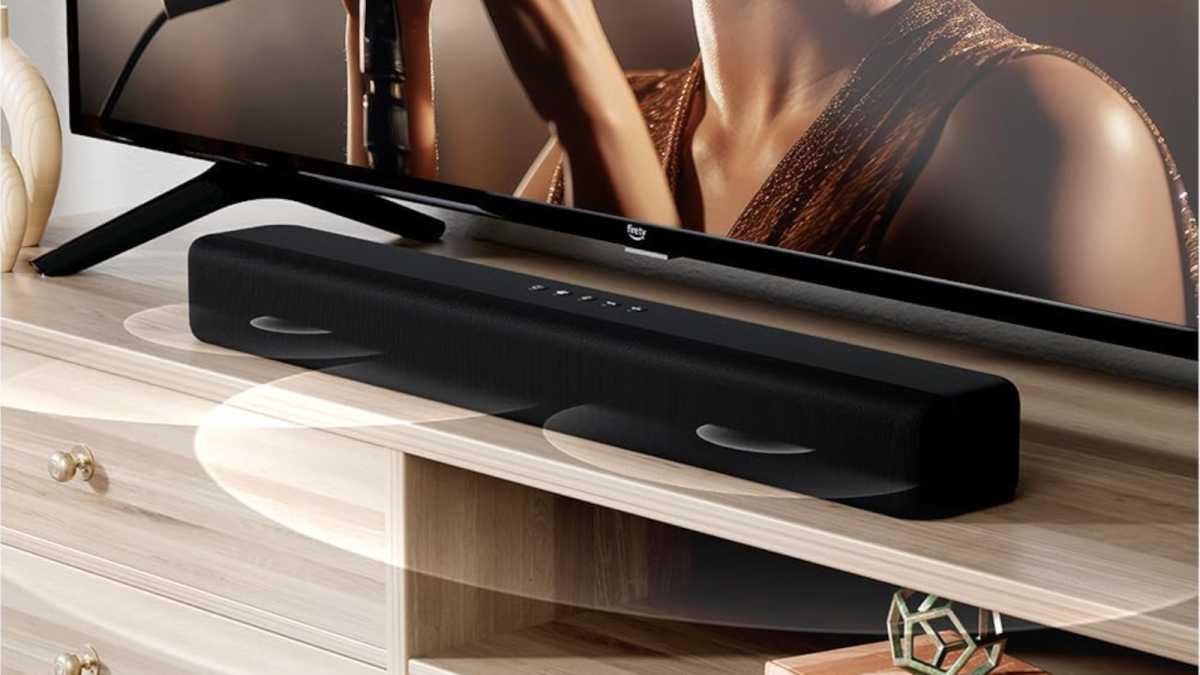
Now $79.99 (lowest price ever — 33% off, was $119.99)

No matter how much you spend on a TV, the built-in speakers are almost guaranteed to suck—and there’s no easier upgrade than to add in a soundbar. You don’t have to spend a lot either. At $79.99, Amazon’s Fire TV Soundbar is as good as it gets in this price range, punching up bass for a fuller experience while improving voice clarity so you can actually understand what characters are saying on screen.

Amazon also has a stepped-up model called the Fire TV Soundbar Plus. Whereas the regular Soundbar is 24 inches, the Soundbar Plus is 37 inches—a better acoustic and aesthetic fit for larger TVs (55-inch and bigger). It can also pair with a wireless subwoofer and satellite speakers for true surround sound. If that’s important to you, you’ll want the Soundbar Plus instead.

Get the Fire TV Soundbar at Amazon

Get the Fire TV Soundbar Plus at Amazon

Fire HD 10 Tablet

Amazon Fire HD 10 tablet

Amazon

Now $72.99 (lowest price ever — 53% off, was $154.99)

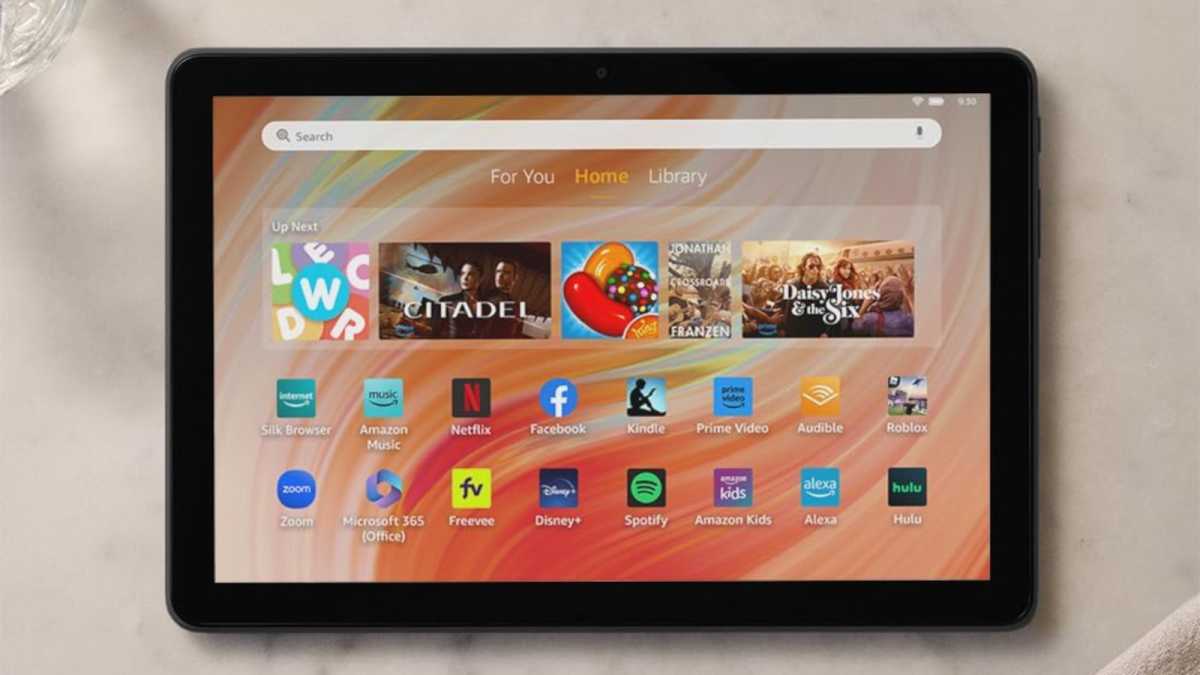
Amazon sells several tablet models, with the most popular ones being the Fire HD 10 and Fire HD 8. I have the Fire HD 8 and I regret it, mainly because it’s too sluggish for anything but extremely basic uses. The Fire HD 10 is what I now recommend for a budget tablet. It has a faster octa-core processor and extra RAM, resulting in better responsiveness that doesn’t slow you down. The larger 10.1-inch display is the cherry on top.

Get the Fire HD 10 Tablet at Amazon

Echo Show 11

Amazon Echo Show 11 smart display

Amazon

Now $149.99 (lowest price ever — 40% off, was $249.99)

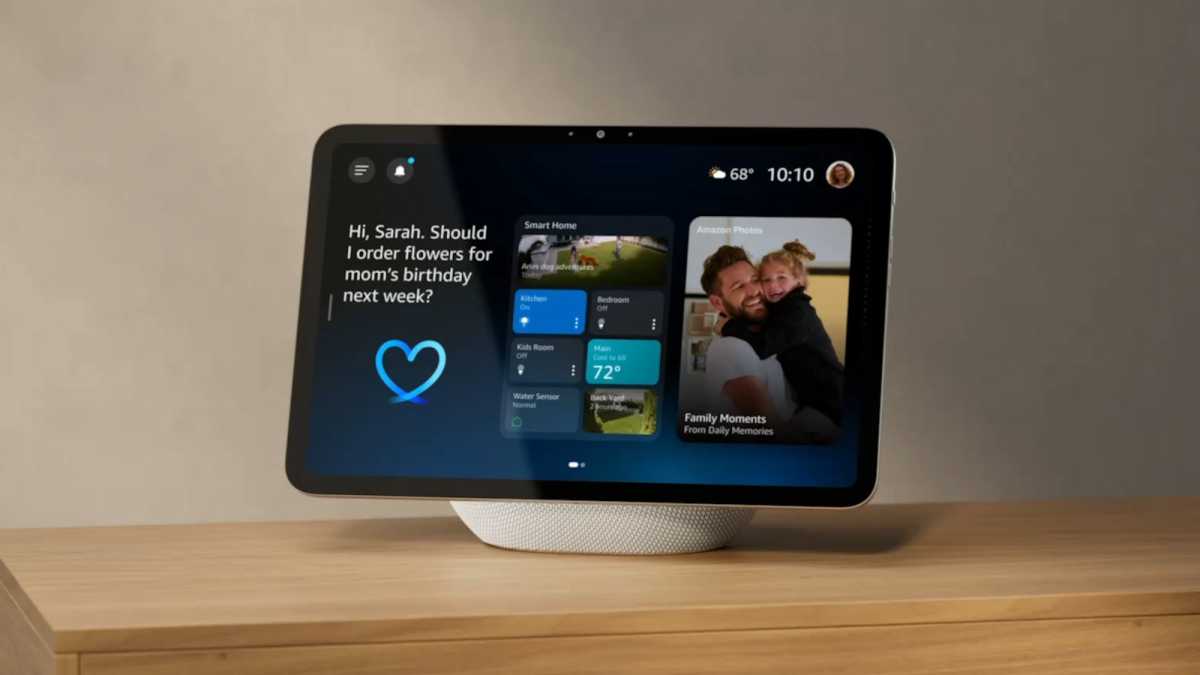
If you’re going to get an Echo in 2026, ask yourself: How deep into the Alexa ecosystem are you willing to go? If you think you’ll ever add more Alexa-compatible gadgets to your home—like any of the other stuff on this list—then you’ll want the Echo Show 11.

At first glance, it just looks like a tablet-plus-speaker; it’s actually a smart home hub that makes it easy to control various smart home devices. Sure, you can play music and browse the web on it, but it shines as a central command for controlling your smart thermostat, viewing your camera feeds, changing your smart lights, locking your door, playing media on your TV, and more. Today’s the day to grab one now that it’s at its lowest price.

Get the Echo Show 11 at Amazon

Eero 6+ Mesh Wi-Fi System

Eero 6+ Mesh Wi-Fi System

Amazon

Now $214.99 (28% off, was $299.99)

If you live in a large home—I’m talking 2,000+ square feet—then you’ve probably run into spotty Wi-Fi. Maybe your connection drops while walking around, or certain rooms get terrible signal. If so, you’d benefit from a mesh Wi-Fi system. Unlike a traditional router, mesh Wi-Fi uses multiple “nodes” around the home to expand and strengthen coverage.

The Eero 6+ Mesh Wi-Fi System is what most households need. It supports up to 1Gbps internet plans, and it supports Wi-Fi 6 with wider 160MHz channels (faster and more reliable than standard 80MHz channels). You should only consider the newer Eero 7 system if you’re paying for a multi-gigabit internet plan, as it goes up to 2.5Gbps, or if you have 100+ smart devices congesting your network. If neither apply, you’re better off saving money with the Eero 6+ instead.

Get the Eero 6+ Mesh Wi-Fi System at Amazon

Get the Eero 7 Mesh Wi-Fi System at Amazon

  •  

Is your laptop’s LAN too slow? Here’s how to get the most out of it

Nowadays, most modern laptops don’t have an Ethernet port. It’s a fairly large port, and with laptops getting thinner and thinner, there simply isn’t enough room for one. However, if you still wish to enjoy the benefits of a fast and stable LAN connection, you can always use an adapter or a docking station.

Even if you can set up a LAN connection with an adapter, you should check whether you’re actually achieving the optimal data rate. For a gigabit adapter with 1000 Mbit/s, this should be around 950 Mbit/s. If this isn’t the case, there are several steps you can take to resolve the issue.

Update the Ethernet driver

If you’re experiencing speed issues, installing a fresh driver for the external adapter may help. The next step should be visiting the manufacturer’s support page.

You can find out which adapter you have using Windows Device Manager. First, connect the adapter and open Device Manager. There, you’ll find the LAN hardware in the Network Adapters section. On a laptop, it’s usually listed alongside the Bluetooth and Wi-Fi entries.

In most budget adapters and docking stations, the LAN hardware is supplied by Realtek. The entry might read, for example, Realtek USB GbE Family Controller. Next, download the latest driver from Realtek.

There, click the Check for Updates button. The operating system may offer a suitable adapter for the adapter based on the hardware listed in Device Manager. The installation will then be quicker than searching for and downloading the driver from the manufacturer’s website.

Once you’ve installed the new driver, you should unplug and reconnect the adapter so that Windows can recognize it again and load the updated driver software. During our tests, we found on several occasions that the LAN speed did not change immediately after installing the new driver. This was resolved straight away by unplugging and re-plugging the adapter.

Adjust the driver settings

If the speed issues persist, open the driver settings for the LAN hardware. To do this, right-click the network chip entry in Device Manager and select Properties → Advanced. Depending on the driver’s capabilities, you’ll see a number of options on the left-hand side of the program window.

The key setting is called Speed & Duplex. Normally, Auto Negotiation appears on the right-hand side under Value.

This means that the two devices connected via LAN determine the optimal speed by exchanging short control signals before transmission. Change this setting in the drop-down menu to 1.0 Gbps Full Duplex and confirm by clicking OK. You should now be getting the correct data rate.

  •  

Windows 11 just made testing your internet speed easier

Since the end of February 2026, Microsoft has been distributing a new internet speed test via Windows Update. You can find it by right-clicking the network or Wi-Fi icon in the bottom-right corner of the taskbar. The option Perform Speed Test now appears in the menu.

Clicking on this opens your browser and takes you to a page on Microsoft’s Bing search engine. This browser-based test uses Ookla’s Speedtest. Ookla is the unofficial global market leader in internet speed tests. The option in the network icon’s context menu is simply a link, but it makes it easier to run the Ookla test.

To start the test, click on Start. The test will first determine the ping from your computer to a Telekom server, and then it will start measuring download and upload speeds. As an alternative to the Bing test, you can also use the Ookla test directly.

You can find the browser version at www.speedtest.net or you can download it from the Microsoft Store as a standalone app.

  •  
❌