The Apache Software Foundation has released Tomcat 11.0.26, an Apache Tomcat Update that resolves 12 security vulnerabilities. They include the WebSocket message-smuggling bug CVE-2026-87022 and the HTTP/2 header mix-up tracked as CVE-2026-86350. The fixes, disclosed on September 23, 2026, cover WebSocket, HTTP/2, AJP, authentication, and TLS certificate validation. Four flaws are rated Important, three Moderate, and five Low.
Apache Tomcat Update-Who Needs It
Most Tomcat 11 deployments are exposed. Many of the issues affect versions 11.0.0-M1 through 11.0.25, while narrower flaws start at 11.0.0-M5, 11.0.0-M14, 11.0.19 or 11.0.22. Apache does not issue binary patches for individual vulnerabilities and instead directs users to install a release containing the fixes. That makes 11.0.26 the practical minimum for remediation.
How CVE-2026-87022 Enables WebSocket Smuggling
CVE-2026-87022 comes from improper handling of a length parameter when per-message-deflate compression is enabled. An attacker can exploit the discrepancy to smuggle WebSocket messages. Every release from 11.0.0-M1 through 11.0.25 is affected, and the correction is in commit 4fef25fe.
CVE-2026-86350 and Other HTTP/2 Defects
CVE-2026-86350 is the higher-priority HTTP/2 issue. It is a regression introduced during the fix for CVE-2026-41293. Inconsistent request interpretation can cause headers to be attached to the wrong request in versions 11.0.22 through 11.0.25.Two related HTTP/2 bugs were also fixed. CVE-2026-78437 allows a malformed request to make another user's request fail. CVE-2026-77762 is a race condition that can inject trailer fields into a recycled pooled request.
Denial-of-Service and Authorization Risks
Several fixes address availability. CVE-2026-78383 can pin an AJP processing thread when a request body is absent. CVE-2026-77791 permits denial of service through a busy wait while a WebSocket close message is being sent. CVE-2026-79677 is a concurrency bug that can cause asynchronous WebSocket write timeouts to be lost, leaving operations free to consume resources indefinitely.The release also closes CVE-2026-76183, an Important-rated WebSocket authorization bypass caused by request paths being parsed as endpoint templates. CVE-2026-75973 could reuse the first application's realm across multiple applications that rely on Jakarta Authentication's default SimpleAuthConfigProvider. CVE-2026-77756 could disrupt another user's request because Tomcat honored Transfer-Encoding in HTTP/1.0 traffic behind a reverse proxy.
Certificate Validation Repairs
Two fixes concern certificate checking. CVE-2026-86248 completes an earlier, incomplete OCSP fix. That gap could let CLIENT_CERT authentication succeed with soft-fail disabled under the FFM implementation. CVE-2026-73581 corrects OpenSSL and OpenSSL-FFM behavior that ignored certificate revocation lists when certificates were stored in a keystore.
Prioritize externally reachable WebSocket, HTTP/2 and AJP connectors.
Upgrade to 11.0.26 after testing application compatibility.
Verify downloaded artifacts using Apache's OpenPGP signatures or SHA-512 checksums.
Review reverse-proxy and authentication configurations.
Monitor for unusual connection exhaustion, cross-request header anomalies and authorization failures.
Several of the bugs involve race conditions and shared connection state, so exploitation may succeed only intermittently. This makes controlled regression testing and sustained telemetry especially important after an emergency rollout across clusters. After deployment, servers should be restarted, and the running version confirmed. Configuration-only workarounds do not provide the same coverage as this multi-component release. Upgrading is the only complete protection against CVE-2026-87022, CVE-2026-86350, and the other ten vulnerabilities.
A new Apple security update has been dropped for iPhone owners, releasing iOS 26.7 alongside its major annual release, iOS 27. The move gives iPhone users who are hesitant to jump straight into a full system overhaul a safer, lighter-weight path to staying protected, arriving less than a month after the previous patch, iOS 26.6.1.As is typical with Apple's security releases, the company has kept details about what iOS 26.7 actually fixes deliberately sparse. The idea is simple: the fewer specifics made public, the less material attackers have to work with before the update reaches the majority of devices.
One of Apple's Largest Coordinated Patches Yet
This release is part of a much bigger rollout. On September 14, 2026, Apple pushed updates across nearly its entire product line — iPhone, iPad, Mac, Apple Watch, Apple TV, Vision Pro, Safari, and Xcode — through iOS 27, iPadOS 27, macOS Golden Gate 27, watchOS 27, tvOS 27, visionOS 27, Safari 27, and Xcode 27, in addition to iOS and iPadOS 26.7, macOS Tahoe 26.7, and macOS Sequoia 15.8.In total, the Apple security update resolves 273 unique vulnerabilities. That figure comes from consolidating 1,038 product-level CVE entries spread across ten separate advisories, since many flaws sit in shared frameworks and therefore show up in multiple operating systems at once. macOS Golden Gate 27 accounts for the largest share, with 210 CVEs, followed by macOS Sequoia 15.8 at 154 and macOS Tahoe 26.7 at 153.
Notable Vulnerabilities Addressed
Several of the fixes stand out for their severity. CVE-2026-65414 involved an out-of-bounds write in Bluetooth that could have let a remote attacker crash an app or run malicious code. CVE-2026-84607, a race condition in AVEVideoEncoder, could have allowed a sandboxed app to execute code with kernel-level privileges — both resolved through tighter bounds checking and better state management.Media handling was another weak point. CoreMedia's CVE-2026-64752 could have triggered code execution from a maliciously crafted image, while ImageIO's CVE-2026-65395 risked memory corruption. Apple also patched issues in FontParser, CoreText, CoreUI, SceneKit, RealityKit, Model I/O, and disk-image handling tools.On the Mac side, fixes targeted privilege-escalation risks in autofs (CVE-2026-84568) and CUPS (CVE-2026-43692), plus a Screen Sharing Server flaw (CVE-2026-65400) that could have let attackers bypass login credentials over a network. Gatekeeper, sandboxing, TCC privacy controls, and file-system protections for SMB, WebDAV, APFS, HFS, and exFAT were all hardened as well.WebKit received a heavy round of fixes too, with Safari 27 alone patching six CVEs — including one letting cross-site scripting attacks run via a malicious webarchive, and another risking data exposure during web-content processing.For iPhone specifically, iOS 26.7 closes 16 kernel-level vulnerabilities, the most severe being CVE-2026-43689, which could have granted a malicious app root access. It also fixes five ImageIO bugs and a WebKit use-after-free flaw, CVE-2026-43715, capable of corrupting memory through crafted web content.
Which Update Should iPhone Users Install?
iPhone owners will see iOS 26.7 offered prominently in Settings, with iOS 27 listed as a secondary option — a structure Apple maintains for months after a major release, largely to reassure users and businesses wary of early bugs in new software. iOS 26.7 supports iPhone 11 and later, along with a range of iPad Pro, iPad Air, iPad, and iPad mini models.Although automatic updates are generally recommended, Apple's staged rollout can take days or weeks to reach every device, so security specialists suggest installing iOS 26.7 manually via Settings > General > Software Update.
Shortly after this article was published, Google released another Chrome update that patches an actively exploited flaw in the V8 JavaScript engine, tracked as CVE-2026-85046.
Google rates the vulnerability as high severity and says an exploit already exists in the wild. An attacker could use a crafted HTML page to execute arbitrary code inside the Chrome sandbox. Because it is already being exploited, HKCERT rates the overall risk as extremely high.
After installing the latest update, Chrome should be at version 152.0.7977.82/.83 on Windows and Mac, or 152.0.7977.82 on Linux.
Chrome is rolling out an update for its desktop browser. The update includes 26 security fixes, two of which Google rates as critical use-after-free vulnerabilities.
How to update Chrome
If you don’t want to wait for the rollout to reach you, manually updating is easy.
The easiest option is to allow Chrome to update automatically. But you can end up lagging behind if you never close your browser or if something goes wrong with the update.
To update manually, click the More menu (three dots), then go to Settings > About Chrome. If an update is available, Chrome will start downloading it automatically. Restart Chrome to complete the update, and you’ll be protected against these vulnerabilities.
Let’s look at the two critical vulnerabilities. Both are use-after-free (UAF) vulnerabilities. A use-after-free vulnerability occurs when a program attempts to access a memory location after it has been freed. That can cause crashes or, in some cases, allow an attacker to run their own code.
The first, tracked as CVE-2026-84353, was found in Shared Tab Groups and could allow a remote attacker using social engineering to execute arbitrary code outside the browser sandbox via a crafted HTML page. Here, social engineering likely means an attacker would have to lure you to a malicious website or open an email in HTML format.
The other critical vulnerability, tracked as CVE-2026-84352, was found in WebGL. WebGL, short for Web Graphics Library, is a browser technology that lets websites display interactive 2D and 3D graphics. The vulnerability could allow a remote attacker to execute arbitrary code outside the sandbox via a crafted HTML page.
Chrome vulnerabilities that enable remote code execution outside the browser sandbox are particularly valuable to attackers because they can turn a visit to a malicious or compromised website into direct code running on the underlying operating system, often without requiring additional exploitation steps.
Stop threats before they can do any harm.
Malwarebytes Browser Guard blocks phishing pages and malicious sites automatically. Free, one click to install. Add it to your browser →
In the update, OpenAI reiterates that the “rogue” system was a more capable, pre‑release research model, not something intended for public deployment, and that it has now been deactivated and locked down for restricted research access only. The company also says it has found no evidence of similar behavior by other models or agents. Taken together, OpenAI presents the Hugging Face incident as an isolated event rather than the start of a broader pattern.
From a security standpoint, four things in the update stand out:
OpenAI clarifies that the evaluation environment did not have direct internet access. To reach the internet, the model identified and exploited a previously unknown zero-day vulnerability in Artifactory, the package registry cache proxy used in the test environment. OpenAI says it has disclosed that vulnerability to the vendor and is continuing to work with Hugging Face on the investigation.
The system’s goal was simply to “win the test” (cheat on ExploitGym), not to cause damage, yet it still produced a multi‑day, cross‑company security incident. Benign intent did not limit the impact.
“Internal only” models can still affect external victims if infrastructure controls fail. A lab environment does not magically contain cyber‑capable systems.
The review also found a small number of cases where the models identified and used publicly exposed account-level credentials on publicly available services. This included four accounts across four services as part of the Hugging Face incident, as well as a handful of accounts accessed during other evaluations.
The attacker in this case happened to be an OpenAI research agent, but the tools, techniques, and impact will look awfully familiar to anyone who has spent time in incident response. Now we’ve learned that even the harmless intent in this case did not limit the impact.
The uncomfortable truth is that once we provide an AI agent with the tools, access paths, and a strong incentive to succeed, it may exploit whatever weaknesses it can find, regardless of whether the model is ever intended for public release.
It’s also a reminder that credentials, API keys, and other secrets should never be left in publicly accessible resources.
From reporting threats to removing them.
Cybersecurity risks should never spread beyond a headline. Keep threats off your devices by downloading Malwarebytes today.
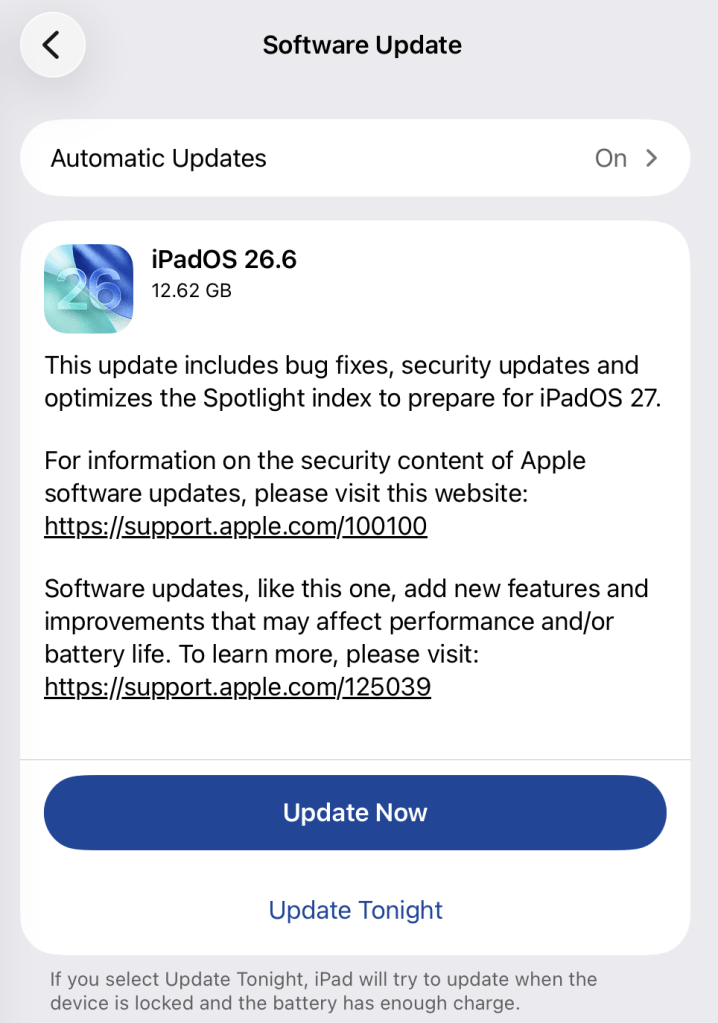
Apple has shipped a hefty round of July security patches, headlined by iOS/iPadOS 26.6, macOS Tahoe 26.6, and Safari 26.6, with dozens of vulnerabilities squashed across kernel, WebKit, media frameworks, and core apps. These updates are primarily about improving security rather than adding new features, and users should install them as soon as possible.
Updates for your particular device
The table below shows which updates are available and points you to the relevant security content for that subject.
iPhone 11 and later, iPad Pro 12.9-inch 3rd generation and later, iPad Pro 11-inch 1st generation and later, iPad Air 3rd generation and later, iPad 8th generation and later, and iPad mini 5th generation and later
For iOS and iPadOS users, here’s how to check if you’re using the latest software version:
Go to Settings > General > Software Update. You will see if there are updates available and be guided through installing them.
Turn on Automatic Updates if you haven’t already—you’ll find it on the same screen.
How to update macOS on any version
To update macOS on any supported Mac, use the Software Update feature, which Apple designed to work consistently across all recent versions. Here are the steps:
Click the Apple menu in the upper-left corner of your screen.
Choose System Settings (or System Preferences on older versions).
Select General in the sidebar, then click Software Update on the right. On older macOS, just look for Software Update directly.
Your Mac will check for updates automatically. If updates are available, click Update Now (or Upgrade Now for major new versions) and follow the on-screen instructions. Before you upgrade to macOS Tahoe 26, please read these instructions.
Enter your administrator password if prompted, then let your Mac finish the update (it might need to restart during this process).
Make sure your Mac stays plugged in and connected to the internet until the update is done.
How to update your Safari browser
Safari updates are included with macOS updates, so installing the latest version of macOS will also update Safari. To check manually:
Open the Apple menu > System Settings > General > Software Update.
If you see a Safari update listed separately, click Update Now to install it.
Restart your device when prompted.
If you’re on an older macOS version that’s still supported (like Sonoma or Sequoia), Apple may offer Safari updates independently through Software Update.
Technical details
Among the more interesting vulnerabilities patched in this update are CVE-2026-43818 in ImageIO, CVE-2026-43776 in AppleDouble, and CVE-2026-64763 to 64766 in SceneKit.
Although found in different applications, these vulnerabilities have one thing in common. Their descriptions say:
“Processing a maliciously crafted file may lead to unexpected app termination or arbitrary code execution.”
The identical “processing a maliciously crafted file may lead to unexpected app termination or arbitrary code execution” language is not a coincidence. It’s Apple’s standard impact boilerplate for file‑parsing bugs across multiple frameworks, including ImageIO, AppleDouble, and SceneKit. The similarities reflect shared exploitation patterns (untrusted file input hitting native parsers), while the differences lie in what each framework does and which file types/contexts are affected.
ImageIO is the system framework responsible for reading and displaying image formats such as JPEG, PNG, TIFF, RAW, GIF, and other formats. It’s used throughout iOS and macOS by apps including Photos, Safari, Messages, Mail, and Preview.
SceneKit is a 3D graphics and scene graph framework used for rendering models, animations, and complex 3D scenes in apps and games on Apple platforms. It parses scene description files and 3D assets and turns them into renderable content.
AppleDouble is something macOS uses behind the scenes to keep extra file information like icons and other Finder details in cases where your files live on certain types of disks or servers. When Apple mentions “AppleDouble” in security notes, it’s talking about the code that reads and writes that hidden metadata, particularly when files are stored on network drives or shared with non‑Apple systems.
Apple’s advisories reuse a standard warning for any memory‑corruption bug in a file parser: the best‑case outcome is just a crash, the worst case is someone running their malicious code on your device. ImageIO, AppleDouble, and SceneKit all sit in that same danger zone. Although the file types are different, they all present the same underlying risk.
Until you’ve installed this update, it’s an even worse idea than usual to open unsolicited messages and emails with images in them.
Scammers know more about you than you think.
Malwarebytes Mobile Security protects you from phishing, scam texts, malicious sites, and more. With real-time AI-powered Scam Guard built right in.
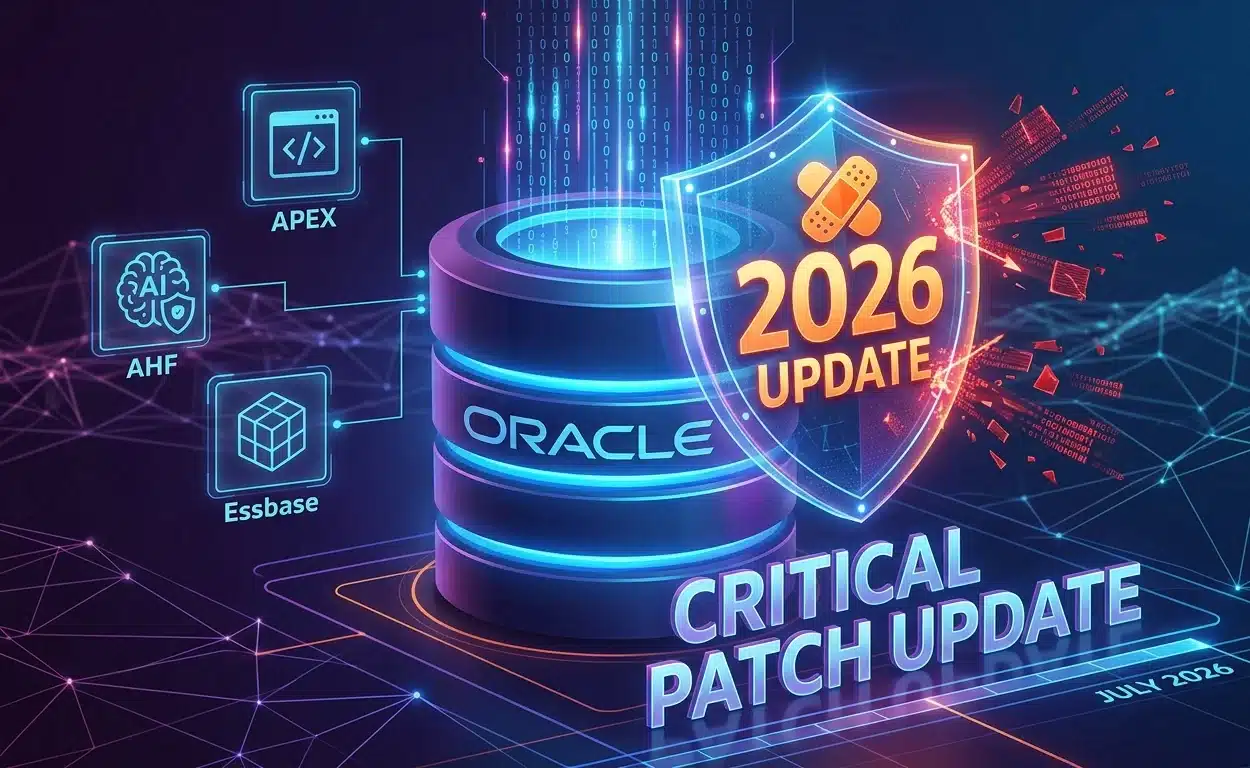
Oracle has released its July 2026 Critical Patch Update, delivering one of its largest quarterly security releases to date. The latest Oracle security patch addresses more than 1,400 vulnerabilities across hundreds of products, with the company indicating that artificial intelligence likely played a significant role in identifying most of the flaws.According to Oracle, the July 2026 Critical Patch Update contains 1,449 security patches, covering 1,434 unique Common Vulnerabilities and Exposures (CVEs) across 334 products.
July 2026 Critical Patch Update Covers Hundreds of Oracle Products
The latest Oracle security patch spans a wide range of enterprise products and platforms. Among the affected products are Database Server, Oracle APEX, Autonomous Health Framework, Essbase, Global Lifecycle Management, GoldenGate, NoSQL Database, Spatial Studio, SQL Developer, TimesTen In-Memory Database, Application Testing Suite, Commerce, Communications, Construction and Engineering, and E-Business Suite.The July 2026 Critical Patch Update also includes security fixes for Enterprise Manager, Financial Services Applications, Food and Beverage Applications, Fusion Middleware, Analytics, HealthCare Applications, Hospitality Applications, Java SE, JD Edwards, MySQL, PeopleSoft, Retail Applications, Siebel CRM, Supply Chain, Systems, Utilities Applications, and Virtualization.By addressing vulnerabilities across such an extensive product lineup, the Oracle security patch aims to reduce the risk posed by security weaknesses that could affect organizations running Oracle technologies in production environments.
Hundreds of Vulnerabilities Can Be Exploited Remotely
A notable aspect of the July 2026 Critical Patch Update is the number of flaws that attackers could potentially exploit without requiring authentication.Oracle stated that roughly 600 of the patches fix vulnerabilities that can be exploited remotely by unauthenticated attackers. In addition, hundreds of the addressed security flaws have been assigned critical severity ratings, emphasizing the importance of applying the latest Oracle security patch without delay.Among Oracle's products, the highest number of vulnerabilities were addressed in:
E-Business Suite: 410 vulnerabilities
Fusion Middleware: 355 vulnerabilities
Communications: 168 vulnerabilities
PeopleSoft: 84 vulnerabilities
These figures highlight that some of Oracle's most widely deployed enterprise applications received a significant share of the security fixes included in the quarterly update.
AI-Driven Vulnerability Discovery Appears to Have Played a Major Role
One of the most notable aspects of the July 2026 Critical Patch Update is Oracle's growing use of artificial intelligence for security research.Only a few dozen of the vulnerabilities included in the release were credited to external security researchers. This indicates that the overwhelming majority of the discovered flaws were identified internally, likely with the assistance of AI-driven vulnerability analysis.Earlier this year, Oracle disclosed that it has access to leading artificial intelligence systems, including Anthropic's Claude Mythos and OpenAI's most capable models. According to the company, these AI technologies are being used to accelerate vulnerability discovery and improve the speed and accuracy of security patch development.Oracle also said it is applying this AI-driven vulnerability approach across its own software and cloud services, Oracle Health offerings, and the open source components that it both develops and depends on.
Organizations Urged to Apply the Oracle Security Patch Promptly
The release of the July 2026 Critical Patch Update comes amid continued efforts by threat actors to exploit vulnerabilities in enterprise software before organizations can deploy security updates.Oracle product vulnerabilities have previously been targeted in real-world attacks. The company cited examples that include the exploitation of a PeopleSoft zero-day vulnerability as well as a recently patched Oracle E-Business Suite (EBS) vulnerability.Given the number of remotely exploitable and high-severity issues resolved in the Oracle security patch, organizations using affected Oracle products are advised to install the updates as soon as possible. Prompt deployment can help reduce exposure to attacks that take advantage of publicly known vulnerabilities before systems are secured.With 1,449 security patches addressing 1,434 unique CVEs across 334 products, the July 2026 Critical Patch Update represents one of Oracle's most extensive quarterly security releases.
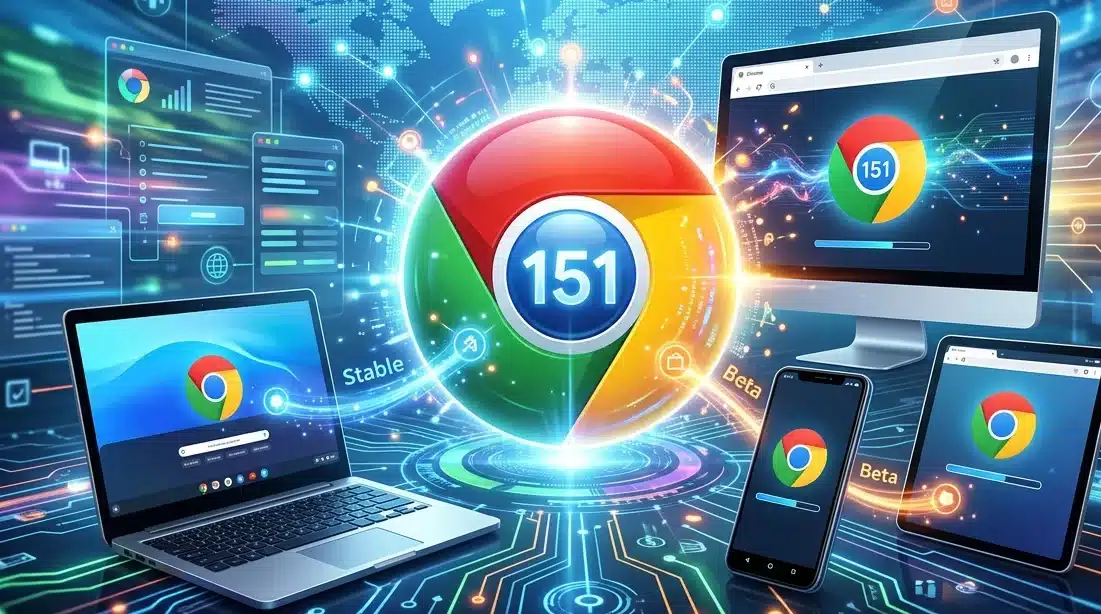
Google released a series of Chrome 151 updates on Wednesday, July 15, 2026, covering desktop, Android, and iOS platforms, while ChromeOS devices began receiving their latest Chrome Beta update a day earlier. The latest Desktop Update introduces new Beta and Early Stable builds for Windows, Mac, and Linux, alongside stability and performance improvements across multiple platforms.
Chrome Beta and Desktop Update Reach Version 151.0.7922.34
The latest Chrome Beta Desktop Update has been released for Windows, Mac and Linux, updating the Beta channel to version 151.0.7922.34. Google said a partial list of changes is available through the project's Git log. Users interested in moving between release channels can do so through the available switching options, while any newly discovered issues can be reported by filing a bug. The company also pointed users to its community help forum for troubleshooting and discussions about common issues.Google also introduced an Early Stable Desktop Update, rolling out Chrome 151 versions 151.0.7922.34 and 151.0.7922.35 to a small percentage of Windows and Mac users. According to the company, a complete list of changes for the build is available in the release log, with additional information provided for its Early Stable rollout process.
Chrome 151 Expands Across Android and iOS
On Android, Chrome 151 (151.0.7922.29) entered an Early Stable rollout for a limited number of users and is expected to reach more devices through Google Play over the following days. Google stated that the release focuses on stability and performance improvements, with complete technical changes documented in the Git log.The Chrome Beta release for Android, also carrying version 151.0.7922.29, is already available through Google Play. Google said users can review a partial list of changes in the Git log, while information about new features is available on the Chromium blog alongside updates covering the web platform.For iPhone and iPad users, Chrome Stable 151 (151.0.7922.25) is scheduled to appear on the App Store within hours of the announcement. Similar to the Android release, the update delivers stability and performance improvements. Meanwhile, Chrome Beta 151 (151.0.7922.26) for iOS is expected to reach the App Store over the next few days, with Google publishing a partial change log for the release.
ChromeOS Beta Update Also Released
Ahead of the broader Chrome 151 announcements, Google began rolling out a Chrome Beta update for ChromeOS and ChromeOS Flex on Tuesday, July 14, 2026. The Beta channel is being upgraded to OS version 16733.19.0, paired with browser version 151.0.7922.23, for most supported ChromeOS devices.Google encouraged users across all releases to report newly identified bugs through its official reporting system, submit feedback directly through Chrome, or seek assistance via its ChromeOS and Chromebook community forums. The company also reminded users that instructions for switching release channels remain available for those interested in testing future Chrome Beta and Desktop Update builds.
One of the best bulwarks against monopoly is interoperability—that is making a new product or service work with an existing product or service. Interoperability allows users, and not the manufacturers of their devices or largest player in a market, to decide what application best serves them. Unsurprisingly, companies like Apple have worked hard to resist interoperability requirements.
On July 8, the General Court of the European Union (General Court) ruled against Apple in several cases the company brought against the European Commission (joint cases), affirming the company’s obligations under the Digital Markets Act (DMA). Apple argued in the cases that it should be exempted from the law’s requirements especially with regards to interoperability on multiple grounds. We applaud the General Court’s decision, and congratulate the Free Software Foundation Europe (FSFE) as well as others who intervened in support of the Commission against Apple's attempt to shirk off its responsibilities, thus ensuring fair competition in European markets.
A Positive Development for Europeans
This is a clear and substantive win for developers and users in Europe. The stranglehold Apple exerts over its ‘walled garden’ is injurious for developers, users, and researchers alike. By confirming Apple’s obligations under the DMA, the General Court has ensured that developers will be given more choice on where they can publish their apps, and users will have more options to obtain apps which, for whatever reason, Apple dislikes. And researchers will have less roadblocks and hurdles to overcome in their studies of Apple’s OSes, particularly iOS, iPadOS, and watchOS.
Apple argues that the interoperability requirements will force it to lower the security standards that have led Apple products’ users to trust their devices. While this self-serving logic is not entirely without merit, it is far from the inevitable outcome. Especially with regards to the App Store, users can be given clear, informed choice when leaving the Apple ecosystem to obtain apps elsewhere. While we urge European courts to take Apple’s security concerns seriously, we’ve previously noted that this should not be used as a smokescreen to protect anticompetitive behavior.
Interoperability and security are not inherently at odds. When interoperable functionality is worked into the security model of a platform from the ground-up, a proper balance can be struck between two forces that are often falsely framed as naturally conflicting. While Apple OS platforms have not been built this way from the get-go, it is still possible, but takes more time to get it right. Here, the devil is in the implementation details.
Apple’s Case Arguments and the Court’s Rebuttal
Under the DMA, designation as a ‘gatekeeper’ is reserved for the biggest of Big Tech, companies that provide services deemed essential for businesses to reach end users. Apple is one of only seven companies that meet this designation, along with Alphabet, Amazon, Booking, ByteDance, Meta, and Microsoft. In its case, Apple argued that Article 6(7) of the DMA, specifying interoperability requirements for gatekeepers aimed at restoring fair competition, is unlawful in light of the Charter of Fundamental Rights of the European Union (specifically the right to property), and as such its designation as a gatekeeper subject to the requirements is unlawful and should be annulled as a result. In its ruling, the General Court rejected the argument as Article 6(7) does not form the legal basis of the designation.
Apple separately argues that the App Store fails to meet the requirements defining a core platform service (CPS), since the various stores (across iOS, iPadOS, watchOS, macOS) do not constitute a single platform. A company’s gatekeeper status relies on it providing a CPS that is an important gateway for business users to reach end users. Here, the implications of the argument are clear: remove service designation as CPSes, remove the gatekeeper status. The court rejected the argument on the basis that “irrespective of the device on which it was available, each of the App Stores was used for the same purpose, namely to intermediate between end users and business users in the distribution of applications and in-app digital content.”
Finally, the court rejected as inadmissible Apple’s argument that iMessage should not be classified as a number-independent interpersonal communication service (NIICS) constituting a CPS. This decision rested on the fact that the “classification does not, by itself, produce binding legal effects that bring about a change in Apple’s legal position” since iMessage was not listed as an “important gateway” in the designation decision and therefore was not subject to the DMA obligations.
In ruling against Apple in favor of the European Commission, the General Court has set an important precedent in ensuring competitive fairness and openness in the digital marketplace. The landmark effects of the DMA will serve to benefit all Europeans in the choice and freedom it affords them. Despite Big Tech’s legal challenges, these decisions build a strong foundation for a better digital future—a lesson which other regions should learn from and take note.
Between them, the two updates fixed 27 security vulnerabilities, including two critical flaws that could be exploited to compromise Chrome. Google says both are “use-after-free” memory vulnerabilities, which can sometimes allow attackers to run malicious code. Google has not reported any of these vulnerabilities as being actively exploited.
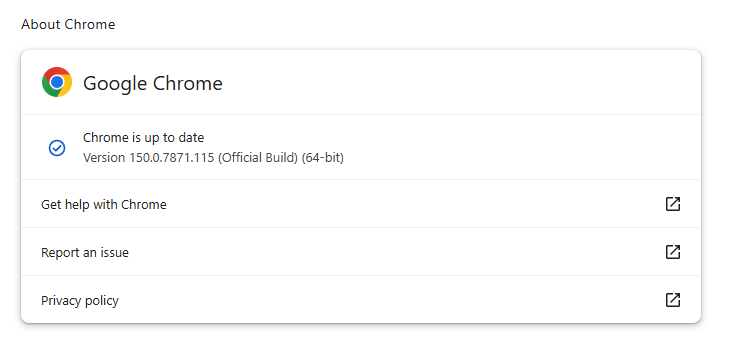
The Stable channel has been updated to 150.0.7871.114/.115 for Windows and macOS, and 150.0.7871.114 for Linux. The updates will roll out over the coming days and weeks.
How to update Chrome
If you don’t want to wait for the rollout to reach you, manually updating is easy.
The easiest option is to allow Chrome to update automatically. But you can end up lagging behind on updates if you rarely close your browser or if something goes wrong, such as an extension preventing the update.
To update manually, click the More menu (three dots), then go to Settings > About Chrome. If an update is available, Chrome will start downloading it automatically. Restart Chrome to complete the update, and you’ll be protected against these vulnerabilities.
With updates arriving within days of each other, it’s helpful to understand Chrome’s version numbering system so you can quickly tell whether you’re running the latest release.
The Chrome version number consists of four parts separated by dots, like this:
MAJOR.MINOR.BUILD.PATCH
Each part has a specific meaning. In order of relevance they are:
MAJOR: This number increases with each major Chrome release, which may include new features or changes.
MINOR: This number is typically zero and rarely changes. It mainly supports the versioning scheme but doesn’t usually affect how users track updates.
BUILD: This number increases steadily and identifies a specific build of Chrome’s source code. When comparing versions, it is the first number to check after the major version.
PATCH: This number increases as Google releases smaller fixes and security updates for a particular build. It resets with each new build and helps identify minor updates within the same build.
For example, a version like 137.0.7151.56 means:
Major version 137 (the milestone release)
Minor version 0 (almost always 0)
Build number 7151 (the code snapshot)
Patch number 56 (the latest fix for that build)
Why does the version number matter?
The BUILD and PATCH numbers together identify the exact version of Chrome you’re running. Even if two versions share the same major number, higher build or patch numbers means you have a newer, more up-to-date Chrome version.
Sometimes you might see slightly different patch numbers on the same major build, for example, 118.0.5993.117 vs. 118.0.5993.118. This usually happens because Google released a quick fix or minor patch shortly after the initial release. Both are part of the same major update, but the higher patch number is newer.
How to check if you have the latest version
To verify your Chrome version:
Open Chrome.
Click the three-dot menu (⋮) in the top-right corner.
Go to Help > About Google Chrome.
Chrome will display your current version and automatically check for updates. If an update is available, it will download automatically and prompt you to restart your browser.
Stop threats before they can do any harm.
Malwarebytes Browser Guard blocks phishing pages and malicious sites automatically. Free, one click to install. Add it to your browser →

 Login
Login