There’s a new Haiku monthly activity report, and this one’s a true doozy. Let’s start with the biggest news.
The most notable development in November was the introduction of a port of the Go programming language, version 1.18. This is still a few years old (from 2022; the current is Go 1.25), but it’s far newer than the previous Go port to Haiku (1.4 from 2014); and unlike the previous port which was never in the package repositories, this one is now already available there (for x86_64 at least) and can be installed via pkgman.
As the project notes, they’re still a few versions behind, but at least it’s a lot more modern of an implementation than they had before. Now that it’s in the repositories for Haiku, it might also attract more people to work on the port, potentially bringing even newer versions to the BeOS-inspired operating system. Welcome as it may be, this new Go port isn’t the only big ticket item this month.
Haiku can now gracefully recover from an app_server crash, something it used to be able to do a long time ago, but which was broken for a long time. The app_server is Haiku’s display server and window manager, so the ability to restart it at runtime after a crash, and have it reconnect with still-running applications, is incredibly welcome. As far as I can tell, all modern operating systems can do this by now, so it’s great to have this functionality restored in Haiku.
Of course, aside from these two big improvements, there’s the usual load of fixes and changes in applications, drivers, and other components of the operating system.
Alpine Linux maintainer Ariadne Conill has published a very interesting blog post about the shortcomings of both sudo and doas, and offers a potential different way of achieving the same goals as those tools.
Systems built around identity-based access control tend to rely on ambient authority: policy is centralized and errors in the policy configuration or bugs in the policy engine can allow attackers to make full use of that ambient authority. In the case of a SUID binary like doas or sudo, that means an attacker can obtain root access in the event of a bug or misconfiguration.
What if there was a better way? Instead of thinking about privilege escalation as becoming root for a moment, what if it meant being handed a narrowly scoped capability, one with just enough authority to perform a specific action and nothing more? Enter the object-capability model.
To bring this approach to life, they created a tool called capsudo. Instead of temporarily changing your identity, capsudo can grant far more fine-grained capabilities that match the exact task you’re trying to accomplish. As an example, Conill details mounting and unmounting – with capsudo, you can not only grant the ability for a user to mount and unmount whatever device, but also allow the user to only mount or unmount just one specific device. Another example given is how capsudo can be used to give a service account user to only those resources the account needs to perform its tasks.
Of course, Conill explains all of this way better than I ever could, with actual example commands and more details. Conill happens to be the same person who created Wayback, illustrating that they have a tendency to look at problems in a unique and interesting way. I’m not smart enough to determine if this approach makes sense compared to sudo or doas, but the way it’s described it does feel like a superior, more secure solution.
Unix has been enormously successful over the past 55 years.
It started out as a small experiment to develop a time-sharing system (i.e., a multi-user operating system) at AT&T Bell Labs. The goal was to take a few core principles to their logical conclusion. The OS bundled many small tools that were easy to combine, as it was illustrated by a famous exchange between Donald Knuth and Douglas McIlroy in 1986. Today, Unix lives on mostly as a spiritual predecessor to Linux, Net/Free/OpenBSD, macOS, and arguably, ChromeOS and Android.
Usenet tells us about the height of its early popularity.
There are so many amazing stories in this article, I honestly have no idea what to highlight. So first and foremost, I want you to read the whole thing yourself, as everyone’s bound to have their own personal favourite section that resonates the most. My personal favourite story from the article – which is just an aside, to illustrate that even the asides are great – is that when Australia joined Usenet in 1983, new posts to Usenet were delivered to the country by airmail. On magnetic tape. Once per week.
The overarching theme here is that the early days of UNIX, as documented on Usenet, were a fascinating wild west of implementations, hacks, and personalities, which, yes, clashed with each other, but also spread untold amounts of information, knowledge, and experience to every corner of the world. I hope Nyéki will write more of these articles.
System76, creator of Pop!_OS and prominent Linux OEM, has just announced the release of Pop!_OS 24.04 LTS – normally not something I particularly care about, but in this case, it comes with the first stable release of COSMIC Desktop. COSMIC is a brand new desktop environment by System76, written in Rust, and after quite some time in development, it’s now out in the wild as a stable release.
Today is special not only in that it’s the culmination of over three years of work, but even more so in that System76 has built a complete desktop environment for the open source community. We’re proud of this contribution to the open source ecosystem. COSMIC is built on the ethos that the best open source projects enable people to not only use them, but to build with them. COSMIC is modular and composable. It’s the flagship experience for Pop!_OS in its own way, and can be adapted by anyone that wants to build their own unique user experience for Linux.
You don’t need to run Pop!_OS to try out COSMIC, as it’s already available on a variety of other distributions (although it may take a bit for this stable version to land in the respective repositories).
I’m sure most of us here are aware of the bright red-and-yellow colour scheme called “Hot Dog Stand”, included in Windows 3.1. While it’s not the only truly garish colour scheme included in Windows 3.1, its name probably did a lot to make it stand out from the others. There’s been a ton of speculation about the origins of the colour scheme, and why it was included in Windows 3.1, but it seems nobody ever bothered to look for someone who actually worked on the Windows 3.1 user interface – until now.
PC Gamer’s Wes Fenlon contacted Virginia Howlett, Microsoft’s first user interface designer who joined the company in 1985, and asked her about the infamous colour scheme. It turns out that the origin story for the infamous colour scheme is rather mundane. In Howlett’s own words:
I do remember some discussion about whether we should include it, and some snarky laughter. But it was not intended as a joke. It was not inspired by any hot dog stands, and it was not included as an example of a bad interface—although it was one. It was just a garish choice, in case somebody out there liked ugly bright red and yellow.
Howlett then lists a few other included colour schemes that were just as garish, or even more so, as examples to underline her point. Personally, I’m a huge proponent of allowing users to make their interfaces as ugly and garish as they want, as the only arbiter on what’s on your screen is you, and nobody else. Hot Dog Stand and similar garish themes need to make a comeback, because there’s bound to be some people out there whose vibes align with it.
IBM owns Red Hat which in turn runs Fedora, the popular desktop Linux distribution. Sadly, shit rolls downhill, so we’re starting to see some worrying signs that Fedora is going to be used a means to push “AI”. Case in point, this article in the Fedora Magazine:
Generative AI systems are changing the way people interact with computers. MCP (model context protocol) is a way that enables generate AI systems to run commands and use tools to enable live, conversational interaction with systems. Using the new linux-mcp-server, let’s walk through how you can talk with your Fedora system for understanding your system and getting help troubleshooting it!
This “linux-mcp-server” tool is developed by IBM’s Red Hat, and of course, IBM has a vested interest in further increasing the size of the “AI” bubble. As such, it makes sense from their perspective to start pushing “AI” services and tools all the way down to the Fedora community, ending up with articles like this one. What’s sad is that even in this article, which surely uses the best possible examples, it’s hard to see how any of it could possibly be any faster than doing the example tasks without the “help” of an “AI”.
In the first example, the “AI” is supposed to figure out why the computer is having Wi-Fi connection issues, and while it does figure that out, the solutions it presents are really dumb and utterly wrong. Most notably, even though this is an article about running these tools on a Fedora system, written for Fedora Magazine, the “AI” stubbornly insists on using apt for every solution, which is a basic, stupid mistake that doesn’t exactly instill confidence in any of its other findings being accurate.
The second example involves asking the “AI” to explain how much disk space the system is using, and why. The “prompt” (the human-created “question” the “AI” is supposed to “answer”) is bonkers long – it’s a 117 words long monstrosity, formatted into several individual questions – and the output is so verbose and it takes such a scattershot approach that following-up on everything is going to take a huge amount of time. Within that same time frame, it would’ve been not only much faster, but also much more user-friendly to just open Filelight (installed by default as part of KDE), which creates a nice diagram which instantly shows you what is taking up space, and why.
The third example is about creating an update readiness report for upgrading from Fedora 42 to Fedora 43, and its “prompt” is even longer at 190 words, and writing that up with all those individual questions must’ve taken more time than to just… Do a simple dry-run of a dnf system upgrade which gets you like 90% of the way there. Here, too, the “AI” blurts out so much information, much of which entirely useless, that going through it all takes more time than just manually checking up on a dnf dry run and peaking at your disk space usage.
All this effort to set all of this up, and so much effort to carefully craft complex “prompts”, only to end up with clearly wrong information, and way too much superfluous information that just ends up distracting you from the task you set out to accmplish. Is this really the kind of future of computing we’re supposed to be rooting for? Is this the kind of stuff Fedora’s new “AI” policy is supposed to enable?
If so, I’m afraid the disconnect between Fedora’s leadership and whatever its users actually use Fedora for is far, far wider than I imagined.
I have some potentially devastating news for POWER users interested in using FreeBSD, uncovered late last month by none other than Cameron Kaiser.
FreeBSD is considering retiring powerpc64 prior to branching 16, which would make FreeBSD 15 the last stable version to support the architecture. (32-bit PowerPC is already dropped as of FreeBSD 14, though both OpenBSD and NetBSD generally serve this use case, and myself I have a Mac mini G4 running a custom NetBSD kernel with code from FreeBSD for automatic restart.) Although the message says “powerpc64 and powerpc64le” it later on only makes specific reference to the big-endian port, whereas both endiannesses appear on the FreeBSD platform page and on the download server.
There’s two POWER9 systems in my office, so this obviously makes me quite sad. At the same time, though, it’s hard not to understand any possible decision to drop powerpc64/powerpc64le at this point in time. Raptor’s excellent POWER9 systems – the Blackbird, which I reviewed a few years ago, and the Talos II, which I also have – are very long in the tooth at this point and still quite expensive, and thanks to IBM royally screwing up POWER10, we never got any timely successors. There were rumblings about a possible POWER11-based successor from Raptor back in July 2025, but it’s been quiet on that front since.
In other words, there are no modern powerpc64 and powerpc64le systems available. POWER10 and brand new POWER11 hardware are strictly IBM and incredibly expensive, so unless IBM makes some sort of generous donation to the FreeBSD Foundation, I honestly don’t know how FreeBSD is supposed to keep their powerpc64 and powerpc64le ports up-to-date with the latest generation of POWER hardware in the first place.
It’s important to note that no final decision has been made yet, and since that initial report by Kaiser, several people have chimed in to argue the case that at least powerpc64le (the little endian variant) should remain properly supported. In fact, Timothy Pearson from Raptor Engineering stepped up the place, and stated he’s willing to take over maintainership of the port, as Raptor has been contributing to it for years anyway.
Raptor remains committed to the architecture as a whole, and we have resources to assist with development. In fact, we sponsor several FreeBSD build machines already in our cloud environment, and have kernel developers working on expanding and maintaining the FreeBSD codebase. If there is any concern regarding hardware availability or developer resources, Raptor is willing and able to assist.
Whatever decision the FreeBSD project makes, the Linux world will be fine for a while yet as IBM contributes to its development, and popular distributions still consider POWER a primary target. However, unless either IBM moves POWER hardware downmarket (extremely unlikely) or the rumours around Raptor have merit, I think at least the FreeBSD powerpc64 (big endian) port is done for, with the powerpc64le port hopefully being saved by people hearing these alarm bells.
Secretary of State Marco Rubio waded into the surprisingly fraught politics of typefaces on Tuesday with an order halting the State Department’s official use of Calibri, reversing a 2023 Biden-era directive that Mr. Rubio called a “wasteful” sop to diversity.
While mostly framed as a matter of clarity and formality in presentation, Mr. Rubio’s directive to all diplomatic posts around the world blamed “radical” diversity, equity, inclusion and accessibility programs for what he said was a misguided and ineffective switch from the serif typeface Times New Roman to sans serif Calibri in official department paperwork.
If you’re old enough, you no doubt remember that up until the 2.6.0 release of the Linux kernel, an odd number after the first version number indicated a pre-release, development version of the kernel. Even though this scheme was abandoned with the 2.6.0 release in 2003 and since then every single release has been a stable release, it seems the ghosts of this old versioning scheme still roam the halls, because prominent Linux kernel developer Greg Kroah-Hartman just published an explainer about Linux kernel versions.
Despite having a stable release model and cadence since December 2003, Linux kernel version numbers seem to baffle and confuse those that run across them, causing numerous groups to mistakenly make versioning statements that are flat out false. So let’s go into how this all works in detail.
I genuinely find it difficult to imagine what could possibly be unclear about Linux kernel version numbers. The Linux kernel uses a very generic major.minor scheme, but that’s not where the problems lie – it’s the actual development process of each of these numbered release that’s a bit more complex. This is where we have to talk about things like the roughly 10-week release cycle, containing a 2-week merge window, as well as Torvalds handing off the stable branch to the stable kernel maintainers.
The other oddity is when the major version number gets incremented – the first number in the version number. There’s no real method to this, as Kroah-Hartman admits Torvalds increments this number whenever the remaining numbers get too high and unwieldy to deal with. Very practical, but it does mean that going from, say, 5.x to 6.x doesn’t really imply there’s any changes in there that are any bigger or more disruptive than when going from 6.8.x to 6.9.x or whatever.
There’s a few more important details in here, of course, like where LTS releases come from, but that’s really it – nothing particularly groundbreaking or confusing.
With the current, rapidly deteriorating state of the Windows operating system, you have to take the small wins you can get: Microsoft is now offering the option of removing “AI” actions from Windows 11’s context menus. buried deep in the Windows 11 Insider Preview Build 26220.7344 release notes, there’s this nugget:
If there are no available or enabled AI Actions, this section will no longer show in the context menu.
If you then go to Settings > Apps > Actions and uncheck all the “AI” actions, the entire submenu in Windows 11’s context menus will vanish. While this is great news for those Windows users who don’t want to be bothered by all the “AI” nonsense, I wish Microsoft would just give users a proper way to edit the context menu that doesn’t involve third party hackery. KDE’s Dolphin file manager gives me full control over what does and does not appear in its context menu, and I can’t imagine living without this functionality – there’s so many file-related operations I never use, and having them clutter up the context menu is annoying and just slows me down.
There’s more substantial and important changes in this Insider Preview Build too, most notably the rollout of the Update Orchestration Platform, which should make downloading and installing application updates less cumbersome, but since it’s a new feature, application won’t support it right away. This release also brings the new Windows MIDI Services, and Microsoft hopes this will improve the experience for musicians using MIDI 1.0 or MIDI 2.0 on Windows. There’s a slew of smaller changes, too, of course.
I’m not exactly sure when these new features will make their way to production installations – who does, honestly, with Microsoft’s convoluted release processes – but I hope it’s sooner rather than later.
When Mac OS X was designed, it switched to the bundle structure inherited from NeXTSTEP. Instead of this multitude of resources, apps consisted of a hierarchy of directories containing files of executable code, and those with what had in Mac OS been supporting resources. Those app bundles came to adopt a standard form, shown below.
A short, but nonetheless informative overview of the structure of a macOS application. I’m sure most people on OSNews are aware that a macOS application is a bundle, which is effectively a glorified directory containing a variety of files and subdirectories that together make up the application. I haven’t used macOS in a while, but I think you can right-click on an application and open it as a folder to dig around inside of it.
I’m trying to remember from my days as a Mac OS X user – 15-20 years ago – if there was ever a real need to do so, but I’m sure there were a few hacks you could do by messing around with the files inside of application bundles. These days, perhaps with all the code-signing, phoning-home to Apple, and other security trickery going on, such acts are quite frowned upon. Does making any otherwise harmless changes inside an application bundle set off a ton of alarm bells in macOs these days?
Applets are officially, completely removed from Java 26, coming in March of 2026. This brings to an official end the era of applets, which began in 1996. However, for years it has been possible to build modern, interactive web pages in Java without needing applets or plugins. TeaVM provides fast, performant, and lightweight tooling to transpile Java to run natively in the browser. And for a full front-end toolkit with templates, routing, components, and more, Flavour lets you build your modern single-page app using 100% Java.
As consumers, we don’t really encounter Java that much anymore unless we play Minecraft, but that doesn’t mean Java no longer has a place in this world. In fact, it still consistently ranks in the top three of most popular programming languages, so any tools to make using Java easier, both for programmers and users, are welcome.
OSNews is funded entirely by you, our readers. There are no ads on OSNews, we are not part of a massive corporate publishing conglomerate like virtually every other technology news website, there are no wealthy (corporate) benefactors – it’s just whatever funds you, our readers, send our way. As such, I sometimes need to remind everyone about this, and December, the holiday month, seems as great a time as any to do this.
If you want to support a truly independent technology news website, free from the corrupting influences of corporate interests, advertising companies, managers pushing “AI”, and all the other nonsense destroying the web we once loved, you can do so by donating to keep OSNews alive. This gives me the time and means to write 9000 words about dead computer ecosystems, and I’m already working on an article about the next final UNIX workstation.
If you want to make a single, non-recurring donation, you can donate to the OSNews Ko-Fi. Every amount, large or small, is deeply appreciated.
You can also buy some OSNews merch! We’ve got some great shirts and mugs with awesome designs, and every individual purchase nets OSNews about $8.
Every single donation, large or small, is deeply appreciated and keeps the lights on around here. There aren’t many websites like OSNews left, especially not independent ones that answer to nobody. Your support keeps OSNews going, with June 2026 marking a special moment for me: it will mark twenty years since I took over this place. I’m not expecting a party – you’re paying me to work, not to party – but it is still a meaningful anniversary for me personally.
Some of you may be aware of rePalm, a project by Dmitry Grinberg to port the PalmOS to various devices it was never supposed to run on. We covered rePalm back in 2019 and again in 2023. His latest project involved porting PalmOS to a set of digital toys that were never intended to run PalmOS in any way.
Fisher-Price (owned by Mattel) produced some toys in the early 2000 under the Pixter brand. They were touchscreen-based drawing toys, with cartridge-based extra games one could plug in. Pixter devices of the first three generations (“classic”, “plus”, and “2.0”) featured 80×80 black-and-white screens, which makes them of no interest for rePalm. The last two generations of Pixter (“color” and “multimedia”) featured 160×160 color displays. Now, this was more like it! Pixter was quite popular, as far as kids’ toys go, in USA in the early 2000s. A friend brought it to my attention a year ago as a potential rePalm target. The screen resolution was right and looking inside a “Pixter Color” showed an ARM SoC – a Sharp LH75411. The device had sound (games made noises), and touch panel was resistive. In theory – a viable rePalm target indeed.
Considering the immensely limited ARMv7 implementation he had to deal with – no cache, no memory management unit, no memory protection unit – it’s a miracle Grinberg managed to succeed. To make matters even harder, the first revision boards of the “color” model only had 1MB of flash, which is incredibly small even for PalmOS 5, so he had to rewrite parts of it to make it fit. Implementing communication over infrared was also a major difficulty, but that, too he managed to get working – on a device that doesn’t have IrDA SIR modulation. Wild.
Grinberg went above and beyond, making sure the buttons on the devices work, developing and building a way to put PalmOS on a “game” cartridge, reverse-engineering the display controller to make sure things like brightness adjustment works, adding screen type detection for that one small run of Pixter Color devices that came with a TFT instead of an STN screen, and so, so much more. Until you read the article, you have no idea how much work Grinberg put into this project.
I continue to be in awe of Grinberg’s work every time I come across it.
Now this is a great initiative by the Haiku team: highlight a number of stale commits that’ve been without interaction for years, explain why they’ve stalled, and then hope renewed interest might grow (part 1 and part 2).
Recently some discussions on the forum led to asking about the status of our Gerrit code review. There are a lot of changes there that have been inactive for several years, with no apparent interest from anyone. To be precise, there are currently 358 commits waiting for review (note that Gerrit, unlike Github and other popular code review tools, works on a commit-by-commit basis, so each commit from a multiple-commit change is counted separately). The oldest one has not seen any comments since 2018.
Today, let’s have a look at some of these changes and see why they are stalled. Hopefully it will inspire someone to pick up the work and help finishing them up.
Browsing through the highlighted stalled commits, there’s a few that seem quite interesting and relatively easy for a (new?) contributor to seek their teeth into. For instance, there’s a stalled commit to remove GCC from Haiku images built with clang/llvm, which stalled mostly because there are still other issues when building Haiku with clang/llvm. For a more complex problem, there’s the issue of how every menu in BeOS/Haiku is also a window, including its own thread, which means navigating deeply nested menus creates and destroys a lot of threads, that all need to be synchronised, too. If you want to get really ambitious, there’s the stalled commit to add initial 64bit PowerPC support.
There’s more of these, of course, so if you have the skills and will to contribute to a project like Haiku, this might be a great place to start and get your feet wet. Now that these commits are back in the spotlight, there’s sure to be team members and regular contributors lined up to lend an extra hand, as well.
Oracle has released Solaris 11.4 SRU 87, which brings with it a whole slew of changes, updates, and fixes. Primarily, it upgrades Firefox and Thunderbird to their latest ESR 140.3.0 releases, and adds GCC 15, alongside a ton of updated other open source packages. On more Solaris 11-specific notes, useradd’s account activation options have been changed to address some issues caused by stricter enforcement introduced in SRU 78, there’s some preparations for the upgrade to BIND 9.20 in a future Solaris 11 release, a few virtualisation improvements, and much more.
If you’re unclear about the relationship between this new release and the Common Build Environment or CBE release of Solaris 11.4 for enthusiasts, released earlier this year, the gist is that these SRU updates are only available to people with Oracle Solaris support contracts, while any updates to the CBE release are available to mere mortals like you and I. If you have a support contract and are using the CBE, you can upgrade from the CBE to the official SRU releases, but without such a contract, you’re out of luck.
A new CBE release is in the works, and is planned to arrive in 2026 – which is great news, but I would love for the enthusiast variant of Solaris 11.4 to receive more regular updates. I don’t think making these SRU updates available to enthusiasts in a non-commercial, zero-warranty kind of way would pose any kind of threat to Oracle’s bottom line, but alas, I don’t run a business like Oracle so perhaps I’m wrong.
This is the website for APL9, which is an APL implementation written in C on and for Plan 9 (9front specifically, but the other versions should work as well).
Work started in January 2022, when I wanted to do some APL programming on 9front, but no implementation existed. The focus has been on adding features and behaving (on most points) like Dyalog APL. Speed is poor, since many primitives are implemented in terms of each other, which is not optimal, but it helped me implement stuff easier.
Microsoft has lowered sales growth targets for its AI agent products after many salespeople missed their quotas in the fiscal year ending in June, according to a report Wednesday from The Information. The adjustment is reportedly unusual for Microsoft, and it comes after the company missed a number of ambitious sales goals for its AI offerings.
I would think most of us here at OSNews are aware of VisiOn, the graphical multitasking operating system for the IBM PC which was one of the first operating systems with a graphical user interface, predating Windows, GEM, the Mac, and even the Apple Lisa. While VisiOn was technically an “open” platform anybody could develop an application for, the operating system’s SDK cost $7000 at the time and required a VAX system. This, combined with VisiOn failing in the market, means nobody knows how to develop an application for it.
Until now. Over the past few months, Nina Kalinina painstakingly unraveled VisiOn so that she she could recreate the SDK from scratch. In turn, this allowed developer Atsuko to develop a clean-room application for VisiOn – which is most likely the very first third-party application ever developed and released for VisiOn. I’ve been following along with the pains Kalinina had to go through for this endeavour over on Fedi, and it sure was a wild ride few would be willing (and capable) to undertake.
It took me a month of working 1-2 hours a day to produce a specification that allowed Atsuko to implement a clean-room homebrew application for VisiOn that is capable of bitmap display, menus and mouse handling.
If you’re wondering what it felt like: this project is the largest “Sudoku puzzle” I have ever tried to solve. In this note, I have tried to explain the process of solving this puzzle, as well as noteworthy things about VisiOn and its internals.
The article contains both a detailed look at VisiOn, as well as the full process of recreating its SDK and developing an application with it. Near the end of the article, after going over all the work that was required to get here, there’s a sobering clarification:
This reverse-engineering project ended up being much bigger than I anticipated. We have a working application, yes, but so far I’ve documented less than 10% of all the VisiHost and VisiOp calls. We still don’t know how to implement keyboard input, or how to work with timers and background processes (if it is possible).
I’d love for more people to be interested in helping this effort out, as it’s not just an extremely difficult challenge, but also a massive contribution to software preservation. VisiOn may not be more than a small footnote in computing history, but it still deserves to be remembered and understood, and Kalinina and Atsuko have done an amazing amount of legwork for whomever wants to pick this up, too.
Did you know that BG3 players exploit children? Are you aware that Qi2 slows older Pixels? If we wrote those misleading headlines, readers would rip us a new one — but Google is experimentally beginning to replace the original headlines on stories it serves with AI nonsense like that.
You may have noticed that due to “AI” companies buying up all literally all the RAM in the world, prices for consumer RAM and SSDs have gone completely batshit insane. Well, it’s only going to get worse, since Micron has announced it’s going to exit the market for consumer RAM and is, therefore, retiring its Crucial brand. The reason?
You know the reason.
“The AI-driven growth in the data center has led to a surge in demand for memory and storage. Micron has made the difficult decision to exit the Crucial consumer business in order to improve supply and support for our larger, strategic customers in faster-growing segments,” said Sumit Sadana, EVP and Chief Business Officer at Micron Technology.
First it was the crypto pyramid scheme, and now it’s the “AI” pyramid scheme. These MLMs for unimpressive white males who couldn’t imagine themselves out of a wet paper bag are ruining not just the environment, software, and soon the world’s economy when the bubble pops, but are now also making it extraordinarily expensive to buy some RAM or a bit of storage. Literally nothing good is coming from these techbro equivalents of Harlequin romance novels, and yet, we’re forced to pretend they’re the next coming of the railroads every time some guy who was voted most likely to die a middle manager at Albertsons in Casper, Wyoming, farts his idea out on a napkin.
An exciting tidbit of news from Redox, the Rust-based operating system. Its founder and lead developer Jeremy Soller has merged the first changes for a modesetting driver for Intel graphics.
After a few nights of reading through thousands of pages of PRMs I have finally implemented a modesetting driver for Intel HD graphics on Redox OS. There is much more to do, but there is now a clear path to native hardware accelerated graphics!
Of course, all the usual disclaimers apply, but it’s an important first step, and once again underlines that Redox is turning into a very solid platform that might just be on the cusp of becoming something we can use every day.
It’s always a bit sad and a little awkward when reality starts hitting long-time fans and users of an operating system, isn’t it? I feel like I’m at least fifteen years ahead of everyone else when it comes to macOS, at least.
Over the last few weeks I’ve been discovering problems that have been eroding confidence in macOS. From text files that simply won’t show up in Spotlight search, to Clock timers that are blank and don’t function, there’s one common feature: macOS encounters an error or fault, but doesn’t report that to the user, instead just burying it deep in the log.
When you can spare the time, the next step is to contact Apple Support, who seem equally puzzled. You’re eventually advised to reinstall macOS or, in the worst case, to wipe a fairly new Apple silicon Mac and restore it in DFU mode, but have no reason to believe that will stop the problem from recurring. You know that Apple Support doesn’t understand what’s going wrong, and despite the involvement of support engineers, they seem as perplexed as you.
I remember when Mac OS X was so far ahead of the competition it was honestly a little tragic. Around the late PowerPC and very early Intel days, when the iPhone hadn’t yet had the impact on the company it has now, the Mac and its operating system were the star of the company’s show, and you felt it when you used it. Even though the late PowerPC hardware was being outpaced left, right, and centre by Intel and AMD hardware in virtually every sense, Mac OS X more than made up for it being being a carefully and lovingly crafted operating system designed and developed by people who clearly deeply cared.
I used nothing but Macs as a result.
These days, everything’s reversed. By all accounts, Macs are doing amazing hardware-wise, with efficient, powerful processors and solid design. The operating system, however, has become a complete and utter mess, showing us that no, merely having great hardware does not make up for shit software in the same way the reverse was true two decades ago. I’d rather use a slower, hotter laptop with great software than a faster, cooler laptop with terrible software.
I’m not sure we’re going to see this trend reversed any time soon. Apple, too, is chasing the dragon, and everything the company does is designed around their cash cow, and I just don’t see how that’s going to change without a complete overhaul of the company’s leadership.
What if you have a Risc PC, but aside from RISC OS, you also want to run Linux? Well, then you have to jump through a lot of hoops, especially in 2025.
Well, this was a mess. I don’t know why Potato is so crashy when I install it. I don’t know why the busybox binary in the Woody initrd is so broken. But I’ve got it installed, and now I can do circa-2004 UNIX things with a machine from 1994.
The journey is definitely the most rewarding experience here for us readers, but I’m fairly sure Pallant is just happy to have a working Linux installation on his Risc PC and wants to mostly forget about that journey. Still, reading about the Risc PC is very welcome, since it’s one of those platforms you just don’t hear about very often between everyone talking about classic Macs and Commodore 64s all the time.
OK I promised computers, so let’s move to the Tek 4051 I got! Released in 1975, this was based on the 4010 series of terminals, but with a Motorola 6800 computer inside. This machine ran, like so many at the time, BASIC, but with extra subroutines for drawing and manipulating vector graphics. 8KB RAM was standard, but up to 32KB RAM could be installed. Extra software was installed via ROM modules in the back, for example to add DSP routines. Data could be saved on tape, and via RS232 and GBIP external devices could be attached!
All in all, a pretty capable machine, especially in 1975. BASIC computers where getting common, but graphics was pretty new. According to Tektronix the 4051 was ideal for researches, analysts and physicians, and this could be yours for the low low price of 6 grand, or around $36.000 in 2025. I could not find sales figures, but it seems that this was a decently successful machine. Tektronix also made the 4052, with a faster CPU, and the 4054, a 19″ 4K resolution behemoth! Tektronix continued making workstations until the 90s but like almost all workstations of the era, x86/Linux eventually took over the entire workstation market.
The FreeBSD team has released FreeBSD 15.0, and with it come several major changes, one of which you will surely want to know more about if you’re a FreeBSD user. Since this change will eventually drastically change the way you use FreeBSD, we should get right into it.
Up until now, a full, system-wide update for FreeBSD – as in, updating both the base operating system as well as any packages you have installed on top of it – would use two separate tools: freebsd-update and the pkg package manager. You used the former to update the base operating system, which was installed as file sets, and the latter to update everything you had installed on top of it in the form of packages.
With FreeBSD 15.0, this is starting to change. Instead of using two separate tools, in 15.0 you can opt to deprecate freebsd-update and file sets, and rely entirely on pkg for updating both the base operating system as well as any packages you have installed, because with this new method, the base system moves from file sets to packages. When installing FreeBSD 15.0, the installer will ask you to choose between the old method, or the new pkg-only method.
Packages (pkgbase / New Method): The base system is installed as a set of packages from the “FreeBSD-base” repository. Systems installed this way are managed entirely using the pkg(8) tool. This method is used by default for all VM images and images published in public clouds. In FreeBSD 15.0, pkgbase is offered as a technology preview, but it is expected to become the standard method for managing base system installations and upgrades in future releases.
As the release announcement notes, the net method is optional in FreeBSD 15 and will remain optional during the entire 15.x release cycle, but the plan is to deprecate freebsd-update and file sets entirely in FreeBSD 16.0. If you have an existing installation you wish to convert to using pkgbase, there’s a tool called pkgbasify to do just that. It’s sponsored by the FreeBSD Foundation, so it’s not some random script.
Of course, there’s way more in this release than just pkgbase. Of note is that the 32bit platforms i386, armv6, and 32-bit powerpc have been retired, but of course, 32bit code will continue to run on their 64bit counterparts. FreeBSD 15.0 also brings a native inotify implementation, a ton of improvements to the audio components, improved Intel Wi-Fi drivers, and so, so much more.
Fascinating doesn’t even begin to describe this article, but at the same time, it also makes me wonder at what point maintaining this drive letter charade becomes too burdensome, clunky, and complex. Internally, Windows NT does not use drive letters at all, but for the sake of backwards compatibility and to give the user what they expect, a whole set of abstractions has been crafted to create the illusion that modern versions of Windows still use the same basic drive letter conventions as DOS did 40 years ago.
I wonder if we’ll ever reach a point where Windows no longer uses drive letters, or if it’s possible today to somehow remove or disable these abstractions entirely, and run Windows NT without drive letters, as Cutler surely intended. Vast swaths of Windows programs would surely curl up in fetal position and die, including many core components of the operating system itself – as this article demonstrates, very few parts of Windows can handle even something as mundane as a drive letter outside of A-Z – but it’d make for a great experiment.
Someone with just the right set of Windows NT skills must’ve tried something like this at some point, either publicly or inside of Microsoft.
What do you do if you develop a lightweight browser that doesn’t support JavaScript, but you once chose GitHub as the home for your code? You’re now in the unenviable position that your own browser can no longer access your own online source repository because it requires JavaScript, which is both annoying and, well, a little awkward. The solution is, of course, obvious: you move somewhere else.
That’s exactly what the Dillo browser did. They set up a small VPS, opted for cgit as the git frontend for its performance and small size, and for the bug tracker, they created a brand new, very simple bug tracker.
To avoid this problem, I created my own bug tracker software, buggy, which is a very simple C tool that parses plain Markdown files and creates a single HTML page for each bug. All bugs are stored in a git repository and a git hook regenerates the bug pages and the index on each new commit. As it is simply plain text, I can edit the bugs locally and only push them to the remote when I have Internet back, so it works nice offline. Also, as the output is just an static HTML site, I don’t need to worry about having any vulnerabilities in my code, as it will only run at build time.
There’s more considerations detailed in the article about Dillo’s migration, and it can serve as inspiration for anyone else running a small open source project who wishes to leave GitHub behind. With GitHub’s continuing to add more and more complexity and “AI” to separate open source code from its licensing terms, we may see more and more projects giving GitHub the finger.
Landlock is a Linux API that lets applications explicitly declare which resources they are allowed to access. Its philosophy is similar to OpenBSD’s unveil() and (less so) pledge(): programs can make a contract with the kernel stating, “I only need these files or resources — deny me everything else if I’m compromised.”
It provides a simple, developer-friendly way to add defense-in-depth to applications. Compared to traditional Linux security mechanisms, Landlock is vastly easier to understand and integrate.
This post is meant to be an accessible introduction, and hopefully persuade you to give Landlock a try.
I had no idea this existed, even though it seems to plug a hole in the security and sandboxing landscape on Linux by not requiring any privileges and by being relatively simple and straightforward to use. There’s even an additional “supervisor” proposal that would bring Android-like permissions not just to, say, desktop applications (see Flatpak), but to every process trying to access anything for the first time.
I’m not knowledgeable enough to make any statements about Landlock compared to any other options we have for securing desktop Linux in a user-friendly, non-intrusive manner, but I definitely like its simplicity.
Only a few weeks ago, the CHRP variants of Mac OS 7.6 and 8 were discovered and uploaded to the internet for posterity, but we’re already seeing the positive results of this event unfold: Mac OS 7.x can now run on the Mac Mini G4 – natively.
The very short of it is as follows. First, the CHRP release of Mac OS 8 contains a ROM file that allows Mac OS 8 to boot on the G4 Mac Mini. Second, the CHRP release of 7.6 contains a System Enabler that allows 7.6 earlier versions to run by using the aforementioned ROM file. Third, the ROM has been modified to add compatibility with as many Mac models as possible. There’s a lot more to it, of course, but the end result is that quite a few more older, pre-9.x versions of Mac OS can now run on G4 and G3 Macs, which is quite cool.
Of course, there are limitations.
Note that, although I describe many of these as “stable”, I mean you can use much of it normally (sound/video/networking aside) without it crashing or misbehaving, at least not too hard, but that is not to say everything works, because that is just not the case. For example, when present, avoid opening the Apple System Profiler, unless you want a massive crash as it struggles trying to profile and gather all the information about your system. Some other apps or Control Panels might either not work, or work up to a certain point, after which they might freeze, requiring you to Force Quit the Finder to keep on going. And so on.
The release 25.11 wraps up our year of “rigidity, clarity, performance” with a bouquet of vast under-the-hood improvements. Genode’s custom kernel received special tuning of its new CPU scheduler for Sculpt-OS workloads, and became much more scalable with respect to virtual-memory management. Combined, those efforts visibly boost the performance of Sculpt OS on performance-starved hardware like the PinePhone or the i.MX8-based MNT Reform laptop. On account of improving clarity, our new configuration format – now named human-inclined data (HID) – proliferates throughout Genode’s tooling. We are also happy to report that almost all Genode components have become interoperable with both XML and HID by now.
The Genode Framework 25.11 also brings a major change to how important shared components that aren’t strictly part of the framework are handled, such as ports like libSDL, sqlite, or gnutls. Before, these could only be built with the Genode build system, which was suboptimal because this isn’t designed for building individual components. Several changes have been made to now enable the use of multiple build systems and the Goa SDK, which should make it a lot easier to these crucial components to become the responsibility of wider parts of the community.
There’s way more, of course, such as the usual driver improvements, including the addition of support for serial-to-USB adapters.
During a Dell earnings call, the company mentioned some staggering numbers regarding the amount of PCs that will not or cannot be upgraded to Windows 11.
“We have about 500 million of them capable of running Windows 11 that haven’t been upgraded,” said Dell COO Jeffrey Clarke on a Q3 earnings call earlier this week, referring to the overall PC market, not just Dell’s slice of machines. “And we have another 500 million that are four years old that can’t run Windows 11.” He sees this as an opportunity to guide customers towards the latest Windows 11 machines and AI PCs, but warns that the PC market is going to be relatively flat next year.
The monumental scale of the Windows 10 install base that simply won’t or cannot upgrade to Windows 11 is massive, and it’s absolutely bonkers to me that we’re mostly just letting them get away with leaving at least a billion users out in the cold when it comes to security updates and bug fixes. The US government (in better times) and the EU should’ve 100% forced Microsoft’s hand, as leaving this many people on outdated, unsupported operating system installations is several disasters waiting to happen.
Aside from the dangerous position Microsoft is forcing its Windows 10 users into, there’s also the massive environmental and public health impact of huge swaths of machines, especially in enterprise environments, becoming obsolete overnight. Many of these will end up in landfills, often shipped to third-world countries so we in the west don’t have to deal with our e-waste and its dangerous consequences directly. I can get fined for littering – rightfully so – but when a company like Microsoft makes sweeping decisions which cause untold amounts of dangerous chemicals to be dumped in countless locations all over the globe, governments shrug it off and move on.
At least we will get some cheap eBay hardware out of it, I guess.
So my love for the Common Desktop Environment isn’t exactly a secret, so let’s talk about the project’s latest release, CDE 2.5.3, released a few days ago. As the version number suggests, this first new version in two years is a rather minor release, containing only a few bug fixes. For instance, CDE’s window manager dtwm picked up support for more mouse buttons, its file manager dtfile now uses sh to find files instead of ksh, and a few more of these rather minor, but welcome, changes and bugfixes.
Ever since CDE was released as open source over thirteen years ago, and while considerable work has been done to make it build, install, and run on modern platforms, that’s kind of where the steam ran out. CDE isn’t being actively developed to build upon its strengths and add new and welcome features and conveniences, but is instead kept in a sort of buildable stasis. There is absolutely nothing wrong with this – it keeps CDE accessible on modern platforms, and that’s a huge amount of work that deserves respect and gratitude – but it’d be nice if we lived in a world where there was enough interest (and time and money) to have people work on actually improving it.
Of course, the reality is that there’d be very little interest in such an improved CDE, and that’s exactly why it isn’t happening. On top op the current work the CDE team is doing, you’d need to not only develop new features, but also improve the Motif toolkit to make such new features possible, and make sure such improvements don’t break anything else. With such an old codebase, that can’t possible be an easy task.
Still, I will continue to daydream of a slightly more modernised CDE with some additional niceties we’ve come to expect over the past 30 years, even if I know full well it’s futile.
Moss is a Unix-like, Linux-compatible kernel written in Rust and Aarch64 assembly.
It features a modern, asynchronous core, a modular architecture abstraction layer, and binary compatibility with Linux userspace applications (currently capable of running most BusyBox commands).
I mean, hobby operating systems and kernels written in Rust aren’t exactly the most unique right now, but that doesn’t make them any less interesting for the kinds of people that frequent a site called OSNews. Moss has quite a few things going for it, including support for enough Linux system calls to run most BusyBox commands, complex memory and process management, use of Rust’s async/await model in the kernel, and much more.
I love my job. I make a great salary, there’s a clear path to promotion, and a never-ending supply of cold brew in the office. And even though my job requires me to commit sociopathic acts of evil that directly contribute to making the world a measurably worse place from Monday through Friday, five days a week, from morning to night, outside work, I’m actually a really good person.
Well folks, it’s the beginning of a new era: after nearly three decades of KDE desktop environments running on X11, the future KDE Plasma 6.8 release will be Wayland-exclusive! Support for X11 applications will be fully entrusted to Xwayland, and the Plasma X11 session will no longer be included.
They’re following in the footsteps of the GNOME project, who will also be leaving the legacy windowing system behind. What this means in practice is that official KDE X11 support will cease once KDE Plasma 6.7 is no longer supported, which should be somewhere early 2027. Do note that the KDE developers intend to release a few extra bugfix releases in the 6.7 release cycle to stabilise the X11 session as much as possible for those people who are going to stick with KDE Plasma 6.7 to keep X11 around.
For people who wish to keep using X11 after that point, the KDE project advises them to switch to LTS distributions like Alma Linux, which intend to keep supporting Plasma X11 until 2032. Xwayland will handle virtually all X11 applications running inside the Wayland session, including X11 forwarding, with similar functionality implemented in Wayland through Waypipe. Also note that this only applies to Plasma as a whole; KDE applications will continue to support X11 when run in other desktop environments or on other platforms.
As for platforms other than Linux – FreeBSD already has relatively robust Wayland support, so if you intend to run KDE on FreeBSD in the near future, you’ll have to move over to Wayland there, as well. The other BSD variants are also dabbling with Wayland support, so it won’t be long before they, too, will be able to run the KDE Plasma Wayland session without any issues.
What this means is that the two desktop environments that probably make up like 95% of the desktop Linux user base will now be focusing exclusively on Wayland, which is great news. X11 is a legacy platform and aside from retrocomputing and artisanal, boutique setups, you simply shouldn’t be using it anymore. Less popular desktop environments like Xfce, Cinnamon, Budgie, and LXQt are also adding Wayland support, so it won’t be much longer before virtually no new desktop Linux installations will be using X11.
With all the problems Windows is facing, I think one area where Microsoft can make some easy, quick gains is by drastically improving Explorer, Windows’ file manager. It seems that in the latest developer releases, they’re doing just that. The most impactful change – possibly – is that Microsoft is going to preload Explorer.
We’re exploring preloading File Explorer in the background to help improve File Explorer launch performance. This shouldn’t be visible to you, outside of File Explorer hopefully launching faster when you need to use it. If you have the change, if needed there is an option you can uncheck to disable this called “Enable window preloading for faster launch times” in File Explorer’s Folder Options, under View.
Microsoft is also reordering the context menu in Explorer, and while this may seem like a small set of changes, the new context menu does look much tidier and less busy. They achieve this by moving a few top-level items to a submenu, and reordering some other elements. Sadly, the context menu still retains its own context menu (“Show more options”), which is a traditional Win32 menu – which I still think is one of the most Windows of Windows things of all time.
Regardless, I hope these small changes make Explorer more bearable to use for those of you still using Windows, because we all know you need it.
Google has made it very clear that it’s intending to bring Android to laptops and desktops, and replace Chrome OS with Android in the process. We now have a codename, and some more information about what this will look like in practice.
Over the weekend, a tipster on Telegram named Frost Core shared a link to an intriguing Google job listing for a ‘Senior Product Manager, Android, Laptop and Tablets.’ While we already know Google is bringing Android to the PC, the listing explicitly states that the role involves ‘working on a new Aluminium, Android-based, operating system.’ This effectively confirms that Aluminium is the codename for the new unified platform. The name appears to be a nod to the project’s roots: like Chromium (the open-source version of ChromeOS), Aluminium is a metal ending in ‘-ium.’ The choice of the British spelling — emphasizing the ‘Al’ prefix — likely pays homage to Android serving as the project’s foundation.”
So we have the codename, and of course, what we also have is a strong focus on “AI”, which will be “at the core” of desktop Android. Further details uncovered in job openings include a focus not just on entry-level hardware, but also midrange and premium laptops and desktops, as well as Chrome OS being replaced by this new desktop Android variant. I somehow doubt existing Chrome OS devices will be updated to this new desktop Android variant, so Chrome OS will continue to exist as a product for at least quite a few years to come.
I still have a considerable amount of doubt that Google would be able to pull this off in a successful way. It’s already hard enough to get anyone to buy any laptop that isn’t running Windows or macOS, and I doubt the Android operating system has the kind of pull with consumers to make them consider switching to it on their laptops or desktops. Enthusiasts will surely eat it up – if only to try – but without any clear, massive success, this desktop Android thing runs the real risk of ending up at Google’s graveyard.
These Android laptops can be incredible products, but even if they are, I just won’t trust Google to remain interested in it.
I suspect that many people who take an interest in Internet privacy don’t appreciate how hard it is to resist browser fingerprinting. Taking steps to reduce it leads to inconvenience and, with the present state of technology, even the most intrusive approaches are only partially effective. The data collected by fingerprinting is invisible to the user, and stored somewhere beyond the user’s reach.
On the other hand, browser fingerprinting produces only statistical results, and usually can’t be used to track or identify a user with certainty. The data it collects has a relatively short lifespan – days to weeks, not months or years. While it probably can be used for sinister purposes, my main concern is that it supports the intrusive, out-of-control online advertising industry, which has made a wasteland of the Internet.
My view on this matter is probably a bit more extreme than some: I believe it should be illegal to track users for advertising purposes, because the data collected and the targeting it enables not only violate basic privacy rights enshrined in most constitutions, they also pose a massive danger in other ways. This very same targeting data is already being abused by totalitarian states to influence our politics, which has had disastrous results. Of course, our own democratic governments’ hands aren’t exactly clean either in this regard, as they increasingly want to use this data to stop “terrorists” and otherwise infringe on basic rights. Finally, any time such data ends up on the black market after data breaches, criminals, organised or otherwise, also get their hands on it.
I have no idea what such a ban should look like, or if it’s possible to do this even remotely effectively. In the current political climate in many western countries, which are dominated by the wealthy few and corporate interests, it’s highly unlikely that even if such a ban was passed as lip service to concerned constituents, any fines or other deterrents would probably be far too low to make a difference anyway. As such, my desire to have targeted online advertising banned is mostly theory, not practice – further illustrated by the European Union caving like cowards on privacy to even the slightest bit of pressure.
Best I can do for now is not partake in this advertising hellhole. I disabled and removed all advertising from OSNews recently, and have always strongly advised everyone to use as many adblocking options as possible. We not only have a Pi-Hole to keep all of our devices at home safe, but also use a second layer of on-device adblockers, and I advise everyone to do the same.
The average American now holds onto their smartphone for 29 months, according to a recent survey by Reviews.org, and that cycle is getting longer. The average was around 22 months in 2016.
While squeezing as much life out of your device as possible may save money in the short run, especially amid widespread fears about the strength of the consumer and job market, it might cost the economy in the long run, especially when device hoarding occurs at the level of corporations.
For the past 18 months, the Linux OEM Tuxedo Computers has been working on bringing a Snapdragon X Elite ARM laptop to market, but now they cancelled the project due to complications.
Development turned out to be challenging due to the different architecture, and in the end, the first-generation X1E proved to be less suitable for Linux than expected. In particular, the long battery runtimes—usually one of the strong arguments for ARM devices—were not achieved under Linux. A viable approach for BIOS updates under Linux is also missing at this stage, as is fan control. Virtualization with KVM is not foreseeable on our model, nor are the high USB4 transfer rates. Video hardware decoding is technically possible, but most applications lack the necessary support.
Given these conditions, investing several more months of development time does not seem sensible, as it is not foreseeable that all the features you can rightfully expect would be available in the end. In addition, we would be offering you a device with what would then be a more than two-year-old Snapdragon X Elite (X1E), whose successor, the Snapdragon X2 Elite (X2E), was officially introduced in September 2025 and is expected to become available in the first half of 2026.
Back when Qualcomm was hyping up these processors, the company made big claims about supporting Linux equally to Windows, but those promises have turned out to be absolutely worthless. Tuxedo already highlighted the problems it was dealing with half a year ago, and now it seems these problems have become impossible to overcome – at least for now. This is a shame, bu also not entirely unexpected, since there’s no way a small Linux OEM can do the work that Qualcomm promised it would do for its own chip.
All this sadly means we still don’t really have proper Linux support for modern ARM laptops, which is a crying shame. The problem isn’t so much Linux itself, but the non-standardised world of ARM hardware. Large OEMs are willing to do the work to make Windows work, but despite recent successes, desktop Linux is nowhere near as popular as Windows, so there’s little incentive for OEMs (or Qualcomm) to step up their game.
The CHESSmate was demonstrated at the January 1978 Consumer Electronics Show in Las Vegas as a prototype in order to assess customer interest in the product. It was available for order at the June 1978 CES in Chicago and the first units, manufactured in Hong Kong, shipped later that year. It was a big seller in Germany from the beginning.
Blasts from the pasts are often fun, and in the case of feature removals from Windows, it’s often accompanied by surprise that the feature in question still existed. Case in point:
This article provides essential information about the deprecation and planned removal of Windows Internet Name Service (WINS) from future Windows Server releases. Microsoft has announced that WINS will be removed from all Windows Server releases after Windows Server 2025 and will remain under the standard support lifecycle through November 2034. Organizations using WINS are strongly encouraged to migrate to modern DNS-based name resolution solutions.
WINS was introduced with Windows NT 3.5 back in 1994, and maps NetBIOS to IP addresses in much the same way DNS maps domains names to IP addresses. Nobody should be using WINS anymore, and Microsoft has been discouraging its use for a long time now. With the ubiquity of DNS, WINS serves very little purpose, so it makes sense Microsoft is removing it from Windows.
LionsOS is an operating system based on the seL4 microkernel with the goal of making the achievements of seL4 accessible. That is, to provide performance, security, and reliability.
[…]
It is not a conventional operating system, but contains composable components for creating custom operating systems that are specific to a particular task. Components are joined together using the Microkit tool.
Inter-corporation bullshit screwing over consumers – a tale as old as time.
Major laptop vendors have quietly removed hardware decode support for the H.265/HEVC codec in several business and entry-level models, a decision apparently driven by rising licensing fees. Users working with H.265 content may face reduced performance unless they verify codec support or rely on software workarounds.
You may want to know how much these licensing fees are, and by how much they’re increasing next year, making these laptop OEMs remove features to avoid the costs. The HEVC licensing fee is $0.20 per device, and in 2026 it’s increasing to $0.24. Yes, a $0.04 increase per device is “forcing” these giant companies to screw over their consumers. Nobody’s coming out a winner here, and everyone loses.
We took a wrong turn, but nobody seems to know when and where.
LisaGUI is an amazing project that recreates the entire user interface of the Apple Lisa in the browser, using nothing but CSS, a bit of HTML, and SVG files, and it’s an absolute joy to use and experience. Its creator, Andrew Yaros, has published a blog post diving into the why and how of LisaGUI.
I had been trying to think of a good project to add to my programming portfolio, which was lacking. Finding an idea I was willing and able to execute on proved harder than expected. Good ideas are born from necessity and enthusiasm; trying to create a project for its own sake tends to be an uphill battle. I was also hoping to think of a specific project idea that hasn’t really been tried before. As you may have guessed by the title of this post, LisaGUI ended up being that project, although I didn’t really set out to make it as much as I stumbled into it while trying to accomplish something else.
I’m someone who prefers to run the real thing on real hardware, but in a lot of cases, that’s just not realistic anymore. Hardware like the Apple Lisa are not only hard to find and expensive, they also require considerable knowledge and skill to maintain and possibly repair, which not everyone can do. For these types of machines, virtualisation, emulation, and recreation are much better, more accessible options, especially if it involves hardware and software you’re not interested enough in to spend time and money on them.
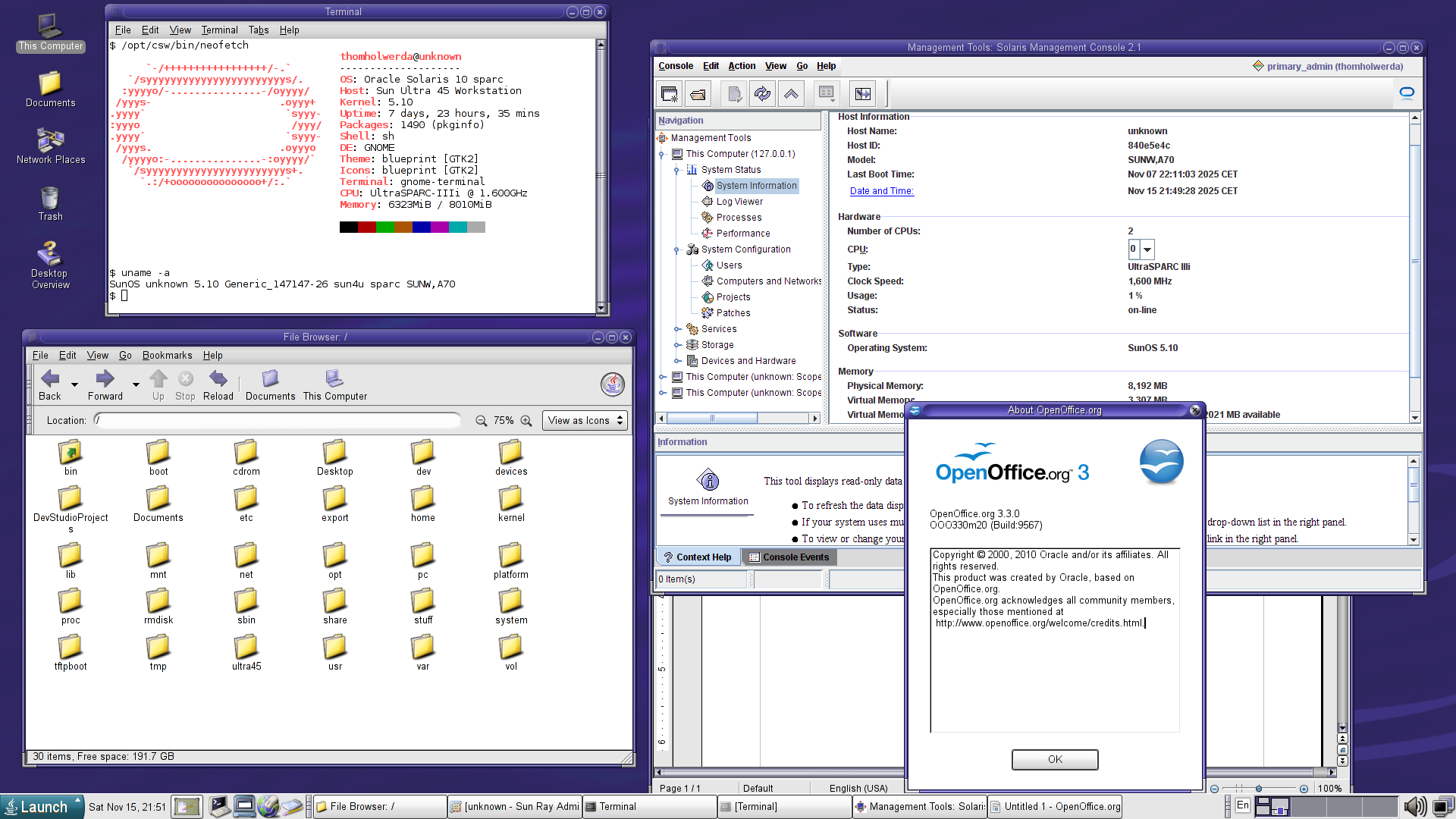
In my detailed article about the Sun Microsystems ecosystem of the late 2000s, I mentioned an issue I ran into with the latest (leaked) patchset for Solaris 10, the one from 2020, available on Archive.org. Sun does not make Solaris 10 patches and patchsets from 2014 and later freely available online, restricting them to big enterprise customers with expensive support contracts. The same restrictions apply to mere support documents for Solaris 10, so that issues documented by Oracle, including causes and possible solutions, are only accessible to those with support contracts.
The specific issue I ran into is that after installing the 2020 patchset, the Solaris Management Console, a GUI application written in Java with which you can manage certain aspects of your system, would no longer work. It would start up, but any settings panel you tried to load would throw up an RMI_ERR: error unmarshalling return, rendering the SMC effectively non-functional. This problem is documented in Oracle Doc ID 1559490.1, but of course, the Cause and Solution sections are hidden. I like weird commercial UNIX configuration GUIs, so even though you can do all of the SMC’s tasks with command-line tools, I still want it to work.
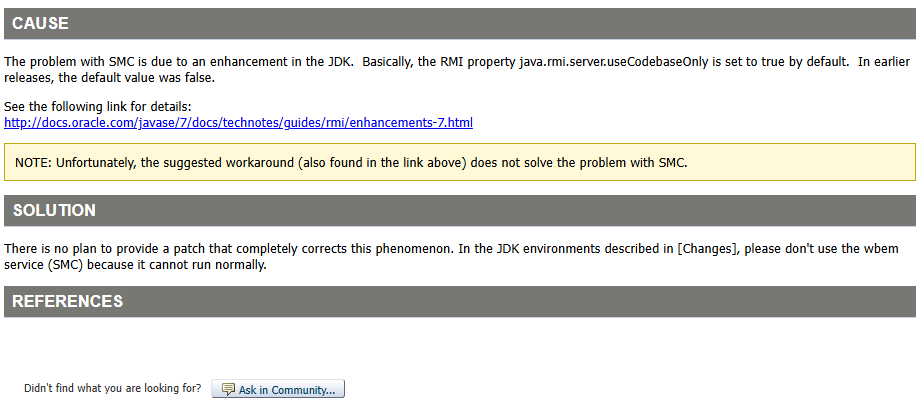
Judging by the error and the countless references to Java updates, it’s easy to figure out that the root cause is an updated version of Java installed by the patchset that the SMC doesn’t like. You’d think uninstalling any relevant patches would solve the problem, but I tried that and it didn’t make a difference, so I was hoping Oracle perhaps had a later patch to fix the issue, or perhaps a proper workaround to get the SMC working again. Well, a screenshot of the remainder of that Oracle Doc ID mysteriously materialised on my Ultra 45 this morning, and it turns out that Oracle just… Doesn’t care.
Honestly, I can’t blame them. Solaris 10 is old, outdated, pure legacy, and the very small number of organisations still using it are probably using it in Solaris Zones on servers anyway, and definitely not as a workstation/desktop operating system. There is zero incentive for Oracle to waste any time trying to fix this issue that, let’s be honest, really only affects one person in the entire world: me. Still, I wanted it fixed, and so I brute-forced a solution.
It’s pretty straightforward: just change your default Java version back to one that the Solaris Management Console can work with. While I have Java 1.6.0 and 1.8.0 installed on the Ultra 45, with 1.6.0 being the default, the SMC will only work when 1.5.0 is set as your default Java version. There’s a wide variety of ways to do this, ranging from hatchets to scalpels, but considering nothing else on Solaris 10/SPARC on the Ultra 45 relies on 1.6.0 or later (as far as I can tell, at least), I took a hatchet approach and just changed the /usr/java symlink so that it pointed to 1.5.0 again.
cd /usr
rm java
ln -s jdk/instances/jdk1.5.0 java
It’s that simple. Like I said, there are far more elegant ways of doing this, down to various scripts and other things to force only the SMC to use this specific Java version, but it’s not worth the effort to figure that out, and this works just as well. So, just in case there’s ever going to be a second person looking to fix this problem, here you are.
Microsoft has just announced a whole slew of new “AI” features for Windows, and this time, they’ll be living in your taskbar.
Microsoft is trying to transform Windows into a “canvas for AI,” with new AI agents integrated into the Windows 11 taskbar. These new taskbar capabilities are designed to make AI agents feel like an assistant in Windows that can go off and control your PC and do tasks for you at the click of a button. It’s part of a broader overhaul of Windows to turn the operating system into an “agentic OS.”
[…]
Microsoft is integrating a variety of AI agents directly into the Windows 11 taskbar, including its own Microsoft 365 Copilot and third-party options. “This integration isn’t just about adding agents; it’s about making them part of the OS experience,” says Windows chief Pavan Davuluri.
These “AI” agents will control your computer, applications, and files for you, which may make some of you a little apprehensive, and for good reason. “AI” tools don’t have a great track record when it comes to privacy – Windows Recall comes to mind – and as such, Microsoft claims this time, it’ll be different. These new “AI” agents will run in what are essentially dedicated Windows accounts acting as sandboxes, to ensure they can only access certain resources.
While I find the addition of these “AI” tools to Windows insufferable and dumb, I’m at least glad Microsoft is taking privacy and security seriously this time, and I doubt Microsoft would repeat the same mistakes they made with the entirely botched rollout of Windows Recall. in addition, after the Cloudstrike fiasco, Microsoft made clear commitments to improve its security practices, which further adds to the confidence we should all have these new “AI” tools are safe, secure, and private.
But wait, what’s this?
Additionally, agentic AI applications introduce novel security risks, such as cross-prompt injection (XPIA), where malicious content embedded in UI elements or documents can override agent instructions, leading to unintended actions like data exfiltration or malware installation.
Microsoft’s new “AI” features can go out and install malware without your consent, because these features possess the access and privileges to do so. The mere idea that some application – which is essentially what these “AI” features really are – can go out onto the web and download and install whatever it wants, including malware, “on your behalf”, in the background, is so utterly dystopian to me I just can’t imagine any serious developer looking at this and thinking “yeah, ship it”.
The contents of this repository allow older versions of UNIX (ancient UNIX) to run easily on modern Unix-like systems (Linux, FreeBSD, macOS, among others).
With the guides in this repository, you can easily run Versions 1/5/7 UNIX and 2.11BSD UNIX for the PDP-11 and Version 7 UNIX for x86 (ported to x86 by Robert Nordier in 1999, with patches in 2006-2007). That’s it.
In my lifetime, there’s been one ecosystem I deeply regret having missed out on: the Sun Microsystems ecosystem of the late 2000s. At that time, the company offered a variety of products that, when used together, formed a comprehensive ecosystem that was a fascinating, albeit expensive alternative to Microsoft and Apple. While not really intended for home use, I’ve always believed that Sun’s approach to computing would’ve made for an excellent computing environment in the home.
Since I was but a wee university student in the late 2000s living in a small apartment, I did not have the financial means nor the space to really test this hypothesis. Now, though, Sun’s products from that era are decidedly retro, and a lot more approachable – especially if you have incredibly generous readers. So sit down and buckle up, because we’ve got a long one today.
If you wish to support OSNews and longform content like this, consider becoming a Patreon or donating to our Ko-Fi. Note that absolutely zero generative “AI” was used in the writing of this article. No “AI” writing aids, no “AI” summaries, no ChatGPT, no Gemini search nonsense, nothing. I take pride in doing research and writing properly, without the “aid” of digital parrots with brain damage, and if there’s any errors, they’re mine and mine alone. Take pride in your work and reject “AI”.
The Ultra 45: the central hub
In the early 2000s, it had already become obvious that the future of workstations lied not with custom architectures, bespoke processors, and commercial UNIX variants, but with standard x86, off-the-shelf Intel and AMD processors, and Windows and Linux. The writing was on the wall, everyone knew it, and the ensuing consolidation on x86 turned into a veritable bloodbath. In the ’80s and ’90s, many of these ISAs were touted as vastly superior x86 killers, but fast-forward a decade or two, and x86 had bested them all in both price and performance, leaving behind a trail of dead ISAs.
Never bet against x86.
Virtually none of the commercial UNIX variants survived the one-two punch of losing the ISA they were married to and the rising popularity of Linux in the workstation space. HP-UX was tied to HP’s PA-RISC, and both died. SGI’s IRIX was tied to MIPS, and both died. Tru64 was tied to Alpha, and both died. The two exceptions are IBM’s AIX and Sun’s Solaris. AIX workstations were phased out, but AIX is still nominally in development for POWER servers, but wholly inaccessible to anyone who doesn’t wear a suit and has a massive corporate spending budget. Solaris, meanwhile, which had long been available on x86, saw its “own” ISA SPARC live on in the server space until roughly 2017 or so, and was even briefly available as open source until Oracle did its thing. As a result, Solaris and its derivative Illumos are still nominally in active development, but in the grand scheme of things they’re barely even a blip on the radar in 2025.
Never bet against Linux.
During these tumultuous times, the various commercial UNIX vendors all pushed out systems that would become the final hurrahs of their respective UNIX workstation lines. DEC, then owned by HP, released its AlphaStation ES47 in 2003, marking the end of the road for Alpha and Tru64 UNIX. HP’s own PA-RISC architecture and HP-UX met their end with the HP c8000 (which I own), an all-out PA-RISC monster with two dual-core processors running at 1.1GHz. SGI gave its MIPS line of machines running IRIX a massive send-off with the enigmatic and rare Tezro in 2003. In 2005, IBM tried one last time with the IntelliStation POWER 285, followed a few months later by the heavily cut-down 185, the final AIX workstation.
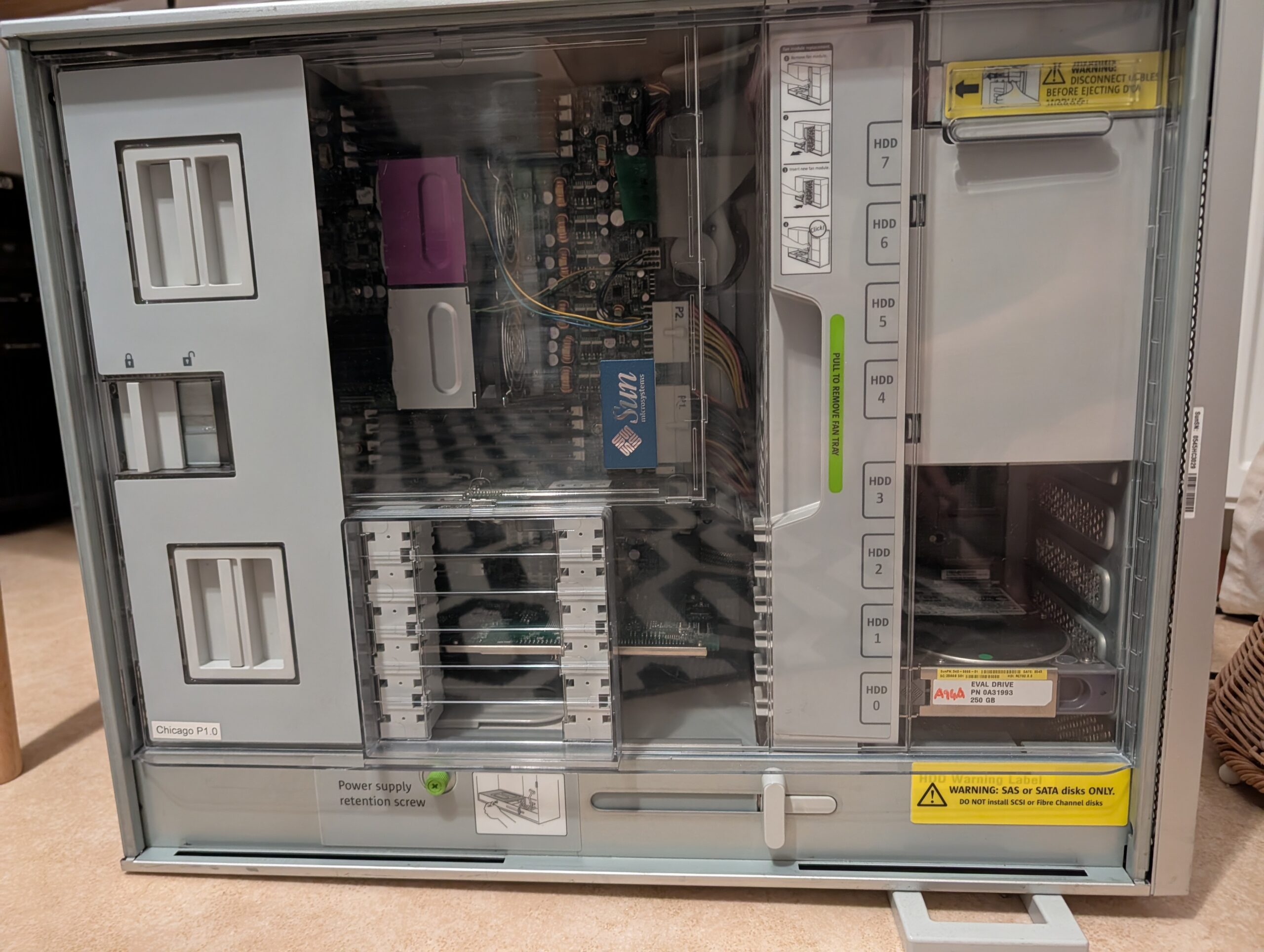
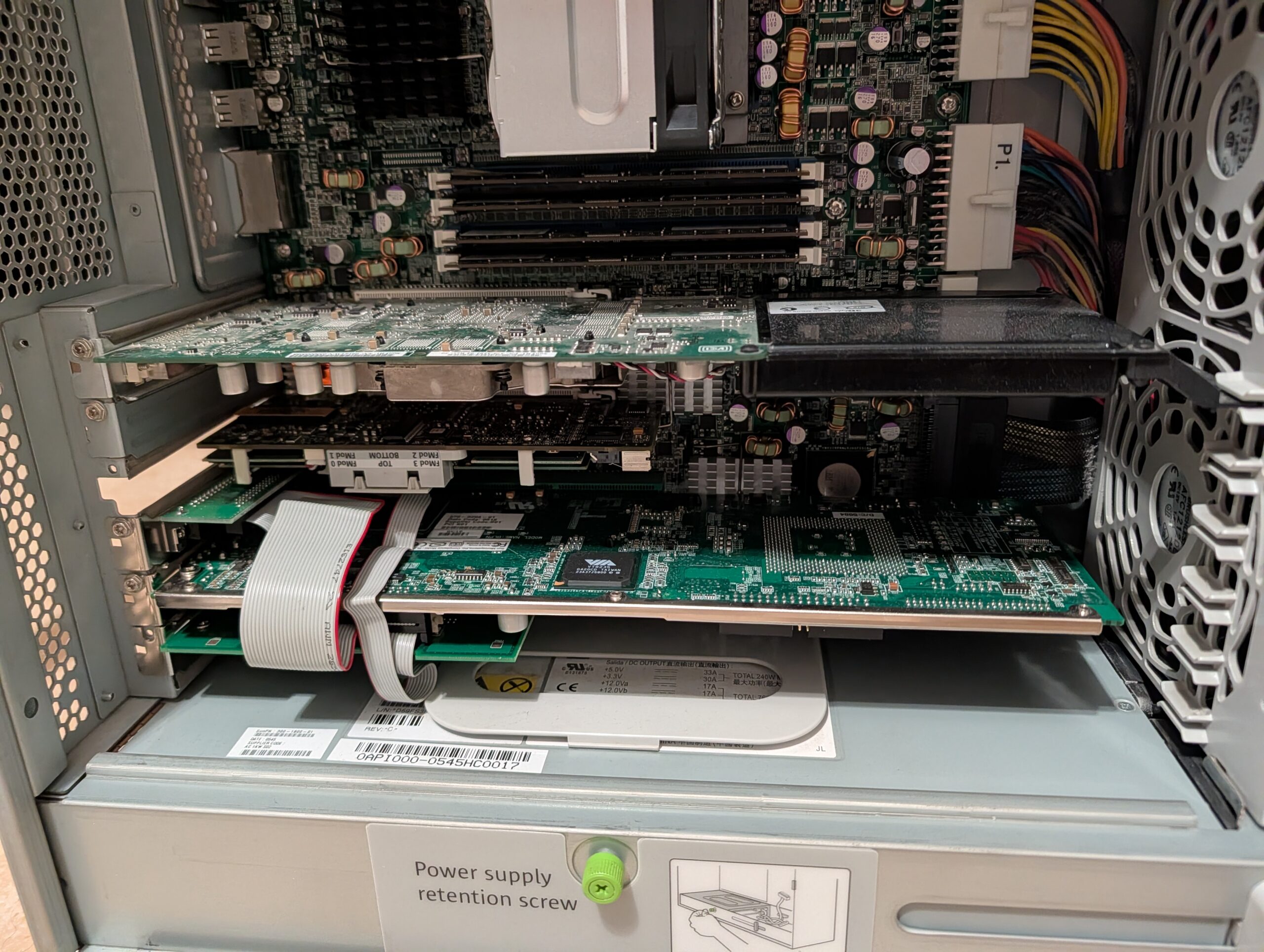
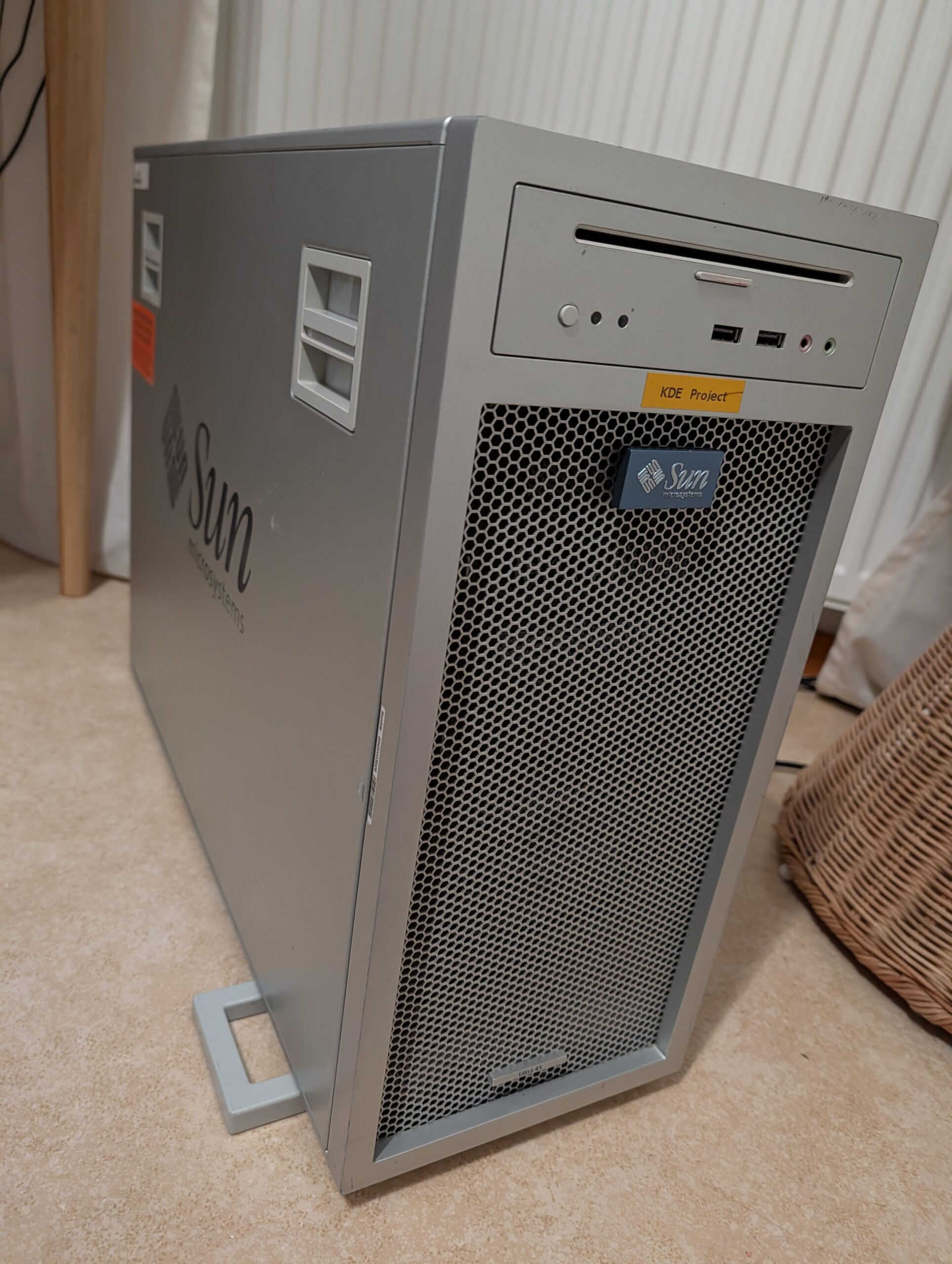
And Sun unveiled the Ultra 45, its final SPARC workstation, in 2006. Sun was already in the middle of its transition to x86 with machines like the Sun Java Desktop System and its successors, the Ultra 20 and 40, and then surprised everyone by reviving their UltraSPARC workstation line with the Ultra 25 and 45, which shared most – all? – of their enclosures with their x86 brethren. They were beautiful, all-aluminium machines with gorgeous interior layouts, and a striking full-grill front, somewhat inspired by the PowerMac G5 of that era.
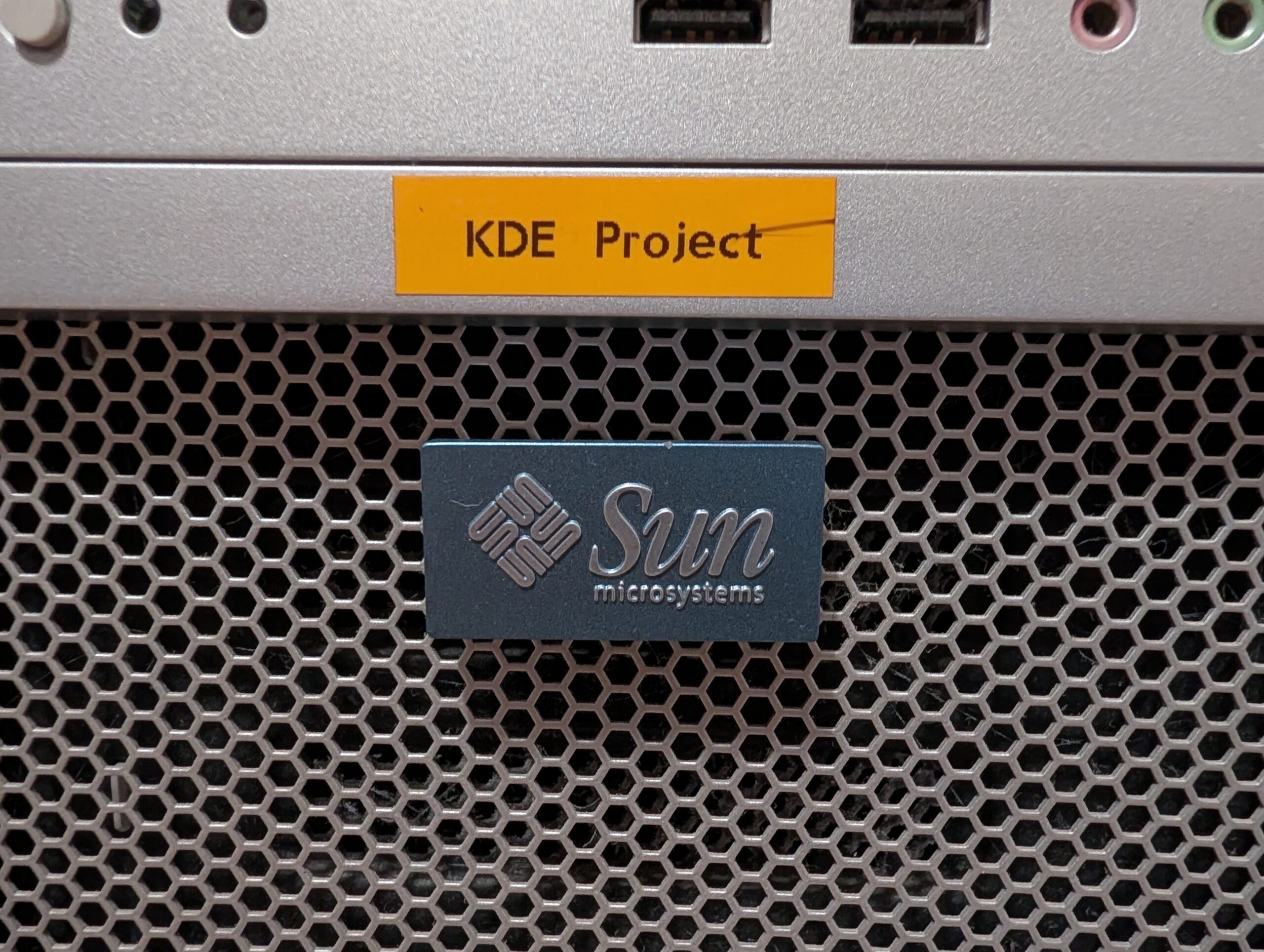
And ever since the Ultra 45 was rumoured in late 2005 and then became available in early 2006, I’ve been utterly obsessed with it. It’s taken almost two decades, but thanks to an unfathomably generous donation from KDE e.V. board member and FreeBSD contributor Adriaan de Groot, a very unique and storied Sun Ultra 45 and a whole slew of accessories showed up at my doorstep only a few weeks ago. Let’s look back upon this piece of history that is but a footnote to most, but a whole book to me – and experience Sun’s ecosystem from around 2006, today.
First and foremost, I want to express my deep gratitude to Adriaan de Groot. Without him, none of this would have been possible, and I can’t put into words how grateful I am. He donated this Ultra 45 to me at no cost – not even the cost of shipping – and he also shipped another box to me containing a few Sun Ray thin clients, completing the late 2000s Sun ecosystem I now own. Since the Ultra 45 was technically owned by KDE e.V. – more on that below – I’d also like to thank the KDE e.V. Board for giving Adriaan permission for the donation. I’d also like to thank Volker A. Brandt, who sent me a Sun Ray 3, a few Ultra 45 hard drive brackets, and some other Sun goodies.
The Sun Ultra 45 De Groot sent me was a base model with an upgraded GPU. It had a single UltraSPARC IIIi 1.6Ghz processor, 1GB of RAM, and the most powerful GPU Sun ever released for its SPARC workstation line, the Sun XVR-2500, a rebadged 3Dlabs Wildcat Realizm with 256MB of GDDR3 memory. Everything else you might need – sound, networking, and so on – are integrated into the motherboard. It also comes with a slot-loading, slimline DVD drive, a 250GB 7200 RPM SATA hard drive, and its massive 1000W power supply.
First order of business was upgrading the machine to match the specifications I wanted, with the most important upgrade being doubling the processor count. Finding a second 1.6Ghz UltraSPARC IIIi processor was easy, as they’re all over eBay and won’t cost you more than a few dozen euro excl. any shipping; they were also used in various Sun SPARC servers and are thus readily available. The bigger issue is finding a second CPU cooler, as they are entirely custom for Sun hardware and quite difficult to find. I found a seller on eBay who had them in stock, but be prepared to pay out the nose – I paid about €40 for the CPU, but around €160 for the cooler, both excl. shipping.
Installing the second CPU and cooler was a breeze, as it’s no different than installing a CPU or cooler on any other, regular PC. The processor was detected properly by the machine, and the cooler whirred to life without any issues, but of course, if you’re buying used you may always run into issues with parts. If you want to save some money, there is a way to use a specific cooler from a Dell workstation instead (and possibly others?), but I wanted the real deal and was willing to pay for it.
The second upgrade was the RAM. A mere 1GB wasn’t going to cut it for me, so alongside the processor and cooler I also ordered a set of four 1GB RAM sticks, the exact right kind, and ECC registered, too, as the machine demands it. This turned out to be a major issue, as I discovered the machine simply would not boot in any way, shape, or form with this new RAM installed. It didn’t even throw up any error message over serial, and as such, it took me a while to pinpoint the issue. Thankfully, I remembered I had a broken, non-repairable Sun server from the same era as the Ultra 45 lying around, and it just so happened to have 8✕1GB Sun-branded RAM sticks in it. I pilfered the sticks out of the server, stuck them in the Ultra 45, and the machine booted up without any problems.
I later learned from people on Fedi who used to work with Sun gear from this era that RAM compatibility was always a major headache. It seems the wisest thing to do is to just buy Sun-branded memory kits, because there’s very little guarantee any generic RAM will work, even if it is entirely identical to whatever sticks Sun slapped its brand stickers on. For now, 8GB is enough for me, but in a future moment of weakness, I may order 8✕2GB Sun-branded memory to max the Ultra 45 out. The main reason you may want to invest in a decent amount of RAM is to make ZFS on Solaris 10 happy, so take that into account.
Aside from these upgrades to the base system itself, I also planned two specialty upgrades in the form of two unique expansion cards. First, a Sun Flash Accelerator card to speed up ZFS’s operations on the spinning hard drive, and second, a SunPCi IIIpro, which is an entire traditional x86 PC on a PCI-X card, the final iteration of a series of cards designed specifically for allowing Solaris SPARC users to run Windows inside their workstation. I’ll detail these two expansion in more detail later in the article.
What’s in an Ultra 45?
The Sun Ultra 45 was launched as one of four brand new Sun workstations, with an entirely new design shared between all four of them. Two were successors to Sun’s first (okay, technically second) foray into x86 workstations, the Java Workstation: the Ultra 20 (single-socket Opteron) and Ultra 40 (dual-socket Opteron). These were mirrored by the Ultra 25 (single-socket UltraSPARC IIIi) and Ultra 45 (dual-socket UltraSPARC IIIi). However, where the Ultra 20/40 were genuine improvements over their Java Workstation predecessors, the story gets a bit more muddled when it comes their SPARC brethren.
Let’s take a look at the most powerful direct predecessor of the Ultra 45, the Sun Blade 2500 Silver. The table below lists the core specifications of the Blade 2500 Silver compared to the Ultra 45. Notice anything?
As you can see, the Ultra 45 was only a very modest upgrade to the Blade 2500 Silver. While the upgrades the Ultra 45 brings over its predecessor are very welcome, it’s not like upgraded expansion slots and the move to SAS/SATA would make Blade 2500 owners rush out to upgrade in droves. For heavy graphics users, the new XVR-2500 graphics card may have been tempting as it is inherently incompatible with the Blade 2500 (it uses PCIe), but I have a feeling many customers at the time would’ve probably just opted to move to x86 instead. For all intents and purposes, the Ultra 45 was a slim upgrade to its predecessor.
The story gets even more problematic for the SPARC side of Sun’s workstation business when you consider the age of the 2500 line. While the 2500 Silver was released in early 2005, its only upgrade compared to the 2500 Red was a clock speed bump (from 1280Mhz to 1600MHz), and the 2500 Red was released in 2003. This means that the Ultra 45 is effectively a computer from 2003 with improved expansion slots and a fancy new case. As a final knock on the Ultra 45, its processor had already been supplanted by Sun’s first multicore SPARC processors, the UltraSPARC IV in 2004 and the UltraSPARC IV+ in 2005, and Sun’s first multicore, multithreaded processor, the UltraSPARC T1, in 2005. These chips would never make it to any workstations, being used in servers exclusively.
Sun clearly knew further investments in SPARC workstations were simply not worth it at the time, and thus opted to squeeze as much as it could out of a 2000-2003ish platform, instead of investing in the development of a brand new workstation platform built around the UltraSPARC IV/IV+/T1. In other words, while the Ultra 45 is the last and most powerful SPARC workstation Sun ever made, it wasn’t really the balls-to-the-wall SPARC workstation sendoff it could’ve been, and that’s a shame.
But this one is mine
Now that we have a good idea of where the Ultra 45 stood in the market, let’s take a closer look at my specific machine. My Ultra 45 is not just any machine, but actually a pre-production model, or, in Sun parlance, an “NSG EARLY ACCESS EVALUATION UNIT”. The bright orange sticker on the side and the big yellow sticker at the top make it very clear this isn’t your ordinary Ultra 45.
I’ve removed and cleaned some other sticker residue, but these will remain exactly where they are, as I consider them crucial parts of its unique history. The fact it’s a pre-production unit means there are some very small differences between this particular machine and the final version sold to consumers. The biggest difference is found on the inside, where my model misses the two RAM air ducts found on the final version; my wild guess is that during late-stage testing they discovered the RAM could use some extra fresh air, and added the ducts.
Another difference inside is that the original CPU cooler, which came with the machine, is purple, while the second CPU cooler I bought off eBay is silver. As far as I can tell based on checking countless photos online, all CPU coolers on final models were silver, making my single purple cooler an oddity. I’d love to know the story behind the purple cooler – Sun used purple a lot in its branding and hardware design at this point, and it could be that this is a cooler from one of their many server models. Other than the colour, it’s entirely identical to its silver counterpart.
On the outside, the only sign this is a pre-production model – other than the stickers – is the fact that the ports and LEDs on the front of the device are unlabeled, while the final models had nice and clear labels. My machine also lacked the “Ultra 45” badge at the bottom of the front panel, so I did a silly and spent around €50 (incl. shipping and EU import duties) on a genuine replacement. It clicks into place in a dedicated hole in the metal meshwork.
It’s the little details that matter.
On the front of my Ultra 45, there’s a strong hint as to it history: a yellow label maker sticker that says “KDE project”. Sun’s branch in Amersfoort, The Netherlands, donated (or loaned out?) this particular Ultra 45 to KDE e.V. back in 2008 or 2009, so that the KDE project could work on KDE for Solaris and SPARC. You can even find blog posts by Adriaan de Groot about this very machine from that time period. It served that function for a few years, I would guess up until around 2010, when Oracle acquired Sun and subsequently took Solaris closed-source again.
Since then, it’s mostly been sitting unused in Adriaan’s office, until he offered to send it to me (after confirming with KDE e.V. it could be donated to me). Considering KDE is an important part of the machine’s history, I’m leaving the little KDE label right where it is. Perhaps Sun sent out its preproduction machines to people and projects that could make use of it, which was a nice – and a little self-serving, of course – gesture. Now it’s getting yet another lease on life as by far my favourite (retro)computer in my collection, which is pretty neat.
The operating system
Once I had the machine set up and booting into the OpenBoot prompt, it was time to settle on the software I’d be running on it. Since I tend to prefer setting up machines like this as historically accurate as is reasonable, Solaris 10 was the obvious choice. Luckily, Oracle still makes the SPARC version of Solaris 10 available in the form of Solaris 10 1/13 as a free download. This article won’t go too deep into operating system installation and configuration – it’s straightforward and well-documented – but I do have a few notes I’d like to share.
First and foremost, if you intend to use ZFS as your file system – and you should – make sure you have enough RAM, as mentioned earlier, but also to start the installer in text mode. You can’t install on ZFS when using the graphical installer, in which you’ll be restricted to UFS. Both variants of the installer are easy to use, straightforward, and a breeze to get through for anyone reading OSNews (or anyone crazy enough to buy SPARC hardware in 2025). If you’ve never worked with SPARC hardware and Sun’s OpenBoot before, have a list of ok> prompt commands at hand to boot the correct devices and change any low-level hardware settings.
The 1/13 in Solaris 10 1/13 means the DVD ISO is up-to-date as of January 2013, and sadly, Oracle hides post-1/13 patchsets behind support contract paywalls, so you won’t be getting them from any official sources. There’s a few 2018 and 2020 patchsets floating around, as well as collections of individual patch files, but I’ve some issues with those. One of the major issues I ran into with a more recent patchset is that it broke the Solaris Management Console, a Java-based graphical tool to manage some settings. There is a fix, but it’s hidden behind Oracle’s dreaded support contract paywalls, so I couldn’t do anything about it.
I’m sure a later version of the Solaris 10 patchset – they’re still being made twice a year, it seems – addressed this issue, but none of those patchsets ‘leaked’ online. I did try to install the individual patches in the massive patchset one-by-one to avoid potentially problematic ones identified by their description, but it was a hell of a lot of work that felt never-ending, since you also have the dependency graph to work through and track. After a few hours of this nonsense, I gave up. I would love for Oracle to stop being needlessly protective over a bunch of patchsets for a dead operating system running on a dead architecture, but I don’t own a massive Hawaiian island so I guess I’m the idiot.
One of the things you’ll definitely want to do after installing Solaris 10 is set up OpenCSW. OpenCSW is a package manager and associated repository of Solaris 10-native SVR4 packages for a whole bunch of popular and useful open source programs and tools, with dependency tracking, update support, and so on. It’s incredibly easy to set up, just as easy to use, and installs its packages in /opt/csw by default, for neat separation. As useful as OpenCSW is, though, it’s important to note that most packages have not been updated in years, so it’s not exactly a production-ready environment. Still, it contains a ton of tools that make using Solaris 10 on SPARC in 2025 a hell of a lot easier, all installable and manageable through a few simple commands.
I have a few other random notes about using Solaris 10 on a workstation like this. First, and this one is obvious, be sure to create a user for your day-to-day use so you don’t have be logged in as the root user all the time. If you intend to use the Solaris Management Console, which offers a graphical way to manage certain aspects of your machine, you’ll want to create the Primary Administrator role and assign it to your user account. This way, you can use the SMC even through your regular user account since it’ll ask you to log into the primary administrator role.
Second, assuming you want to do some basic browsing and emailing, you’ll also want to install the latest possible versions of Firefox and Thunderbird, namely version 52.0 of both. You can either opt for basic tarball installation, or use the SVR4 packages available from UNIX Packages to make installation a little bit easier. Version 52.0 of Firefox is severely outdated, of course, so be advised; tons of websites won’t work properly or at all, and security is obviously out the window. A newer version will most likely not be released since that would require an up-to-date Rust port and toolchain for Solaris 10/SPARC as well, which isn’t going to happen.
In addition, if you’ve set up OpenCSW, you should consider adding /opt/csw/bin to your PATH, so that anything installed through OpenCSW is more easily accessible. Furthermore, Solaris 10 installs both CDE and the Java Desktop System – GNOME 2.6 with a fancy Sun theme – and I highly suggest using the JDS since it was properly maintained at the time, while CDE had already stagnated for years at that point. It’ll give you niceties like automatic mounting of USB sticks and DVDs/CDs, and make it much easier to access any possible network locations. Speaking of which – you’ll want to set up a SAMBA or NFS share so you can easily download files on a more modern machine, and subsequently make them accessible on your Solaris 10 machine. Both of these protocols are installed by default.
As a final note, there are three sources I use to find ancient software for these older UNIX systems (I use both Solaris 10 and HP-UX): fsck.technology, whatever this is, and the Internet Archive. You can find an absolutely massive pile of programs, software, operating system patches, and everything else in these three sources, including various ways to circumvent any copy protection schemes. I don’t care about the legality, and neither should you.
If you want to go for something more modern than Solaris 10, SPARC is still supported by a variety of operating systems, like NetBSD, OpenBSD, and a number of Linux distributions. Your best bet is to buy one of the lower-end GPUs, like the XVR-300 or XVR-600, as the XVR-2500 is not supported by the BSDs, but may work on Linux. I haven’t tried any of them yet – this article is long enough as it is – but I will definitely try them out in the future.
The future island owners among you may also be wondering about Illumos and its various derivatives and distributions, like OpenIndiana and personal OSNews darling Tribblix. While they all do support SPARC, it’s spotty at best, especially on workstations like the Ultra 45. SPARC servers have a better success rate, but the Ultra 45 specifically is unsupported at this point due to bugs preventing Illumos and friends from even booting. The good news, though, is that the people working on the SPARC variants have access to Ultra 45 machines, and work is being done to fix these issues.
Now, let’s move on to the two specialty upgrades I bought for this machine.
Accelerating ZFS
The transition from spinning hard disk drives to solid-state drives was an awkward time. Early on, SSDs were still prohibitively expensive, even at small sizes, but the performance benefits were obviously significant, and everyone knew which way the wind was blowing. During this awkward time, though, people had to choose between a mix of solid state and spinning drives, leading to products like hybrids drives, which combined a small SSDs with a large hard drive to get the best of both worlds. As prices kept coming down, people could opt for a small SSD for their operating system and most-used applications, storing everything else on spinning drives.
A hybrid drive doesn’t necessarily have to exist as a single, integrated product, though; depending on factors like operating system, controller, and file system, you could also assign SSDs as dedicated accelerators. This is where Oracle’s line of Flash Accelerator cards – the F20, F40, and F80 – come into play. These were released starting in roughly 2010, and consisted of several replaceable flash memory modules on a PCIe card. They were rebranded LSI Nytro Warpdrives with some custom firmware, which can actually be flashed back to their generic LSI firmware to turn them into their white label LSI counterparts.
Oracle’s Flash Accelerator cards are remarkably flexible, because their firmware presents the individual flash modules as individual block devices to the Solaris 10 operating system. This way, you can assign each individual module to perform specific tasks, which, combined with the power of Solaris 10’s ZFS, gives people who know what they are doing quite a few options to speed up specific workloads. In addition – and this is pretty cool – these accelerator cards can also serve as a boot device, meaning you can install and run Solaris 10 straight from the accelerator card itself.
These cards come in a variety of sizes, and they’re incredibly cheap these days. They’re not particularly useful or economical for modern applications, but they’re still fun relics from an older time. And because they’re so cheap and plentiful on the used market, they’re a great addition to a retro project like my Ultra 45 – even if they’re technically intended for server use. I ordered a Flash Accelerator F20 on eBay for like €20 including shipping, giving me 96GB, spread out over four 24GB flash modules, to play with.
The card has two stacks of two flash modules, which can be removed and replaced in case of failure, as well as a replaceable battery. Sadly, the one I ordered didn’t come with the full-height PCI bracket, but even without any bracket, the card sits incredibly firmly in its slot. The card also functions as a host bus adapter, giving you two additional SAS HBA ports for further storage expansion. Do note that you’ll need to perform a reconfiguration boot of your SPARC system after installing the card, which is done by first dropping to the ok> prompt, and then executing boot -r. Once rebooted, the format command should display the four flash modules.
# format
Searching for disks…done

AVAILABLE DISK SELECTIONS:
    0. c1t0d0 <ATA-HITACHIHDS7225S-A94A cyl 65533 alt 2 hd 16 sec 465>
       /pci@1e,600000/pci@0/pci@9/pci@0/scsi@1/sd@0,0
    1. c3t0d0 <ATA-MARVELLSD88SA02-D21Y cyl 23435 alt 2 hd 16 sec 128>
       /pci@1e,600000/pci@0/pci@8/LSILogic,sas@0/sd@0,0
    2. c3t1d0 <ATA-MARVELLSD88SA02-D21Y cyl 23435 alt 2 hd 16 sec 128>
       /pci@1e,600000/pci@0/pci@8/LSILogic,sas@0/sd@1,0
    3. c3t2d0 <ATA-MARVELLSD88SA02-D21Y cyl 23435 alt 2 hd 16 sec 128>
       /pci@1e,600000/pci@0/pci@8/LSILogic,sas@0/sd@2,0
    4. c3t3d0 <ATA-MARVELLSD88SA02-D21Y cyl 23435 alt 2 hd 16 sec 128>
       /pci@1e,600000/pci@0/pci@8/LSILogic,sas@0/sd@3,0
Specify disk (enter its number):
Now it’s time to decide what you want to use them for. I’m not a system administrator and I have very little experience with ZFS, so I went for the crudest of options: I assigned each module as a ZFS cache device for the ZFS pool I have Solaris 10 installed onto, which is stupidly simple (the exact disk names can be identified using format):
To check the status of your pool and make sure the modules are now acting as cache devices:
# zpool status
pool: ultra45
state: ONLINE
scan: none requested
config:

    NAME        STATE     READ WRITE CKSUM
    ultra45     ONLINE       0     0     0
      c1t0d0s0  ONLINE       0     0     0
    cache
      c3t0d0s0  ONLINE       0     0     0
      c3t1d0s0  ONLINE       0     0     0
      c3t2d0s0  ONLINE       0     0     0
      c3t3d0s0  ONLINE       0     0     0

errors: No known data errors
The theory here is that this should give the 7200 RPM SAS drive the ZFS pool in question is running on a nice performance boost. Now, this is mostly theory in my particular case, since I’m not using this machine for any heavy workloads in 2025, but perhaps if you were doing some heavy lifting back in 2010 on your Solaris 10 workstation, you might’ve actually seen some benefit.
Of course, this is anything but an optimal setup to get the most out of this hardware, but I already had a fully configured Solaris 10 install on the spinning hard drive and didn’t feel like starting over. Like I said, I’m no system administrator or ZFS specialist, but even I can imagine several better setups than this. For instance, you could install Solaris 10 in a ZFS pool spanning two of the flash modules, while assigning the remaining two flash modules as log and cache devices for the spinning hard drives you keep your data files on. In fact, Oracle still has a ton of documentation online about creating exactly such setups, and it’s not particularly hard to do so.
This F20 card wasn’t part of my original planning, and the only reason I bought it is because it was so cheap. It’s a fun toy you could buy and use on a whole variety of older systems, as long as they have PCIe slots and compatibility with PCIe storage. The entire card is just a glorified HBA, after all, and many operating systems from the past 20 years or so can handle such cards and its flash storage just fine.
Let’s move on to something more interesting – something I’ve been dying to use ever since I learned of their existence decades ago.
I put a computer in your computer so you can computer with other computers
Even in the ’90s, much of the computing world – especially when it came to generic office and home use – had already moved firmly to x86 and Windows. Sun knew full well that in order to entice more customers to even consider using SPARC-based workstations, they needed to be interoperable with the x86 Windows world, since those were the kinds of machines their SPARC workstations would have to interoperate with. So, from quite early on in the 1990s, they were working on solutions to this very problem.
Sun’s first solution was Wabi, a reimplementation of the Win16 API to allow a specific set of popular Win16 applications to run on non-x86 UNIX workstations. This product was licensed by other companies as well, with IBM, HP, and SCO all releasing their own versions, and eventually it was even ported to Linux by Caldera in 1996. Another solution Sun offered at the same time as Wabi was SunPC, a PC emulator based on technology used in SoftPC. SunPC was limited to at most 286 software, however, so if you wanted to emulate software that required a 386 or 486 – like, say Windows 3.x or 95 – you needed something more.
And it just so happens Sun offered something more: the SunPC Accelerator Card. This line of accelerator cards, for SBus-based SPARC workstations, contained a 486 processor (and one later model an AMD 5×86 processor) on an expansion card that the SunPC emulator could use to run x86 software that required a 386 or 486. With this card installed, SPARC users could run full Windows 3.x or Windows 95 on their workstations, albeit with a performance penalty as the SunPC Accelerator Card did not contain any memory; SunPC had to emulate the RAM.
With Sun’s SPARC workstations moving to more standard PCI-based expansion busses in the second half of the 1990s, Sun would evolve their SunPC line into the SunPCi (clever), and that’s when this product line really hit its stride. Instead of containing just an x86 processor, SunPCi cards also contained memory, a graphics chip, sound chip, networking, VGA ports, serial ports, parallel ports, and later USB and FireWire as well. A SunPCi card is genuinely an entire x86 PC on a PCI expansion card, and the operating system running on that x86 PC can be used either in a window inside Solaris, or by connecting a dedicated monitor, keyboard, mouse, speakers, and so on. Or both at the same time!
In the late 1990s and early 2000s, Sun would release a succession of ever faster models of SunPCi cards, culminating in the last and most powerful variant: the SunPCi IIIpro, released in 2005. This very card is one of the reasons I was so excited to get my hands on a machine that could do it justice, so I splurged on a new-in-box model offered on eBay. This absolute behemoth of a PCI-X card contains the following PC hardware:
Mobile AMD Athlon XP 2100+ at 1.60Ghz
Two DDR SODIMM slots for a maximum of 1GB of RAM
S3 Graphics ProSavage DDR
A sound chip of indeterminate origin
VIA Rhine II Fast Ethernet Adapter
The base card contains a VGA port, a USB port, Ethernet port, and audio in and out. The number of ports can be expanded with two optional daughter cards, one of which adds two more USB ports as well as a FireWire port, while the other one adds a serial and parallel port. These two daughter boards each require an additional PCI slot, but only the USB/FireWire one actually makes use of a PCI-X connector. In other words, if you install the main card and its two daughter boards, you’ll be using up three PCI slots, which is kind of insane.
By default, the card only comes with a single 256MB DDR SODIMM, which is a bit anemic for many of the operating systems it supports – as such, I added an additional 512MB DDR SODIMM for a total of 768MB of RAM. Unlike the Ultra 45 itself, it seems the SunPCi IIIPro is not particularly picky about RAM, so you can most likely dig something up from your parts pile and have it work properly. The card has a few other expansion options too, like an IDE header so you can use a real hard disk instead of an emulated one, but that would require some hacking inside the Ultra 45 due to a lack of power options for IDE hard drives.
Once you have installed the card – a fiddly process with the two daughterboards attached – it’s time to boot the host machine back up and install the accompanying SunPCi software. The last version Sun shipped is SunPCi Software 3.2.2 in 2004, and in order to make it work on my Ultra 45 I had to perform some workarounds. Searching the web seems to indicate the problems I experienced are common, so I figured I’d collect the problems and workarounds here for posterity, so I can spare others the trouble.
What you’ll need is the SunPCi Software 3.2.2, the latest version; you can find this in a variety of locations around the web, including in the software repositories I mentioned earlier in the article. The installation is fairly straightforward, but the post-install script might throw up an error about being unable to find a driver called sunpcidrv.2100. The fix is simple, but the odds of finding this out on your own are slim. Once the installation is completed, run the following commands as root to symlink to the correct drivers:
cd /opt/SUNWspci3/drivers/solaris/
ln -s sunpcidrv.280 sunpcidrv.2100
ln -s sunpcidrv.280.64 sunpcidrv.2100.64
The second problem you’ll most likely run into is absolutely hilarious. If you try and start the SunPCi software with /opt/SUNWspci3/bin/sunpci, you’ll be treated to this gem:
Your System Time appears to be set in the future
I can't believe it's really Tue Nov 11 18:01:23 2025
Please set the system time correctly
This error message comes from a bug in the 3.2.2 release that was fixed in patch 118591-04, so you’ll have to download that patch (118591-04.zip) from any of the countless repositories that hold it (here, here, here, etc.) and install it according to the instructions to remove this time bomb. I’m glad people have been willing to share this patch in a variety of places, because if this one remained locked behind donations to the Larry Ellison Needs More Island Fund I’d be pretty upset.
Once installed, the SunPCi software should start just fine, greeting you with a dialog where you can configure your emulated hard drive and select the operating system you wish to install. Provided you have the correct operating system installation disc, the operating system you select will automatically be installed onto the emulated hard drive. You’ll also see proof that yes, this card is really just a regular, run-of-the-mill PC: it boots up like one, it has a BIOS like any other PC, you can enter this BIOS, and you can mess around with it. It’s really just a PC.
Sun put a lot of effort into making the operating system installation process as seamless and straightforward as possible; in the case of Windows XP, for instance, the SunPCi software will copy the contents of your Windows XP disc to a temporary location, and slipstream all the necessary drivers and some other software (specifically Java Web Start, of course) into the Windows XP installation process. In other words, once the installation is completed and you end up at the Windows XP desktop, all proper device drivers have been installed and you’re ready to start using it.
The amount of effort and thought Sun put into this product shines through in other really nice touches as well. For instance, inserting a CD or DVD into the Ultra 45’s drive will not only automatically mount it in Solaris, but also inside Windows XP – autorun and all. Making folders on the host’s file system available inside Windows XP is also an absolute breeze, as you can mount any folder on the host system inside Windows XP using Explorer’s Map Network Drive feature: \\localhost\home\thomholwerda, for instance, will make /home/thomholwerda available in Windows. You can also copy and paste text between host and client, and SunPCi offers the option to grow the virtual hard drive you’re using in case you need more space.
The installation procedure installs two different video drivers in Windows XP: one for the S3 Graphics ProSavageDDR, and one for the SunPCi Video. The former drives any external display connected to the SunPCi card, while the latter outputs to a window inside Solaris. If you need to do any graphics or video-related work, Sun strongly suggests you use the S3 chip by using an external display, and it’s obvious why. The performance of the SunPCi Video is so-so, and definitely feels like it’s rendering in software (which it is), so you can expect some UI stutters here and there. A nice touch is that there’s no need for the SunPCi window to “capture” the mouse pointer manually, as you can freely move your Solaris cursor in and out of the SunPCi window.
As for the performance of Windows XP – it will align more or less with what you can expect from a mobile Athlon from 2002, so don’t expect miracles. It’s entirely usable for office and related tasks, but you won’t be doing any hardcore gaming or complex, demanding professional work. The goal of this card is not to replace a dedicated x86 workstation, but to give Solaris/SPARC users access to the various office-related applications most organisations were using at the time, like Microsoft Office, IBM’s Domino, and so on, and it achieves that goal admirably.
There’s a ton of other things you can do with this card that I simply haven’t had the time yet to dive into (this article is already way too long), but that I’d like to come back to in the future. For instance, the list of officially supported operating systems includes not just Windows XP, but also Windows 2000, Server 2003, and a variety of versions of Red Hat (Enterprise) Linux (think Linux version ~2.4.20). The SunPCi software also contains an entire copy of DR-DOS 7.01, which is neat, I guess. Lastly, the user manual for the SunPCi software lists a whole lot of advanced features and tweaks you can play with, too.
I would also be remiss to note that you can actually use multiple SunPCi cards in a single machine, as that’s a fully supported configuration. You can totally get a big SPARC server, put multiple SunPCi cards in it, and let users log in remotely to use them, perhaps using Sun’s true thin client offering, Sun Rays. This is foreshadowing.
As for other operating systems – I’ve seen rumblings online that versions of NetBSD and Debian from the early 2000s were made to work on the SunPCi II (the previous model to what I have), but I can’t find any information on anything else that might work. The issue is that any operating system running on the card needs drivers for the emulated hard disk, which are obviously not available as those were made by Sun. Since the SunPCi IIIpro has an actual IDE connector, though, I’ve been wondering if it would at least be possible to boot and run an “unsupported” operating system using the external method (dedicated display, mouse, keyboard, etc.). If there’s interest, I can dive into this in the future and report back.
All in all, though, the SunPCi IIIPro is a much more thoughtful and pleasant product to use than I originally anticipated. Sun clearly put a lot of thought into making this card and its features as easy to use as possible, and I can totally see how it would make it palatable to use a SPARC workstation in an otherwise Windows-based corporate environment. Just load up Outlook or whatever Windows-based groupware thing your company used using the SunPCi software, and use it like any other application in your Solaris 10 SPARC environment. Since you can set the SunPCi software to load at boot, you’d probably mostly forget it was running on a dedicated PC on an expansion card, and your colleagues would be none the wiser.
To round out the Sun Microsystems ecosystem of the late 2000s, we really can’t get around explaining why the network is the computer. It’s time to talk Sun Ray.
Sun Rays: the spokes
During most of its existence, Sun’s slogan was the iconic “The network is the computer“, coined in the early 1980s by John Gage, one of the earliest employees at Sun. Today, the idea behind this slogan – namely, that a computer without a network isn’t really a computer – is so universally true it’s difficult to register just how forward-thinking this slogan was back in 1984. These days, everything with even a gram of computer power is networked, for better or worse, and the vast majority of people will consider any PC, laptop, smartphone, or tablet without a network connection to be effectively useless.
Gage was right, decades before the world realised it.
The product category that embodies Sun’s iconic slogan more than anything is the thin client, and Sun played a big role in this market segment with their line of Sun Ray products. The Sun Ray product line consisted of a variety of products, but the main two components were the Sun Ray Server Software and the various Sun Ray thin clients Sun (and Oracle) produced between 1999 and 2014. The server component would run on a server (or workstation, as we’ll see in a moment), and the Sun Ray client devices would connect to said server over the network.
The idea was that you had a giant server somewhere in your building, running the Sun Ray Server Software, accompanied by whatever number of Sun Ray thin clients you needed on employees’ desks. Each of your employees would have a user account on the server, and could log into that user account using any of the Sun Ray thin clients in the building. The special ingredient was the fact that Sun Rays were stateless, which meant that the thin clients themselves stored zero information about the user’s session; everything was running on the server.
This special ingredient made some real magic possible, most notably hotdesking, which, admittedly, sounds like something LinkedIn professionals do on OnlyFans, but is actually way cooler. You could roam from one Sun Ray to the next, and your desktop, including all the applications you were running and documents you had opened, would travel with you – because they were running on the server. Sun also bet big on smartcards, so instead of logging in with a traditional username and password, you could also log in simply by sliding your smartcard into the card reader integrated into every single Sun Ray. Take your smartcard out, and your session would disappear from the display, ready to continue where you left off on any other Sun Ray.
And yes, you could make this work across the internet as well.
Reading all of this, you may assume Sun Rays and hotdesking involved a considerable amount of jank, but nothing could be further from the truth. I’ve been fascinated by thin clients in general, and Sun Rays in particular, for decades, but I never had the hardware to properly set up a Sun Ray environment at home – until now, of course. With the Ultra 45 all set up and running, and the generous Sun Ray-related donations from Adriaan and Volker, I had everything I needed to set up some Sun Rays. If the Ultra 45 is the central hub, Sun Rays are its spokes.
I expected setting up a working Sun Ray environment would be a difficult endeavour, but nothing could be farther from the truth. It turns out that installing, setting up, and configuring the Sun Ray Server Software is incredibly easy, and Nico Maas made it even easier back in 2009 by condensing the instructions down to the bare essentials (Archive.org link just in case). After following Maas’ list of steps (you can skip the personal notes section at the end if you’re not using a dedicated network card for the Sun Ray Server Software), any Sun Ray you connect to your network and turn on will automatically find the Sun Ray Server, perform any possible firmware updates, and show a login screen.
From here, you can log into any user account on the Sun Ray Server (the Ultra 45, in my case) as if you’re sitting right behind it. Depending on which generation of Sun Ray you’re using, loading your desktop will either be fast, faster, or near instantaneous. Thanks to Sun’s network display protocol, the Application Link Protocol, performance is stunningly good. Even on the very oldest Sun Ray 1 device I have, it feels genuinely like you’re using the machine you’re remotely logged into locally.
As part of Maas’ instructions, you also installed Apache Tomcat, included in the Sun Ray Server Software’s zip file, which is a necessary component for the graphical configuration and administration utility. Since we’re talking 2000s Sun, this administration GUI is, of course, a web application written in Java, accessible through your browser (I suggest using the copy of Netscape included in Solaris 10) by browsing to your server’s IP address at port 1660. After logging in with your credentials, you’ll discover a surprisingly nice, capable, and detailed set of configuration and administration panels, which mirror many of the CLI configuration tools. Depending on your preference, you may opt to use the CLI tools instead, but persoally, I’m an absolute sucker for 2000s enterprise GUIs.
While there’s a ton of configuration options to play around with here, the ones we’re looking for have to do with setting up smartcards so we no longer have to use bourgeois banalities like usernames and passwords. To enable logging in with a smartcard, you’ll obviously need a smartcard – I have a Sun-branded one, which are objectively the coolest – but there are other options. You’ll then need to read the token on said smartcard, and associate that token with your user account. As a final step, you need to utterly wreck the security of your setup by enabling passwordless smartcard login.
This process is fairly straightforward, but there a few arbitrary details you need to be aware of. First, you need to designate a Sun Ray as a card reader by going to Desktop Units, and selecting the Sun Ray unit you’d like to use as a card reader by clicking Edit and under Advanced, select “Desktop unit is used as token reader” – click OK and perform the cold restart of the Sun Ray Server Software as instructed. Once the restart is completed, make sure the smartcard you wish to use is inserted, then go to the Tokens tab, click on New…, and you’ll see that the token is already read and selected. Enter your username next to “Owner:”, and save. Make sure to undo the “Desktop unit is used as token reader” setting, and you’re good to go.
If you wish to log in entirely passwordless – as in, you just need to insert the smartcard, no typed credentials required – you need to go to Advanced > System Policy, scroll down to “Session Access when Hotdesking”, and tick the box next to “Direct Session Access Allowed”. It should go without warning that this is quite insecure, as someone would just need to yoink your smartcard to break into your account. For whatever that’s worth, on a retro environment in your own home.
Now you can properly hotdesk. Insert your smartcard into any connected Sun Ray, and your desktop will automatically appear, running applications and all. Take the card out, and the Sun Ray login screen will reappear. Wherever you insert your smartcard, your desktop will show up. This way, your session will travel with you no matter where you are – as long as there’s a Sun Ray to log into, you can continue working, even across the internet if that functionality has been enabled. Nothing about this is particularly complex technology-wise, but it absolutely feels like magic.
The clients
Let’s dive a little deeper into the Sun Ray clients. Sun (and later Oracle) produced a wide variety of them over the years, but roughly they can be divided up unto three generations. Disregarding the extremely rare early prototypes, the Sun Ray 1 is probably the most iconic model, as far as its design goes. It also happens to be the only model powered by a SPARC chip, the 100MHz microSPARC IIep accompanied by ATI Radeon 7000 graphics. The second generation switched from SPARC to MIPS, a 500MHz RMI Alchemy Au1550 (built by AMD) accompanied by ATI ES1000 graphics. The third generation of Sun Rays moved to either a 667MHz RMI Alchemy Au1380 for the base model, or the MIPS 750MHz RMI XLS104 for the Plus model, both with graphics integrated into the processor.
None of these core specifications really matter though, as the performance will mostly be identical. What really matters is the port selection, and the display resolution the Sun Ray unit is capable of outputting. I would strongly suggest opting for models with DVI output capable of handling at least 1920×1080, since full HD panels are easy to come by and you probably have a few lying around anyway. All models of Sun Ray have USB, audio, and Ethernet ports, so you’re good there, but the Sun Ray 2FS and Sun Ray 3 Plus also have fibre optic Ethernet options. You know, just in case you really want to go nuts.
Your eyes are not deceiving you. That’s a KDE-branded Sun Ray 2FS, and according to Adriaan, there’s only two of these in existence.
Sun also produced various Sun Ray models with integrated displays for that all-in-one experience, including one with a CRT. Beyond Sun, various third parties also made Sun Ray-compatible devices, offering form factors Sun didn’t explore, like laptops and even tablets. Sadly, these third party models seem to be exceedingly rare, and I’ve never seen one come up for sale anywhere. I would personally haul 16 tons and owe my soul to the King of Lanai’s company store to get my hands on a laptop and tablet model.
But what if you don’t want to deal with the hassle of real hardware? Thin clients or no, these things still take up space and require a ton of cabling and peripherals, which can be a hassle (I have three Sun Rays and their peripherals hooked up… On the floor of my office). Fret not, as Sun and later Oracle also released virtual Sun Ray client software, allowing you to log into the Sun Ray Server form any regular PC. Called the Sun Desktop Access Client or the Oracle Virtual Desktop Client, it’s a simple Java-based application for Linux, Solaris, Windows, and Mac OS, available in 32 and 64 bit variants. Alongside the entire Sun Ray lineup, this piece of software was retired in 2017, but it’s still freely available on Oracle’s website, given you manage to navigate Oracle’s byzantine account signup, login, and download process.
I only tested the version available for Linux, and to my utter surprise, it still works just fine! Since I run Fedora, I downloaded the 64bit RPM, and installed it with rpm -ivh --nodigest ovdc-3.2.0-1.x86_64.rpm. You’re going to need two dependencies, available from Fedora’s own repositories through the following packages: libgnome-keyring and libsnl. Once installed, the Oracle Virtual Desktop Client will appear in your desktop environment’s application menu, or you can start it with ovdc from the terminal. Before you start the application, though, you’re going to need to enable the option “Sun Desktop Access Client” in the Sun Ray Server Software web admin under Advanced > System Policy, and perform a warm restart.
You’ll be greeted by an outdated Java application, so on my 4K panel the user interface looks positively tiny, but otherwise, it works entirely as expected. Enter the IP address of the machine you’re running the Sun Ray Server Software on, and the login screen will appear as if you’re using a hardware Sun Ray client. I find it quite neat that this ancient piece of software – last updated in 2014, its RPM last updated in 2017 – still works just fine on my Fedora 43 machines. There were also Android and iOS variants of the Oracle Virtual Desktop Client, but they’re no longer available in their respective application stores, and the Android APK I downloaded refused to install on my modern Android device.
The Sun Ray ecosystem is, even in 2025, a versatile and almost magical experience. It’s incredibly easy to set up and use, but of course, effectively useless in that Solaris 10 and its GNOME 2.6-based desktop Sun Rays provide remote access to are outdated and lack the modern applications we need. Still, this entire exercise has given me an immense appreciated for what Sun’s engineers built back in the late ’90s and early 2000s, and I wish the Sun Ray ecosystem didn’t die out at Oracle alongside everything else island boy got his hands on.
But did it die out, though? Recently, I reported on the latest OpenIndiana snapshot, and wrote this:
A particularly interesting bullet point is maintenance work and improvements for Sun Ray support, and the changelog notes that these little thin clients are still popular among their users. I’m very deep into the world of Sun Rays at the moment, so reading that you can still use them through OpenIndiana is amazingly cool. There’s a Sun Ray metapackage that installs the necessary base components, allowing you to install Sun’s/Oracle’s original Sun Ray Server software on OpenIndiana. Even though MATE is the default desktop for OpenIndiana, the Sun Ray Server software does depend on a few GNOME components, so those will be pulled in.
Now that you’re reading this article, it means the hold this project has had over my life has lessened somewhat, hopefully giving me some time to dive into OpenIndiana further. I’ve had issues getting it to boot and work properly on any of my devices, but knowing it’s still entirely compatible with Sun Ray means I might build a machine specifically for it. The sun must shine.
Conclusion
Could Sun’s ecosystem have made for an excellent computing environment at home? I’m realistic and realise full well that nobody was going to buy an expensive Ultra 45 or otherwise set up a SPARC server with a SunPCi card and Sun Rays just for home use. These were enterprise products with enterprise prices, after all. Still, I think the basic idea of a powerful central computer in the home – perhaps a server in the utility closet – accompanied by a number of cheap thin clients is sound. Most of our computers are sitting idle most of their lifetime, and there’s really no need for every member of a household having access to their personal overpowered desktop and/or laptop.
Twenty years ago, Sun’s ecosystem showed us that such a setup need not be complex, janky, or cumbersome, and with a bit more end-user focused polish it would’ve made for an amazing home computing environment. Of course, there’s far more profit to be made in selling multiple overpowered computing devices to each consumer, especially if you can also manage to force them into subscription software and “cloud” services, while showing them ads every step of the way.
I’ve only scratched the surface of everything you could possibly do with the hardware and software covered in this article, as I didn’t want to get too bogged down in the weeds. There’s other operating systems to try on the Ultra 45, there’s compatibility to explore with the SunPCi, there’s OpenIndiana to install to see just how hard it is to get the Sun Rays working with a modern operating system, and, of course, there’s a ton of finer details to tweak, fiddle with, and discover. I haven’t had this much fun with a bunch of computing devices in ages.
This deep dive into Sun’s ecosystem has consumed most of my life over the past few months. I know full well writing 10,000 word articles on dead Sun tech from the 2000s is not a particularly profitable use of my time. This isn’t going to draw scores of new readers to the OSNews Patreon and Ko-Fi and make me rich. For profit, I should be making YouTube videos with fast transitions and annoying sound effects to stir up drama based on GitHub discussions or LKML posts with my O face in the thumbnails.
But someone needs to show the world what we lost when Sun died and the industry enshittified. Tech has hit rock bottom, and I want to show everyone that yes, we can build something better.
We only have to look back at what we lost, instead of forward at what’s left to destroy.

 Login
Login